Logging
One of the main benefits of ProtoFlex is that you can view the log to see exactly what commmands a client is sending to the FlexRadio. While there are alternative ways to do this, they all have limitations. This allows you to see the command ProtoFlex receives and the response it sends. Additionally ProtoFlex logs the status messages it sends to the clients.
- By default ProtoFlex logs to the console and also to a file named protoflex.log.
- The file logs all the Flex Commands, Responses and Status Messages between the client and the ProtoFlex.
- It also logs errors it discovers from badly formatted commands, etc.
- UDP Discovery payloads are logged whenever one of the payload attributes changes.
Note
Keepalive pings are not logged. SmartSDR sends these every second, they would fill the log very quickly if they were logged.
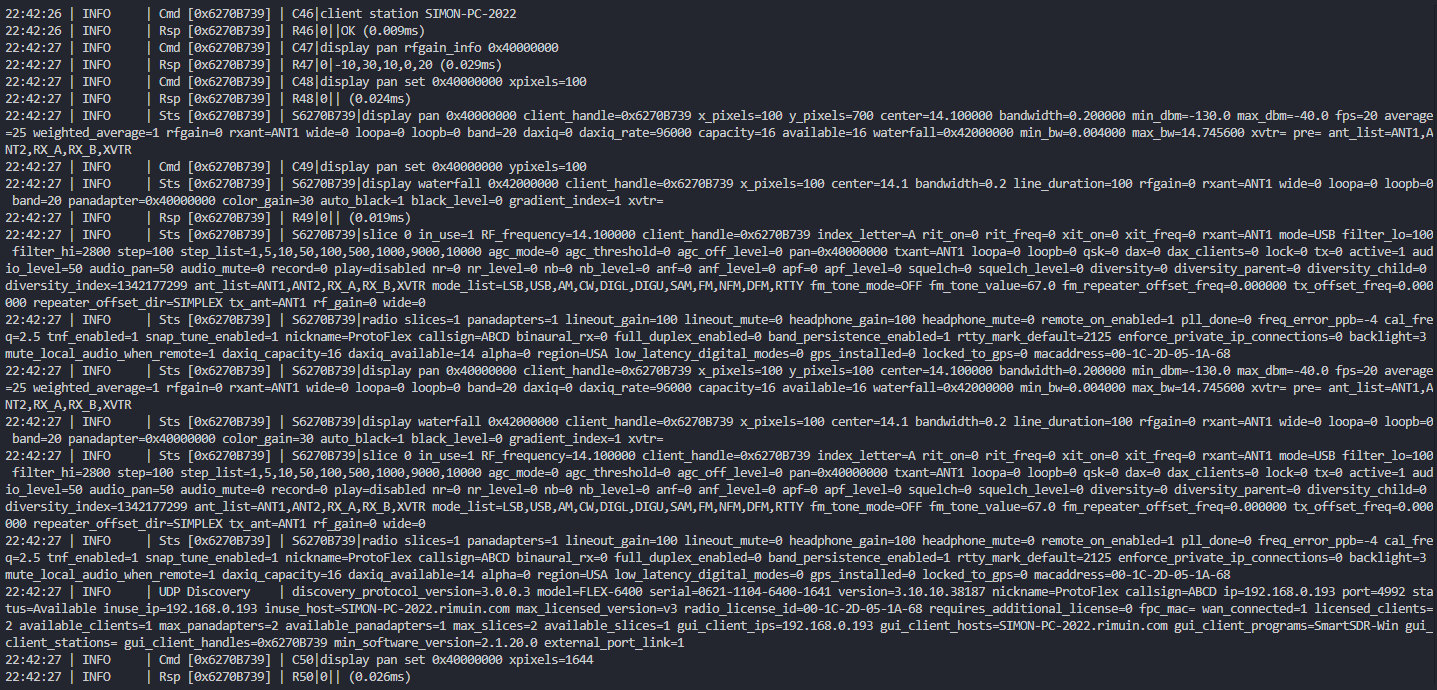
There are some other ways of logging the interaction between a client and a Flex Radio, but they have limitations.
- This tool allows you to see the TCP and UDP traffic on the network between two devices, but WireShark has to run on one of those devices. Running Wireshark on the FlexRadio is obviously not a choice, which means it has to run on the client device. If you're testing cleint software on a PC then this will work. But if you're testing custom microcontroller hardware, then it's unlikely you can run WireShark on a microcontroller.
- Wireshark doesn't format the network traffic in an easy to read format. Sometimes a FlexRadio will combine multiple messages into a single payload, making it complex to read.
- SmartSDR sends keep alive payloads every second, which fill up the WireShark log. While the ping command payload can be filtered out, the response payload is so generic that you can't filter it out without losing responses from other commands.
- Using ProtoFlex allows you to see exactly what commands the client is sending.
- If you have a managed network switch, your switch may have the capability of mirroring one port to another port. When testing custom microcontroller hardware, this may allow you to plug that device into a port that is being mirrored to another PC running WireShark.
- I was unsuccessful logging traffic when plugging a FlexRadio into a mirrored port - SmartSDR lost the connection. I'm yet to try plugging a client device (like the TeensyMaestro) into a mirrored port.
- Connecting a second client that establishes a connection and logs the TCP messages it receives will allow you to see the Status Messages that the Flex sends to all clients. However, it won't allow you to see the Command and Response traffic that is between a device being tested and the radio.