Getting Started
- At this time ProtoFlex only runs on Windows.
- Create a folder on your PC.
- Download the following files from the repository and store them in the local folder:
- protoflex.bat
- protoflex.exe
- radio_config.json
- Double click on the file
protoflex.batto run ProtoFlex.- The ProtoFlex server will start running in a terminal window. Minimize the window if needed.
- It will log to the console and also to a file.
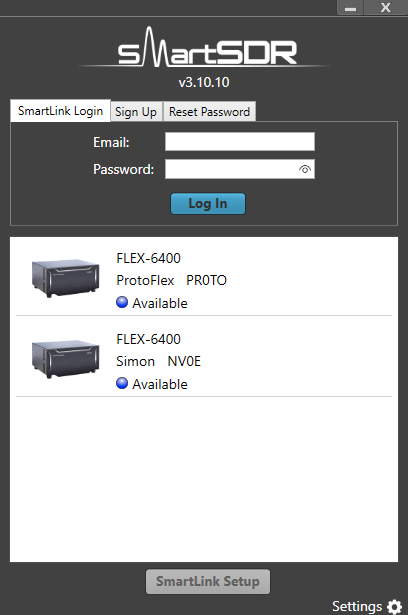
- Start SmartSDR and the Protoflex will be listed. If you have a FlexRadio on the same subnet you will see two choices:
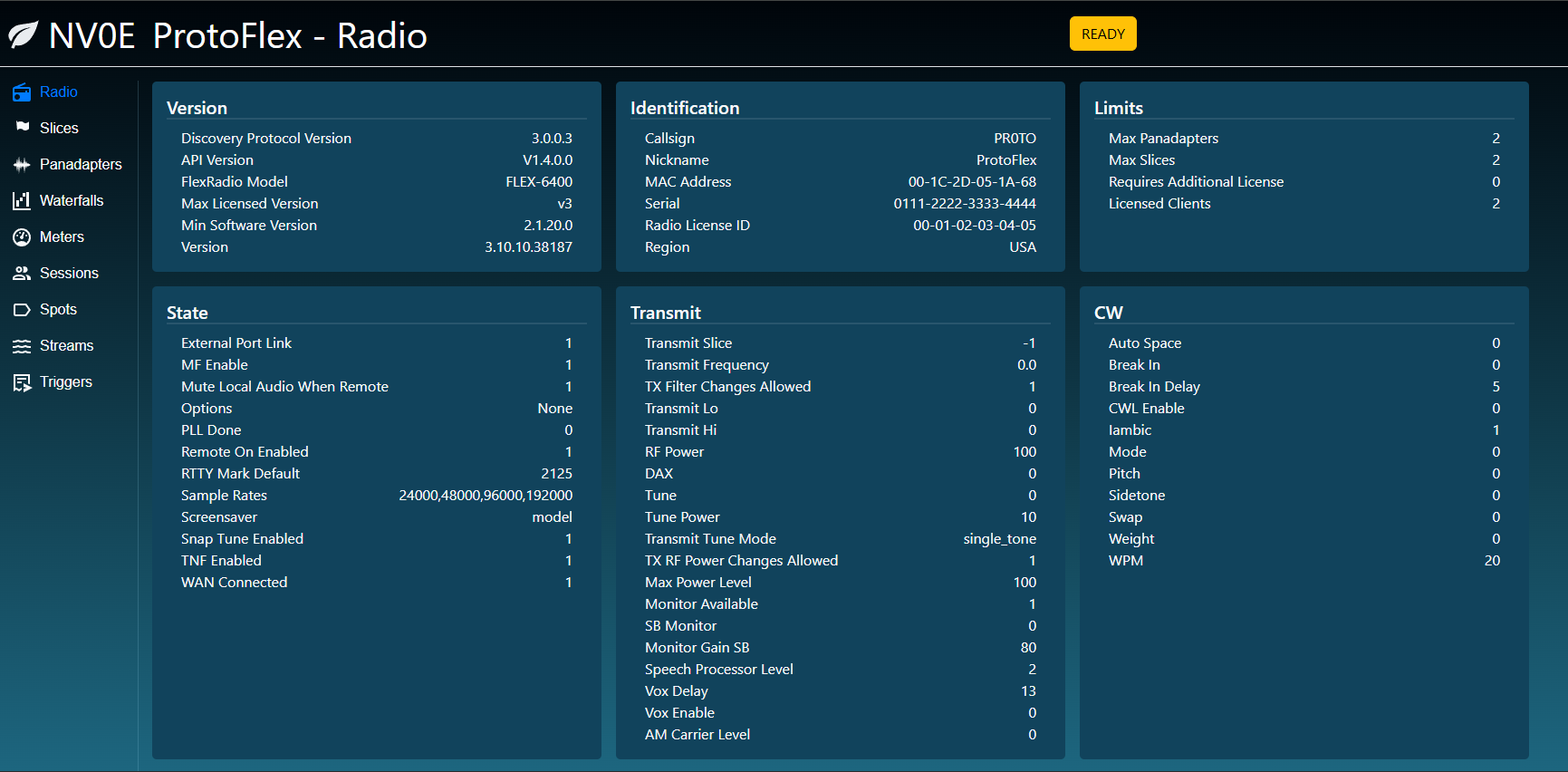
- Using a browser, go to http://localhost:5000 to display the browser interface.
- Close the terminal window.
- If you have started ProtoFlex on a computer, you can access the web app from another device on the network.
- Determine the IP address of the computer running ProtoFlex, say 192.168.1.100
- On the remote device, use a browser to go to http://192.168.1.100:5000
# With console logging only
protoflex.exe --config-file radio_config.json

# With file logging and console logging
protoflex.exe --config-file radio_config.json --log-file protoflex.log

# With file logging and console logging with a custom log level
protoflex.exe --config-file radio_config.json --log-file protoflex.log --log-level INFO

# With file logging and custom log level and no console logging
protoflex.exe --config-file radio_config.json --log-file protoflex.log --log-level INFO --no-console

# Short form
protoflex.exe -c radio_config.json -l protoflex.log