NAPS How To
-
Download and Install Naps2: Naps2
-
Make a profile
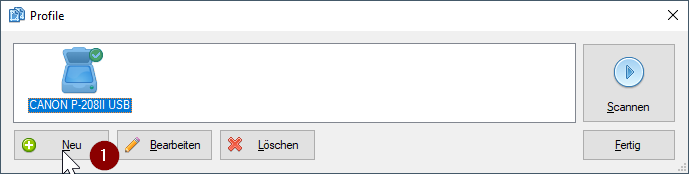
- Choose new
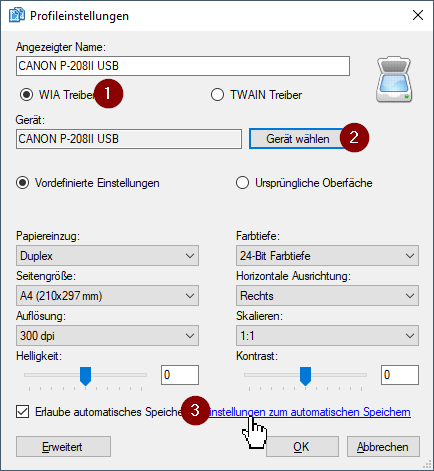
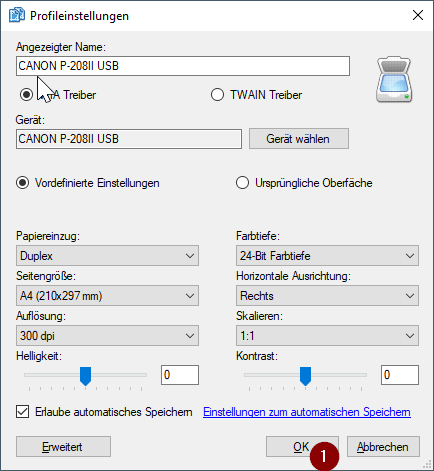
- First select WIA Driver or the TWAIN Driver whatever works for your scanner
- Second choose your scanner
- Third check allow automatically safe the pdfs and click in the link to change the settings for it
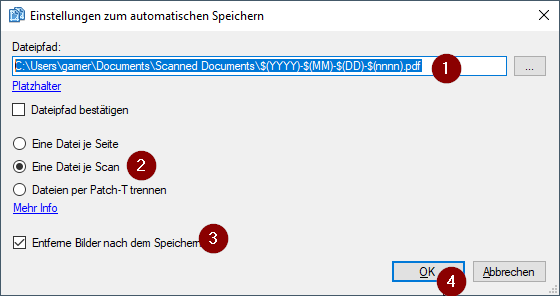
- Choose the folder to save the pictures with a placeholder
- Choose that every Scan results in his own pdf
- Choose to remove the pictures after saving the pdf and hit ok
- Also hit ok here to save the profile
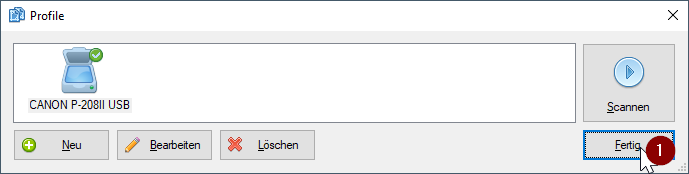
- And hit finish. Now you can even close the software and it will start when you press the scan button on your scanner.
- Now its only left to set Naps2 as the default scanner applikation: How to set Naps2 as default