
Self-hosted crypto payments. Your server. Your wallets.
Accept Bitcoin, stablecoins and more with a checkout that feels like your business.


Website · Features · Documentation · API · MCP · Checkout demo · Issues & ideas
Actual merchant interface with example data.
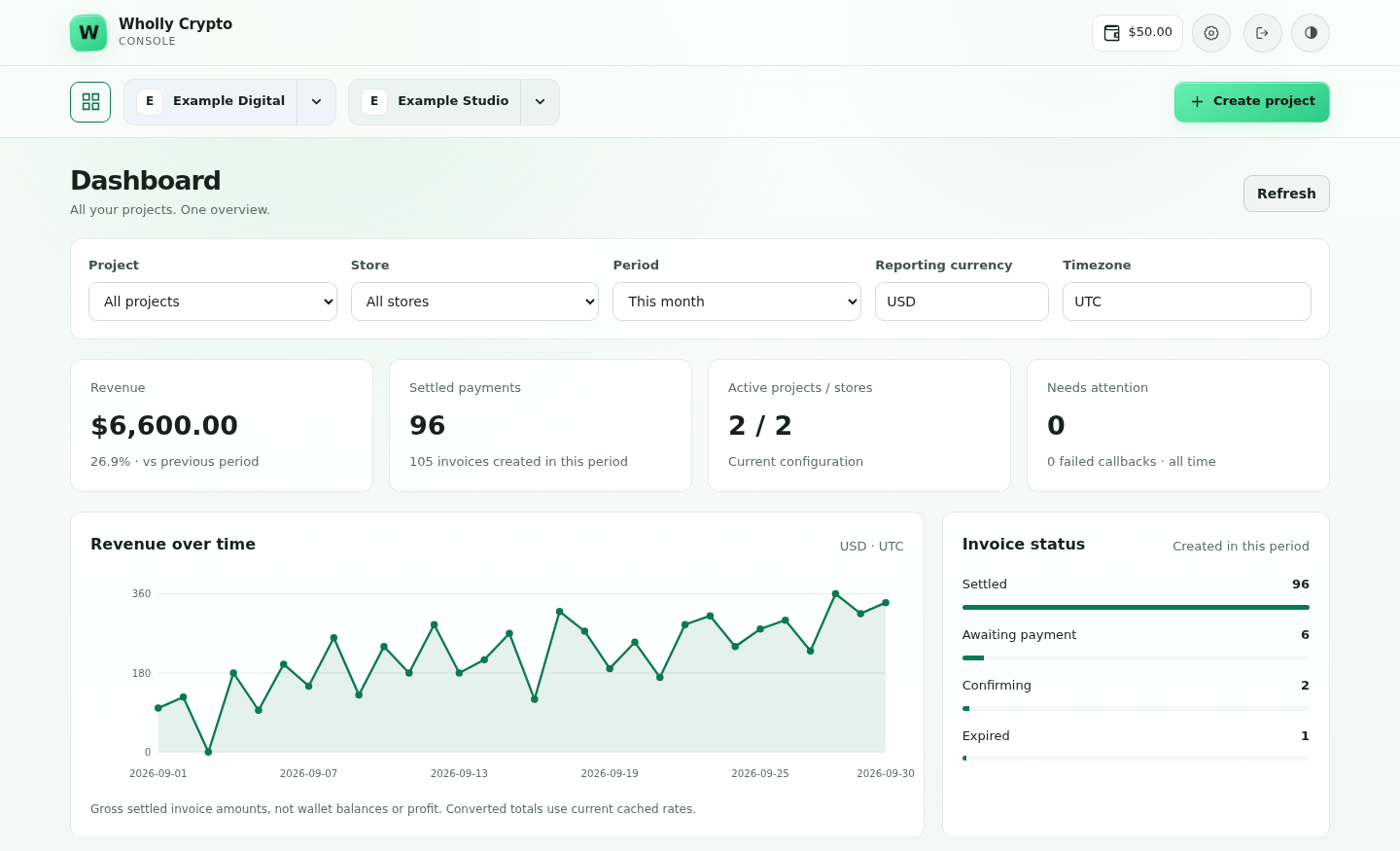
Wholly Crypto is a self-hosted, non-custodial, multi-crypto payment processor. Run it on your Linux VPS, create a store and receive on-chain customer payments directly into merchant-controlled wallets. Blockchain nodes stay separate; connect your own providers and fallbacks over HTTPS or WSS.
This is the official merchant release distribution repository, not an application source repository. Wholly Crypto is proprietary software.
Features · Install · Plugins & SDKs · Pricing · Update · Supporters
- Accept payments across 30 networks, including Bitcoin, Ethereum, Solana, TRON, Base, XRP and more. Choose native coins and supported tokens per store. Bitcoin Lightning is also available through a configured LND or NWC connection.
- Make checkout your own. Logo, colors, language, payment methods, messages, redirects and hosted or embedded checkout.
- Run multiple projects and stores. Separate payment settings, reporting, store defaults and team access in one installation.
- Create and track invoices. Manual entry or API, fiat pricing, QR codes, confirmation targets, underpayment tolerance and exchange-rate spread.
- Review payments that need attention. Underpayments, late payments, delivery failures and reconciliation actions in one queue.
- Manage wallets and sweeps. View native-coin and token balances, back up wallet secrets, send manually or automate transfers per chain and asset.
- Convert through your exchange. Send supported assets to Kraken, Binance or Coinbase, then optionally market-convert a matched, credited deposit into USD, EUR, GBP or another available fiat currency or crypto asset.
- Connect your shop or backend. Official WooCommerce and WHMCS plugins, PHP/Python/Node.js SDKs, signed IPN and event webhooks.
- Connect an AI assistant with MCP. Read payments and balances across approved projects, or separately allow invoice creation. Built into your merchant API with OAuth approval and revocation; no secret-export or send tools.
Explore features · Supported networks · Lightning guide · MCP setup guide · Compare payment processors
Exchange conversion depends on supported direct markets, deposit networks and your exchange account. Exchange custody, KYC, minimums and fees apply. Fiat stays on the exchange; bank withdrawals are separate. Lightning custody and liquidity depend on the connected wallet or node.
Run as root on a fresh, dedicated, supported Linux x86-64 VPS with systemd. No Docker or local blockchain nodes are required by Wholly Crypto.
| Minimum for light use | Recommended | |
|---|---|---|
| Server | 1 vCPU · 2 GB RAM · 20 GB SSD | 2 vCPU · 4 GB RAM · 60 GB SSD |
These sizes assume a minimal server image. Read the supported distributions and full requirements first. Allow inbound TCP 80/443 in both VPS and provider firewalls, and keep SSH access. With Cloudflare, use DNS-only during installation; turn the proxy back on after installation and domain validation finish.
bash -c 'wholly_setup=$(curl -fsSL --connect-timeout 10 --max-time 60 https://releases.whollycrypto.com/setup_wholly.sh) || wholly_setup=$(curl -fsSL --connect-timeout 10 --max-time 60 https://raw.githubusercontent.com/whollycrypto-com/whollycrypto/main/setup_wholly.sh) || exit 1; exec bash -c "$wholly_setup" -- "$@"' --The command downloads the complete bootstrap from the primary server or GitHub
before running it. The installer also falls back to GitHub for signed metadata
and release files. No GitHub account or token is needed to install or update.
Append --check to check compatibility without installing, or --help for options.
The initial bootstrap trusts HTTPS; inspect the script before running it as root.
Choose your domains, default fiat currency and console protection during setup.
merchant.*, pay.* and api.* are the defaults; you can choose your own names.
Then register your administrator, create a store, back up wallets and enable
payment methods. New installations receive a one-time $10 welcome credit.
Use your own installation’s API URL. Keep API credentials and signing secrets server-side. Project and Store API IDs are in Store → Basic → API IDs.
| Plugin | What it connects | Get started |
|---|---|---|
| WooCommerce | Classic checkout, Checkout Blocks and HPOS | Guide · Download ZIP |
| WHMCS | Client invoices with verified crypto settlement | Guide · Download ZIP |
Both plugins use hosted checkout and verify signed payment notifications against the merchant API. Wallet keys stay out of your shop. Test on your staging shop before going live. Automatic refunds and recurring debits are separate workflows.
| SDK | Install | Runtime |
|---|---|---|
| PHP | composer require whollycrypto/php-sdk |
PHP 7.4+ |
| Python | python -m pip install whollycrypto |
Python 3.10+ |
| JavaScript / TypeScript | npm install whollycrypto |
Node.js 22+ |
All SDKs are MIT licensed. WooCommerce is GPL-2.0-or-later; the WHMCS module is MIT licensed. Each repository includes setup, examples and its own license.
SDK guides · Merchant API reference · IPN & webhooks
The default processing fee is 1% of the invoice’s original fiat value, deducted from prepaid processing credits as invoices settle. Your assigned rate applies. A $100 invoice uses $1 of credit at 1%.
Your customer payment is not split with us. Customer funds go to your wallets; processing credits are topped up separately. Network fees, exchange fees and server costs are separate.
Low credits never block customer payments. You can still create checkouts, receive payments and track confirmations. IPN/webhooks, Sweep, new exchange conversions, new projects/stores and installing new versions pause until usable credit is restored. Backups, recovery and update checks remain available. Fees continue to accrue.
Pricing · Full processing-credit guide
whollycrypto update --check
whollycrypto update
Starting with 0.1.20, updates automatically try GitHub if the primary host is unavailable. Older installations must update once while the primary host is reachable to gain this support. Signature, checksum and downgrade checks remain enabled on both hosts. Billing and update eligibility rules are unchanged.
Upgrading from 0.1.31 or earlier? Use the signed standalone updater once to avoid the old background-worker timing issue:
bash <(curl -fsSL https://releases.whollycrypto.com/update_wholly.sh)It verifies the latest updater with your installed key before running it. From
0.1.32, updates wait up to two minutes for running jobs while checkout stays
online. Afterwards, use whollycrypto update normally.
Report a bug or request a feature. For sensitive reports, contact us privately. Never post credentials, private keys, recovery phrases or customer details in an issue.
The setup launcher and update launcher are also available directly from this repository if the primary website is offline. Prefer the resilient install command above and the already-installed CLI.
GitHub Releases contains the same verified merchant packages, signed manifests, checksums and release notes as the primary download server. Repository files are limited to these instructions, install/update launchers and public license/key information. Application source, internal systems, credentials and signing private keys are never published here.
See LICENSE.txt and the license terms. Third-party licenses remain applicable; notices are included in each package. GitHub's automatically generated “Source code” archives contain only this small public distribution repository, not the merchant application source.
These merchants use Wholly Crypto and support its development.
| CryptoTraveler | Blacktel | Verifyr |
|---|---|---|
 |
 |
 |
| Hotels, flights and travel eSIMs with crypto | Virtual numbers, calls, SMS and travel eSIMs | Team 2FA and authentication workflows |
Using Wholly Crypto? Become a supporter merchant and get listed.