
Add DeskCrew live chat and AI support to any Craft CMS site from the control panel. No template changes.
Website • Integrations • For agents • Sign up









⭐ Help more people find DeskCrew. Star this repo!
Add the DeskCrew support-chat widget to your Craft site: live chat, AI answers from your knowledge base, and a help center, without touching a template.
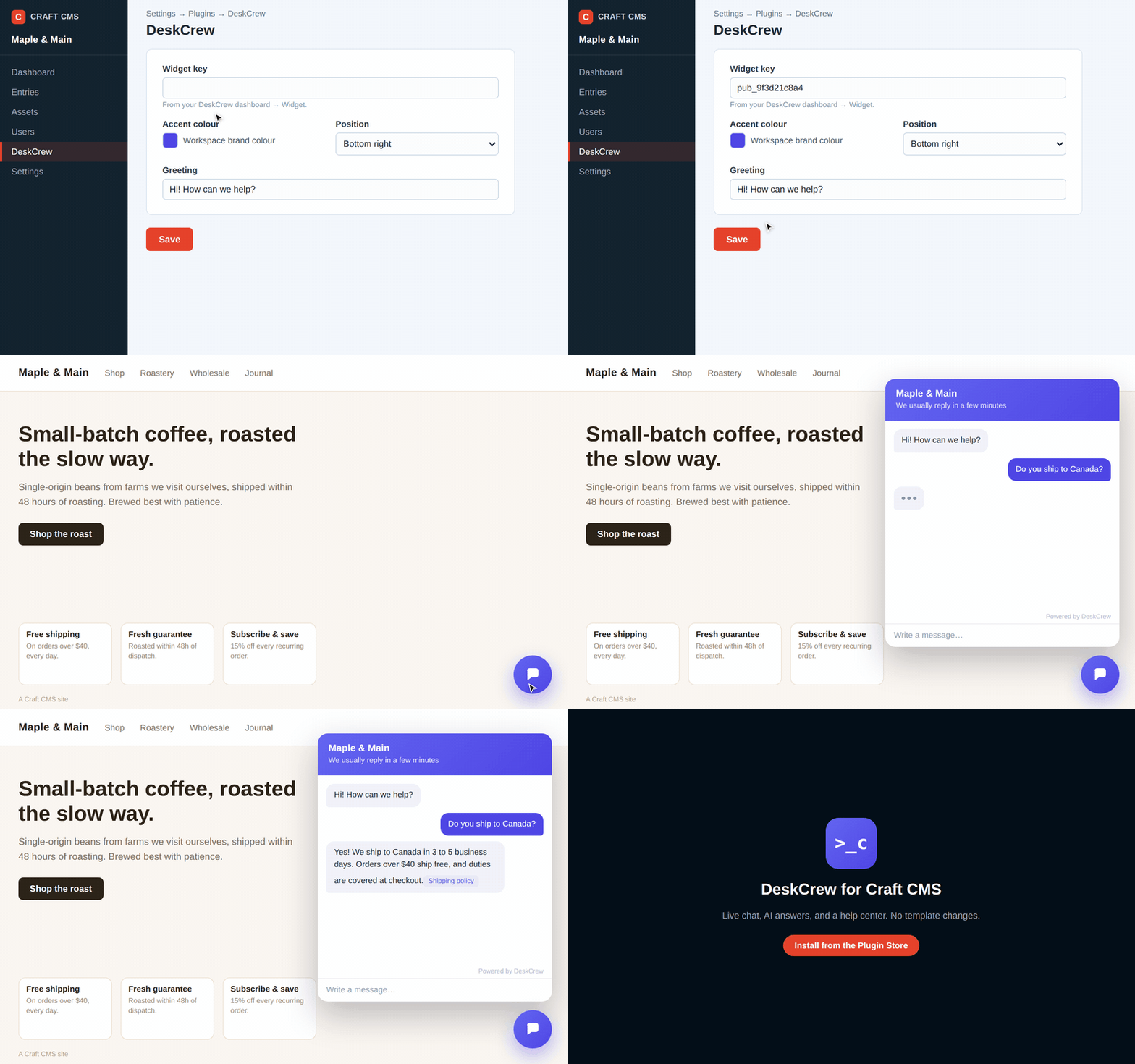
DeskCrew configured in the Craft control panel and answering on the front end. Watch the full quality video.
Craft CMS 4.0+ or 5.0+, PHP 8.0.2+.
From the Plugin Store: in the Craft control panel go to Plugin Store, search for DeskCrew, and click Install.
With Composer:
composer require deskcrew/craft-deskcrew
php craft plugin/install deskcrewGo to Settings → Plugins → DeskCrew and set:
- Widget key: your DeskCrew public widget key (starts with
pub_). Find it in your DeskCrew dashboard under Install. The widget stays hidden until this is set. - Board slug, Accent colour, Launcher position, Greeting: all optional.
When you save, the plugin automatically registers your site's URL with DeskCrew so the widget is allowed to load, no extra steps.
MIT, see LICENSE. Questions: open an issue on this repo or chat at deskcrew.io.