Repository navigation
Home
Requires macOS 14 or later on Apple Silicon or Intel. Choose the regular DMG for Apple Silicon or the Intel DMG (-intel.dmg) for Intel. Secure Sandbox requires Apple Silicon and macOS 26 or later. Liquid Glass and Control Center require macOS 26; macOS 14/15 use standard controls. Apple Intelligence domain suggestions require macOS 26 and an available on-device model; Spotlight server indexing requires macOS 15.
V2Mac is a free, open-source menu bar client for Xray-core on macOS 14+ (Apple Silicon / Intel). Paste a subscription link, pick a server, and you get a local SOCKS5 + HTTP proxy, or turn on TUN mode to send the whole Mac through it.
Languages: English · فارسی · 简体中文 · 繁體中文 · Русский
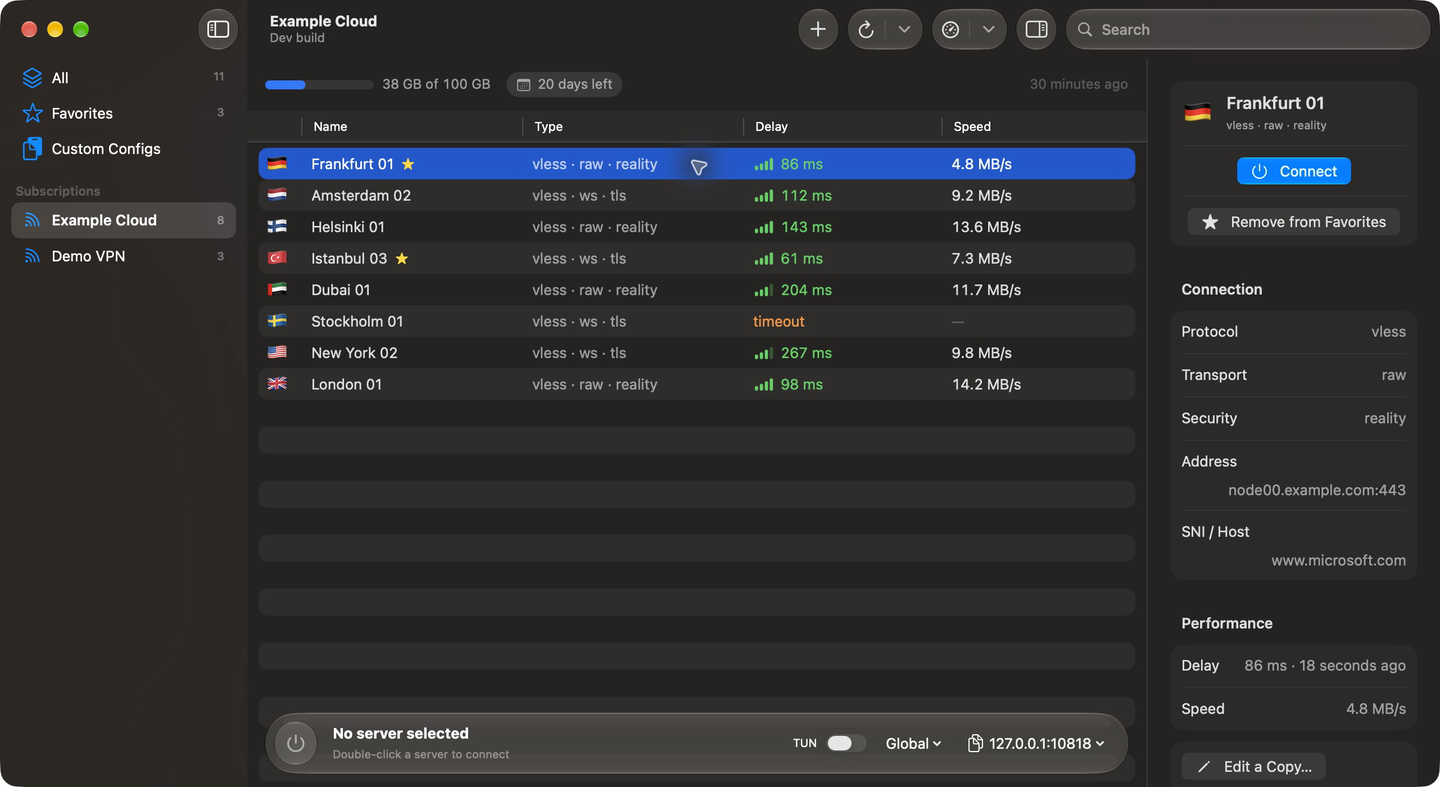
- Installation: requirements, Homebrew, DMG, first launch
- Servers and Subscriptions: adding, updating, editing, favorites, latency tests
- Connecting: proxy address, TUN mode, system proxy, kill switch, exit check, automatic server selection, WARP
- Routing: routing modes, the Rules window, per-app rules, Via servers, Proxifier import
- Connections: live list of requests
- Menu Bar and Shortcuts: menu bar panel, keyboard, Shortcuts, Siri, Control Center, notifications
- Settings Reference: every setting and its default, backup, files on disk, privacy
- Troubleshooting and FAQ
- Protocols: VLESS (REALITY, XTLS Vision), VMess, Trojan, Shadowsocks, Hysteria2, WireGuard, SOCKS, HTTP, and full Xray JSON configs.
- Routing: Global, Bypass regions (Iran, China, Russia), Rules Only, Direct, plus ordered Proxy / Direct / Block rules by site and by app.
- No Electron, no analytics, no telemetry.
Source, issues and releases: github.com/v2macapp/v2mac.