


Marketer-facing admin tooling for Optimizely Graph site-search on Optimizely CMS 12 and CMS 13. Pinned-result curation, synonym management, a per-channel try-it playground, and click-through / zero-result insights — all integrated into the CMS shell. Distributed as the NuGet package UmageAI.Optimizely.GraphSearchTools.
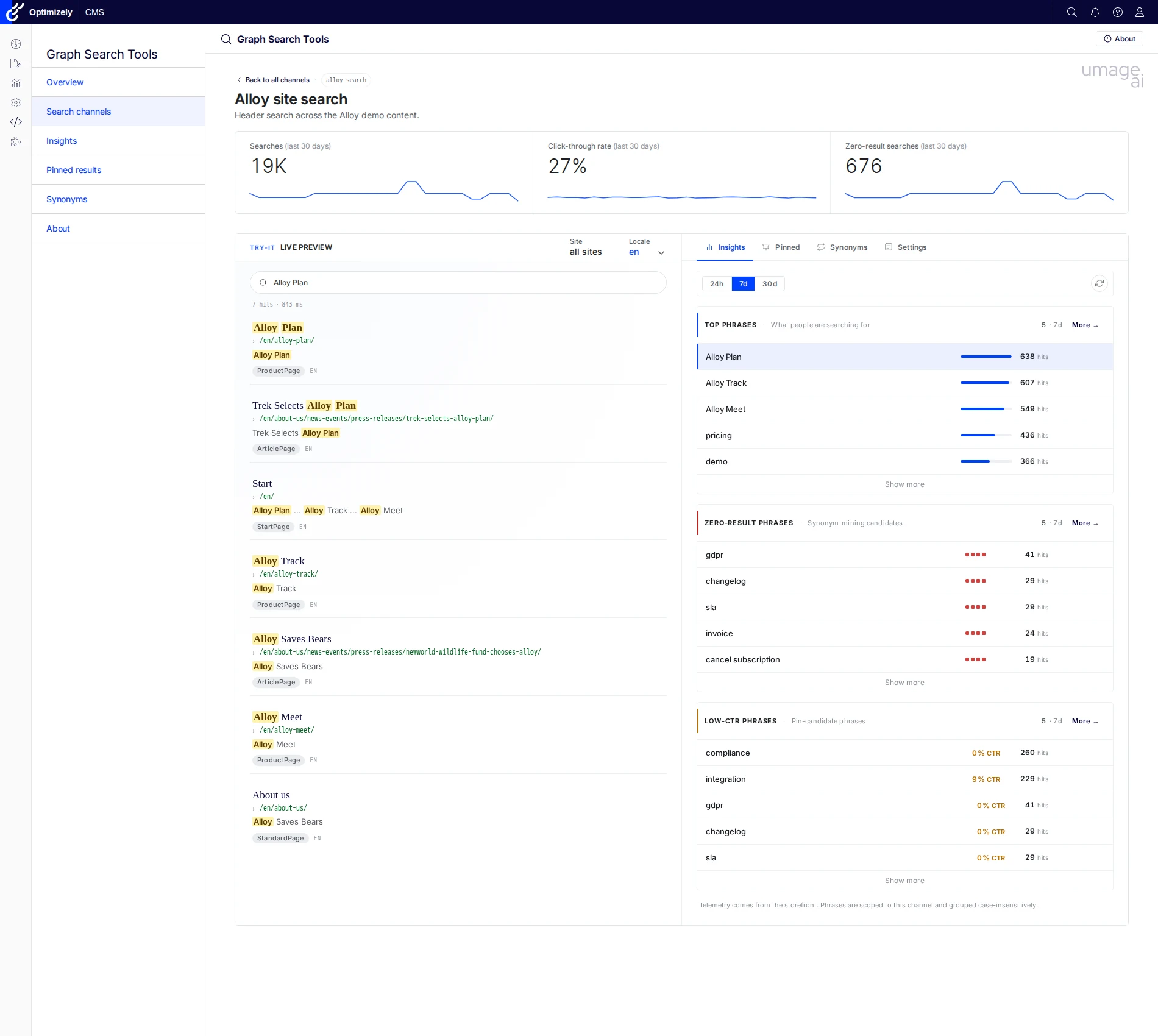
Six menu entries under a top-level Graph Search Tools section in the CMS shell:
| Tool | Description |
|---|---|
| Overview | Landing dashboard with quick-access cards for the other tools. |
| Search channels | Per-surface tuning index. Each registered search channel gets a detail page with KPI strip, Try-it live preview, and Insights / Pinned / Synonyms / Settings tabs scoped to that surface. |
| Insights | Cross-channel marketer dashboard. Top phrases, zero-result candidates, low-CTR phrases, filterable by channel and locale over a 24h / 7d / 30d window. |
| Pinned results | Tenant-wide pin browser with Pins / Collections / Changelog tabs. Filter pins by collection or locale; jump to the owning channel with one click. Hits / CTR / zero-result columns surface coverage signals (unpublished targets, expired pins, low-CTR pins) inline. |
| Synonyms | Replacement and equivalent synonym rules with a Rules + Changelog tab strip. Filter by scope (per-locale and tenant-global pools). Activity column shows last-30-days impact, and unused / missing-synonym signals surface in the same grid. |
| About | Colophon: version, license, included tools, links. |
Behind the scenes the addon also exposes a public ingest beacon (POST /api/telemetry/searchlog) feeding a self-contained DDS sink — the data source for every analytics surface above. No external pipeline required.
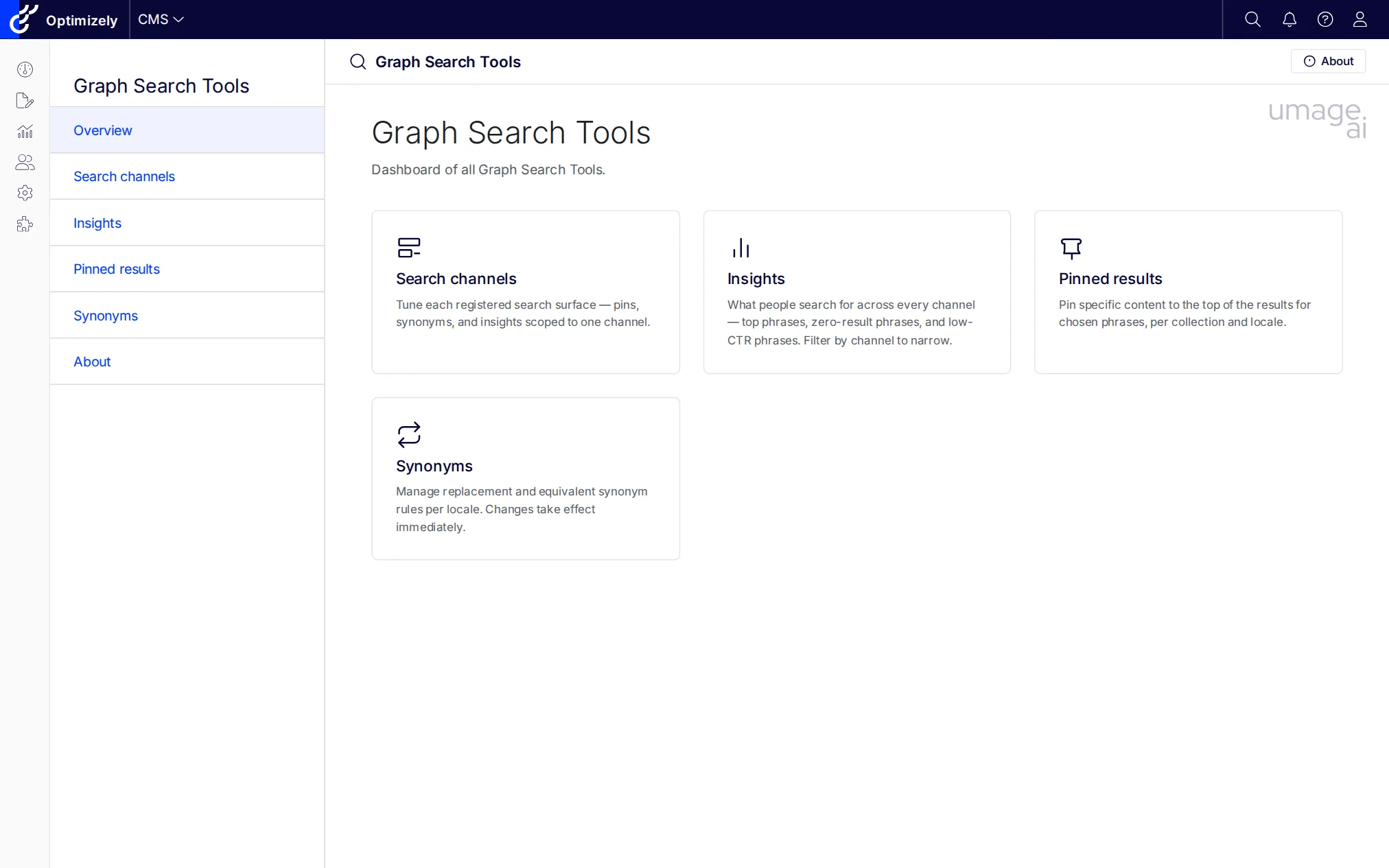
Dashboard of all Graph Search Tools, with quick-access cards for each surface.
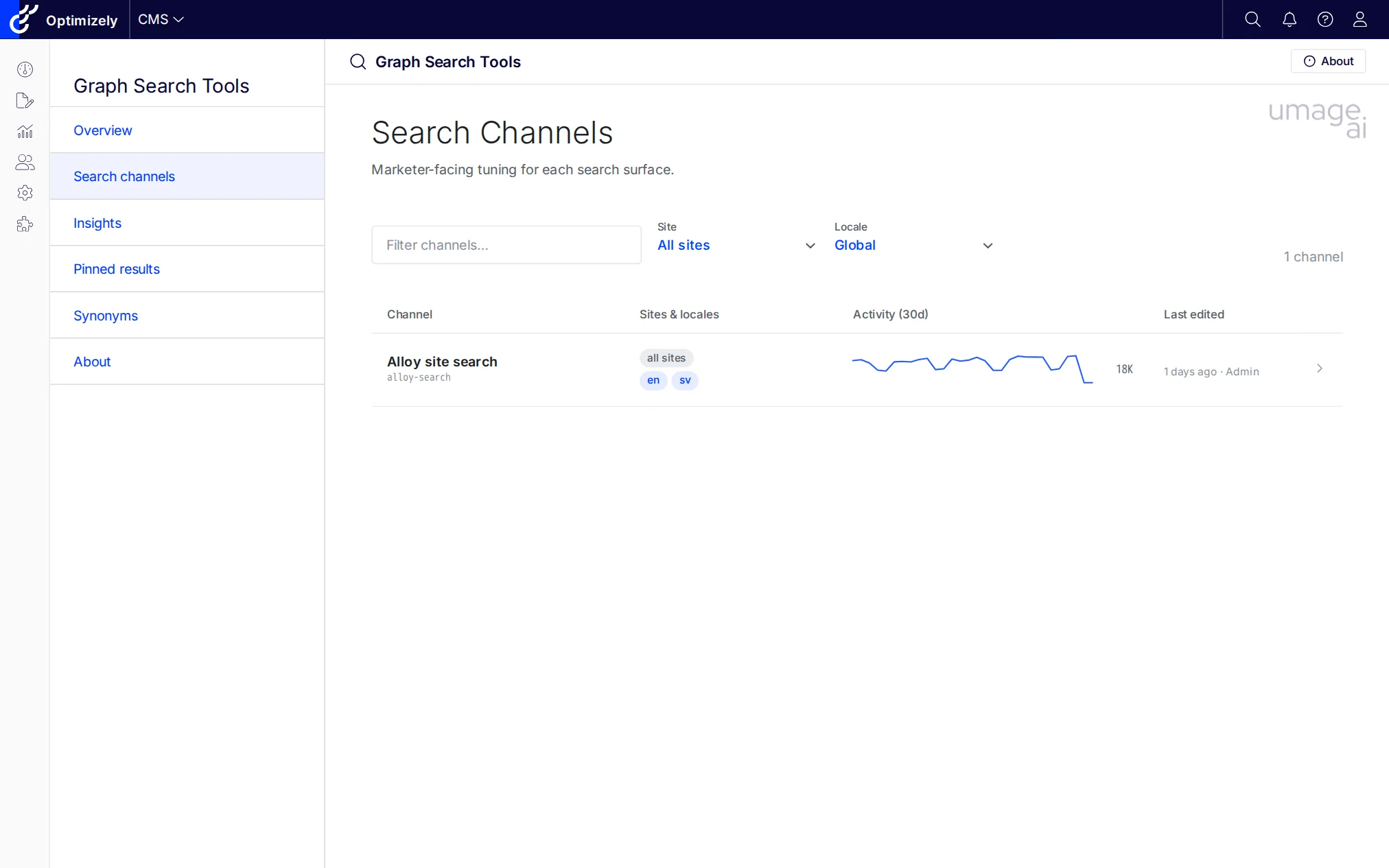
Index of every registered channel. Filter by site or locale. Activity sparkline and totals come from the search-log table so you can spot dormant surfaces at a glance.
KPI strip (searches / CTR / zero-result) plus a Try-it live preview that runs the same GraphQL document your production storefront fires. The right pane swaps between Insights (per-channel top phrases / zero-result / low-CTR) and Pinned / Synonyms / Settings tabs without losing the preview state.
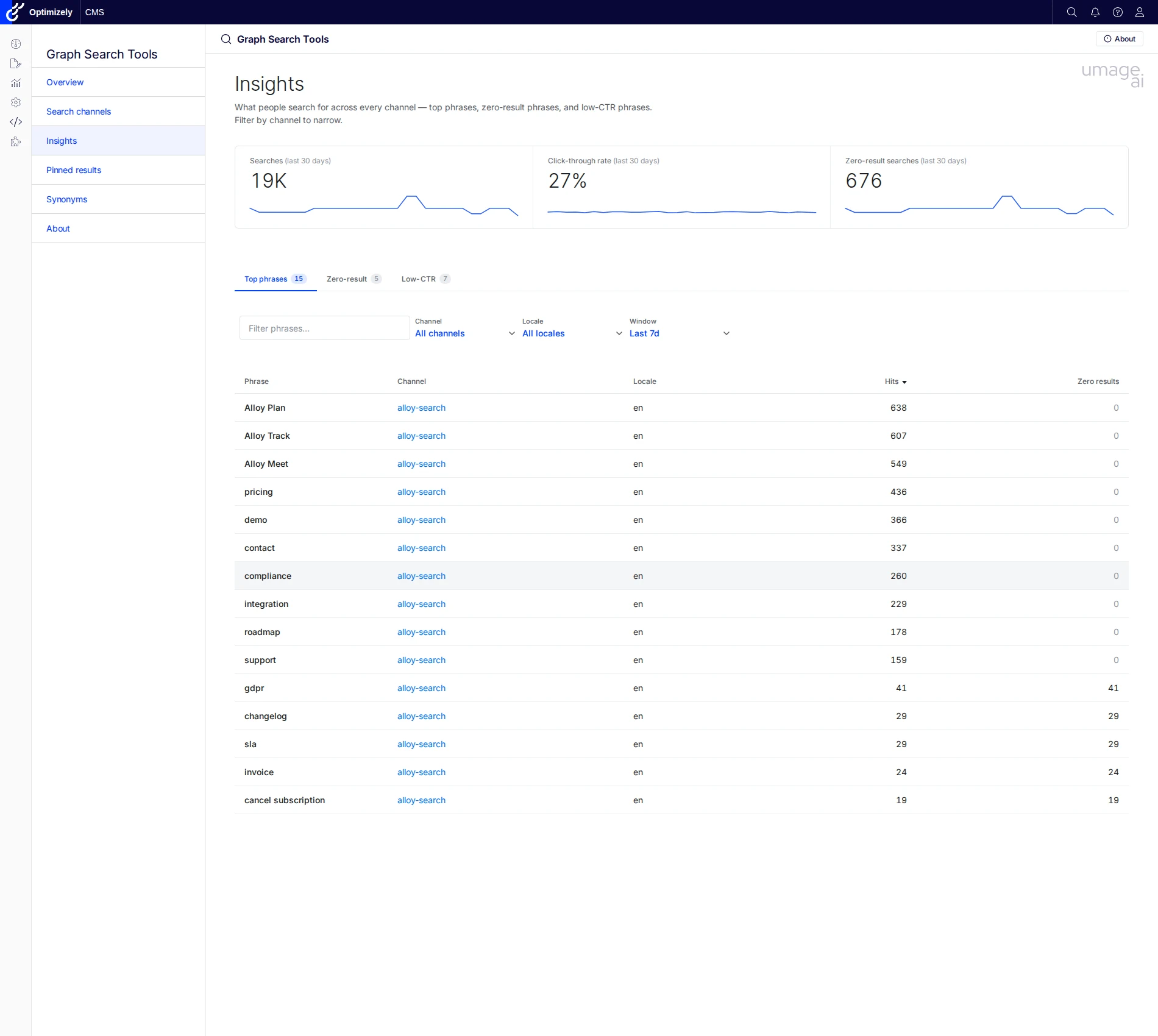
Cross-channel marketer dashboard. Switch tabs between Top phrases, Zero-result phrases, and Low-CTR phrases; filter by channel, locale, and 24h / 7d / 30d window. The same window set scopes the Insights tab inside each Channel detail page, where it shares state with the Try-it preview.
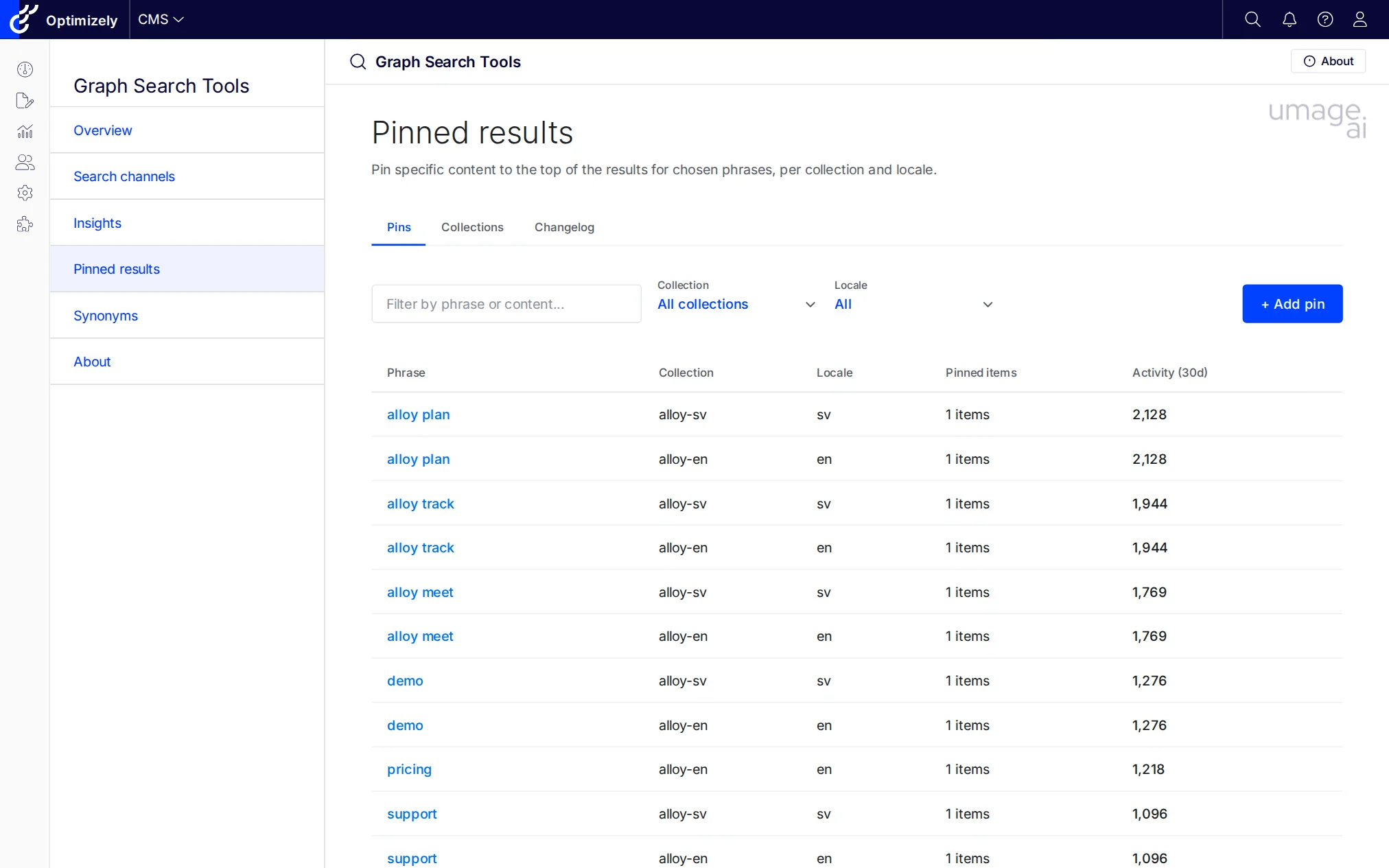
Tenant-wide pin browser. The Pins tab lists one row per (phrase, collection, locale) with the resolved channel link, item count, and last-30-days activity from search logs; a sibling Collections tab manages the underlying pinned-result collections, and Changelog records every create / update / delete sent to Graph.
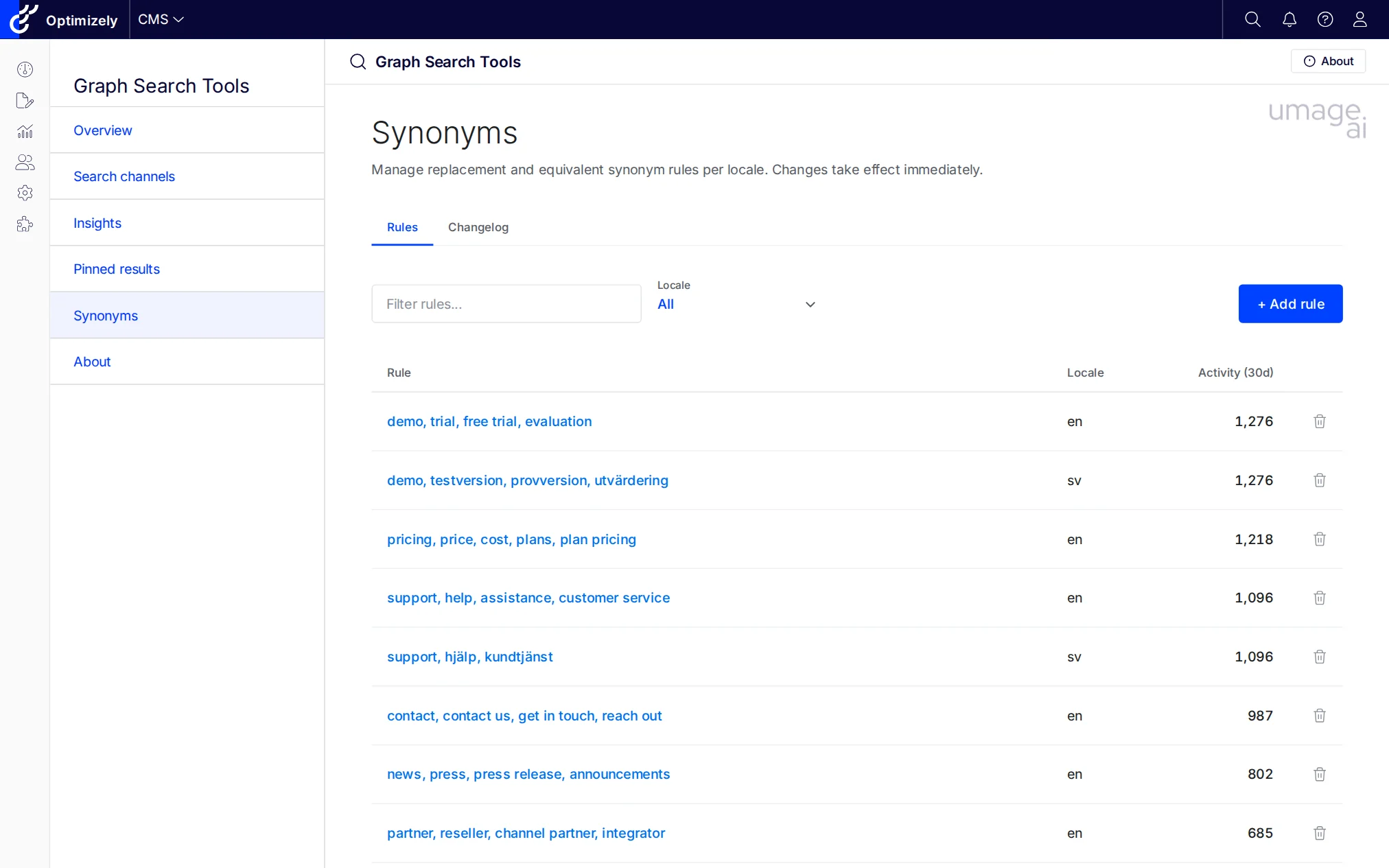
Replacement and equivalent rules per locale, with last-30-days activity. Graph synonyms live in a tenant-global pool, so this surface is channel-agnostic by design.
A search channel is a developer-declared description of one search surface in the customer solution (header search, product listing, knowledge base, …). Channels are registered at startup and scope the marketer-facing Pinned editor to the keys the production GraphQL query actually consumes — so a pinned result added in the CMS shell is guaranteed to fire in the live query rather than disappearing into a tenant-global collection nobody reads.
Register channels with the fluent AddSearchChannel(...) extension on the builder returned by AddGraphSearchtools:
// src/GraphSearchtools.SampleSite/Startup.cs
services.AddGraphSearchtools()
    .AddSearchChannel("alloy-search", p => p
        .DisplayName("Alloy site search")
        .Description("Header search across the Alloy demo content.")
        .LocalesFromCmsLanguages()
        .SearchedFields("Name", "MetaDescription", "MainBody")
        .UsesPinnedKey("alloy-{locale}")
.GraphQLDocumentInline(AlloySearchService.SampleHitsQueryDocument));| Builder method | What it does |
|---|---|
DisplayName(string|LocalizedString) |
Display name shown on the Channels index and detail header. Accepts a literal string or a localization key. |
Sites(params string[]) |
SiteDefinition.Name values this channel applies to. Empty list (default) means "all sites". |
Locales(params string[]) / LocalesFromCmsLanguages() |
BCP-47 language codes that drive the locale picker. Use the CMS-derived helper to track enabled language branches automatically. |
SearchedFields(params string[]) |
Field names searched by the production query. Surfaced on the Channel detail page so the admin matches what the live storefront queries. |
UsesPinnedKey(string | Func<string,string>) |
The Graph pinned-collection key formula. String templates may contain {locale}, e.g. "alloy-{locale}"; pass a Func<string,string> for fully dynamic per-locale keys. |
GraphQLDocument(string path) / GraphQLDocumentInline(string body) |
The GraphQL document the production code uses for this surface. Optional — when omitted the Try-it side panel is disabled but Pinned editing still works. The Channel detail page reads the document's _ranking / _semanticWeight arguments to label the ranking pill, so what's shown matches what the storefront actually asks Graph for. |
Variables(object | IDictionary<string,object?>) |
Default variables passed to the GraphQL document in addition to the runner-controlled ones (q, locale, limit, …). |
When no channels are registered the addon synthesises a single Generic channel so zero-config installs keep working: the Channels index shows one row, and the Pinned tab on it falls back to the legacy free-form collection-name editor.
GraphSearchtools is multi-targeted: the same NuGet package supports both Optimizely CMS 12 (.NET 8) and CMS 13 (.NET 10). The addon talks to Optimizely Graph directly over HTTP — it does not depend on Optimizely.ContentGraph.Cms (CMS 12) or Optimizely.Graph.Cms.ContentSources (CMS 13), so it works against any tenant the host can reach, however the host wires up content sync.
| CMS 12 | CMS 13 | |
|---|---|---|
| Target framework | net8.0 | net10.0 |
| Host package for content sync | Optimizely.ContentGraph.Cms 4.x |
Optimizely.Graph.Cms.ContentSources 13.x |
| Shell base path | /EPiServer/CMS/ |
/Optimizely/CMS/ |
| Addon API surface | identical | identical |
The repo ships two reference sample sites — src/GraphSearchtools.SampleSite (CMS 12) and src/GraphSearchtools.SampleSiteCms13 (CMS 13) — to use as templates for either platform version.
Run the samples with dotnet run. dotnet publish of a sample is not supported: the samples reference the addon by project, so the addon's own restore resolves the CMS UI packages at the addon's minimum versions while the sample resolves newer ones, and publish stops with NETSDK1152 because both versions' module zips land in the same output path. Builds and dotnet run are unaffected, and a real host that installs the NuGet package resolves a single version.
| Your site | Package |
|---|---|
| CMS 12 on .NET 8 | UmageAI.Optimizely.GraphSearchTools |
| CMS 12 on .NET 10 | UmageAI.Optimizely.GraphSearchTools.Cms12 |
| CMS 13 on .NET 10 | UmageAI.Optimizely.GraphSearchTools |
Optimizely supports CMS 12 on .NET 10, but NuGet chooses dependencies by target framework alone, so the main package's net10.0 build always needs CMS 13. If you install the main package on a CMS 12 site that targets net10.0, restore fails with a version conflict on EPiServer.CMS, and the fix is to install the .Cms12 package instead. It is built from the same source and ships the same version number, and it builds against CMS 12 on both net8.0 and net10.0.
dotnet add package UmageAI.Optimizely.GraphSearchTools

# CMS 12 site targeting net10.0:
dotnet add package UmageAI.Optimizely.GraphSearchTools.Cms12In your Startup.cs:
public void ConfigureServices(IServiceCollection services)
{
    // ... other services

    services.AddGraphSearchtools(options =>
        {
            // Optional: configure roles with full access
            // (defaults cover standard CMS-admin and edit-mode groups).
            options.AuthorizedRoles = ["WebAdmins", "Administrators"];

            // Optional: disable per-tool access control
            // (default: true; granular permissions via CMS admin UI).
            options.CheckPermissionForEachFeature = true;
        })
        .AddSearchChannel("alloy-search", p => p
            .DisplayName("Alloy site search")
            .LocalesFromCmsLanguages()
            .SearchedFields("Name", "MetaDescription", "MainBody")
            .UsesPinnedKey("alloy-{locale}")
            .GraphQLDocument("Queries/AlloySearch.graphql"));
}

public void Configure(IApplicationBuilder app)
{
    // ... other middleware

    app.UseEndpoints(endpoints =>
    {
        endpoints.MapContent();
        endpoints.MapGraphSearchtools(); // Required: maps tool routes
    });
}{
"Optimizely": {
"ContentGraph": {
"GatewayAddress": "https://cg.optimizely.com",
"AppKey": "...",
"Secret": "...",
"SingleKey": "..."
}
},
"UmageAI": {
"GraphSearchTools": {
"AuthorizedRoles": ["WebAdmins", "Administrators"],
"CheckPermissionForEachFeature": true,
"Features": {
"Overview": true,
"Channels": true,
"Insights": true,
"Pinned": true,
"Synonyms": true,
"PinnedCoverage": true,
"SynonymCoverage": true,
"SearchLogs": true,
"Telemetry": true
}
}
}
}The addon reuses the host's Optimizely:ContentGraph credentials by default. Per-environment overrides can be set under UmageAI:GraphSearchTools:Graph; any value left blank falls back to the host's block.
Three-layer permission model:
- Feature toggles — Enable/disable individual tools via the
Featuresblock in configuration. A disabled tool is hidden from the menu and its routes return 404. - Role-based access —
AuthorizedRolesgrants full access (defaults cover the standard CMS-admin and edit-mode groups). - Permissions For Functions — With
CheckPermissionForEachFeature = true(default), each tool can be granted to specific users/roles in the CMS admin UI under "Permissions For Functions". The full set isChannels,Insights,Pinned,PinnedEdit,Collections,Synonyms,SynonymsEdit.Synonymssplits view + edit;Pinnedsplits three ways (view, item-edit, andCollectionsfor the collection shells themselves);Insightsis the umbrella permission for every read-only analytics surface (Insights dashboard, per-channel Insights tab, coverage signals). On first bootPermissionSeedergrants every permission to the configuredAuthorizedRolesso a fresh install never locks anyone out.
| Job | Purpose |
|---|---|
| Graph Search Tools — Telemetry retention | Trims aged buckets from the local search-log store and ages out the per-instance forensic raw ring. Configure retention via UmageAI:GraphSearchTools:Telemetry:BucketRetention (a TimeSpan, default 90 days). |
Run on demand from the CMS admin Scheduled Jobs page.
- Integrator quickstart — install, register a search channel, and see a telemetry event in Insights.
- Server-rendered ASP.NET pattern — inject
ITelemetrySinkand emit events from your search controller. - Headless deployment pattern — beacon events from a SPA/SSR frontend to the public ingest endpoint.
- 3rd-party telemetry pattern — decorate
ITelemetrySinkto fan out, or replaceITelemetryReaderto source aggregates from your own warehouse. - Design system — shared visual patterns and components.
- Personas — who the addon is designed for.
- Optimizely Graph research notes — reference docs on Graph capabilities, relevancy, and authentication.
- .NET 8 / .NET 10 / C# / Optimizely CMS 12 and CMS 13 (single multi-targeting NuGet package)
- Vanilla JavaScript and CSS (no framework dependencies, no build step)
- Razor SDK class library with embedded views and static assets
- DynamicDataStore (DDS) for persistence
- Protected module integration with the CMS shell
- 11 language files included for localization (en, da, sv, no, de, fi, fr, es, nl, ja, zh-CN)
See CLAUDE.md for architecture patterns and conventions.
MIT — see LICENSE.
Powered by umage.ai.