


Welcome from the Ultralytics team. This repository now provides legacy support for existing Ultralytics HUB users while they migrate datasets, models, and workflows to Ultralytics Platform, the end-to-end computer vision platform for data preparation, annotation, YOLO model training, export, deployment, and monitoring.
Warning
Ultralytics HUB is being deprecated and will be wound down at the end of July 2026. Start all new computer vision work on Ultralytics Platform. Existing HUB users should migrate active datasets and models to Platform before the shutdown date.
Create a Platform account to start new work. Existing HUB users can migrate datasets and models by creating a Platform account, then pasting their HUB API key into Settings > Integrations > Ultralytics HUB. For legacy repository support and migration questions, open an issue from this repository's Issues tab.
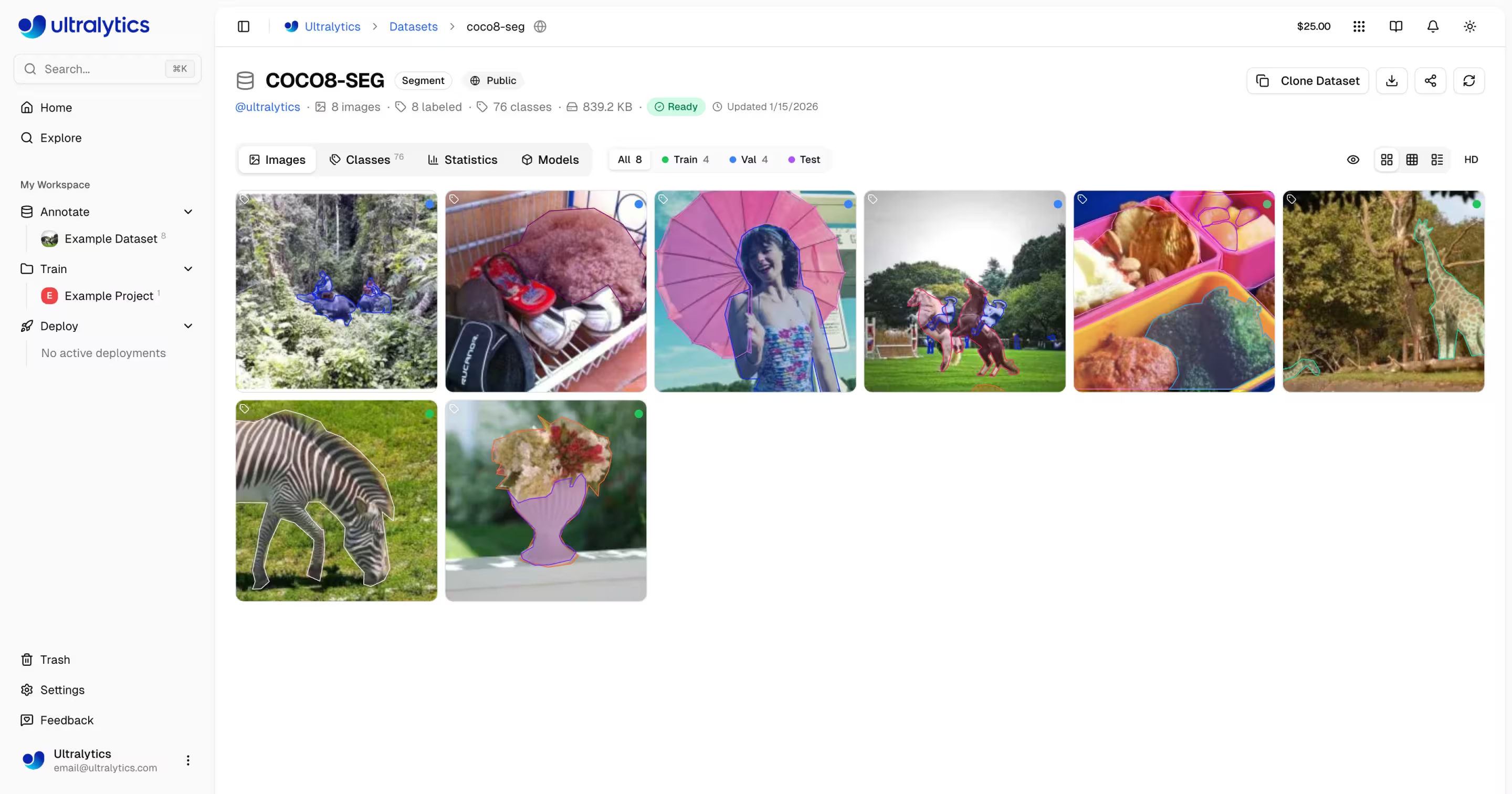


Ultralytics Platform datasets support the same YOLO task families used across YOLO26, YOLO11, YOLOv8, and YOLOv5: object detection, instance segmentation, pose estimation, oriented object detection, and image classification.
- Upload images up to 50 MB, videos up to 1 GB, and ZIP, TAR,
.tar.gz,.tgz, or NDJSON dataset files. - Use Platform to automatically validate uploads, resize large images, generate thumbnails, parse labels, and compute statistics.
- Review and label data in grid, compact, and table views with annotation overlays, split filters, label filters, class filters, and filename search.
- Annotate detect, segment, pose, OBB, and classify datasets with manual tools, skeleton templates, Smart Annotation with SAM, and YOLO auto-labeling.
- Review dataset best practices in the Ultralytics datasets documentation.
- Learn about dataset annotation and preparation in the data collection and annotation guide.
- Explore open-source datasets such as COCO, LVIS, and ImageNet.
Navigate to Annotate in Platform and click New Dataset, or drag files onto the Datasets card on the Home dashboard. For best results, upload a ZIP or TAR archive with a standard YOLO structure:
my-dataset.zip
├── data.yaml
├── train/
│   ├── images/
│   │   ├── img001.jpg
│   │   └── img002.jpg
│   └── labels/
│       ├── img001.txt
│       └── img002.txt
└── val/
    ├── images/
    └── labels/
You can zip your dataset using:
# Zip the dataset directory for upload
cd my-dataset && zip -r ../my-dataset.zip .
See example_datasets/coco8.zip and the local example_datasets/ directory for small YOLO-format archives. For more on dataset formats, visit the Ultralytics datasets documentation. Platform also accepts COCO JSON annotations, Ultralytics NDJSON exports, classification folder layouts, videos, and raw unannotated images for labeling in the annotation editor.
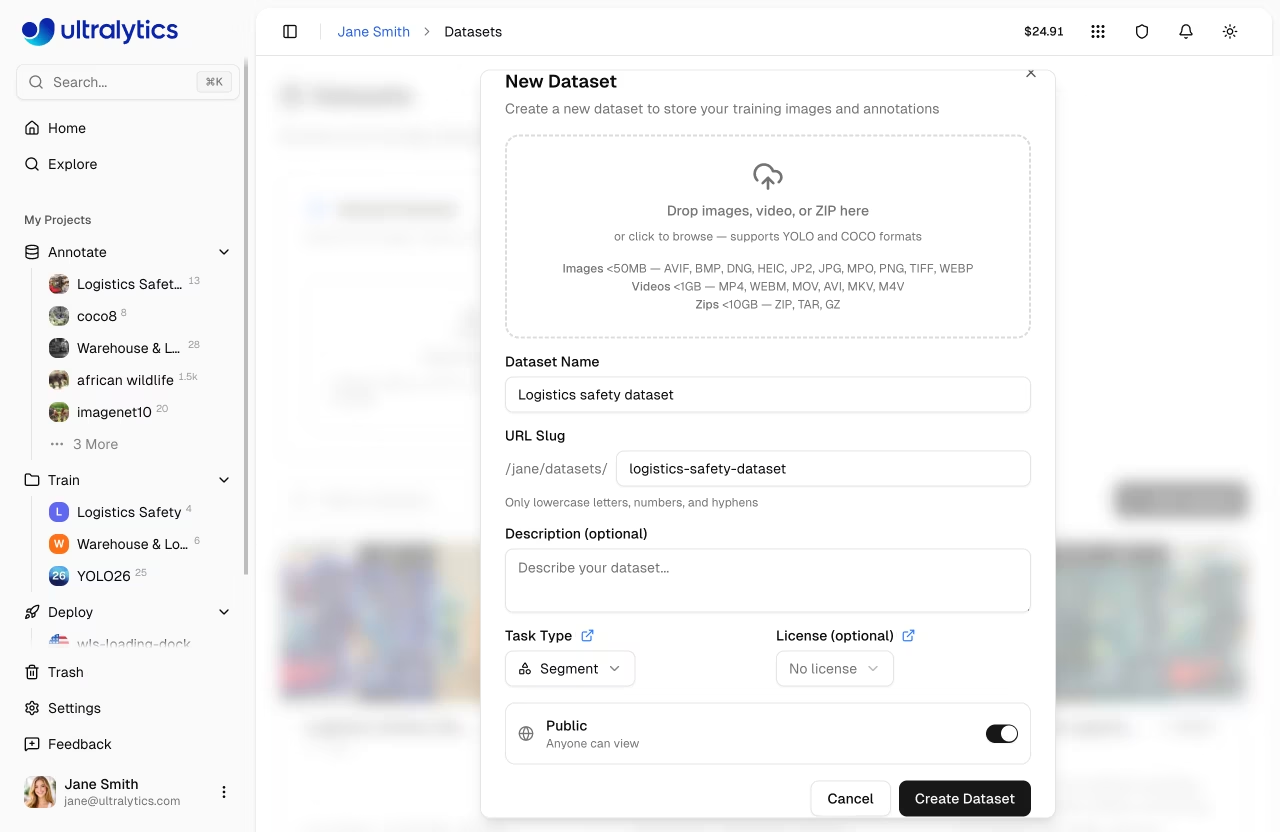
The dataset YAML should define dataset paths and class names using standard YOLO dataset format conventions. For detailed instructions, see the model training tips guide.
# Example YAML configuration for a custom dataset
path: .
train: train/images
val: val/images
test: # test images (optional)

# Class labels
names:
  0: person
  1: bicycle
  2: car
  3: motorcycle
  # Add more classes as needed
After upload, Platform checks image and label validity, generates previews, computes class and dimension statistics, and makes ready datasets available for annotation, cloud training, and local training through ul:// dataset URIs.
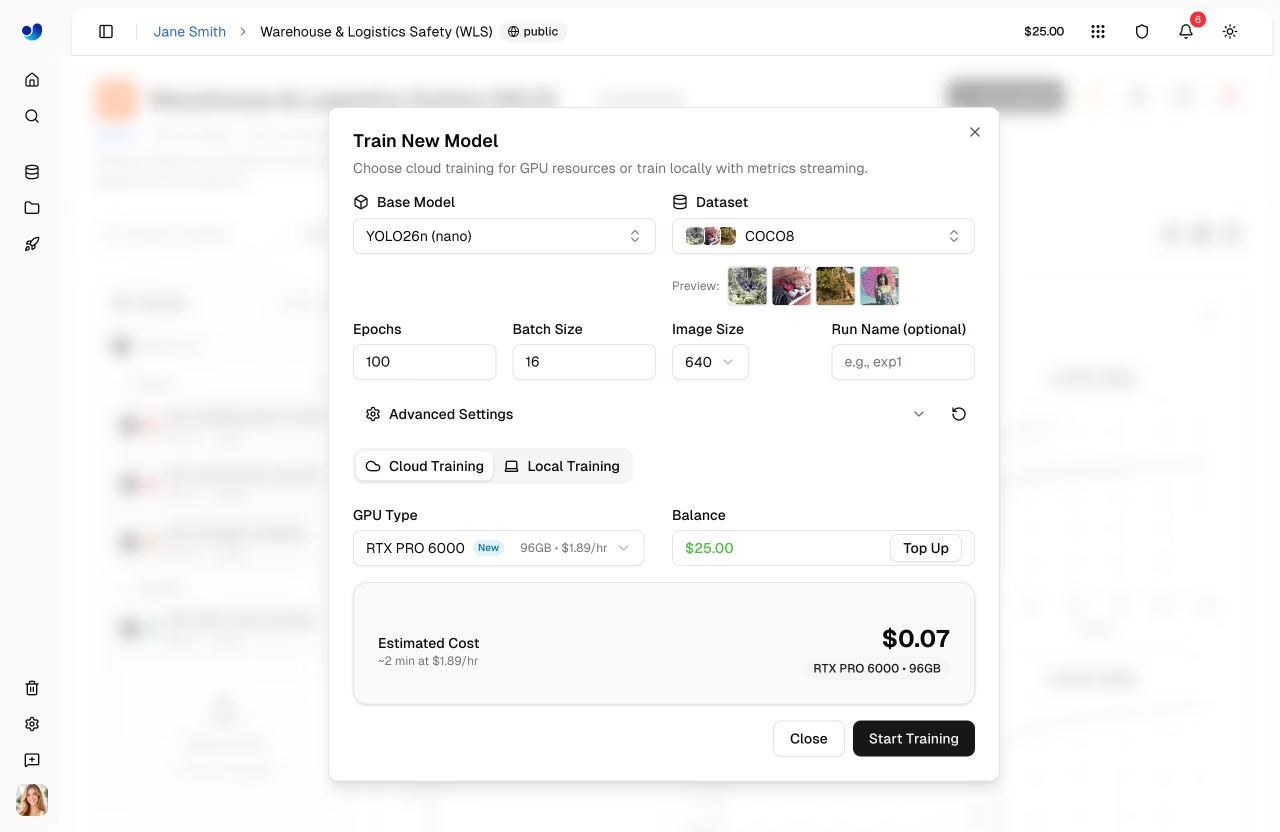
Use Ultralytics Platform to train YOLO models on cloud GPUs, compare experiments inside projects, manage trained .pt models, and stream local training metrics. Legacy HUB support remains available in this repository during the migration window, but new training should start on Platform.
- Click Train Model from a project, select a dataset, choose an official YOLO model or one of your trained models, set epochs and image size, and select a GPU.
- Monitor real-time charts, console logs, and system metrics while training runs.
- Use the best checkpoint after training for download, export, browser prediction, and deployment.
- Train locally with
ultralytics>=8.4.35and stream metrics to Platform using your API key. - Discover model training tips for best practices.
- Learn about hyperparameter tuning to optimize your results.
- Explore experiment tracking integrations for reproducible research.
pip install -U ultralytics
export ULTRALYTICS_API_KEY="YOUR_API_KEY"

yolo train model=yolo26n.pt data=coco.yaml epochs=100 project=username/my-project name=experiment-1
Platform datasets can be used directly from training jobs with ul:// dataset URIs:
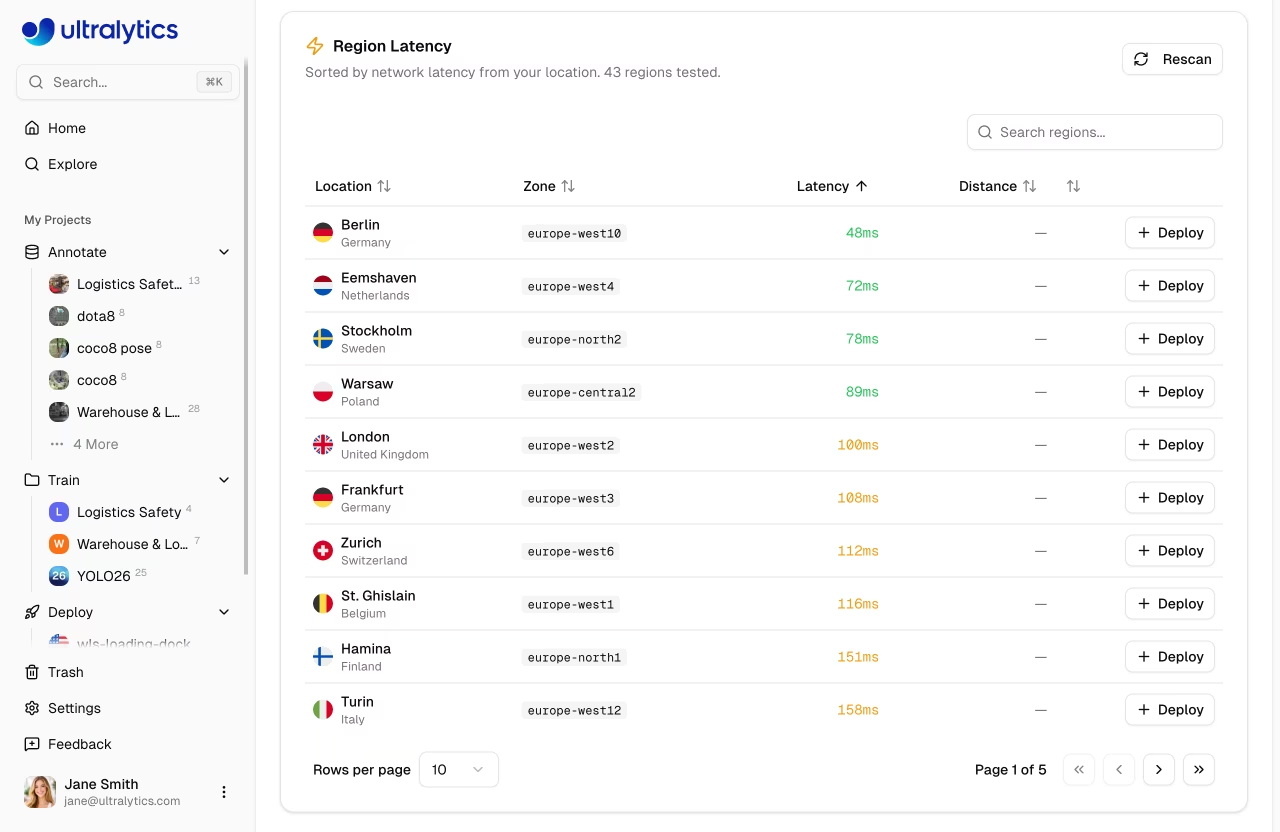
yolo train model=yolo26n.pt data=ul://username/datasets/my-dataset epochs=100 project=username/my-project name=experiment-1After training, use Platform to test models in the browser, export to production formats, and deploy dedicated endpoints. Platform supports browser prediction, monitored deployments, 43 global deployment regions, scale-to-zero behavior, and 17 export formats including ONNX, TensorRT, CoreML, TFLite, OpenVINO, and TorchScript.
- Open the model Predict tab to upload images, tune confidence, IoU, and image size, and review predictions on canvas.
- Use the Deploy tab to select a region from the latency map and create a dedicated HTTPS endpoint.
- Monitor endpoint health, request logs, P95 latency, error rate, and usage metrics from Platform.
- Use ready-to-run Python, JavaScript, and cURL examples generated for your endpoint.
- Learn about model deployment options for edge and cloud.
- Explore optimizing OpenVINO latency vs throughput for real-time inference.
- Run models on iOS or Android devices with the Ultralytics App.
For new work, start with Ultralytics Platform and the Platform quickstart. If you need to move existing HUB work before the end of July 2026 wind-down, create a Platform account and paste your HUB API key into Settings > Integrations > Ultralytics HUB to migrate datasets and models.
- Use this repository's Issues tab for legacy HUB repository support and migration questions.
- Visit the Ultralytics help center for quick answers.
- Explore the Ultralytics help center for troubleshooting and best practices.
- Explore the Ultralytics Platform documentation for current workflows.
- Join the Ultralytics Discord community for real-time discussions.
We welcome contributions that improve legacy migration support, clarify Platform onboarding, or fix repository examples. See our Contributing Guide for details on how to get involved. Thank you to all our contributors!