Privacy mode is an Obsidian plugin that prevents the editor from being read while out in public. It replaces document text with a dot-only font. Selected text gets revealed for easier editing/reading.
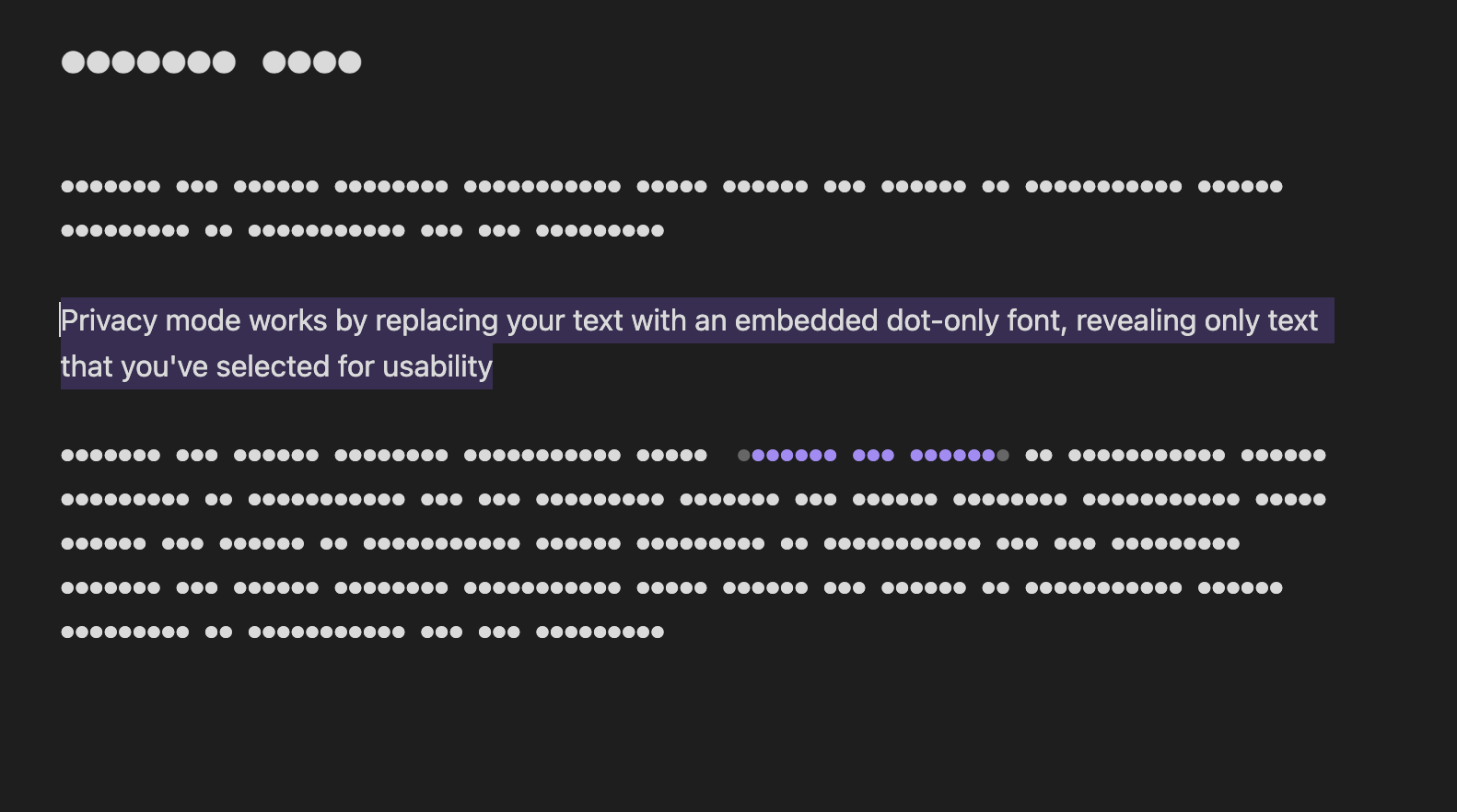
- Replaces document text with privacy dots
- Optional ASCII only font that maintains spaces in the privacy mode settings
- Hides images and code blocks
- Reveals selected text for easier editing/reading
- Can be enabled/disabled using the command palette.
- Add permanently hidden sections of text
- Applies to editing mode only.
- Entirely private. No data is sent to any servers ever.
Privacy mode can be enabled/disabled using the following commands in the command palette:
Privacy Mode: EnablePrivacy Mode: Disable
You can make a section of text permanently private by using the privacy callout
> [!privacy]
> Your private content here
Clicking and holding on the block reveals it when wanted
It's probably silly, but I really like having the spaces maintained when in privacy mode for my own use case. Unfortunately, adding full support for the unicode character space balloons the CSS file up to several megabytes, which doesn't seem ideal. By default, privacy mode enables build in text-security which will cover the full character set. If you want to enable spaces, and are ok with the ASCII only limitation, you can enable it in the privacy mode settings.
If someone smarter than me has an idea on how to do this better, I'm all ears. Open an issue or a pull request with any ideas. It would be great to get the full character wet while preserving the spacing. I really do think it's a much bette experience
I've submitted the plugin to the Obsidian community, but it's not yet approved. In the meantime, you can install it manually by following these steps:
- Download the latest main.js, manifest.json, and styles.css from the releases page
- Copy the files to your Obsidian vault's
Vault/.obsidian/plugins/privacy-modefolder - Restart Obsidian
- Enable the plugin in the Obsidian settings
Big time thanks to the Obsidian team for an awesome product and their base plugin