A configurable salvaging AFK timer and dimmer for cozy sailing gains.
For best results and most accurate shipwreck timings, please use this plugin on a dedicated salvaging world.
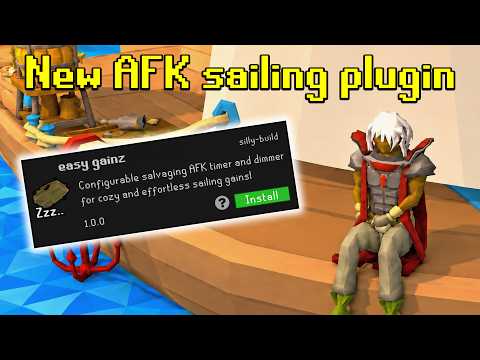

This displays a large preview image that opens the YouTube video when clicked.
- Highly configurable text overlays displaying action progress ETAs, Crystal Extractor status, cargo capacity & local wreck tracking information.
- Optional dimmer, activated when salvaging and sorting to minimise distraction - perfect for second monitor/altscape!
- Tries its best to keep track of shipwrecks! Please use an official salvaging world for better results.
"Minimalist text box" mode

"Timer and dimmer overlay with undim interfaces"

"Timer and dimmer overlay"

- Toggle Hotkey - Allows the user to select a hotkey to turn the plugin on or off
- Toggle only hides dimmer - Allows the user to toggle the dimmer with a hotkey, without hiding text/timer overlays
"Distraction Dimmer"
- Dimmer colour & opacity - Configuration for the dimmer overlay
- Dim when salvaging - Shows the dimmer overlay when the player is performing a salvaging animation
- Dim when sorting - Shows the dimmer overlay when the player is performing a sorting animation
- Undim sooner when sorting/Sorting undim seconds - Allows for the dimmer overlay to be configured to disappear before sorting is finished by some given seconds
- Unhide chat - Unhides the chatbox when the dimmer is active
- Unhide interfaces - Unhides interfaces such as world map and inventory when the dimmer is active
"Timer Overlay"
- Show timer overlay - Displays the timer text overlay
- Minimalist text box - Enables a minimalist, game-themed summary of the same information
- Only show text when dimmed - Only displays the text overlay when the dimmer is active
- Show salvaging ETA - Displays an estimate until your character stops salvaging, based on estimated salvage rates and the lifetime of the ships around your character.
- Show sorting ETA - Displays a countdown until your character finishes sorting.
- Show wreck timer - Displays, to our best knowledge, the lifespans of the two shipwrecks closest to the player
- Show cargo - Displays our very best estimate of the contents and capacity of your cargo hold
- Show background, background colour & opacity - Shows a configurable background behind the text
- ETA text size, text size, colour & alignment - Configuration settings for text overlay
"Crystal Extractor"
- Show crystal extractor - Shows the crystal extractor status in the text overlay
- Pulse when extractor ready - Causes the crystal extractor status text to non-invasively pulse in a light blue colour when ready.
- Extractor pulse speed - Sets the speed of the pulse
- Undim when extractor ready - Disables the dimmer overlay when the crystal extractor is ready
"Tracking"
- Active rate window - Configure the window of time for which the 'salvaging rate' is determined
- Ship size override - Used to override the plugin's detected ship size if there is a mismatch (rare, debugging usecase)
- Cargo hold override - Used to override the plugin's detected cargo hold type if there is a mismatch (rare, debugging usecase)