
Sanitize It allows you to quickly remove tracking information from the current page and automatically copy the URL to your clipboard with a single click. Available for Chrome, Firefox, Edge, and Safari.
Click the Sanitize It icon on any page to strip tracking parameters and copy the clean URL to your clipboard. By default, the page stays as-is — you just get a clean link to share.
Prefer to also refresh the page with the clean URL? You can change the default click behavior in Settings (right-click the extension icon → Options). Shift+Click (Firefox) always does the opposite of your chosen default.
You can also use keyboard shortcuts for either action—see below.

Sanitize It includes keyboard shortcuts for power users. These work on all supported browsers.
| Action | macOS | Windows / Linux |
|---|---|---|
| Sanitize + Copy | Option + Shift + X |
Alt + Shift + X |
| Sanitize + Copy + Refresh | Option + Shift + R |
Alt + Shift + R |
| Open Settings | Option + Shift + S |
Alt + Shift + S |
You can customize these shortcuts:
- Chrome:
chrome://extensions/shortcuts - Firefox:
about:addons→ gear icon → Manage Extension Shortcuts - Edge:
edge://extensions/shortcuts
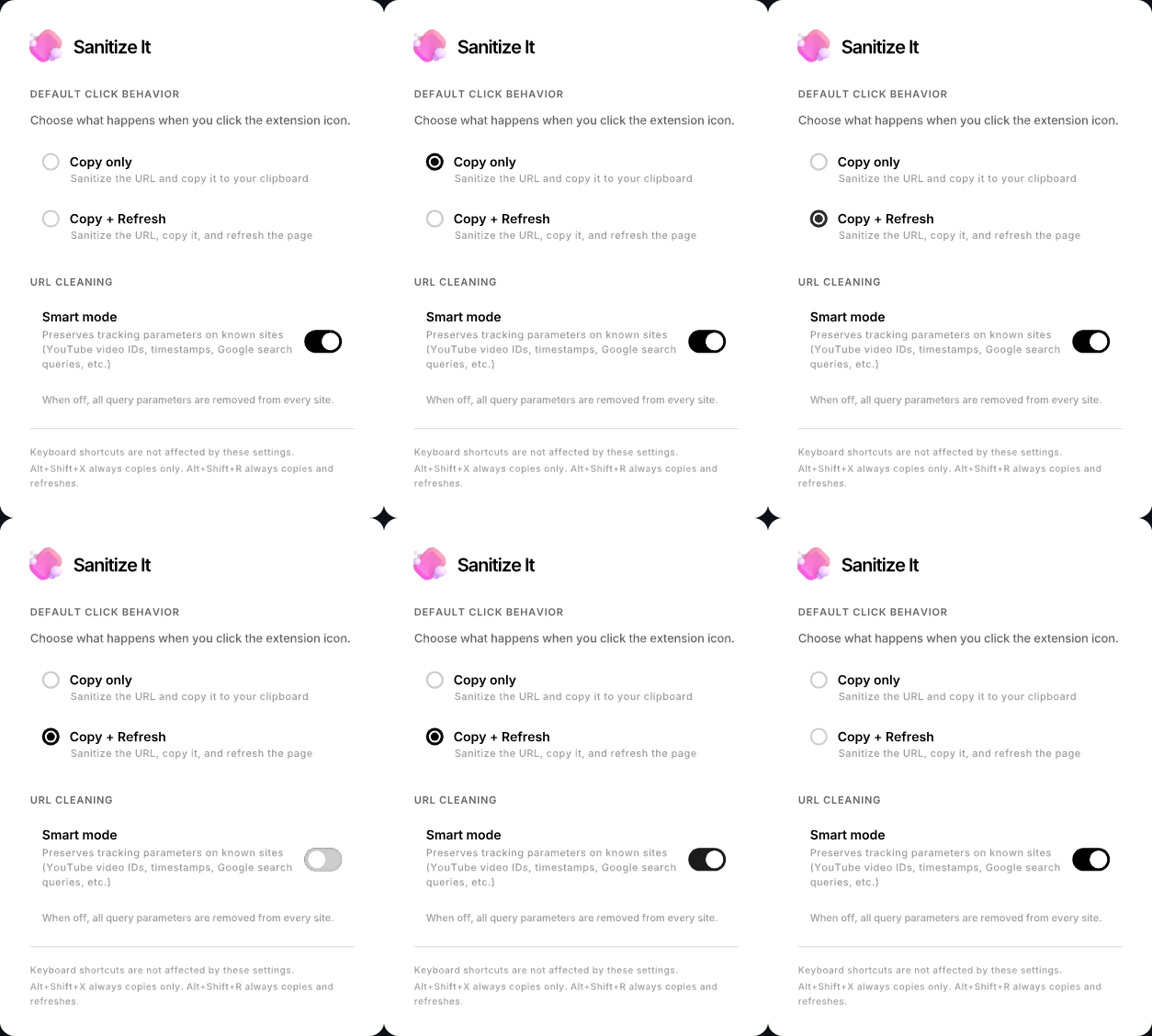
The Sanitize It settings panel (right-click the extension icon → Options) let's you choose the default behavior when you left click the Sanitize It icon.
Smart mode is enabled by default. It strips tracking parameters while preserving the ones that actually make the page work. For example, on YouTube it keeps the video ID (v=) and playlist info but removes tracking like si= and feature=.
Supported sites include YouTube, Google, Kagi, Bing, DuckDuckGo, Yahoo, and Amazon. Sites not on the list get full aggressive cleaning. This list is relatively small, please open an issue if you would like an additional site supported with what information you can.
You can turn smart mode off in Settings if you prefer to strip everything from every site.
Sanitize It strips the following from URLs:
- Query parameters — everything after
?(e.g.,?utm_source=...,?ref=...,?fbclid=...). With smart mode on, essential parameters are preserved on supported sites. - Ref paths —
/ref/...and/ref=...segments in the URL path (common on Amazon) - Hash fragments — everything after
#
Sanitize It 2.0 is a single codebase that supports both Chrome and Firefox (and Chromium-based browsers like Edge, Brave, etc.).
| Feature | Chrome / Edge | Firefox |
|---|---|---|
| Click to sanitize + copy | Yes | Yes |
| Configurable default action | Yes | Yes |
| Smart mode | Yes | Yes |
| Shift+Click to invert default | No (Chrome limitation) | Yes |
| Alt+Click to open settings | No (Chrome limitation) | Yes |
| Keyboard shortcuts | Yes | Yes |
| Minimum version | Chrome 88+ | Firefox 121+ |
Sanitize It uses a build script to produce browser-specific packages:
./build.shThis creates:
dist/chrome/— Usesservice_workerin the manifestdist/firefox/— Usesscriptsin the manifest withbrowser_specific_settingsfor Gecko
The JavaScript is identical across both builds. Only the manifest.json differs.
Sanitize It requests a few permissions in the manifest.json file.
activeTab allows the extension to access the currently active tab when the user invokes the extension. This permission is used to access and modify the URL of the current tab when the user clicks the extension icon.
scripting allows the extension to inject and execute scripts in web pages. This permission is used to inject the clipboard and notification functions as a content script into the active tab after sanitizing the URL.
clipboardWrite allows the extension to write data to the system clipboard. This permission is used to copy the sanitized URL to the user's clipboard.
tabs allows the extension access to the tabs API, allowing it to interact with the browser's tab system. This permission is used to query the active tab for keyboard shortcut commands.
storage allows the extension to save your preferences (like the default click behavior and smart mode) using the browser's built-in extension storage. This data syncs across your devices if you're signed into your browser.
Sanitize It runs completely locally in your browser. The only data it stores are your settings preferences (default click behavior and smart mode), which are kept in your browser's extension storage. It does not collect any analytics, it does not store any information about your tabs or browser history, it does not send any data back for processing or analysis. Your data is yours and yours alone.
Sanitize It is available in the Google Chrome Web Store, the Microsoft Edge Add-ons Store, macOS App Store for Safari, and available for manual download and installation.




Download the latest release and unzip it. Then navigate to chrome://extensions/ and enable "Developer mode" using the toggle in the top right corner. Upload the extension manually by pressing "Load unpacked" and selecting the unzipped folder.
Download the latest release and unzip it. Navigate to about:debugging#/runtime/this-firefox and click "Load Temporary Add-on", then select manifest.json from the dist/firefox/ folder. For permanent installation, install from Firefox Add-ons (AMO).
Download the latest release and unzip it. Then navigate to edge://extensions/ and enable "Developer mode" in the left sidebar, it's near the bottom. Upload the extension manually by pressing "Load unpacked" and selecting the unzipped folder.
sanitize-it-1.3.2-macos is available for download in the latest release. You can unzip this and drag Sanitize It.app to your Applications folder. Sanitize It.app was created using Xcode and signed for Direct Distribution, however there are a few steps you'll need to take to enable it. Once you install Sanitize It you'll need to launch Safari and go to Safari > Settings > Advanced and check Show features for web developers. Once you've done that, go to the Developer tab and enable Allow unsigned extensions. Need help? Watch the installation video from my other extension, TabCloser.
You can support Sanitize It by contributing through these links:



Signing up through these services through these affiliate links is also a good way to support Sanitize It.




Thanks to Ryan Cuppernull for inspiring Sanitize It and for his help implementing Firefox support for this extension!
Copyright (C) 2024--2026 Seth Cottle
Sanitize It is free software: you can redistribute it and/or modify it under the terms of the GNU General Public License as published by the Free Software Foundation, either version 3 of the License, or any later version.
Sanitize It is distributed in the hope that it will be useful, but WITHOUT ANY WARRANTY; without even the implied warranty of MERCHANTABILITY or FITNESS FOR A PARTICULAR PURPOSE. Please see the GNU General Public License for more details.