This project is a .NET console application and sample Dancing Goat Xperience by Kentico project demoing how you can use the Xperience by Kentico MiniProfiler integration to quickly explore and debug database queries in an Xperience project.
| Xperience Version | Library Version |
|---|---|
| >= 29.6.2 | 1.0.0 |
This project does not produce a NuGet package and is meant to be cloned locally or copied into a .NET solution.
-
Clone this repository
-
Change directory to
examples/DancingGoat -
At the command line, execute the following commands
-
dotnet tool restore -
dotnet kentico-xperience-dbmanagerExample:
dotnet kentico-xperience-dbmanager -s localhost -d DancingGoat-query-debugger -u sa -p Pass@12345 -a Pass@12345 --license-file ../xk-license.txt --recreate-existing-database
-
Note: if you change the
DancingGoatproject's database name fromDancingGoat-query-debugger, ensure you update thesrc/XperienceCommunity.QueryDebugger/appsettings.jsonConnectionStringvalue to match
-
-
Run the
XperienceCommunity.QueryDebuggerconsole application- Change directory to
src/XperienceCommunity.QueryDebugger - At the command line run
dotnet run
Included is a VS Code task
dotnet: run Query Debuggerto run this project - Change directory to
-
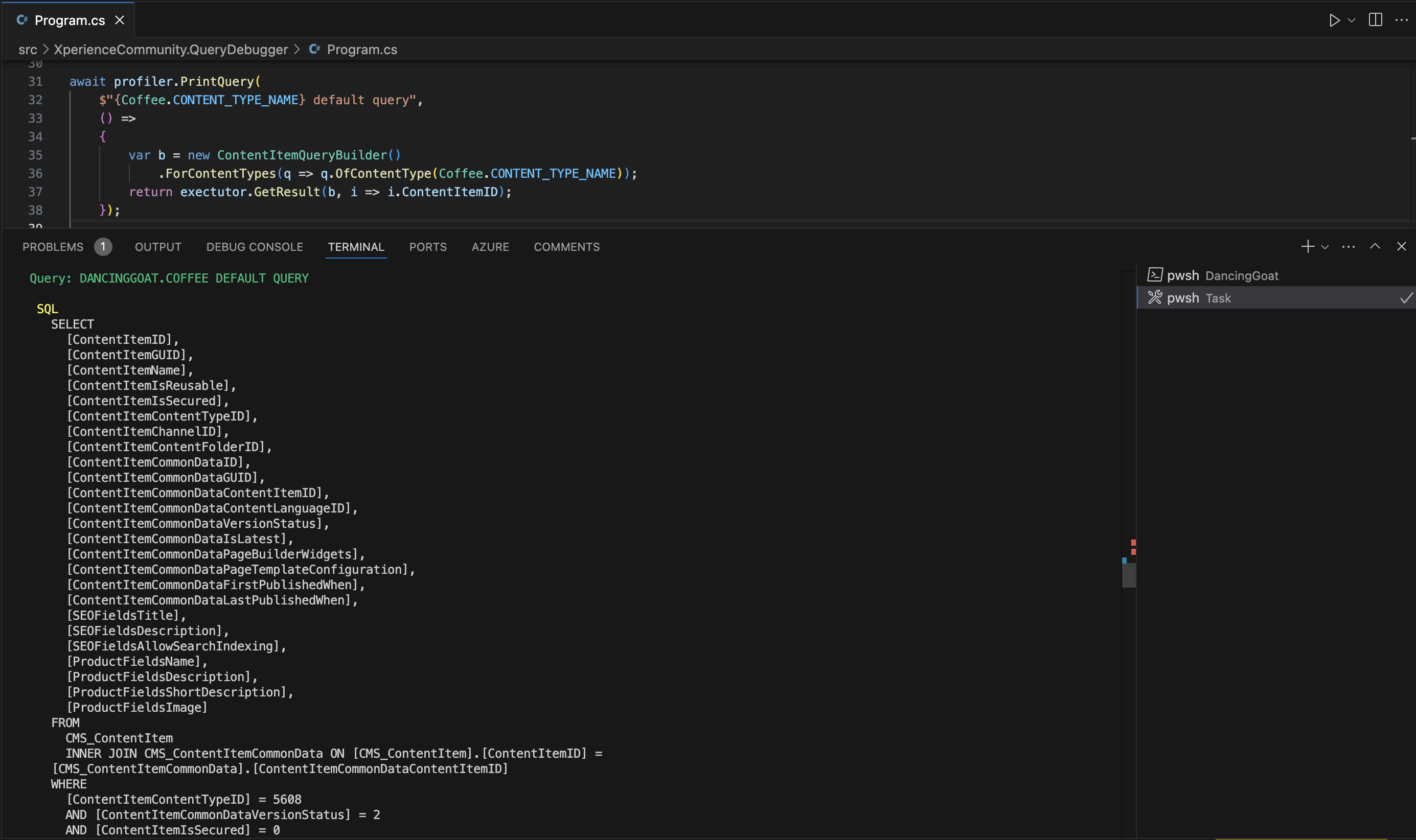
View the terminal output of the query debugging
-
Modify the queries to explore how Xperience's query APIs generate different SQL queries
If you want to use the console logging extensions in your own application you can do the following steps.
- Reference Xperience by Kentico MiniProfiler in your Xperience application
- Copy
XperienceCommunity.QueryDebugger/MiniProfilerConsoleExtensions.csinto your project - Perform the same kinds of query debugging calls on a
MiniProfilerinstance seen inXperienceCommunity.QueryDebugger/Program.cs
Instructions for contributions to this project can be found in the Contributing-Setup.md. All contributions and engagements on this project must follow the CODE_OF_CONDUCT.
Distributed under the MIT License. See LICENSE.md for more information.
This repository is provided as-is.