
Before running the project, ensure that you have the following prerequisites installed on your machine:
- Node.js: Make sure you have Node.js installed, as it includes npm (Node Package Manager) which is used to manage project dependencies.
-
Clone the repository to your local machine :
git clone https://github.com/Lihan37/Resume-Craft.git
-
Run the project local machine :
cd Resume-Craft npm install npm run dev or yarn install yarn run dev -
Set up Environment Variables:
- Create a
.envfile in the root directory of the project. - Add the following environment variables to the
.envfile:
Here's a brief explanation of the environment variables required for this project run:
VITE_BASE_apiKey= Your_Firebase_API_KeyVITE_BASE_authDomain= Your_Firebase_Auth_DomainVITE_BASE_projectId= Your_Firebase_Project_IDVITE_BASE_storageBucket= Your_Firebase_Storage_BucketVITE_BASE_messagingSenderId= Your_Firebase_Messaging_Sender_IDVITE_BASE_appId= Your_Firebase_App_IDVITE_BASE_URL_API= Your_API_URLVITE_BASE_URL_API_FRONTEND= Your_Frontend_API_URL
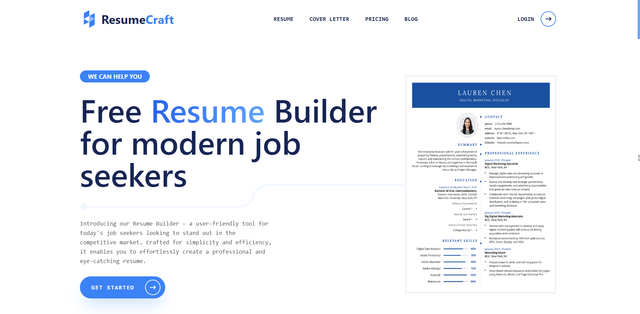
Encouraging professional success with an easy-to-use and user-friendly platform, our project simplifies the resume-writing and cover letter-writing process. Users can highlight their accomplishments and credentials, increasing their chances of landing relevant job prospects.
-
Create and Edit Resume/Cover Letter:
- Users can easily create and edit professional resumes and cover letters using a user-friendly interface. This feature includes customizable templates and formatting options.
-
Delete Functionality:
- Users have the ability to delete unwanted resumes or cover letters, providing them with control over their document library.
-
History Management:
- The system maintains a history of changes made to resumes and cover letters, allowing users to review or revert to previous versions if needed.
-
Preview the Resume/Cover Letter:
- Users can preview how their resumes or cover letters will appear to potential employers before finalizing and downloading.
-
Download Option:
- Provides users with the ability to download their resumes or cover letters in various formats (e.g., PDF, Word), ensuring compatibility with different application processes.
-
Share Link:
- Users can generate a shareable link to their resumes or cover letters, facilitating easy sharing with potential employers, collaborators, or mentors.
-
Personal Dashboard:
- Users have access to a personalized dashboard where they can manage all aspects of their resume-building experience and update their information.