My configuration for Neovim, mostly for frontend development (TypeScript, CSS, python, rust).
- Editor - enhanced vim motions, extended text objects, folding
- Code - formatter, comments, code completion, AI powered suggestions
- AI Assistant - suggestions, chat, system prompts, operations, chat history
- LSP - Language Server Protocol client, symbols navigation, diagnostics
- Syntax - highlighting, syntax aware motions, text objects
- Git integration - status, diff, conflicts, commit message editor, buffer integration
- Search - fuzzy find anything, files, git changed, last buffers
- UI - files and directory explorer, notifications, command palette
Works on Neovim v0.11.5
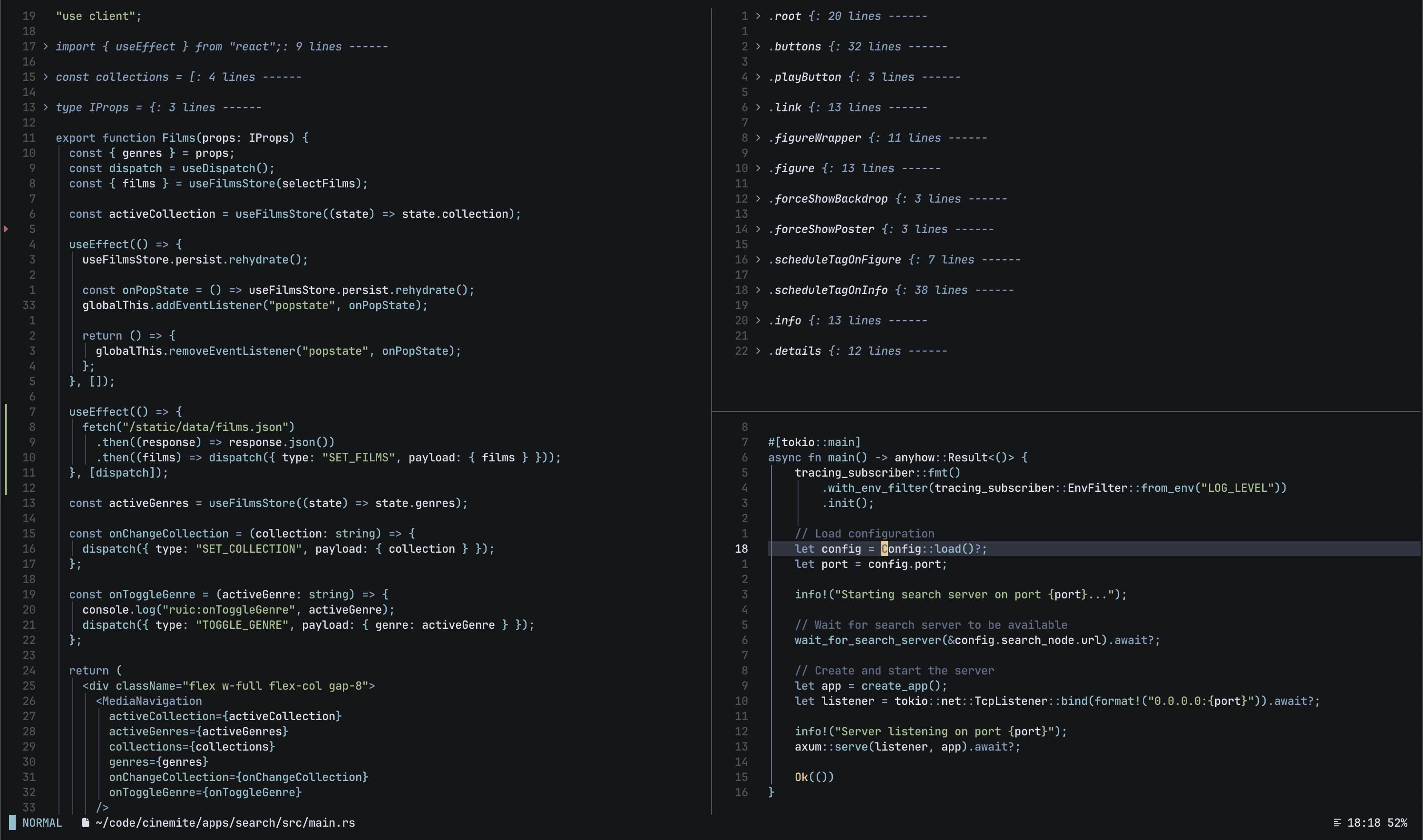
- NordStone - Custom theme based on Nord Theme.
- JetBrainsMono Nerd Font
68 plugins
- autopairs - Auto-pairs
- autotag - Auto close/rename tags
- blink.cmp - Autocomplete
- comment - Comments
- conform - Formatter
- copilot-chat - AI chat
- copilot-lsp - Copilot LSP
- copilot.lua - AI suggestions
- match-up - Matching pairs/words
- mini.hipatterns - Highlight patterns in text
- tailwind-hover - Tailwind CSS hover
- timber - Insert log statements
- treesj - Splitting/joining blocks of code
- treewalker - AST aware actions
- dial - Enhanced increment/decrement
- mini.ai - Around/inside textobjects
- mini.align - Align text interactively
- mini.bracketed - Navigation with square brackets
- mini.move - Move lines/selection
- mini.surround - Surround action
- multicursor - Multiple cursors
- readline - Insert/Command mode motions
- sort - Sort action
- spider - Move by subwords
- substitute - Substitute action
- text-case - Convert text cases
- visual-whitespace - Render whitespace
- yanky - Yank and Put actions
- auto-session - Session management
- hbac - Buffer auto-closer
- incline - Floating winbar
- mini.clue - Keybindings helper
- mini.notify - Notifications
- scope - Tab scoping
- smart-splits - Windows resize
- toggleterm - Terminal window
- window-picker - Window picker
- winshift - Rearrange windows
- codediff - diff
- fugitive - status, commit, push
- git-conflict - merge conflicts
- gitportal - Open remote
- gitsigns - hunks, blame
- mini.git - helpers
- flash - Jump with labels
- grapple - File bookmarks
- gx - Open links/files
- hlslens - Browse search results
- oil - Files explorer
- other - Open alternative files
- snacks.picker - Pickers
- kulala - HTTP client
- mason-lspconfig - Bridge between mason and lspconfig
- mason-tool-installer - Tools installer
- mason - LSP package manager
- nvim-lspconfig - LSP config
- nvim-treesitter-context - Code context
- nvim-treesitter-textobjects - AST aware text objects
- nvim-treesitter - Treesitter syntax parsers
- nvim-ts-context-commentstring - Language aware comments
- overseer - Task runner
- rustaceanvim - Rust LSP
- vim-test - Test runner
- wakatime - Time tracking
Complex configuration options.
| foldtext | Text displayed for a closed fold |
| formatoptions | Format options |
| standard-plugins | Disable unused standard plugins |
| statusline | Content of the status line |
Custom configuration, keymaps, and features dependent on the file's type.
| dockerfile | Dockerfile |
| python | Python |
New features built around autocmds (events).
| auto-close-buffer-if-deleted | Auto close buffer when deleted from disk |
| auto-resize-splits | Auto resize splits when window is resized |
| cmdline | Clean up after use, hide hit-enter messages on blur |
| open-help-panel | Open Help in side panel |
| show-cursorline-only-active | Show cursorline only on active window. |
Random features added.
| duplicate-comment | Duplicate and comment |
| indent-ast-nodes | AST aware indentation |
| lsp-keymaps | Keymaps (LSP) |
| lsp-highlight-references | Highlight references (LSP) |
| lsp-jump-to-references | Jump to references (LSP) |
| vim-messages | Display :messages on a separate window |
<leader>fopen directory explorer<leader>Fopen current working directory<c-p>preview file<c-w>sopen in horizontal split<c-w>topen in new tab<c-w>vopen in vertical split<leader>.last picker<leader><leader>fuzzy find files
<bs>switch to lastqclose<leader>,list
\{a,s,d,f,g}jump to\\{a,s,d,f,g}save to<leader>\list
==switch to=<space>switch to source=mswitch to template=sswitch to style=tswitch to test
{jump up 6 lines}jump down 6 lines''jump to position before last jump'.jump to position where last change was madesjump with labels'{a-z}'jump to marked positionmmjump to matching pair[[jump to earlier position (]]later)
|switchqclose<c-q>quit<c-w>tmove file to new tab<c-w>mmove window<c-w>xswap windows
<leader>/search in workspace<leader>?search in directory<leader>g/search current word in workspaceg/search current word / selectionG/search current word (no jumps)[/search first occurrencegr/replace current word / selectiongb/web search current wordg./repeat last search<c-w>/search first occurence in new window<c-r>/repeat last search'sjump back to where search started
[<space>add blank line above cursor (]<space>below)[ppaste to new line above (]pbelow)yccduplicate a line, comment out the first line.<a-up>move selection up<a-down>move selection down<tab>toggle fold<s-tab>toggle all folds
-
<c-b>jump character backward -
<c-f>jump character forward -
<a-b>jump word backward -
<a-f>jump word forward -
<c-a>jump to line start -
<c-e>jump to line end -
<c-h>delete character backward -
<c-d>delete character forward -
<a-bs>delete word backward -
<a-d>delete word forward -
<c-k>delete line backward -
<c-u>delete line forward -
<a-d><a-d>delete whole line -
<a-up>move current line up -
<a-down>move current line down
afunction argumentbbrackets ({}, (), [])ccomment%entire fileffunctionhgit hunkmmatching pairqquotes (", ', `)ssingle word in different casestHTML tags
<leader>~-to kebab-case<leader>~_to snake_case<leader>~Cto CONSTANT_CASE<leader>~Uto UPPER CASE<leader>~cto camelCase<leader>~pto PascalCase<leader>~uto lower case
%%path (relative)%Ddirectory (absolute)%ddirectory (relative)%ffilename%nbasename%ppath (absolute)
sa{motion}{char}add surrounding charactersd{char}delete surrounding charactersr{target}{replacement}replace surrounding characterS{char}add surrounding character (visual mode)<leader>x{motion1}<leader>x{motion2}exchange<leader>r{motion}replace<leader>s{motion}sort
<s-down>add cursor below (<s-up>for above)<leader><s-down>skip cursor below (<leader><s-up>for above)<c-s-down>add cursor to next match (<c-s-up>for previous)<leader><c-s-down>skip cursor next match (<leader><c-s-up>for previous)<leader>xdelete cursor<esc>clear cursors
<c-n>show/next entry<c-p>previous entry<cr>confirm<c-e>hide<c-f>scroll docs forward<c-b>scroll docs backward
<tab>expand<tab>jump to next tabstop<s-tab>jump to previous tabstop<c-c>cancel
<leader>aaopen<leader>ammodels<c-]>accept<c-x>reset
<c-]>accept<c-}>accept next edit<a-e>dismiss<a-]>accept word<a-[>accept line<a-n>show next<a-p>show previous
<leader>accommit message (ft:gitcommit)<leader>aeexplain<leader>affix<leader>aiimplement<leader>aooptimize<leader>appull request review<leader>aqarchitect<leader>arreview<leader>attests<leader>awrefactor
<a-a>anew session<a-a>\toggle<a-a>Aask about buffer<a-a>aask about selection<a-a>pselect prompt<a-a>ccopy message<c-U>scroll up<c-D>scroll down
glvinsert variable log belowglVinsert variable log aboveglpinsert plain log belowglPinsert plain log aboveglbinsert batch log belowglaadd to batch logglkinsert breakpoint belowglKinsert breakpoint abovegltinsert timestamp belowglTinsert timestamp below<leader>gltinsert timestamp above/below
<c-h>jump to parent node<c-j>jump to next sibling node<c-k>jump to previous sibling node<c-l>jump to child node<c-H>swap with left node<c-J>swap with down node<c-K>swap with up node<c-L>swap with right node]ajump to next parameter start ([aprevious)]fjump to next function start ([fprevious)
Kdisplay hover information for symbolgOlist symbols in documentgdjump to definitiongojump to type definitiongracode actionsgrtjump to type definitiongrijump to implementationgrnrename symbolgrrlist referencesgrItoggle inlay hintsgDjump to declaration<c-]>jump to definition<c-w>]jump to definition (vsplit)<leader>ddopen diagnostics (buffer)<leader>dDopen diagnostics (workspace)[rjump to previous symbol reference (]rnext)[xjump to previous error (]xnext)
[cprevious change (]cnext)<leader>h$blame line<leader>h%current file history<leader>h~diff {git-rev}<leader>hPpush --force-with-lease<leader>hRreset buffer<leader>hSstage buffer<leader>hbbranches<leader>hddiff HEAD<leader>helog file<leader>hhstatus<leader>hllog<leader>hppush<leader>hrreset hunk<leader>hsstage hunk<leader>hupush --set-upstream origin HEAD<leader>hxopen file in browser
[xprevious conflict (]xnext)c0choose nonecbchoose bothcochoose oursctchoose theirs
<leader>barun all<leader>bbrun last<leader>berun file<leader>bnrun nearest<leader>bqclose output
<leader>naautocmds<leader>nhhelp<leader>nHhighlights<leader>nkkeymaps<leader>nnvim-messages
© 2024 Rui Costa, MIT License