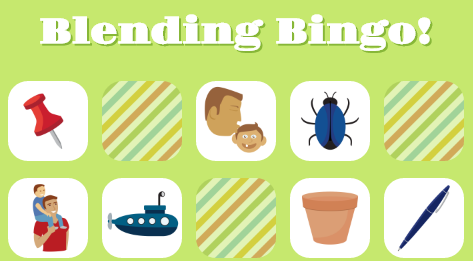
Blending Bingo is a single-page Javascript application that teaches phonemic awareness blending, a foundational reading concept. Users can start a new game, hear an audio question, click a tile (correctly or incorrectly), see an error message, pass a turn, repeat the question, restart the game, and of course -- win!
Built using ES6 syntax, Blending Bingo also features jQuery, HTML5, CSS3, Webpack, and Babel for transpiling.
The game state and view are managed separately in ./js/game.js and ./js/view.js respectively. When render() is invoked from view.js classes are removed and reassigned instead of destroying and re-creating DOM elements. On boardSetup(), DOM elements are created from shuffled answers stored in game.js and inserted into the page:
// './js/view.js'

for (var tileIdx = 0; tileIdx < 25; tileIdx++) {
  $image = $('<img>').attr(
    "src",
    this.game.shuffledAnswers[tileIdx].answer
  );
  $tile = $('<li>').addClass("tokenless noclick").append($image);
  $board.append($tile);
}
Tiles are displayed as a list of <li> elements inside of a single <ul>. <li>s are flexed using CSS display: flex; in order to create the effect of five rows of five elements each.
Inside of game.js function isWon() iterates through each adjacent segment of five <li> elements, every 5th <li>, and the appropriate indices for the two diagonals. Below, the isWon() function uses the modulo operator to select every 5th element in the list of tiles, simulating vertical columns:
// './js/game.js'

for (let j=0; j<5; j++) {
  segment = [];
  for (let m=0; m<25; m++) {
    if (m%5 === j) segment.push(this.shuffledAnswers[m]);
  }
  if (checkSegment()) won = true;
}So as not to require too much bandwidth from the host, the application uses AWS S3 to serve all audio prompts as well as Cloudinary to host image files and serve dynamically transformed (resized, in this case) images.
Audio content is rendered to the DOM using HTML5 audio tags and triggered using jQuery:
$('audio').trigger("play");In order to keep all tile elements and controls on a standard-sized browser screen, the directions and the start button appear in a custom-built modal. The modal renders after the game's initial HTTP request.
Blending Bingo's look and feel is polished and inviting, utilizing effects like CSS pseudo-class, :hover for elements intended for user interaction:

As I continue to develop Blending Bingo, I plan to implement new features, outlined below:
I plan to add CSS transform effects to the tiles. When the user chooses a correctly-selected tile, the tile will slowly rotate revealing the alternate preloaded backside.
Screen will resize to narrow, phone-width size.