Event popup #11
Conversation


Added a placeholder SignUpButton under components for the popup

by deleted "import EventPopup...." statement which was used for testing


 woowenjun99
left a comment
woowenjun99
left a comment
woowenjun99
left a comment
There was a problem hiding this comment.
Hi I have left some general comments for your code
| @@ -0,0 +1,84 @@ | |||
| import React from 'react' | |||
There was a problem hiding this comment.
Can you try removing this line and see if it works?
There was a problem hiding this comment.
old habits die hard; there is now no need to write this default import on every page in Next.js now (unless you're explicitely using the React object)
| import React from 'react' |
| @@ -0,0 +1,24 @@ | |||
| import React from 'react' | |||
There was a problem hiding this comment.
Can you try removing this line and see if it works?
There was a problem hiding this comment.
| import React from 'react' |
| import React from 'react' | ||
| import styled from 'styled-components' | ||
|
|
||
| const SignUpButtonContainer = styled.button` |
There was a problem hiding this comment.
Perhaps this component can be better renamed as a button as it seems to fulfil the functions of a button?
| const SignUpButtonContainer = styled.button` | |
| const SignUpButton = styled.button` |
There was a problem hiding this comment.
hmm it conflicts with the function name if I name it as SignUpButton, is there any way around this?
There was a problem hiding this comment.
| const SignUpButtonContainer = styled.button` | |
| const StyledButton = styled.button` |
Name it like this instead. Also, there's no need to make an exclusive button just for signups. Instead make a generic button component that can be customised (i.e. take in params that set its display text, onClick function etc.)
There was a problem hiding this comment.
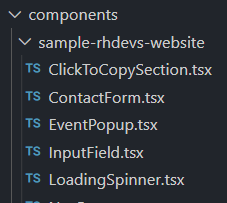
mb for not mentioning earlier during the meeting, but i've placed some codes in the sample-rhdevs-websites subfolders, which contains codes that might be useful, so do refer to them if you're unsure of how to make for e.g. a button, or u can just copy them if they work!
| ` | ||
|
|
||
| type Props = { | ||
| image: any |
There was a problem hiding this comment.
Avoid the use of the type any here. Judging from the use, it seemed to be a string
There was a problem hiding this comment.
| image: any | |
| image: string |
yeap, since it's a URL, it's a string. Try to avoid using any
| {isActive && ( | ||
| <EventPopupContainer> | ||
| <CloseButton onClick={closePopup}>x</CloseButton> | ||
| <PopupImage src={defaultProps.image} alt="Event Image" /> |
There was a problem hiding this comment.
Consider removing the use of the img tag and use the <Image /> component from Next/Image instead.
| <PopupImage src={defaultProps.image} alt="Event Image" /> | ||
| <PopupTitle>{defaultProps.title}</PopupTitle> | ||
| <PopupContent>{defaultProps.content}</PopupContent> |
There was a problem hiding this comment.
Should it be
| <PopupImage src={defaultProps.image} alt="Event Image" /> | |
| <PopupTitle>{defaultProps.title}</PopupTitle> | |
| <PopupContent>{defaultProps.content}</PopupContent> | |
| <PopupImage src={props.image} alt="Event Image" /> | |
| <PopupTitle>{props.title}</PopupTitle> | |
| <PopupContent>{props.content}</PopupContent> |
There was a problem hiding this comment.
yea I'm just using this as a placeholder for testing haha since I think they haven't confirmed the details of how the information will be passed
| ` | ||
|
|
||
| type Props = { | ||
| image: any |
There was a problem hiding this comment.
Avoid using the any type in typescript
| @@ -0,0 +1,84 @@ | |||
| import React from 'react' | |||

 marcus-ong-qy
left a comment
marcus-ong-qy
left a comment
marcus-ong-qy
left a comment
There was a problem hiding this comment.
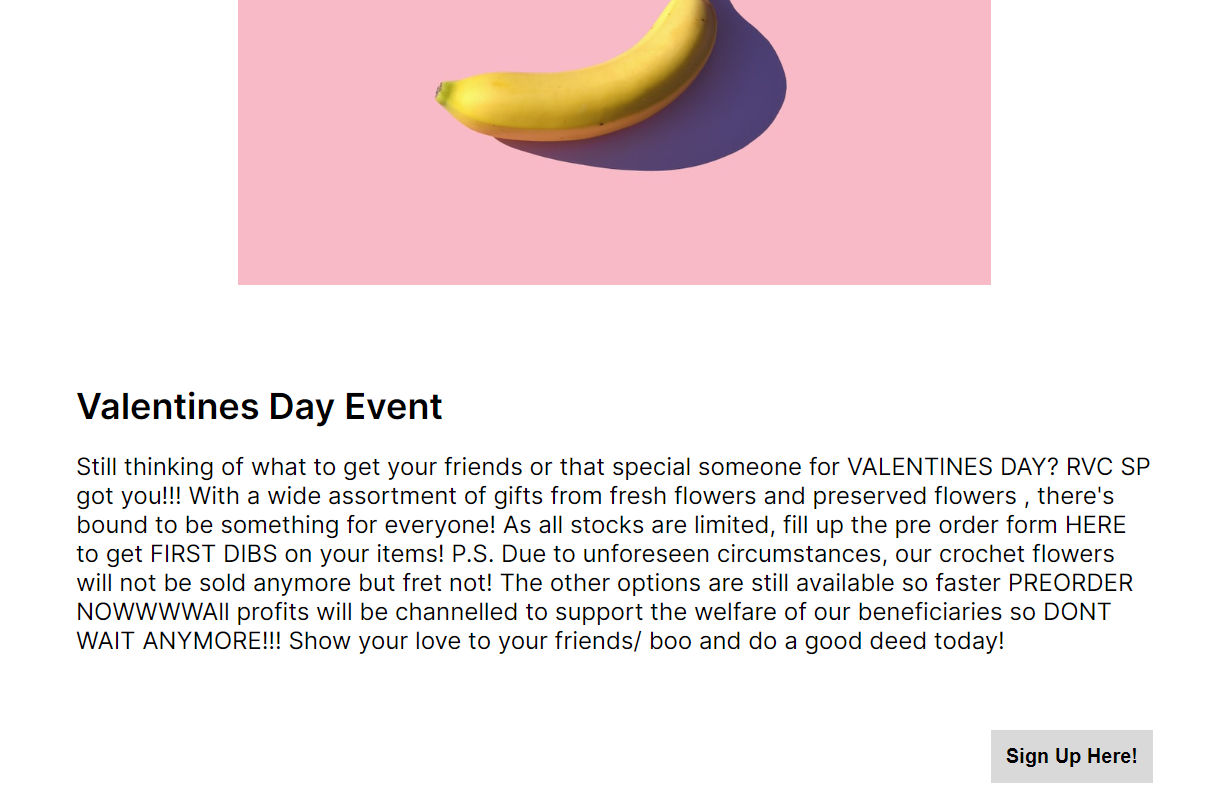
Tried to visualise your component, and it seems good so far! But do remember for future PRs do include images of whatever you have done ya (e.g. below)
Also I've left some comment for you, do review them. Good job!
It'll be great if you could document your code as well: guide
| margin-top: 100px; | ||
| margin-left: 20%; | ||
| margin-right: 20%; |
There was a problem hiding this comment.
these can be all expressed in one line i.e. margin: .... Go and find out how to use CSS shorthands :)
| } | ||
| ` | ||
|
|
||
| const PopupImage = styled.img` |
There was a problem hiding this comment.
use Next.js Image component instead, as wen jun has mentioned as well
| padding-top: 30px; | ||
| padding-bottom: 50px; |
There was a problem hiding this comment.
same, use CSS shorthand
| const defaultProps = { | ||
| image: | ||
| 'https://images.unsplash.com/photo-1481349518771-20055b2a7b24?ixlib=rb-4.0.3&ixid=MnwxMjA3fDB8MHxzZWFyY2h8NHx8cmFuZG9tfGVufDB8fDB8fA%3D%3D&w=1000&q=80', | ||
| title: 'Valentines Day Event', | ||
| content: | ||
| "Still thinking of what to get your friends or that special someone for VALENTINES DAY? RVC SP got you!!! With a wide assortment of gifts from fresh flowers and preserved flowers , there's bound to be something for everyone! As all stocks are limited, fill up the pre order form HERE to get FIRST DIBS on your items! P.S. Due to unforeseen circumstances, our crochet flowers will not be sold anymore but fret not! The other options are still available so faster PREORDER NOWWWWAll profits will be channelled to support the welfare of our beneficiaries so DONT WAIT ANYMORE!!! Show your love to your friends/ boo and do a good deed today!", | ||
| isActive: true, | ||
| } |
There was a problem hiding this comment.
rmb to remove these ya
| margin-top: 50px; | ||
| margin-left: auto; |
1. Removed import react
2. Changed SignUpButton to generic button that takes in onClick function
3. Changed img to using <Image /> from Next
4. Changed img type to String
5. Added documentation for EventPopUp
6. Deleted defaultProps placeholder
7. Changed CSS to use shorthands
… into add-event-popup
2. Made the Popup container more responsive by reducing
   left and right margins for smaller screens
marcus-ong-qy
left a comment
marcus-ong-qy
left a comment
There was a problem hiding this comment.
much better! just work on writing the documrntation, and a few more comments
| /** | ||
| * | ||
| * @returns A popup that displays the event details and sign up button | ||
| * | ||
| */ |
There was a problem hiding this comment.
ok good! but can follow the format here? https://www.notion.so/How-To-Frontend-Documentation-390a6a02b00d4eb59fd7fa9563025885
| <div> | ||
| {isActive && ( | ||
| <EventPopupContainer> | ||
| <CloseButton onClick={closePopup}>x</CloseButton> | ||
| <PopupImage src={props.image} alt="Event Image" /> | ||
| <PopupTitle>{props.title}</PopupTitle> | ||
| <PopupContent>{props.content}</PopupContent> | ||
| <SignUpButton /> | ||
| </EventPopupContainer> | ||
| )} | ||
| </div> |
There was a problem hiding this comment.
| <div> | |
| {isActive && ( | |
| <EventPopupContainer> | |
| <CloseButton onClick={closePopup}>x</CloseButton> | |
| <PopupImage src={props.image} alt="Event Image" /> | |
| <PopupTitle>{props.title}</PopupTitle> | |
| <PopupContent>{props.content}</PopupContent> | |
| <SignUpButton /> | |
| </EventPopupContainer> | |
| )} | |
| </div> | |
| <> | |
| {isActive && ( | |
| <EventPopupContainer> | |
| <CloseButton onClick={closePopup}>x</CloseButton> | |
| <PopupImage src={props.image} alt="Event Image" /> | |
| <PopupTitle>{props.title}</PopupTitle> | |
| <PopupContent>{props.content}</PopupContent> | |
| <SignUpButton /> | |
| </EventPopupContainer> | |
| )} | |
| </> |
There was a problem hiding this comment.
if outermost div is not styled (i.e. dummy div), then can just use a blank tag
3 participants


Added EventPopup under components to display events with a popup window
Added a placeholder SignUpButton under components for the popup