Shrike is an unofficial fork of Sparrow Bitcoin Wallet that follows the BLAKE2b proof-of-work hardfork of Bitcoin and signs with the unified opt-in signature hash. It is not affiliated with the Sparrow project. Upstream Sparrow has not added support for it, so use it instead if that is what you want.
Not audited. Use at your own risk, and no warranty of any kind, see the Apache 2.0 license. Everything below the divider is upstream's documentation and describes Sparrow rather than Shrike.
- BLAKE2b proof of work. Validates the 164 byte v2 block header and takes the BLAKE2b hash as the block id past activation. Implemented in the drongo submodule.
- Unified opt-in signature hash. Signs with hash type
0x21past activation, which is invalid under the pre-fork rules and is what makes it unreplayable. Where it cannot opt in, the wallet signs the legacy way and says so on the send screen. - Per-keystore opt-in. Nothing a device or a watch only keystore reports says what will sign for it, so each is marked by hand under Replay protection. A keystore holding its own key needs no mark. One marked signer is enough, and unmarked signers still sign: each is handed the hash type it can produce.
- Only services that kept up are offered. Fee rates, explorer links and broadcast use mempool.guide; the preconfigured public Electrum servers are gone, because they stopped at the activation height. Connect a Knots node, or your own Electrum server indexing one.
- Separate application identity. Installs alongside an existing Sparrow without sharing state:
~/.shrike, its own packages, desktop entries, MIME types and macOS bundle identifier.
| Network | Height |
|---|---|
| mainnet | 961,640 |
| testnet4 | 150,308 |
The compiled-in height is cross checked against the connected node where it reports one, and a disagreement declines to opt in rather than following either. Only Knots reports it, through getdeploymentinfo; through anything else the wallet still opts in and says the height went unchecked.
A signature that does not opt in is valid under both rule sets. Where the coins it spends also exist on the SHA256d chain, that makes the transaction replayable there. Check the send screen before building anything. The opt-in is selected by default:

Where it reads this instead, hovering the status names what is refusing and what to do about it:

Where a signer is the reason, tick it in the keystore tab of the wallet settings. Nothing a device reports says which firmware it runs, so this is what its owner tells the wallet, and it is off until they say so:

Opening the transaction afterwards answers in two steps, because it looks at the signatures that are actually on it. Before anyone has signed there is nothing to look at yet, so it tells you what the transaction will be:

After signing, the wallet checks each signature against its own keys and tells you what the transaction is. A question mark means not checked yet, not unprotected. Until the wallet can check for itself it will not say either way, because a transaction file can claim anything about itself: open one without its wallet, or with signatures this wallet cannot read, and it stays unchecked rather than guessed at.
In a multisig one marked signer is enough. Mark two of a 2-of-3 and every transaction opts in; mark one and the opt-in depends on that signer taking part, which the wallet says rather than promising in advance.
The exception is Anyone Can Pay, which commits only to its own input and the outputs, so that input can be lifted out and spent on the SHA256d chain, even though the transaction cannot. The send screen names such signatures. Shrike never selects it by itself.
Coins held across activation are only separated once spent with an opted-in signature, and a spend covers only the inputs it consumes, so sweep every pre-fork UTXO to yourself before transacting with anyone on the SHA256d chain.
Clone this repository rather than upstream's, and --recursive matters: the BLAKE2b work lives in the drongo submodule.
git clone --recursive https://github.com/privkeyio/shrike.gitJava requirements and the build itself are unchanged, see Building below.
Published under Releases with a signed SHA256SUMS covering every file:
gpg --import privkeyio-signing-key.asc
gpg --verify SHA256SUMS.asc SHA256SUMS
sha256sum --ignore-missing -c SHA256SUMS
Signed by Kyle Santiago kyle@privkey.io, key A47D99B6DB0D715D40C59A2023AE8A8EA7E24E38.
The macOS builds are not notarized and the Windows installer is not Authenticode signed, so both are reported as untrusted on first launch. Verify SHA256SUMS first, because clearing quarantine removes the check that would otherwise stop a tampered download:
xattr -dr com.apple.quarantine /Applications/Shrike.appReproducible: see reproducible.md. The proof of work and the signature hash are verified end to end against a live forked regtest node, see blake2b-regtest.md and unified-sighash-regtest.md.
Use the Issues tab for problems specific to this fork. Anything else belongs upstream.
The v2 block header, the BLAKE2b proof of work, the separate application identity and the packaging were written by AcesHigh70, and are no longer maintained there. This fork continues that work and adds the unified opt-in signature hash.
Sparrow is a modern desktop Bitcoin wallet application supporting most hardware wallets and built on common standards such as PSBT, with an emphasis on transparency and usability.
More information (and release binaries) can be found at https://sparrowwallet.com. Release binaries are also available directly from GitHub.
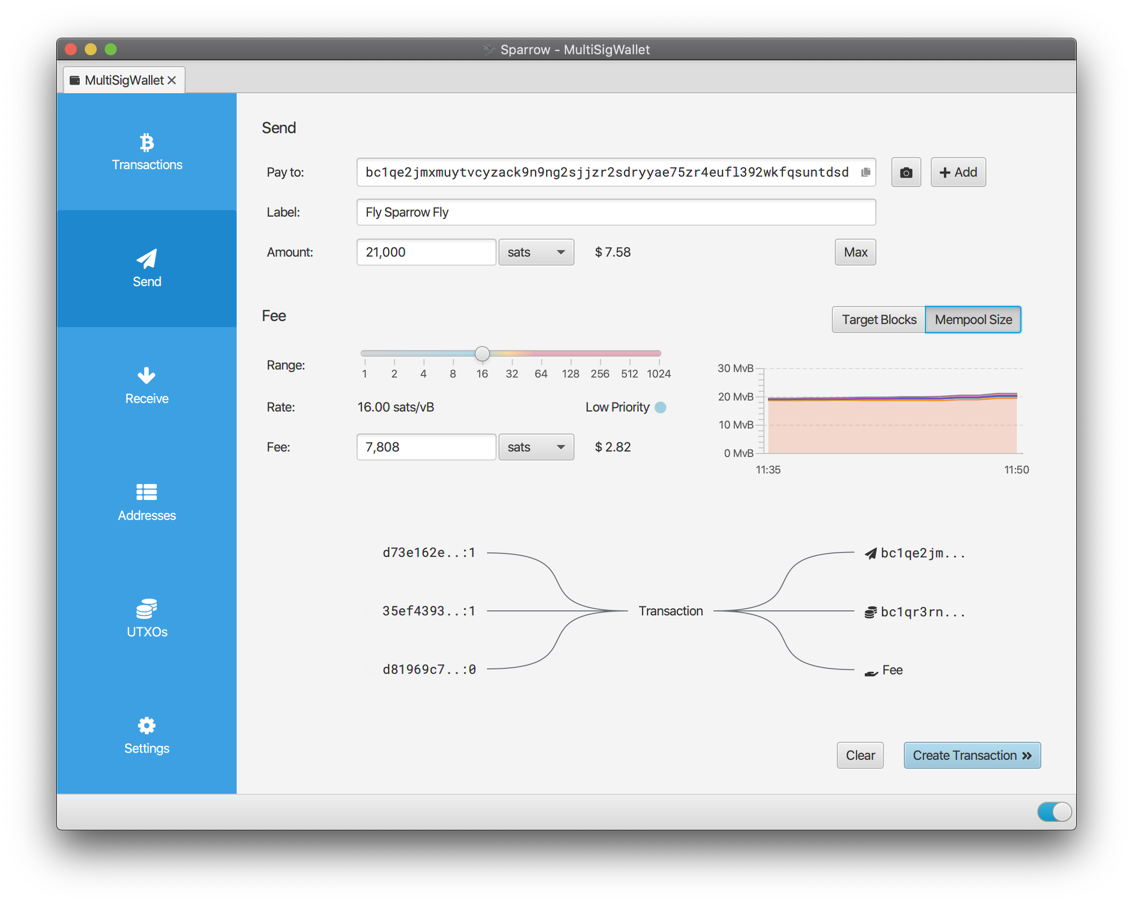
To clone this project, use
git clone --recursive git@github.com:sparrowwallet/sparrow.git
or for those without SSH credentials:
git clone --recursive https://github.com/sparrowwallet/sparrow.git
In order to build, Sparrow requires Java 25 or higher to be installed.
The release binaries are built with Eclipse Temurin 25.0.2+10.
If you are using SDKMAN, you can use sdk env install to ensure you have the correct version.
Other packages may also be necessary to build depending on the platform. On Debian/Ubuntu systems:
sudo apt install -y rpm fakeroot binutils
The Sparrow binaries can be built from source using
./gradlew jpackage
On Linux distributions without deb or rpm packaging tools installed (such as Arch), building the installers can be skipped with
./gradlew jpackage -PskipInstallers=true
Note that to build the Windows installer, you will need to install WiX.
When updating to the latest HEAD
git pull --recurse-submodules
The release binaries are reproducible from v1.5.0 onwards (pre codesigning and installer packaging). More detailed instructions on reproducing the binaries are provided.
Video documentation of your build process uploaded to bitcoinbinary.org is appreciated. Alternatively check the site if you wish to see if someone else already verified the provided binaries.
If you prefer to run Sparrow directly from source, it can be launched from within the project directory with
./sparrow
Java 25 or higher must be installed.
Sparrow has a number of command line options, for example to change its home folder or use testnet:
./sparrow -h

Usage: sparrow [options]
  Options:
    --dir, -d
      Path to Sparrow home folder
    --help, -h
      Show usage
    --level, -l
      Set log level
      Possible Values: [ERROR, WARN, INFO, DEBUG, TRACE]
    --network, -n
      Network to use
      Possible Values: [mainnet, testnet, regtest, signet, testnet4]
Note that testnet currently refers to testnet3.
As a fallback, the network (mainnet, testnet, testnet4, regtest or signet) can also be set using an environment variable SPARROW_NETWORK. For example:
export SPARROW_NETWORK=testnet
A final fallback which can be useful when running the Sparrow binary is to create a file called network-testnet in the Sparrow home folder (see below) to configure the testnet network.
Note that if you are connecting to an Electrum server when using testnet, that server will need to be running on testnet configuration as well.
When not explicitly configured using the command line argument above, Sparrow stores its mainnet config file, log file and wallets in a home folder location appropriate to the operating system:
| Platform | Location |
|---|---|
| macOS | ~/.sparrow |
| Linux | ~/.sparrow |
| Windows | %APPDATA%/Sparrow |
Testnet3, testnet4, regtest and signet configurations (along with their wallets) are stored in subfolders to allow easy switching between networks.
On macOS and Linux, Sparrow also supports the XDG Base Directory Specification. This is opt in: for each category below, if the corresponding directory already exists, Sparrow uses it, otherwise it continues to use the home folder above. Categories are resolved independently, so files can be moved across one at a time.
| Category | Location | Contents |
|---|---|---|
| Config | $XDG_CONFIG_HOME/sparrow (default ~/.config/sparrow) |
config, network-* markers |
| Data | $XDG_DATA_HOME/sparrow (default ~/.local/share/sparrow) |
wallets, certs, lark |
| State | $XDG_STATE_HOME/sparrow (default ~/.local/state/sparrow) |
sparrow.log, tor/work, lock files |
| Cache | $XDG_CACHE_HOME/sparrow (default ~/.cache/sparrow) |
tor/cache |
Specifying a home folder with the -d argument disables XDG resolution entirely, and stores all files in the given folder.
Please use the Issues tab above to report an issue with this fork. Issues that are not specific to the BLAKE2b fork should be reported upstream instead. If possible, look in the sparrow.log file in the configuration directory for information helpful in debugging.
Sparrow is licensed under the Apache 2 software licence.
Sparrow's own release binaries, on sparrowwallet.com, are signed using craigraw's GPG key. The releases in this repository are not: they are signed with the key under Releases above.
Fingerprint: D4D0D3202FC06849A257B38DE94618334C674B40
64-bit: E946 1833 4C67 4B40

Sparrow Wallet uses the Yourkit Java Profiler to profile and improve performance. YourKit supports open source projects with useful tools for monitoring and profiling Java and .NET applications.