

S3 Explorer is a web interface for browsing Amazon S3 buckets, uploading and downloading files, and editing JSON and other text files. It also supports renaming files and deleting files or folders.
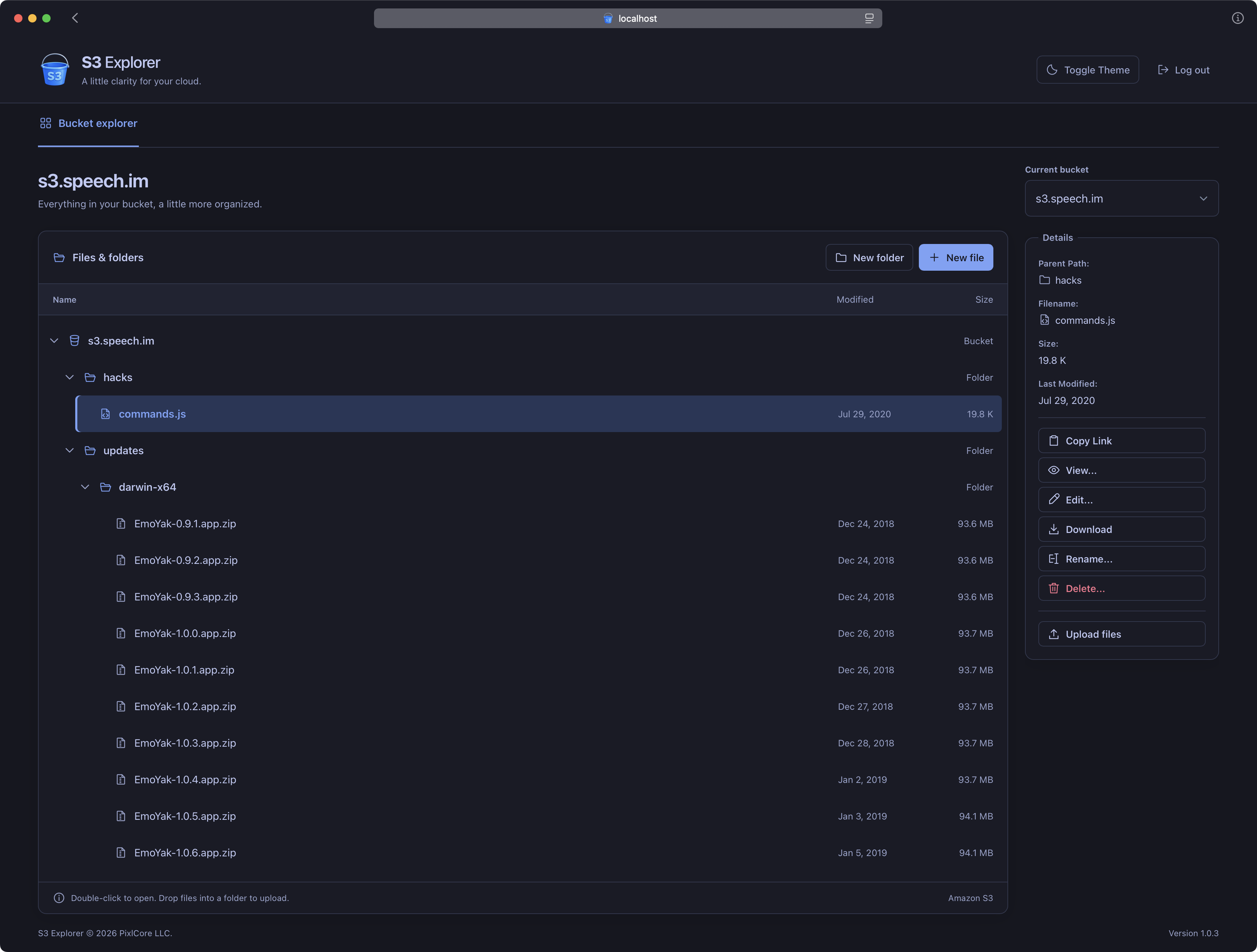
With Docker installed, choose one of the following commands to get started. The image is available from GitHub Container Registry for Linux AMD64 and ARM64. Replace us-west-1 with the region of the buckets you want to browse.
If you already have credentials in ~/.aws/credentials, this command mounts the file read-only:
docker run -d --name s3-explorer -p 3020:3020 --mount type=bind,src="$HOME/.aws/credentials",dst=/root/.aws/credentials,readonly -e AWS_REGION=us-west-1 ghcr.io/pixlcore/s3-explorerIf your shell already has AWS_ACCESS_KEY_ID and AWS_SECRET_ACCESS_KEY exported, pass them through by name:
docker run -d --name s3-explorer -p 3020:3020 -e AWS_ACCESS_KEY_ID -e AWS_SECRET_ACCESS_KEY -e AWS_REGION=us-west-1 ghcr.io/pixlcore/s3-explorerAWS_SESSION_TOKEN is required for temporary credentials and can be omitted for long-lived access keys.
After running either command, open http://localhost:3020/ on the Docker host, or use http://<host-ip>:3020/ from another computer on your LAN.
The examples publish port 3020 on all host interfaces. For access only from the Docker host, use -p 127.0.0.1:3020:3020 instead.
S3 Explorer has no built-in login screen. Anyone who can reach it can use the permissions of its AWS credentials. Use an authenticated HTTPS reverse proxy if you need to control who can access it.
S3 Explorer uses the AWS SDK's default credential provider, which supports environment variables, shared credential files and IAM roles. Docker does not automatically inherit credentials or AWS files from the host.
The AWS SDK uses the default profile unless you add -e AWS_PROFILE=your-profile before the image name. If your profile also needs ~/.aws/config, mount the whole directory instead of just the credentials file:
--mount type=bind,src="$HOME/.aws",dst=/root/.aws,readonlyMounts use /root/.aws because the container runs as root by default. Profiles that invoke an external credential_process also need that executable inside the container; a mounted config file alone is not sufficient.
Instead of passing credentials from your shell, you can put them in a local environment file:
AWS_ACCESS_KEY_ID=your-access-key-id
AWS_SECRET_ACCESS_KEY=your-secret-access-key
AWS_REGION=us-west-1
Add AWS_SESSION_TOKEN to that file when using temporary credentials, then run:
docker run -d --name s3-explorer -p 3020:3020 --env-file /path/to/aws.env ghcr.io/pixlcore/s3-explorer:latestKeep this file private and outside version control. Choose either environment credentials or a mounted profile to keep the credential source clear. IAM role credentials are also supported when the container runs in an AWS environment configured to provide them.
Set AWS_REGION to the region you want to use. When it is omitted, S3 Explorer defaults to us-west-1, even if your AWS profile specifies a different region. Bucket listing can include buckets in other regions, so a bucket appearing in the list does not mean its contents can be accessed using the selected region.
The initial bucket list requires s3:ListAllMyBuckets. Browsing a bucket requires s3:ListBucket; reading, writing and deleting objects require the corresponding s3:GetObject, s3:PutObject and s3:DeleteObject permissions. Read-only credentials can be used for browsing, but edits will fail. Encrypted objects may require additional KMS permissions.
PoolNoodle runs in the foreground and sends server and worker logs to Docker:
docker logs -f s3-explorer
docker stop s3-explorer
docker start s3-explorer
The image includes an HTTP health check for /api/echo. It requires a successful HTTP response with JSON code: 0, checking the web server, API routing and a PoolNoodle worker process. It does not require AWS credentials or check S3 permissions.
To remove the container:
docker rm -f s3-explorerTo build your own image, run this from the project's directory:
docker build -t s3-explorer:local .Then use either quick-start command above, replacing ghcr.io/pixlcore/s3-explorer with s3-explorer:local.
The image includes Node.js 24 and PoolNoodle. The build installs PoolNoodle using its official installer and installs the app's dependencies using npm ci. It links the app's package.json to /opt/poolnoodle/conf/apps/s3-explorer.json.
AWS credentials are supplied when you run the container and are never needed during the build. After changing the source, rebuild the image and recreate the container to use your changes.