





English | 中文



With Termcp:
- An AI can install and use any number of MCP servers, dynamically, at run time.
- An AI can write its own MCP server and hot-load it.
- An AI can use SSH to manage hosts, approved and collaborated on by a human.
- An AI can install and call MCP servers across machines over nothing but SSH.
Exactly one tool is exposed. Built on the Termcp protocol (Terminalization Model Context Protocol): loading more MCP servers and skills does not grow the context.
A single dependency-free binary (10 MB+), cross-platform, with a WYSIWYG web UI where a human and an AI share the same terminals and collaborate.
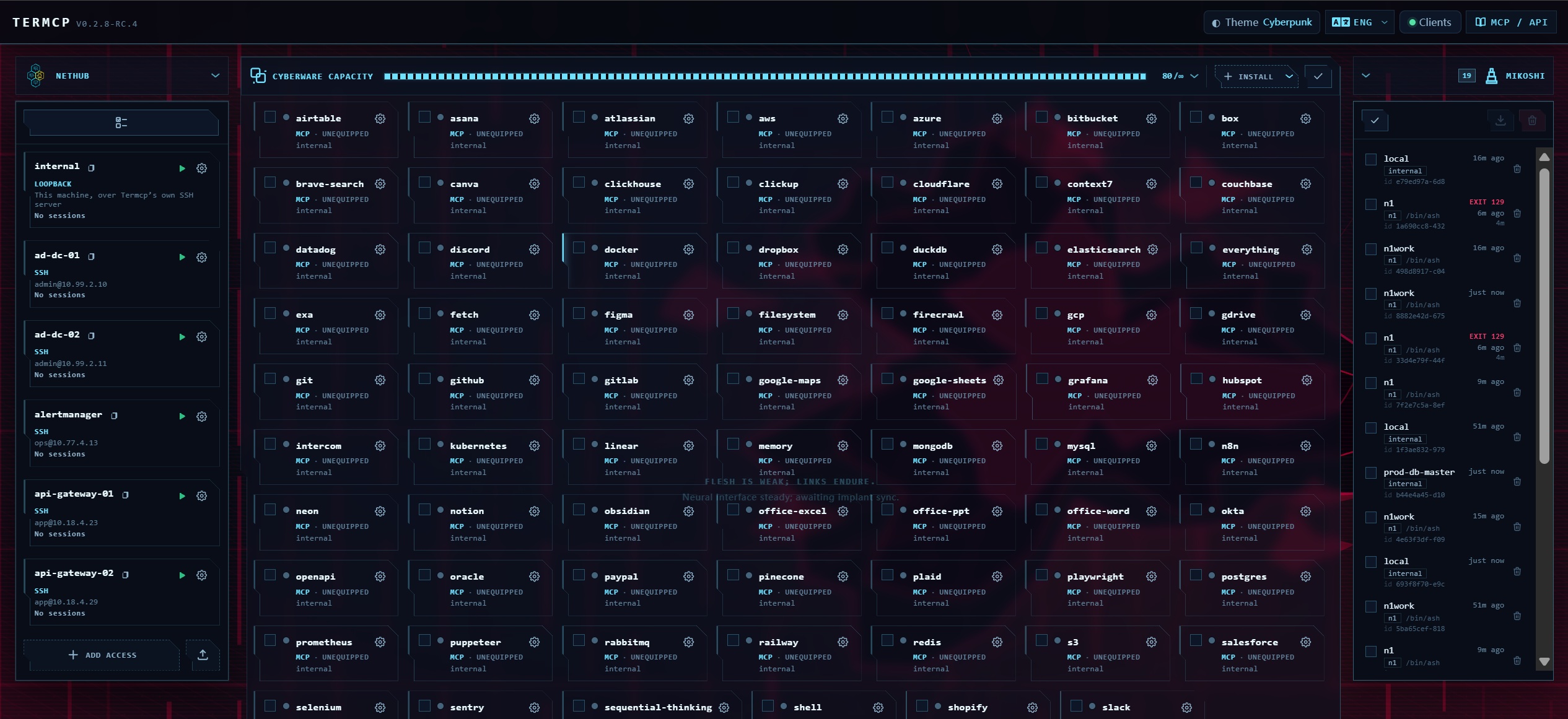
Install 80+ MCP servers and skills.
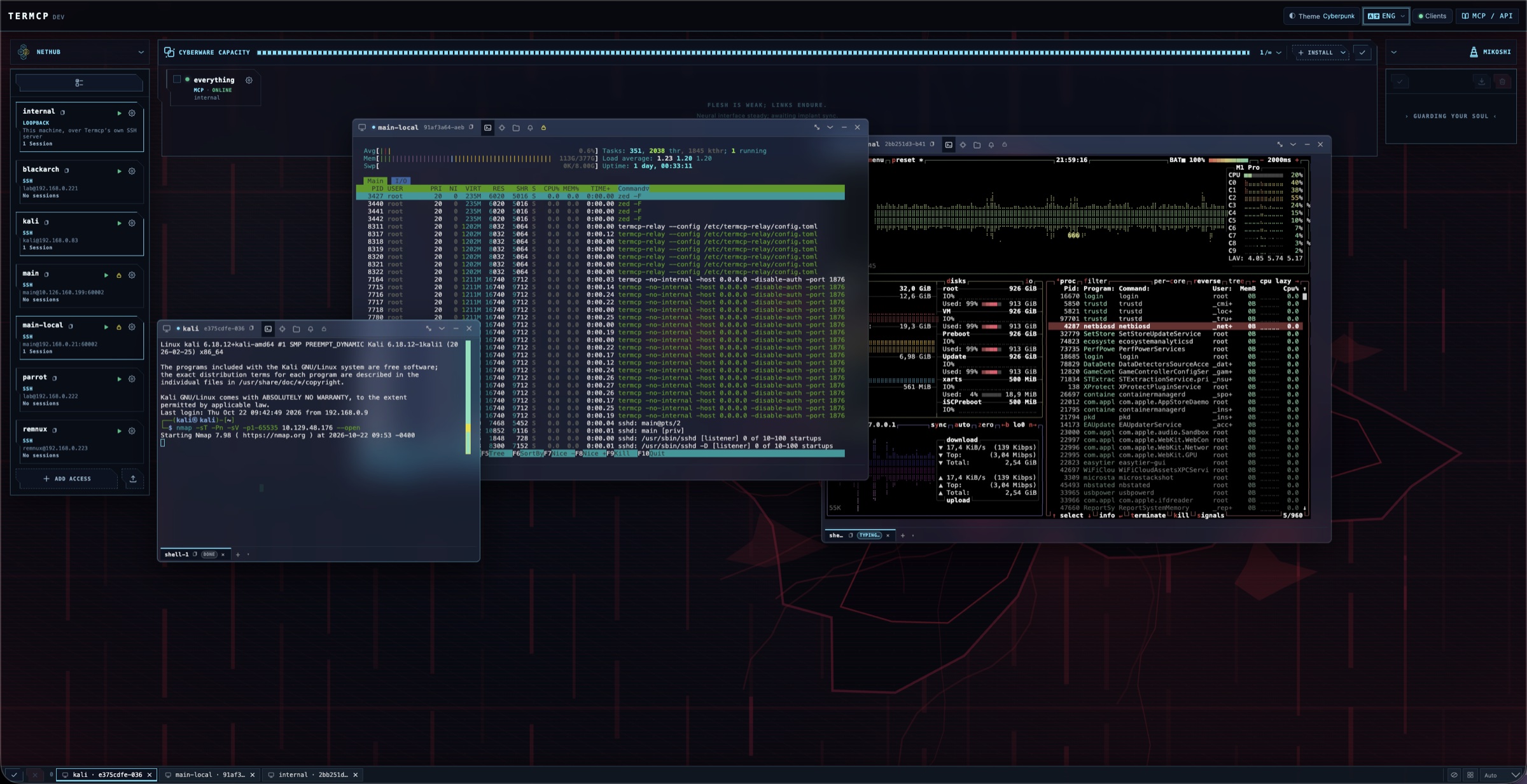
Host management.
Install npx -y @open-mcp-ai/termcp daemon stdio as an MCP named termcp.
Copy this to the AI.
| Agent | Command |
|---|---|
| Claude Code | claude mcp add termcp -- npx -y @open-mcp-ai/termcp daemon stdio |
| Codex | codex mcp add termcp -- npx -y @open-mcp-ai/termcp daemon stdio |
| Gemini CLI | gemini mcp add termcp npx -- -y @open-mcp-ai/termcp daemon stdio |
{
  "mcpServers": {
    "termcp": {
      "command": "npx",
      "args": ["-y", "@open-mcp-ai/termcp", "daemon", "stdio"]
    }
  }
}
Other install methods — npm / Go / Docker / prebuilt binary
| Command | |
|---|---|
| npm | npm i -g @open-mcp-ai/termcp — installs a termcp command; with it, drop npx -y @open-mcp-ai/termcp from every snippet above and use termcp. Wrapper: open-mcp-ai/Termcp-npm. |
| Go | go install github.com/open-mcp-ai/termcp@latest — GOPROXY=https://goproxy.cn,direct in mainland China; also usable as a module (go get github.com/open-mcp-ai/termcp). |
| Docker | docker run -d --name termcp -p 18765:18765 -v termcp-data:/home/termcp -e TERMCP_AUTH_TOKEN=change-me-to-a-long-random-secret ghcr.io/open-mcp-ai/termcp:latest termcp --no-internal --host 0.0.0.0 --port 18765 |
| Binary | Prebuilt releases — linux / darwin / windows on amd64 / arm64, one static file each. |
The npm wrapper downloads the matching prebuilt binary (override with TERMCP_VERSION, TERMCP_MIRROR,
TERMCP_BIN, TERMCP_SKIP_DOWNLOAD). Flags: docs/cli.md. Docker recipes, Compose and a
token-free loopback setup: docs/deploy.md.
HTTP transport, when an instance is already answering somewhere (npx -y @open-mcp-ai/termcp):
{
  "mcpServers": {
    "termcp": {
      "type": "http",
      "url": "http://localhost:18765/stream"
    }
  }
}
Reachable from a client in Docker as http://host.docker.internal:18765/stream (macOS/Windows) or the host's
LAN IP; from another container on the same network as http://termcp:18765/stream. Legacy SSE uses
http://localhost:18765/sse — only /sse, JSON-RPC goes to /message by itself. With
--auth-token, add a bearer header: "headers": {"Authorization": "Bearer <token>"}.
docs/cli.md |
Every flag and subcommand, capability gates, authentication. |
docs/clients.md |
All four entrances end to end: MCP transports, the stdio bridge, authentication, REST examples, and the one-tool surface. |
docs/deploy.md |
Docker, multi-stage builds, Compose, pure-API build. |
docs/protocol.md |
TERM/1 specification: wire format, status codes, headers, the 19 directives, the three gates. |
docs/capabilities.md |
The full capability surface and the security model. |
docs/api.md |
REST endpoints, WebSocket frames, locator resolution. |
docs/capabilities.md |
Full capability surface and the security model. |
docs/architecture.md |
Session kernel, entrances, storage. |
docs/design/ |
Design records: Web UI, resource model, session storage, font stack, mobile terminal. |
CHANGELOG.md |
Release notes. |
Comming Soon
Comming Soon
Released under the MIT License. Thanks to friends in the linux.do community for the discussions, feedback, and support.