Repository navigation
Database structure
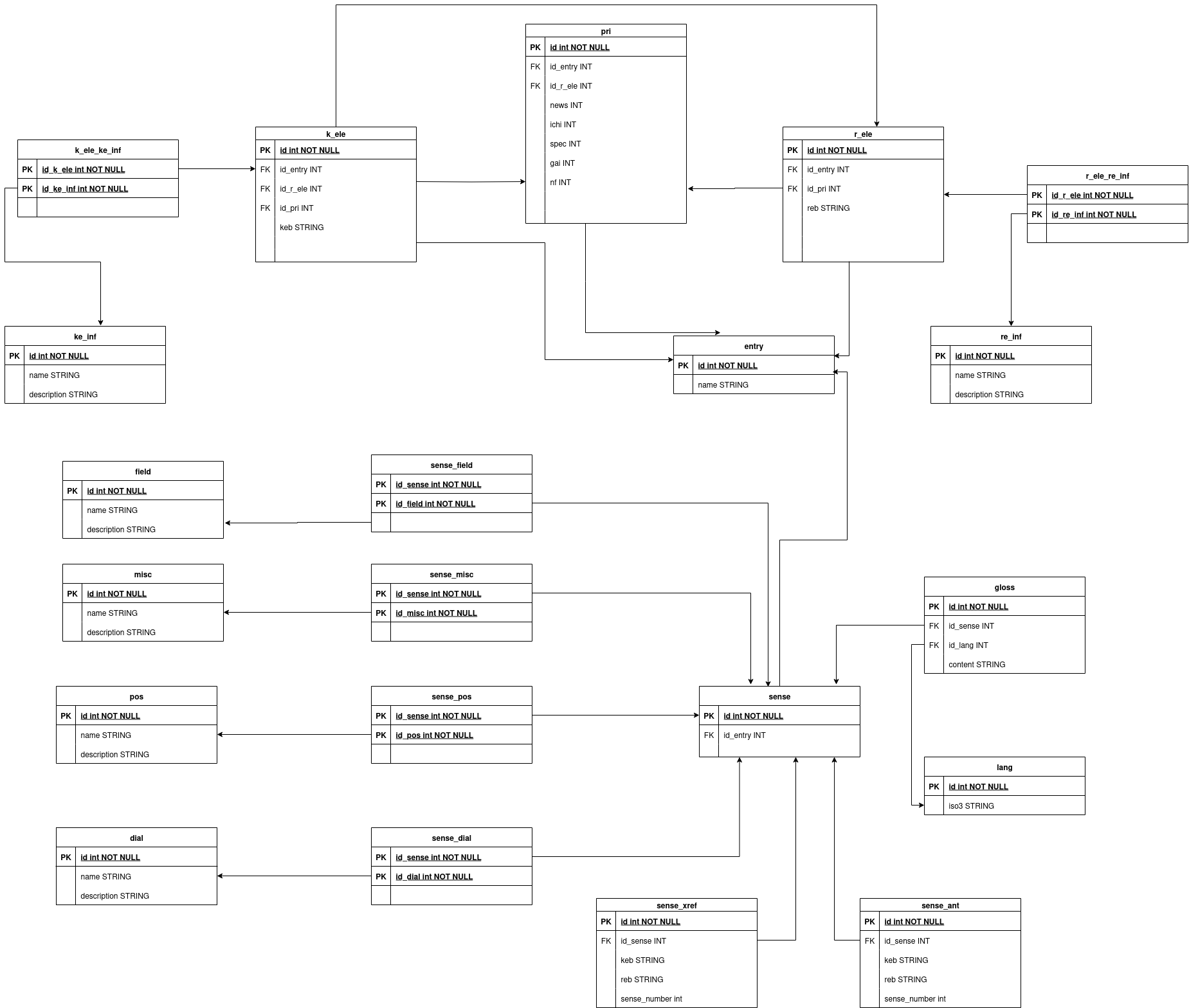
This file describe the structure and explain the design choices of the databases.
For more information onto the databases structure you may open sql files in edict_database/data/init or open a .db with sqlite3 and use the .schema command.
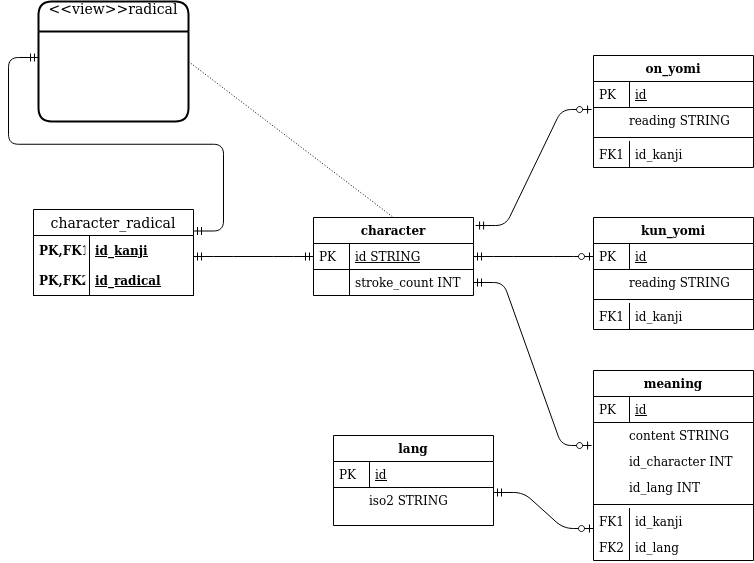
the primary key of the kanji table is the kanji character.
For example, to get fields for the kanji "考", the SQL command will be :
SELECT * FROM kanji WHERE id="考";This may seems to be an odd choice but after all a kanji character :
- Is uniq.
- Is a unicode point, which is an integer.
radical is a view of the kanji table.
However, there are 6 kanji which are not present in the kanjidic2 dictionary (ノハマユヨ|).
Those 6 kanji are added in the kanji table just after it's creation, by the data/init/kanji.sql file
A radical may be found in several kanji and a kanji may have several radicals, the table kanji_radical contains the correspondences between the kanjis and radicals.