@TOC
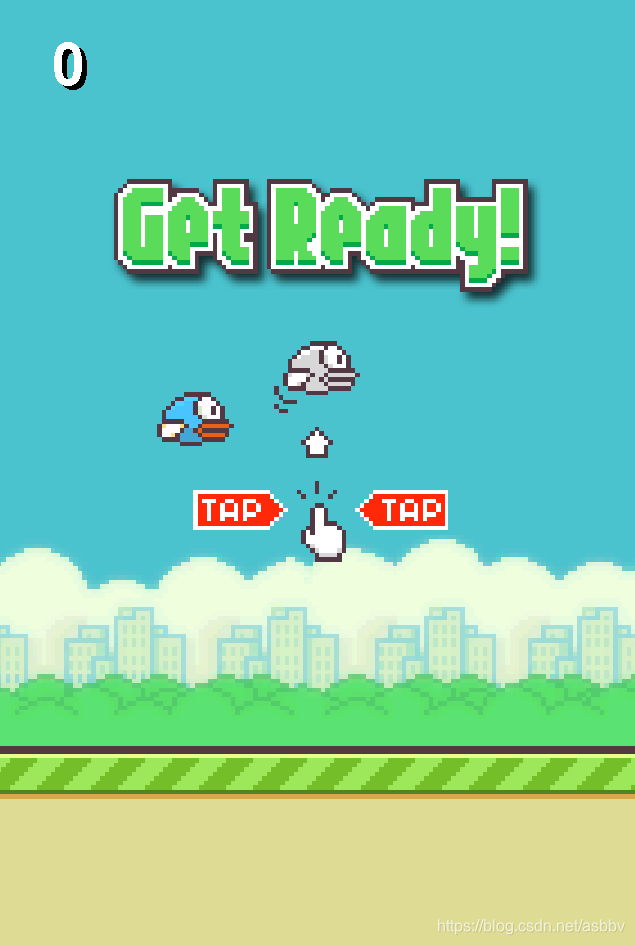
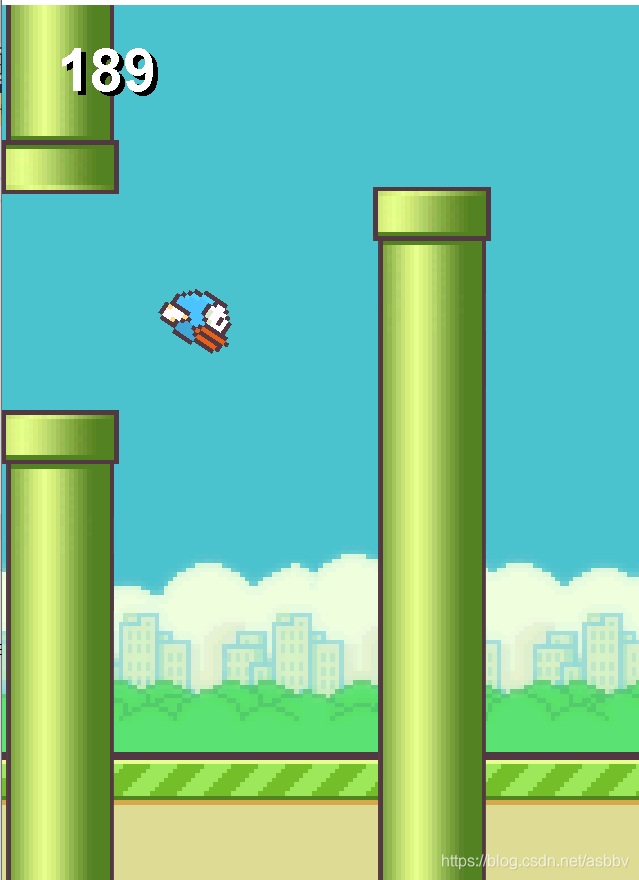


1.面向对象的封装:设计包装出小鸟、地面、柱子、游戏四个类。 2.swing和awt包:图形界面工具,绘制出游戏场景。 3.Math类:运用atan等方法辅助完成小鸟旋转角度转换。 4.事件监听器:运用鼠标监听器完成游戏状态转换及小鸟移动。 5.多线程:该项目就用到了一个sleep休眠。
相关的知识用到的不多,一边做一边学习(熟悉)运用就好。
1.绘制面板,放入背景图。 2.设计地面、柱子类完成移动的效果(移动方法实现)。 3.设计小鸟,完成飞行轨迹、与柱子是否碰撞的方法等。 4.设计游戏类,完成游戏类界面的绘制。 5.设计游戏开始的方法与流程。 6.增加鼠标监听器完成对小鸟飞行及游戏运行的控制。
package game;

import javax.imageio.ImageIO;
import java.util.*;

import javax.swing.*;

import java.awt.Graphics;
import java.awt.event.MouseAdapter;
import java.awt.event.*;
import java.awt.image.BufferedImage;
import javax.imageio.*;
import java.awt.*;

public class BirdGame extends JPanel {


	Image background;//背景图片
	Image startImage;//开始图片
	Image overImage;//游戏结束图片
	Ground ground;//地面
	Column column1,column2;//两根柱子
	Bird bird;//小鸟
	int score;//游戏分数
	int state;//游戏状态
	//状态常量
	public static final int START=0;//开始
	public static final int RUNNING=1;//运行
	public static final int GAME_OVER=2;//结束

	public BirdGame() throws Exception
	{
		//初始背景图片
		//background = new ImageIcon("D:\\java\\elipse\\project_workplace\\Bird\\src\\resources\\bg.png").getImage();//绝对路径
		//background = new ImageIcon("src\\resources\\bg.png").getImage();//相对路径,一开始默认位置是Bird项目文件夹
		background = new ImageIcon("./source/bg.png").getImage();
		startImage = new ImageIcon("./source/start.png").getImage();
		overImage=new ImageIcon("./source/gameover.png").getImage();
		//初始化地面、柱子、小鸟、分号、状态
		ground=new Ground();
		column1=new Column(1);
		column2=new Column(2);
		bird=new Bird();
		score=0;
		state=0;
	}

	public void paint(Graphics g)
	{
		//绘制背景
		g.drawImage(background, 0, 0,null);
		//绘制地面
		g.drawImage(ground.image, ground.x, ground.y, null);
		//绘制柱子
		g.drawImage(column1.image,column1.x-column1.width/2,column1.y-column1.height/2,null);
		g.drawImage(column2.image,column2.x-column2.width/2,column2.y-column2.height/2,null);
		//绘制小鸟
		Graphics2D g2=(Graphics2D) g;
		g2.rotate(-bird.alpha,bird.x,bird.y);
		g.drawImage(bird.image,bird.x-bird.width/2,bird.y-bird.height/2,null);
		g2.rotate(bird.alpha,bird.x,bird.y);
		//绘制分数
		Font f=new Font(Font.SANS_SERIF,Font.BOLD,40);
		g.setFont(f);
		g.drawString(""+score, 40, 60);
		g.setColor(Color.WHITE);
		g.drawString(""+score,40-3, 60-3);//一个阴影效果
		//绘制开始和结束界面
		switch(state)
		{
		case START:
			g.drawImage(startImage, 0, 0, null);
			break;
		case GAME_OVER:
			g.drawImage(overImage, 0, 0, null);
			break;
		}
	}

	public void action() throws Exception
	{
		//不断重复和绘制
		MouseListener l=new MouseAdapter()
		{
			public void mousePressed(MouseEvent e)
			{
				try {
					switch(state) {
					case START:
						//在开始前按下鼠标转为运行状态
						state=RUNNING;
						break;
					case RUNNING:
						//在运行状态,按下鼠标小鸟向上飞行
						bird.flappy();
						break;
					case GAME_OVER:
						//在结束状态,按下鼠标重置数据变为开始
						column1=new Column(1);
						column2=new Column(2);
						bird=new Bird();
						score=0;
						state=START;
						break;
					}
				}
				catch (Exception ex)
				{
					ex.printStackTrace();
				}
			}

		};
		addMouseListener(l);
		while(true)
		{
			switch(state)
			{
			case START:
				bird.fly();
				ground.step();
				break;
			case RUNNING:
				ground.step();
				column1.step();
				column2.step();
				bird.fly();
				bird.step();
//				if(bird.x==column1.x||bird.x==column2.x)
//				{
//					score++;
//				}
				score++;
				//检测是否碰撞
				if(bird.hit(ground)||bird.hit(column1)||bird.hit(column2))
				{
					state=GAME_OVER;
				}
				break;
			}
			//休眠1000/60毫秒
			Thread.sleep(1000/60);
			repaint();
		}
	}

	//启动方法

	public static void main(String[] args) throws Exception
	{

		JFrame frame=new JFrame();
		BirdGame game=new BirdGame();
		frame.add(game);
		frame.setSize(440,670);
		frame.setLocationRelativeTo(null);
		frame.setDefaultCloseOperation(JFrame.EXIT_ON_CLOSE);
		frame.setVisible(true);
		game.action();
	}

}package game;
import javax.swing.*;
import java.awt.*;
public class Ground {
Image image;
int x,y;//位置
int width,height;
//地面初始化
public Ground() throws Exception
{
image =new ImageIcon("source/ground.png").getImage();
width=image.getWidth(null);
height=image.getHeight(null);
x=0;
y=500;
}
//左移
public void step()
{
x-=4;
if(x<=-109)
{
x=0;
}
}
}package game;
import java.awt.*;
import javax.swing.*;
import javax.imageio.ImageIO;
public class Bird {
Image image;
int x,y;
int width,height;
int size;
//重力加速度
double g;
//位移间隔时间
double t;
//最初速度
double v0;
//当前上抛速度
double speed;
//经过时间t后的位移
double s;
//小鸟的倾角(弧度)
double alpha;
//一组图片记录小鸟动画帧
Image[] images;
//帧数下标
int index;
public Bird() throws Exception
{
image=new ImageIcon("source/0.png").getImage();
width = image.getWidth(null);
height = image.getHeight(null);
x=132;
y=280;
size=40;
//位移参数
g=4;
v0=20;
t=0.25;
speed=v0;
s=0;
//小鸟偏转角度
alpha=0;
//初始化动画帧参数
images=new Image[8];
for(int i=0;i<8;i++)
{
images[i]=new ImageIcon("source/"+i+".png").getImage();
}
index=0;
}
//飞行动作(变化一帧)
public void fly()
{
index++;
image=images[(index/12)%8];
}
//移动一步
public void step()
{
double v0=speed;
//计算上跑位移
s=v0*t+g*t*t/2;
//计算鸟的坐标
y=y-(int)s;
//计算下次移动速度
double v=v0-g*t;
speed =v;
//计算倾角(反正切函数)
alpha=Math.atan(s/8);
}
//向上飞行
public void flappy()
{
//重置速度
speed=v0;
}
//检测小鸟是否碰撞到地面
public boolean hit(Ground ground)
{
boolean hit =y+size/2>ground.y;
if(hit)
{
y=ground.y-size/2;
alpha=Math.PI/2;
}
return hit;
}
//检测小鸟是否撞到柱子
public boolean hit(Column column)
{
//检测是否在柱子范围内
if(x>column.x-column.width/2-size/2&&x<column.x+column.width/2+size/2)
{
if(y>column.y-column.gap/2+size/2&&y<column.y+column.gap/2-size/2) return false;
return true;
}
return false;
}
}package game;
import java.util.*;
import java.awt.*;
import javax.imageio.ImageIO;
import javax.swing.*;
public class Column {
Image image;
int x,y;
int width,height;
//柱子之间缝隙
int gap;
//柱子之间的距离
int distance;
Random random =new Random();
//初始第N根柱子
public Column(int n) throws Exception
{
image=new ImageIcon("source/column.png").getImage();
width=image.getWidth(null);
height=image.getHeight(null);
gap=144;
distance=245;
x=550+(n-1)*distance;
y=random.nextInt(218)+132;
}
public void step()
{
x-=4;
if(x<= -width/2)
{
x=distance*2-width/2;
y=random.nextInt(218);
}
}
}