
An AI-powered VS Code extension that generates one-liner reviews above function definitions using Gemini 2.0 Flash API. Reviews are generated in different styles: funny, roast, motivational, technical, and hilarious!
- Multi-language Support: Go, Python, JavaScript/TypeScript, C, C++, Dart, Java
- Multiple Review Styles:
- 😄 Funny: Light-hearted and humorous
- 🔥 Roast: Sarcastic and critical
- 💪 Motivational: Encouraging and uplifting
- 🔧 Technical: Professional and constructive
- 🤪 Hilarious: Over-the-top and entertaining
- Star Ratings: Automatic star ratings (⭐ to ⭐⭐⭐⭐⭐)
- Auto-generation: Generate reviews on file save (optional)
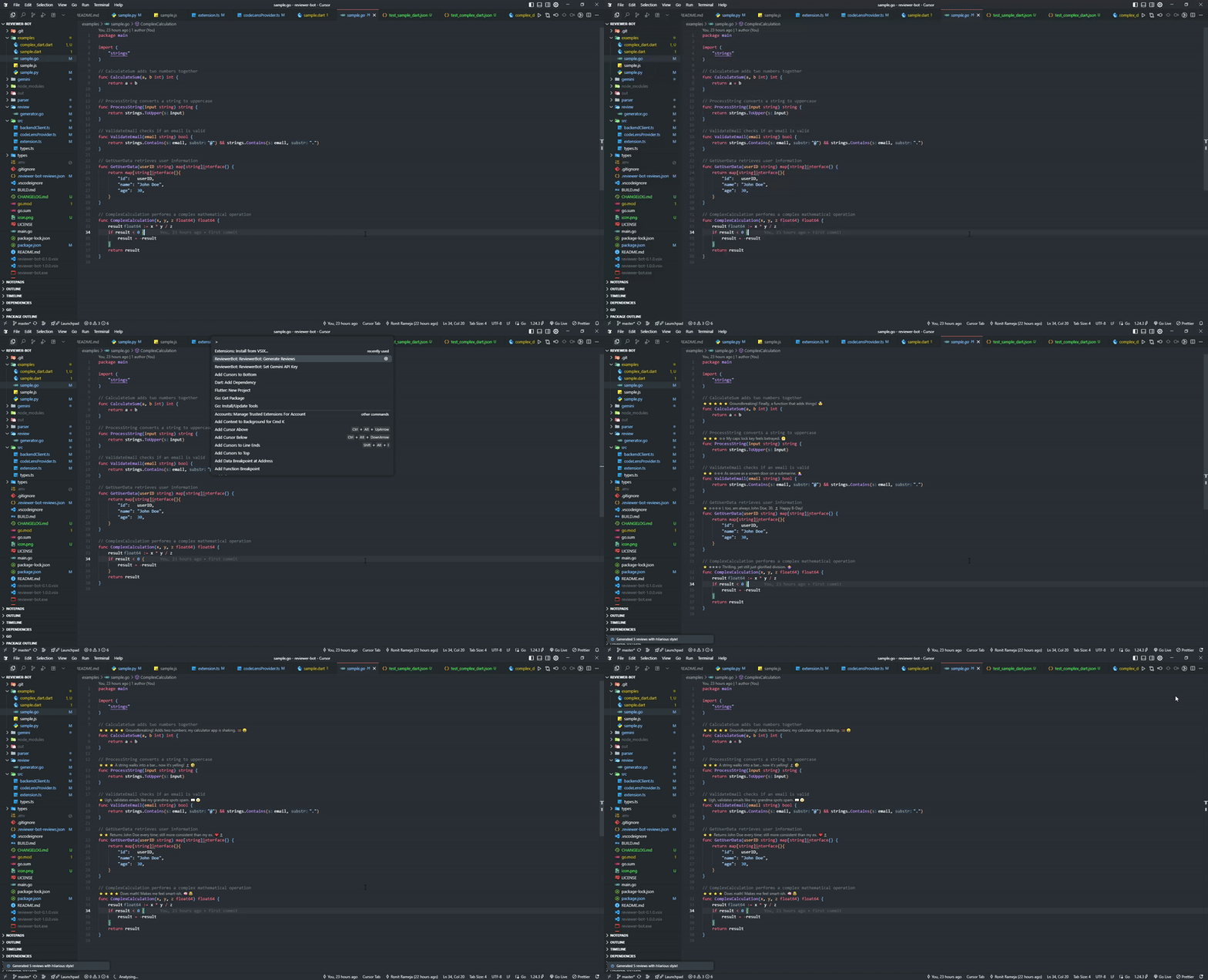
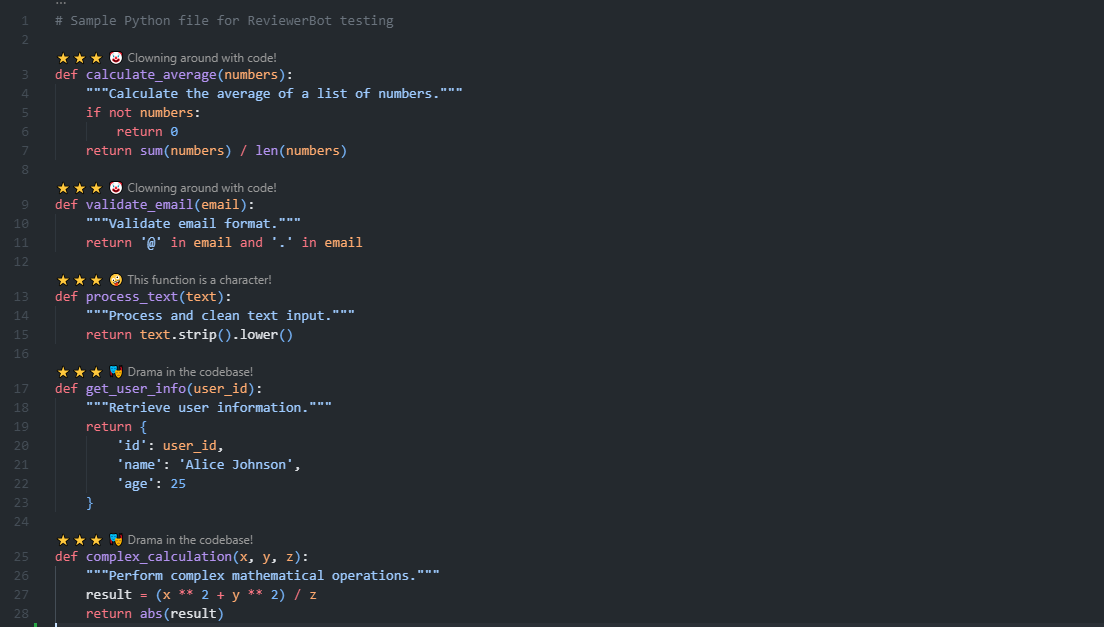
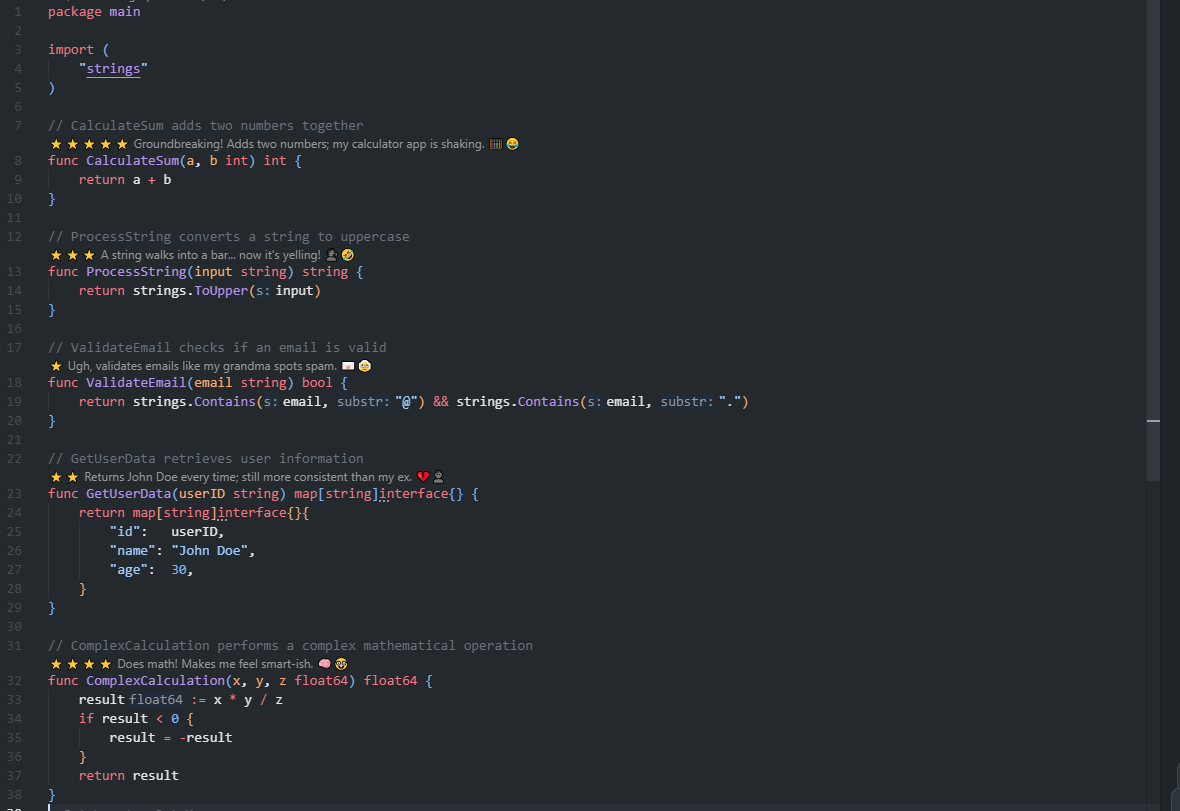
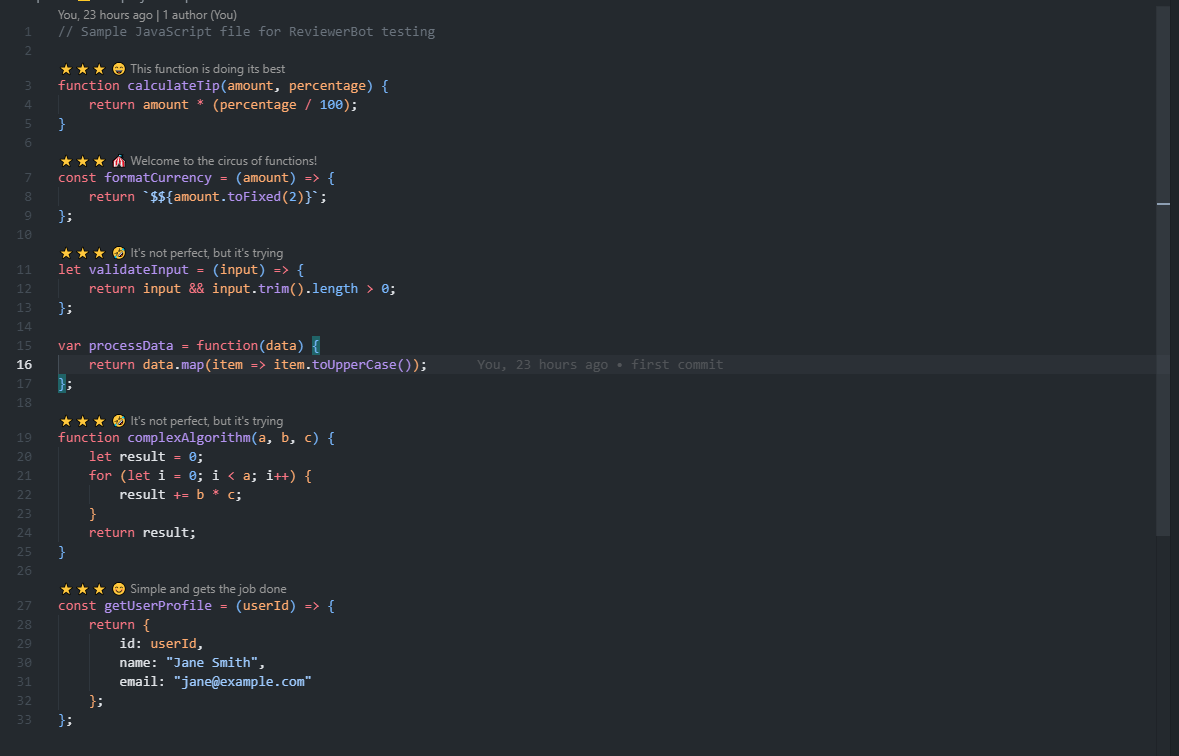
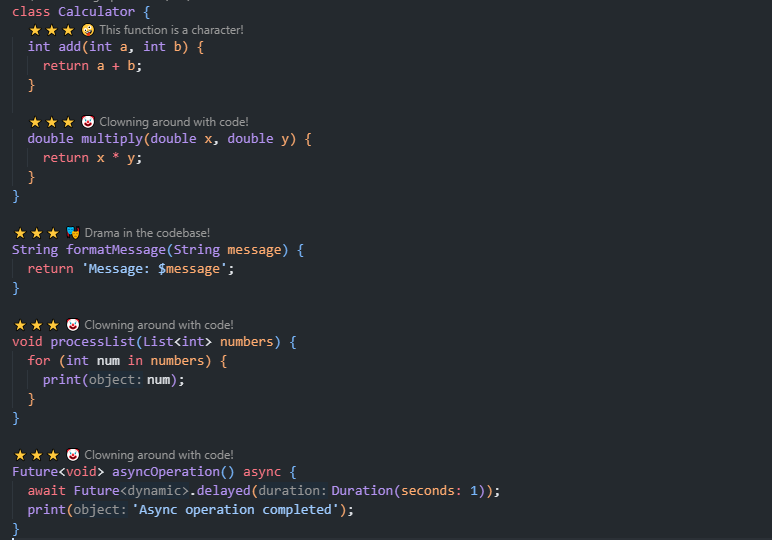
- CodeLens Integration: Reviews appear as clickable CodeLens above functions
- Mock Mode: Test without API calls
ReviewerBot consists of two main components:
- Function Parser: Detects function definitions using regex patterns
- Gemini Integration: Connects to Gemini 2.0 Flash API
- Review Generator: Formats reviews with star ratings
- Direct Communication: Called directly by VS Code extension via stdin/stdout
- Mock Mode: Fallback reviews when API is unavailable
- Backend Client: Calls Go executable directly via stdin/stdout
- CodeLens Provider: Displays reviews as clickable CodeLens above functions
- Configuration UI: Settings for API key, review style, etc.
- Command Palette: Manual review generation, clearing, and review history
- Go 1.21+
- Node.js 16+
- VS Code
- Gemini API Key
# Install dependencies
go mod tidy

# Build the executable
go build -o reviewer-bot.exe main.go

# Set your Gemini API key (optional - will use mock mode if not set)
export GEMINI_API_KEY="your-api-key-here"
The Go executable will be called directly by the extension via stdin/stdout communication.
# Navigate to extension directory
cd extension

# Install dependencies
npm install

# Compile TypeScript
npm run compile

# Package extension (optional)
npm run package- Open VS Code
- Press
Ctrl+Shift+P(orCmd+Shift+Pon Mac) - Type "Extensions: Install from VSIX"
- Select the packaged
.vsixfile
- Open VS Code Settings (
Ctrl+,) - Search for "ReviewerBot"
- Configure:
- API Key: Your Gemini API key (optional - will use mock mode if not set)
- Review Style: Choose your preferred style
- Auto-generate on Save: Enable/disable
- Open a supported file (
.go,.js,.ts,.py) - Press
Ctrl+Shift+P(orCmd+Shift+P) - Type "ReviewerBot: Generate Reviews"
- Reviews will appear above function definitions
- Set API Key: Press
Ctrl+Shift+P→ "ReviewerBot: Set Gemini API Key" - Clear API Key: Press
Ctrl+Shift+P→ "ReviewerBot: Clear Gemini API Key" - Show Configuration: Press
Ctrl+Shift+P→ "ReviewerBot: Show Current Configuration" - Mock Mode: If no API key is set, mock reviews will be generated
- Reviews are automatically saved to
.reviewer-bot-reviews.jsonin your workspace - Reviews persist across file sessions and VS Code restarts
- Review history is maintained for each function
- Star ratings (⭐ to ⭐⭐⭐⭐⭐) are now generated by the AI based on code quality
- Ratings consider: code structure, readability, naming, error handling, performance, and best practices
- No more random ratings - each review gets a quality-based star rating
- Press
Ctrl+Shift+P(orCmd+Shift+P) - Type "ReviewerBot: Clear Reviews"
- All reviews will be removed
- Click on any CodeLens review above a function
- View the review history for that function
- Select from previous reviews
Enable in settings to automatically generate reviews when saving files.
⭐⭐⭐⭐ Well-structured and funny—this function actually made me smile 😂
function calculateTip(amount) {
  ...
}
⭐⭐ This function has more ifs than your life plan. Still… functional. 🤷
function validateEmail(email) {
  ...
}
⭐⭐⭐⭐⭐ You're doing great! This function rocks! 🚀
function processData(data) {
  ...
}
⭐⭐⭐⭐ Well-structured and efficient code 📊
function calculateAverage(numbers) {
  ...
}
⭐⭐⭐ This function is so wild, it needs a leash! 🦮
function complexAlgorithm(a, b, c) {
  ...
}
Note: Reviews appear as clickable CodeLens above function definitions, not as comments in the code.
Environment Variables:
GEMINI_API_KEY: Your Gemini API key (optional - will use mock mode if not set)MOCK_MODE: Set to "true" for testing without API
VS Code Settings:
{
  "reviewerBot.apiKey": "your-gemini-api-key",
  "reviewerBot.reviewStyle": "funny",
  "reviewerBot.autoGenerateOnSave": false,
  "reviewerBot.enabledLanguages": ["go", "javascript", "typescript", "python"]
}# Test with mock mode
MOCK_MODE=true go run main.go
# Test with sample data
echo '{"file_path": "test.go", "file_content": "func test() {}", "style": "funny"}' | go run main.go- Open a sample file from
/examples - Run "ReviewerBot: Generate Reviews"
- Verify reviews appear above functions
reviewer-bot/
├── backend/                 # Go backend
│   ├── main.go             # Entry point
│   ├── parser/             # Function parsing
│   ├── gemini/             # Gemini API client
│   ├── review/             # Review generation
│   ├── types/              # Data structures
│   └── go.mod              # Go dependencies
├── extension/              # VS Code extension
│   ├── src/                # TypeScript source
│   ├── package.json        # Extension manifest
│   └── tsconfig.json       # TypeScript config
├── examples/               # Sample files
│   ├── sample.go
│   ├── sample.js
│   └── sample.py
└── README.md
- Fork the repository
- Create a feature branch
- Make your changes
- Add tests if applicable
- Submit a pull request
MIT License - see LICENSE file for details
- Google Gemini 2.0 Flash API for AI-powered reviews
- VS Code Extension API for the development platform
- Go community for the excellent standard library
- Executable not found: Ensure
reviewer-bot.exeis in workspace root - API key invalid: Verify your Gemini API key
- Permission errors: Check file permissions for executable
- Backend not found: Ensure Go executable is in workspace root
- No reviews generated: Check file type support
- Configuration errors: Verify settings in VS Code
- Restart VS Code after configuration changes
- Check Developer Tools console for error messages
- Verify Go executable is in workspace root
- Test with mock mode first
Happy coding with ReviewerBot! 🎉