





IPAToolKit is the core library powering IPATool. It provides a Swift interface to the App Store — including search, authentication, purchase, and IPA download — along with a C-layer SAP/StoreAgent engine for decrypting macOS App Store packages.
The library is extracted as a standalone Swift Package so that both the IPATool macOS app and other projects (e.g. APParse) can share the same App Store client and decryption logic.
A native macOS desktop app for searching the App Store, managing multi-region Apple IDs, and downloading IPA packages. IPATool is the primary consumer of IPAToolKit — every feature from search and login to macOS package decryption is built on top of this library.
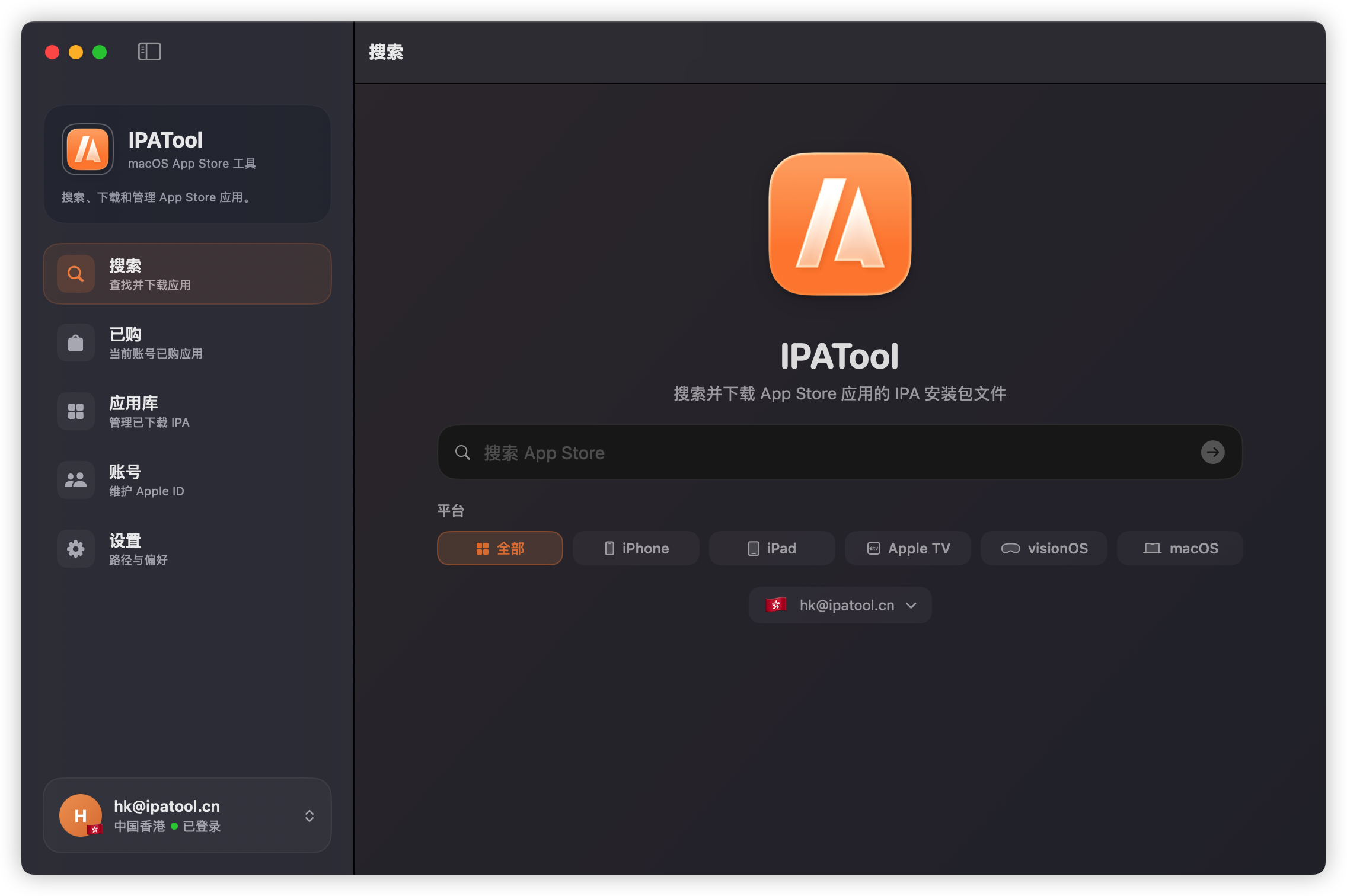
- App Store Search: Search apps by keyword with platform filters (iPhone, iPad, Apple TV, visionOS, macOS).
- Authentication: Apple ID login with support for two-factor authentication (2FA).
- Purchase & Download: Purchase apps and download IPA packages for iOS / iPadOS / tvOS / visionOS / macOS.
- Purchased Apps: Fetch the purchased app list for an account.
- Historical Versions: Retrieve and download older versions of an app.
- macOS Package Decryption: Decrypt macOS App Store packages via the StoreAgent (SAP) engine using the device's hardware ID.
- Cross-Platform: Supports macOS 14+ and iOS 15+.
- macOS 14.0+ or iOS 15.0+
- Swift 5.9+ / Xcode 15+
Add the package to your Package.swift:
dependencies: [
    .package(url: "https://github.com/maclub-net/IPAToolKit.git", from: "1.0.0")
]
Then add IPAToolCore to your target dependencies:
.target(
    name: "YourTarget",
    dependencies: [
        .product(name: "IPAToolCore", package: "IPAToolKit")
    ]
)- File → Add Package Dependencies…
- Enter
https://github.com/maclub-net/IPAToolKit.git - Add the
IPAToolCoreproduct to your target.
import IPAToolCore

let client = AppStoreClient()

// Search apps
let apps = try await client.search(term: "WeChat", limit: 10, platform: .iphone)

// Login
let account = try await client.login(email: "user@example.com", password: "••••", code: nil)

// Download
try await client.download(app: app, account: account, to: destinationURL)Sources/
├── CSAP/ # C-layer SAP/StoreAgent engine (macOS package decryption)
│ └── include/ # Public C headers
└── IPAToolCore/ # Swift interface: App Store API client, SAP signer
This project is licensed under a custom license. Personal, educational, and non-commercial use is free of charge. Commercial use requires obtaining a commercial license from the author.
See LICENSE for the full terms.
To apply for a commercial license, visit https://www.ipatool.cn or contact dustink@qq.com.