A simple local-first AI assistant built for the CrowPanel Advance 7-inch ESP32-S3 display. The panel connects over Wi-Fi to an Ollama server running on the local network, sends prompts to the Ollama API, and displays the generated response directly on the 800x480 screen.
The project is intentionally small and represents the first working stage of a private home AI assistant.
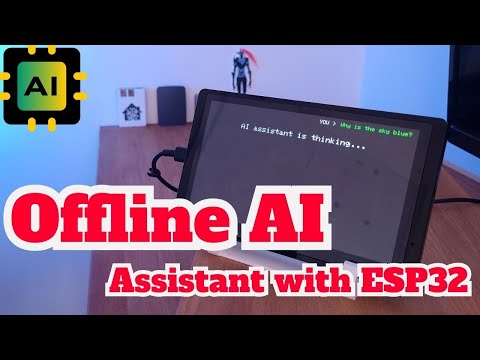
YouTube: https://www.youtube.com/watch?v=YXOzE8Rg--g
- Runs on CrowPanel Advance with ESP32-S3 and an 800x480 display.
- Connects to a local Wi-Fi network.
- Sends HTTP POST requests to the Ollama
/api/generateendpoint. - Uses
smollm2:135min the current sketch. - Displays the user question and AI response on the CrowPanel screen.
- Generates a short joke periodically when the assistant is idle.
- Keeps the AI processing on your own local server instead of using a cloud AI API.
CrowPanel Advance (ESP32-S3)
          |
          | Wi-Fi / HTTP
          v
   Local Ollama server
          |
          v
     Local AI model
The ESP32-S3 handles the display and communication. The language model itself runs on another machine on the same network, for example an old laptop running Ollama.
- CrowPanel Advance 7-inch ESP32-S3
- Wi-Fi network
- Computer, laptop, Raspberry Pi, or another machine capable of running Ollama
- Arduino IDE with ESP32 support
- LovyanGFX
- Ollama
- Ollama model used by the sketch:
smollm2:135m
Open AIassistant_CrowPanel_ESP32_Advance.ino and set your Wi-Fi credentials:
const char* ssid = "YOUR_WIFI_NAME";
const char* password = "YOUR_WIFI_PASSWORD";
Then set the address of the Ollama server:
const char* invoke_url = "http://192.168.1.100:11434/api/generate";Replace 192.168.1.100 with the local IP address of the machine running Ollama.
The model used by the current code is configured in the request as:
"model": "smollm2:135m"Make sure that model is available on your Ollama server before running the sketch.
- Open
AIassistant_CrowPanel_ESP32_Advance.inoin Arduino IDE. - Keep
LovyanGFX_Driver.handpins_config.hin the same sketch directory. - Configure Wi-Fi and the Ollama server address.
- Select the correct ESP32-S3 board/settings for your CrowPanel Advance.
- Compile and upload the sketch.
This repository contains the first proof-of-concept version of the assistant. The current sketch starts with a predefined question (Why is the sky blue?) and then periodically requests jokes from the local model.
The GT911 touch controller is configured in the display driver, but this version does not yet provide an on-screen keyboard or interactive prompt entry.
Planned next steps include a more complete GUI, touch-based interaction, speech-to-text, text-to-speech, and local smart-home control.
AIassistant_CrowPanel_ESP32_Advance.ino  Main Arduino sketch
LovyanGFX_Driver.h                       CrowPanel display and touch configuration
pins_config.h                            Display resolution configuration
README.md                                Project documentation
LICENSE                                  MIT license
.gitignore                               Git ignore rules
This project is released under the MIT License. See LICENSE.
Third-party libraries used by the project remain subject to their respective licenses.