

English • Türkçe
Another YT-DLP Gui application for Windows but it built with Windows 11 Style (Win UI 3)

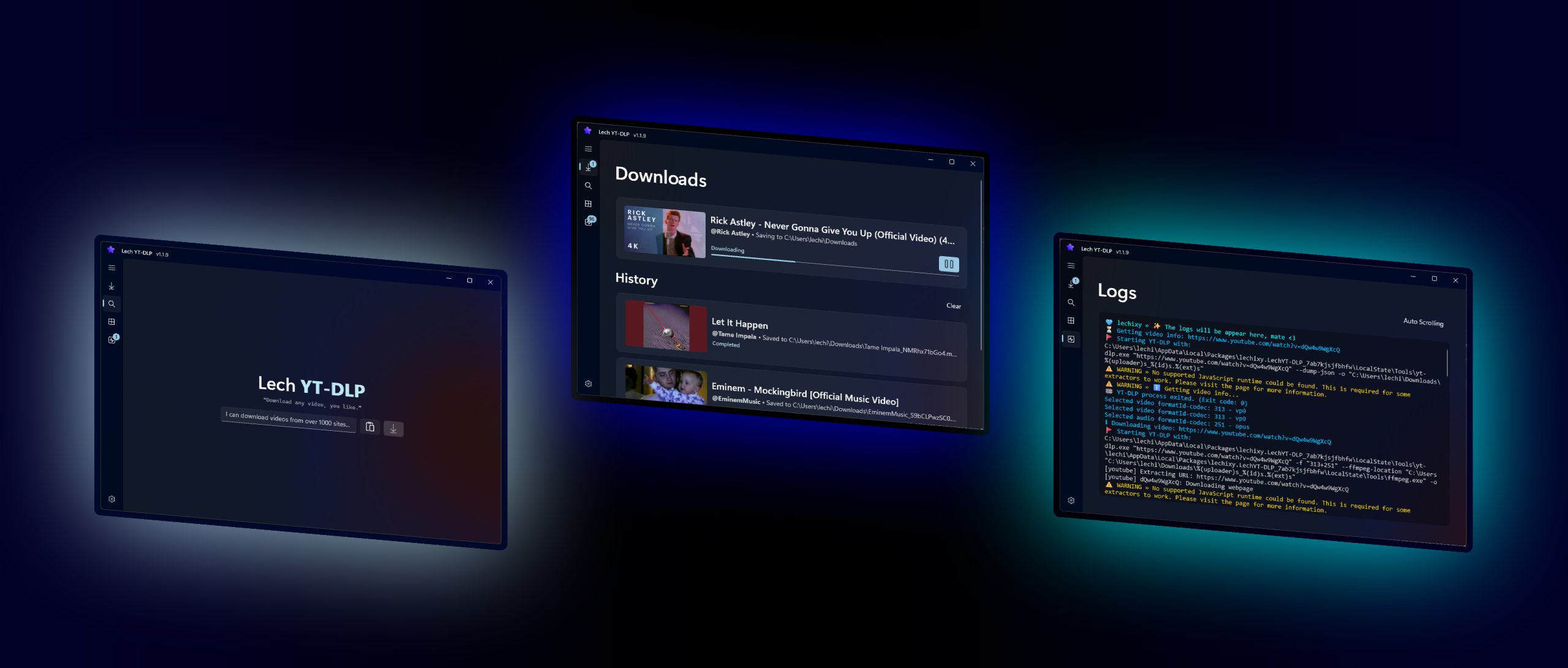
- Download videos from YouTube, Instagram, TikTok, Twitter and many more platforms.
- Win UI 3 design for a modern look and feel.
- No ads, no tracking, and no telemetry.
- Provides a simple and user-friendly interface for downloading videos.
- Supports downloading videos in 4K, 8K, 1080p, 720p, 480p, 360p and 240p.
- Presets for downloading videos in different formats (e.g., high quality, low quality, audio only).
- Playlist support for downloading multiple videos at once.
- Supports downloading videos with cookies for users who are logged in to a website.
- Download videos with custom file names and folder structures.
- Built-in update checker to keep the application up-to-date with the latest version of YT-DLP.
- Built-in log viewer to view the download progress and any errors that may occur during the download process.
- Supports downloading videos with subtitles and metadata.
- Supports downloading videos with custom command-line arguments for advanced users.
- Ready to use, no installation required.
A feature is missing? Please open an issue or create a pull request to contribute to the project.
See Contributing section for more information.
This is my first project with Win UI 3 trying to do my best 💖
- Microsoft Store version provides automatic updates. (Suggested)
- GitHub version is free and open-source, but requires manual updates. Installing the GitHub version is a bit more complicated than the Microsoft Store version.
- Go to the latest release page
- Download the "*.cer" file (real certificates cost a lot of money)
- Open the certificate and press "Install Certificate..."
- On the Certificate Import Wizard, select "Local Machine", press "Next" and grant Admin Access
- Select "Place all certificates in the following store", then "Browse...", choose "Trusted Root Certification Authorities" and "OK"
- Finally, press "Next" and then "Finish". It might ask you to confirm, press Yes
- Download the "*.msixbundle" file (depending to your architecture: x64, x86, arm etc.)
- The App Installer will pop up, press "Install", or "Update" if you've installed Lech YT-DLP before
A feature is missing? Please open an issue or create a pull request to contribute to the project.
There is a Türkçe saying for this, Google it:
"Bir elin nesi var, iki elin sesi var."
Your help is always welcomed (●'◡'●)💕
If you want to contribute to the project by adding a new language, i'll gladly accept your pull request.
I will try to answer some of the most common questions here. If you have any other questions, please feel free to ask.
- Some videos are age-restricted or region-restricted.
- If you want to download videos from a private playlist or channel.
- You can download a few videos without cookies, but after a while, you will hit download limits.
- Some videos require authentication to access.
- Some videos are only available to users with certain permissions (e.g., subscribers, members, etc.).
✨ By passing your cookies, you can bypass these restrictions and download the videos you want.
- But don't worry, your cookies are created by you and stored on your local machine LechYTDLP is only using your cookies to pass YT-DLP but if you have trust issues. See yourself in the source code.
In future, I will create a browser extension to make it easier for you to get your cookies.
But for now, you can check out following method to get your cookies:
See YT-DLP official documentation (recommended)
It means that you haven't installed a JavaScript runtime on your machine.
To download from YouTube, yt-dlp needs to solve JavaScript challenges presented by YouTube using an external JavaScript runtime.
Sometimes formats can be extracted without a JavaScript runtime, but in some cases, especially when downloading from YouTube, a JavaScript runtime is required to solve the challenges and extract the video formats.
💖 See this topic on YT-DLP official documentation because they have download links to Deno, Node, Bun or QuickJS.
After you have installed one of the JavaScript runtimes open Lech YT-DLP and in app go to:
Settings > Customize YT-DLP > JavaScript Runtime
Select the JavaScript runtime you have installed. After that, you should be able to download videos without any issues.