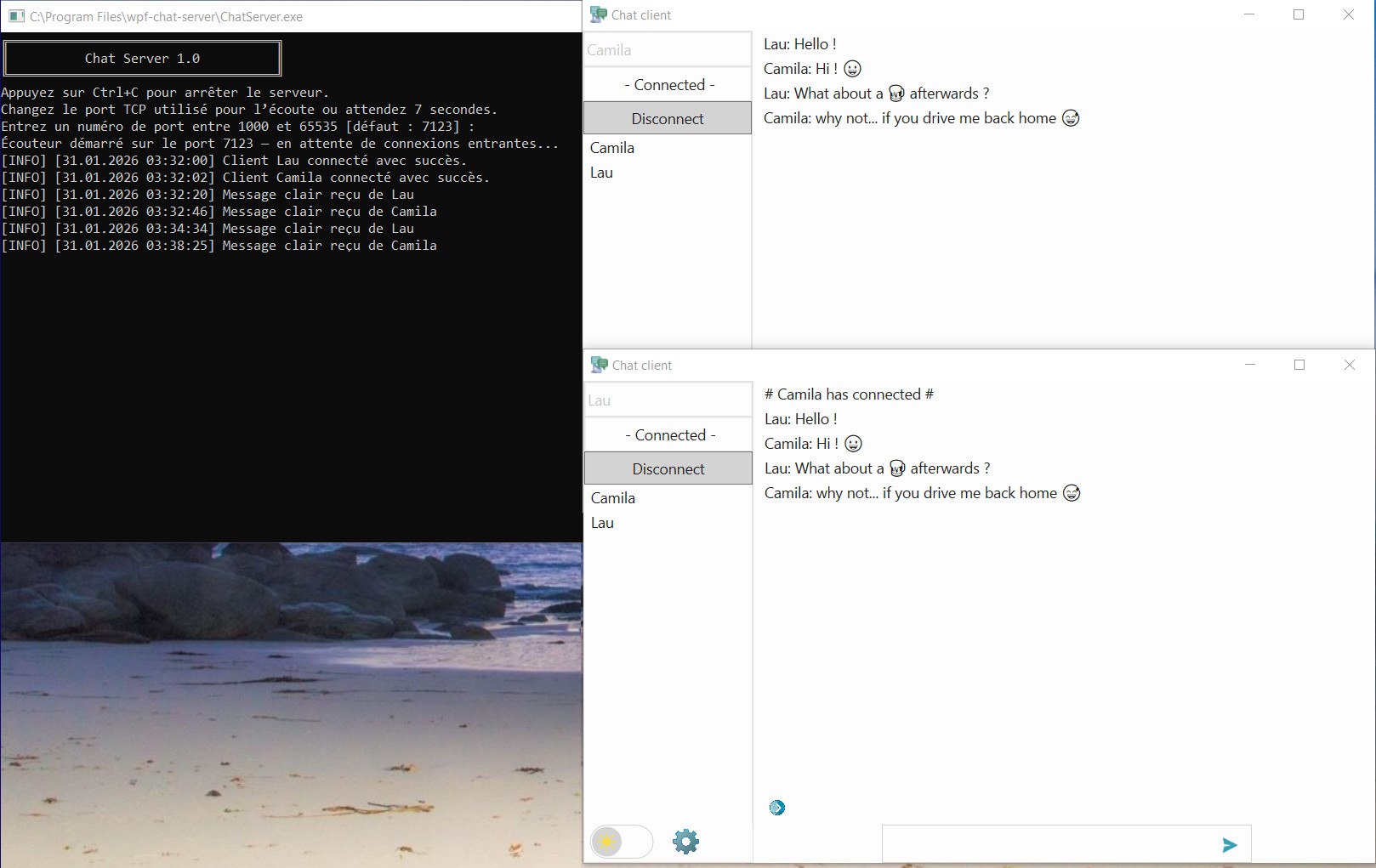
WPF encrypted chat app in C#, with a console server, RSA encryption, async TCP networking and a custom packet protocol.



Core
- 🔐 End‑to‑end RSA encryption — automatic keypair generation and real‑time public key sync
- 🔑 Public Key Monitor — live view of all known keys, drives encryption state
- 📦 Length‑prefixed packet framing — no desync, no corrupted packets
- ⚡ Async TCP networking — clean connect/disconnect cycle.
Client
- 👥 Real‑time user list updates automatically on login/logout
- 😀 UTF‑8 encoding for emoji-compatible messaging
- 🔌 Configurable TCP port — choose the port before connecting
- 🏠 Local mode — runs locally if no IP address is provided
- 🪟 System tray integration — minimize/close to tray
- 🎨 Theme toggle — light/dark themes switchable at any time
- 🌐 Localized in French, Spanish and English
- ✏️ Adjustable input field — resize or shift it horizontally to match your layout preferences
- 🎞️ Subtle WPF animations using xaml storyboards and UI polish.
Coming soon
- 💬 Bubble mode with customizable colors and a modern top‑panel layout
- 📄 Raw text mode — a settings toggle that switches back to the classic chat layout with the side roster.
Server
- ⚙️ Async TCP engine — handles multiple clients concurrently with non‑blocking I/O
- 📡 Broadcast & routing logic — distributes messages to all connected clients.
- 🈺 Auto‑localized server messages — automatically switches between English and French based on the OS language
Architecture
- 🧩 MVVM‑light — clean separation of UI and logic
- 🔧 Custom packet reader/writer — opcode‑based routing.
- Clone the repository with Git
- Open the solution file (.sln) in Visual Studio 2022
- Build the entire solution with Ctrl+Shift+B, then run it.
In Debug mode, a console window is attached to the client at startup for debugging purposes, but you can freely minimize it.
To avoid this, run the application in Release mode.
Go to the Releases section.
Technical documentation is available here — Documentation technique disponible ici.