Sampling sequencing reads, running sherman and running bismark.
Final result file (.bam) is used as simulated WGBS reads.
conda env create -f simulate_wgbs.yaml
- This command creates a conda environment which is needed to run the uploaded Snakefile.
hg38.fa
- A GRCh38 fasta file named 'hg38.fa' is needed as an input to the uploaded Snakefile.
- GRCh38 fasta file can be downloaded from NCBI.
- GRCh38 download link (NCBI): https://www.ncbi.nlm.nih.gov/assembly/GCF_000001405.26/
snakemake -j 10
- This command runs the uploaded Snakefile.
- Of course, using any other possible number after '-j' option, specifying the number of CPU cores to be used, is available.
Files in 'meth_erosion' folder.
- 'meth_erosion' folder is compressed into the uploaded 'meth_erosion.zip' file.
- Please note that these are results of setting 'NumRegions = 3' in the Snakefile. In the original simulation, 'NumRegions = 1000' was used instead.
- Since the size of files to be uploaded is limited in github, I presented results from using a smaller value for 'NumRegions' parameter instead of the original one.
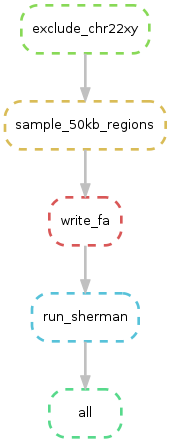
- It is also available from the uploaded 'dag.png' file.
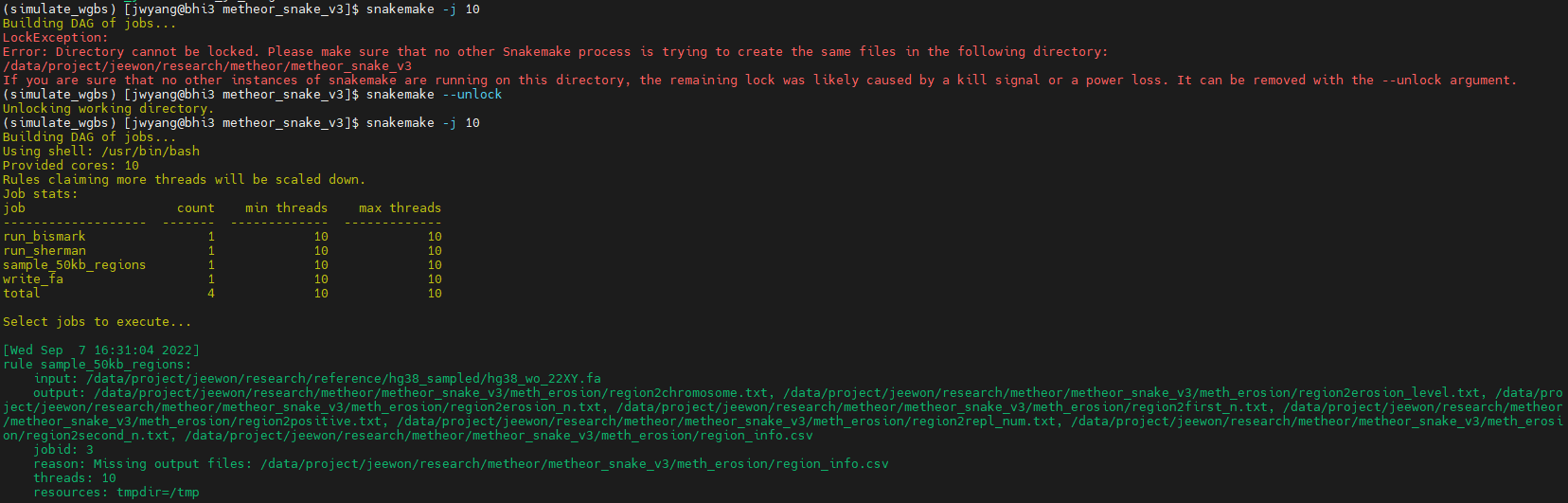
If 'LockException' error occurs when you try to run Snakefile using command in the 'Run' section above:
- First, execute this command: 'snakemake --unlock'
- As a result, a message saying 'Unlocking working directory' will appear. It means that LockException error is solved.
- And then, execute the command in the 'Run' section above: 'snakemake -j 10'
- Example: