This script was used in order to match tickets ordered from a wix store to team rosters that are hosted in Google Sheets. This script uses the Google Cloud API in order to access the sheets, and matches the orders from wix which are downloaded as a CSV to the names in the roster. The script also reports all orders that were not matched to a name on a roster.
To run the ticketConter.py script, first install the necessary Google API dependencies using pip. Directions for doing so can be found here.
Next, ensure that in the same directory as the ticketCounter.py script there are three files:
Orders.csv-- This is the csv file downloaded from Wix whose format can be found on the OrderFileFormat wiki page.token.json-- Use the Oath client ID credentials guide to obtain access credentials.
Now, populate the sheet_list list in the ticketCounter.py file with valid [Teamname, google_url] pairs. The list is populated as an example. See the format for the google sheets on the SheetFormat wiki.
Now you are ready to run the script!
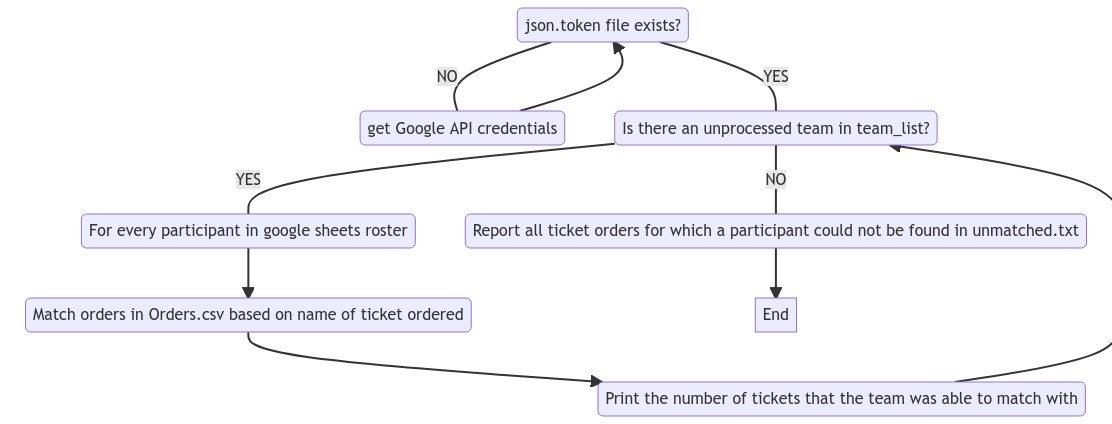
See the Google python quickstart for more in-depth tips and setup.