



Download a tested Core AI model and run it in your Swift app. CoreAIKit handles model selection, download and caching, with chat, vision and speech examples by Daisuke Majima (MLBoy).
Community package — not affiliated with Apple. Requires macOS 27 / iOS 27 and Xcode 27 (real device; the CoreAI framework is not in the iOS Simulator SDK).
The entry below uses Qwen3 0.6B (qwen3-0.6b): approximately 352 MB on Mac
(the iPhone bundle is approximately 456 MB), downloaded from Hugging Face on first
use and cached. Keep at least 1 GB of free disk for the starter. No Python, conversion,
API key or bundled model weights are needed.
0.6.0 targets Xcode 27 (27A266a) on macOS 27 (26A428), the release builds. See the
validation record for the tested Mac,
OS/SDK builds and model revisions of the 0.4.1 train; 0.4.2, 0.5.0 and 0.6.0 re-ran the same gates on the release
toolchain (CHANGELOG). Device rows were measured on the iOS 27 RC (24A435).
In Xcode, use File → Add Package Dependencies…, paste
https://github.com/john-rocky/coreai-kit, choose Exact Version: 0.6.0, and add the
CoreAIKit product to your app target. If App Sandbox is enabled on your macOS
target, enable Signing & Capabilities → App Sandbox → Outgoing Connections (Client)
for first-use model downloads (network client entitlement).
For a Swift package:
.package(url: "https://github.com/john-rocky/coreai-kit", exact: "0.6.0")
// In your target's dependencies:
.product(name: "CoreAIKit", package: "coreai-kit")
Stream your first reply from an async throwing function. The built-in catalog fixes the model revision to the one shipped with this package:
import CoreAIKit

guard let modelID = ModelCatalog.builtin.entry(id: "qwen3-0.6b")?.modelID else {
    throw CoreAIKitError.modelNotAvailableOnPlatform(id: "qwen3-0.6b")
}
let chat = try await ChatSession(model: modelID)
for try await event in await chat.streamResponse(to: "What is the capital of Japan?") {
    if case .response(let delta) = event { print(delta, terminator: "") }
}
Expect a first-use download, a loading pause, then a reply mentioning Tokyo. Text can
vary between runs. In SwiftUI, call this from .task with do/catch and append the
response deltas to your view state. Keep the session for follow-up questions.
Run the same release on your Mac:
git clone --branch 0.6.0 --depth 1 https://github.com/john-rocky/coreai-kit.git
cd coreai-kit
export DEVELOPER_DIR=/Applications/Xcode.app/Contents/Developer   # Xcode 27 (27A266a)
swift run -c release --package-path Examples/ChatDemo chat-cli \
  --model qwen3-0.6b --prompt "What is the capital of Japan?"
Set DEVELOPER_DIR to your installed beta 5 application's Contents/Developer
directory if its name differs. ChatDemo provides the app and the
copyable Swift function. Getting started covers a second
turn, FoundationModels and download progress.
If it stops at build, download or load, start with the observed errors and fixes. For a reproducible bug, open an issue with package version, model ID/revision, OS/SDK build and the error text.
A typed decision — a text, a question with fixed answers, each answer's probability, nothing
generated — is what the hosted System One APIs sell by the call. The same call runs on the
device with a catalog model: CoreAI.decide in Swift (CoreAI.systemOne for the hosted
request and response forms), or systemone serve for everything else. It answers POST /v1/systemone in the hosted request and answer forms, so a client
written for the hosted endpoint is switched by its base URL and nothing else changes:
brew install john-rocky/tap/systemone && systemone serve     # http://127.0.0.1:8090/v1/systemone
brew services start systemone                                 # the same, kept running by launchd
export TYPESAFE_BASE_URL=http://127.0.0.1:8090               # the official SDKs read this; other clients have their own base-URL setting
systemone is one signed, notarized 21 MB binary with no Swift toolchain behind it. The first
serve downloads MiniCPM5 2B (2.7 GB) into ~/Library/Application Support/CoreAIKit/Models;
after that brew services start answers /health 0.7–4.6 s later (M4 Max; the spread is
how much of the 2.7 GB is still in the file cache, and the model load is most of it). systemone ask --state "…" --noul "…" is one decision from the shell (--json for the wire form),
systemone models says what can decide and what is downloaded. From source it is
swift run -c release systemone serve, or decide-cli serve in Examples/Decide.
systemone mcp is the same decisions as a Model Context Protocol server on stdio:
claude mcp add systemone -- "$(brew --prefix)/bin/systemone" mcp (Codex: codex mcp add …;
Cursor: ~/.cursor/mcp.json) and the agent's own sessions get a decide tool.
MiniCPM5 2B answers a question in about 40–65 ms after the state is read once (M4 Max), and
its decisions track the published full-precision readout (141/144 argmax on the authored
fixture). Ten whole uses — a form that fills from a copied email, a contract checklist, a
folder sorter, a car the model drives, a CSV with the columns you ask for, a command guard
for a coding agent, context compression, as-you-type reading — are in
Examples/Decide, with the question shapes that read correctly on a 2B
model and the ones that did not. docs/SYSTEM_ONE.md is the one-page map.
KitLanguageModel adapts chat bundles to Apple's LanguageModelSession. The
catalog also contains other task kinds; vision uses KitVisionModel, and speech has
its own API. For a repeatable two-turn example, select this release's built-in pin:
import FoundationModels
import CoreAIKit

guard let modelID = ModelCatalog.builtin.entry(id: "qwen3-0.6b")?.modelID else {
    throw CoreAIKitError.modelNotAvailableOnPlatform(id: "qwen3-0.6b")
}
let model = try await KitLanguageModel(model: modelID)
let session = LanguageModelSession(model: model)
let first = try await session.respond(to: "Remember: my secret word is ORCHID. Confirm briefly.")
let second = try await session.respond(to: "What is my secret word? Reply with only that word.")
print(first.content, second.content)
The second answer should recall ORCHID. Tool calling requires a compatible ChatML/Hermes model; guided generation requires a sequential engine. See the capability limits.
After chat, Speak adds one concrete capability: VoxCPM 0.5B text to speech, producing a mono WAV with a fixed voice. It has a separate model download.
Task ops when you want the result in one line — like a Vision framework request, the model is resolved (and cached) behind the op:
import CoreAIOps

let text  = try await CoreAI.transcribe(voiceMemoURL)   // speech → text (Apple's, 0 bytes)
let tldr  = try await CoreAI.summarize(text)            // also: extract / translate / redact …
let boxes = try await CoreAI.detect(in: photo)          // [Detection] — RF-DETR, no NMS
let reply = try await CoreAI.speak(tldr)                // text → speech (PCM + sample rate)
Twenty-four ops, one shape — the Cookbook maps every "I want to …" to
its snippet. Adding the one CoreAIOps product is enough: it re-exports the model
layer, so the import above also covers everything below. First-use downloads are
observable process-wide (CoreAI.onDownload { … }) and prefetchable behind a loading
UI (try await CoreAI.prepare(.transcribe, .caption)) — and answerable before you offer
the feature at all:
switch await CoreAI.capability(.transcribeMeeting) {
case .ready:                     showButton()          // nothing to fetch
case .needsDownload(let bytes):  showPrompt(bytes)     // "Meeting notes needs 238 MB"
case .needsSystemAssets:         showFirstRunNotice()  // the OS's bytes, not the app's
case .insufficientStorage, .unsupportedDevice: hideFeature()
}
swift run coreai-doctor path/to/YourApp totals it for a whole app before you ship.
Model-level APIs when you want control — ChatSession (the quickstart above),
KitLanguageModel / KitVisionModel behind LanguageModelSession, GraphModel for any
.aimodel. Both layers are the same package, so starting with an op and dropping down
later is a refactor, not a rewrite.
Watch the 0.4.1 Mac demo:
Qwen3 0.6B chat → VoxCPM 0.5B speech. Recorded on a Mac Studio M4 Max with the
public exact 0.4.1 examples and the beta toolchain above. Builds and model downloads
are omitted; the video shows cached runs. The reproduction record
includes commands, model pins, and recording details. The separate
release evidence
includes the empty-cache first download, two-turn chat, and Japanese streaming checks.
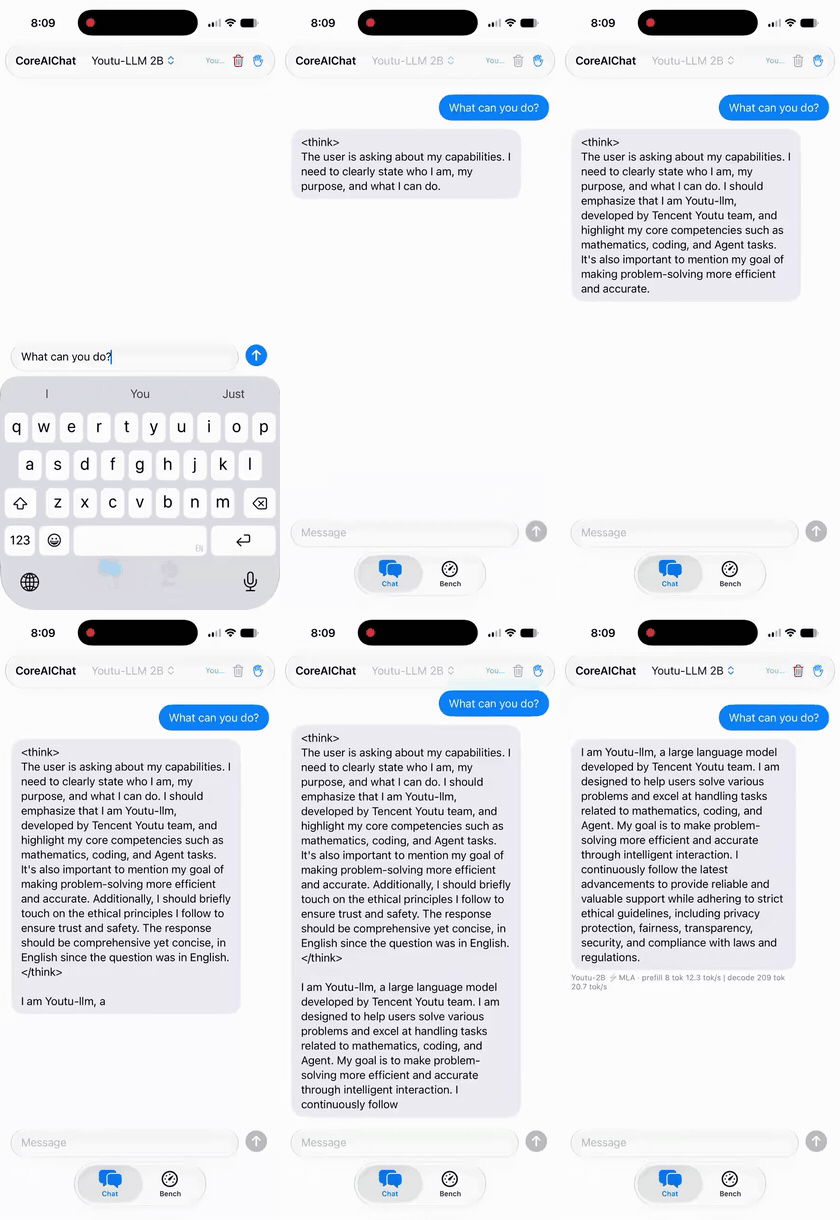
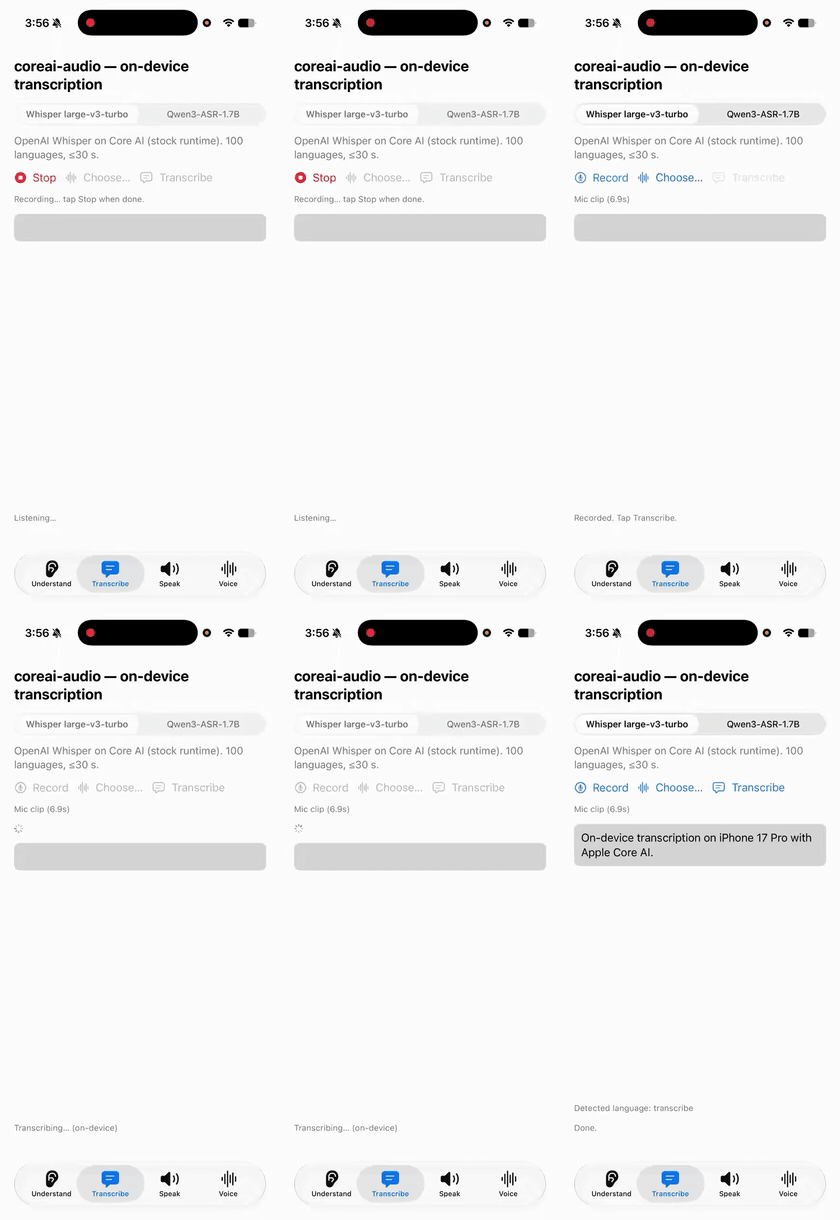
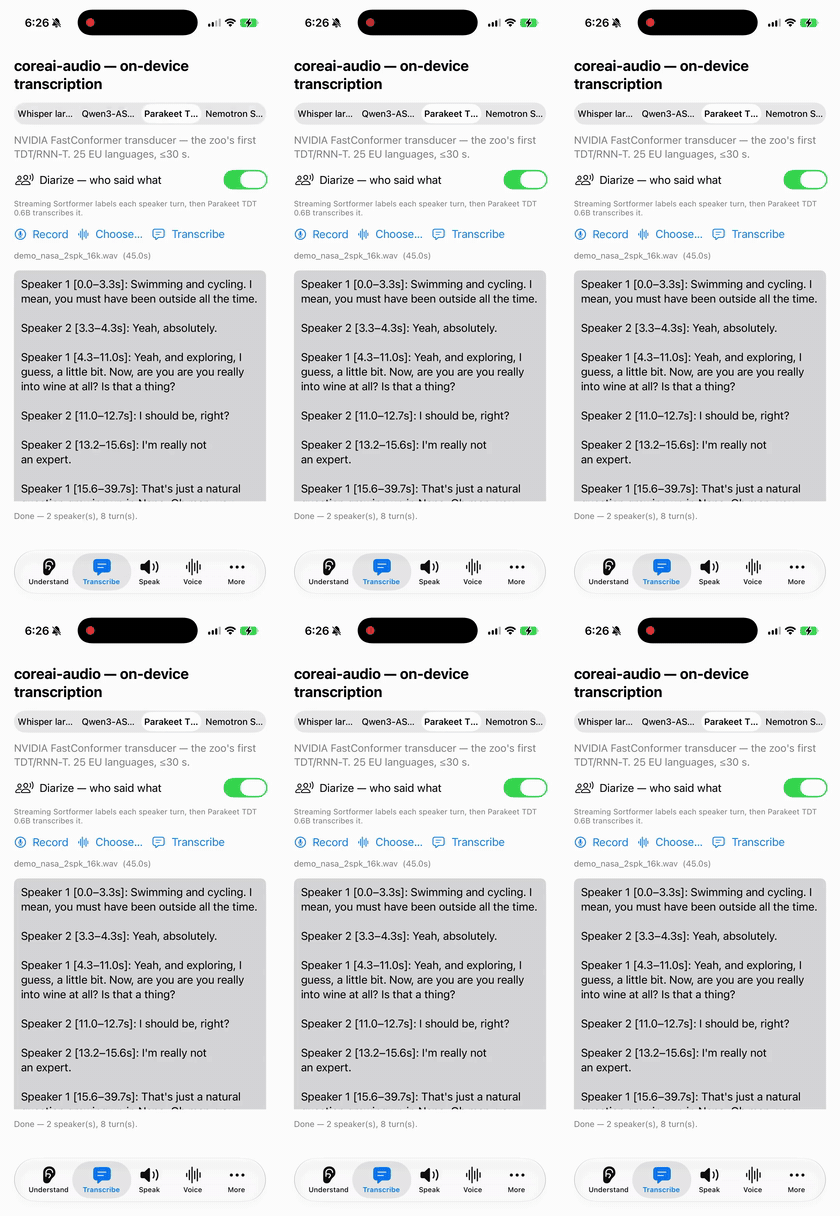
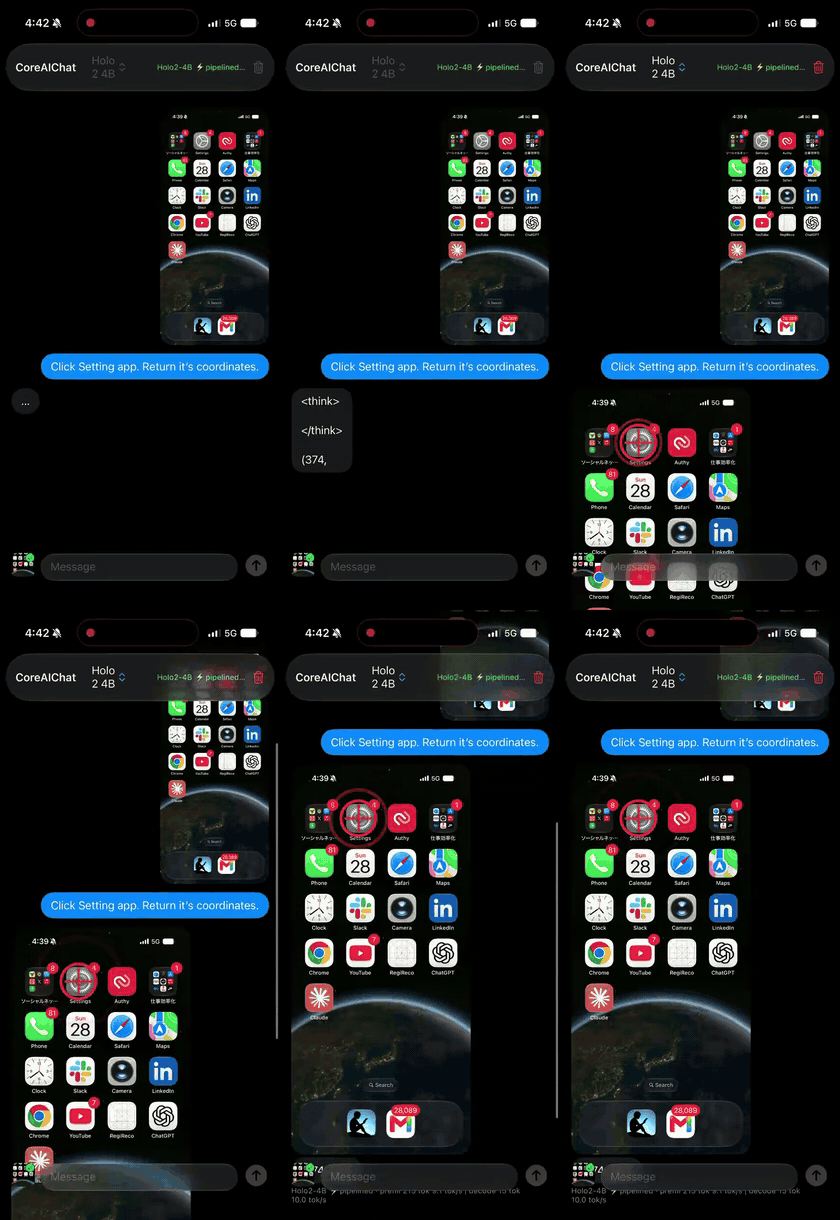
Earlier real-device captures (July 2026; iPhone 17 Pro / M4 Max). These illustrate other capabilities and are not 0.4.1 validation evidence. Captions lead with the one-line call where a task op covers it; each cell links to the kit example — or zoo app — that runs the same model. (Media lives in coreai-assets, so cloning this repo stays fast.)
 |
 |
 |
ChatSession — chat, Youtu-LLM-2BChatDemo |
CoreAI.transcribe — Whisper v3 turboTranscribe |
CoreAI.transcribeMeeting — Sortformer + ParakeetMeeting |
 |
 |
 |
KitVisionModel — screen VLM, Holo2-4BVLChat |
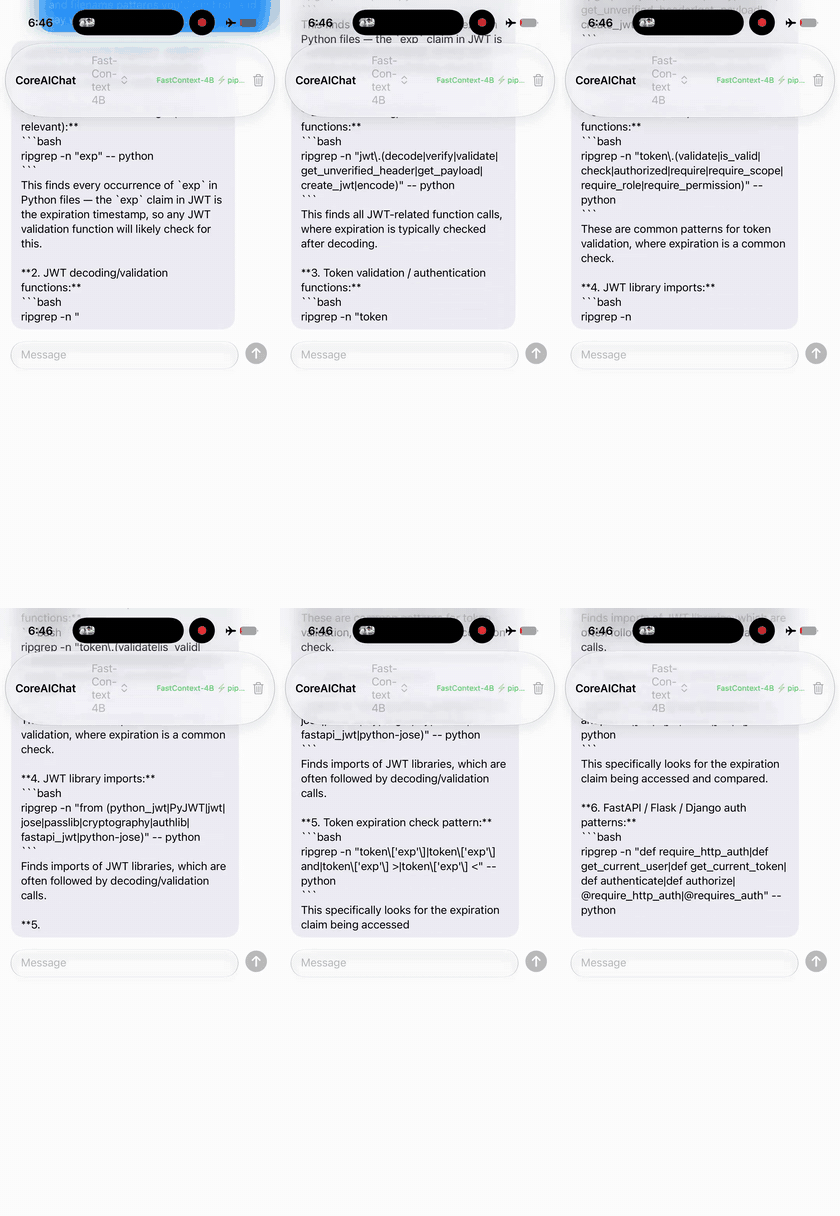
Repo agent — FastContext-4B zoo CoreAIChat |
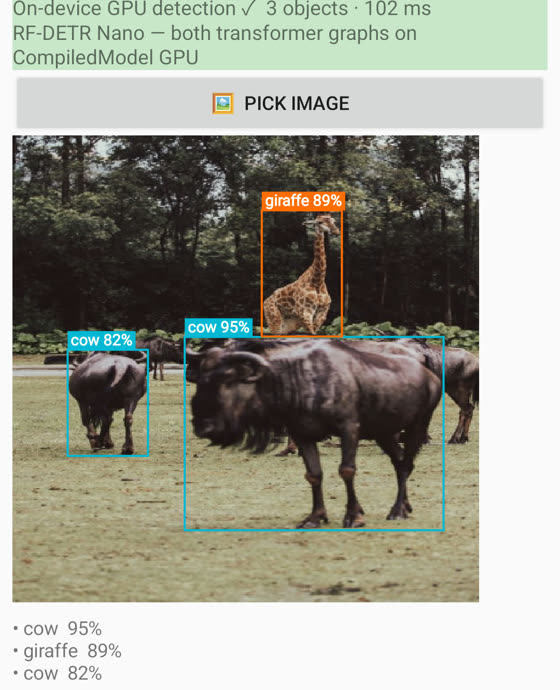
CoreAI.detect — RF-DETR nano, no NMSDetectCamera |
 |
 |
 |
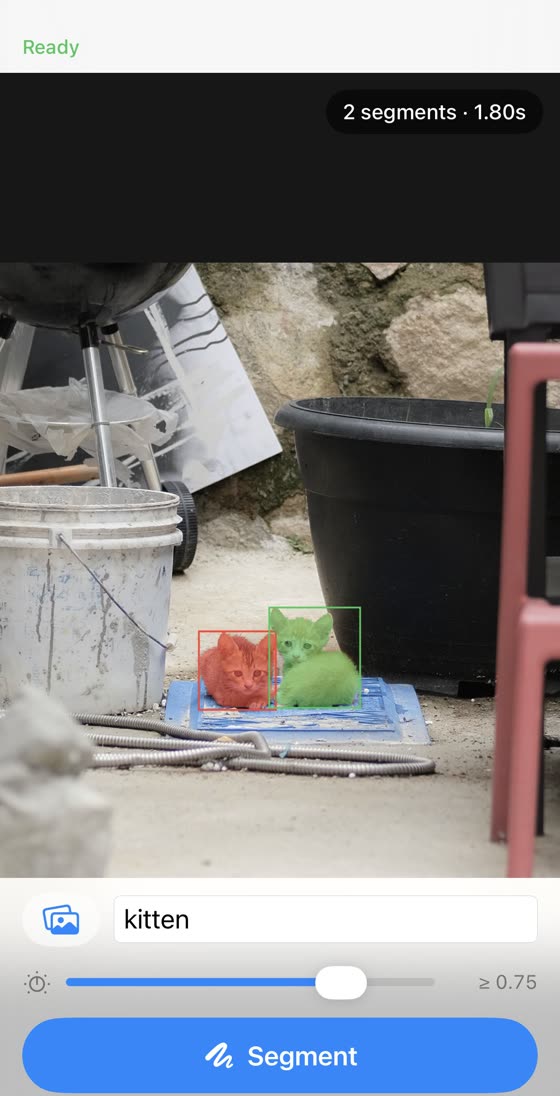
| Segmentation — SAM 3 zoo |
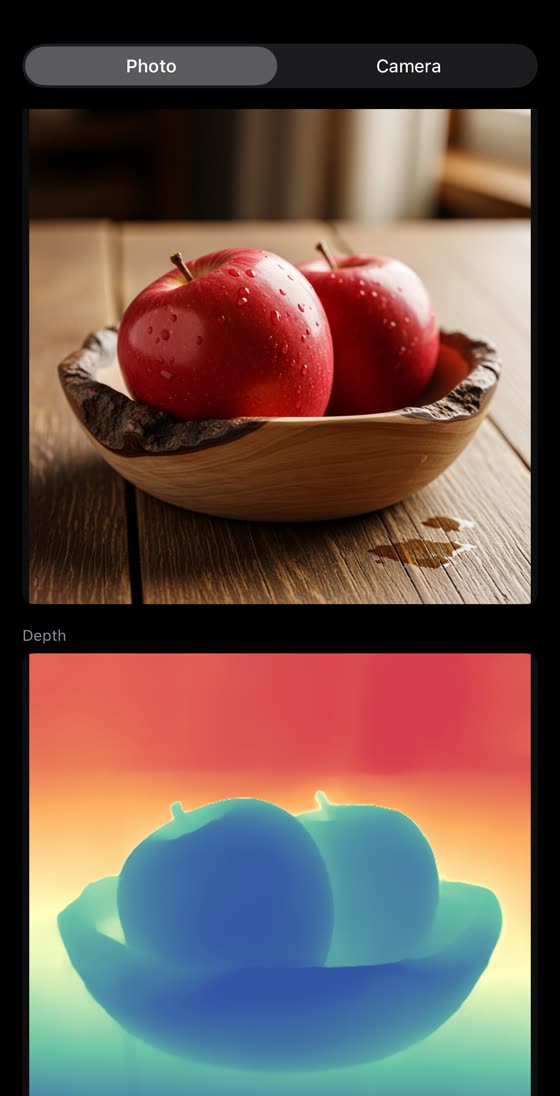
CoreAI.estimateDepth — Depth Anything 3DepthCamera |
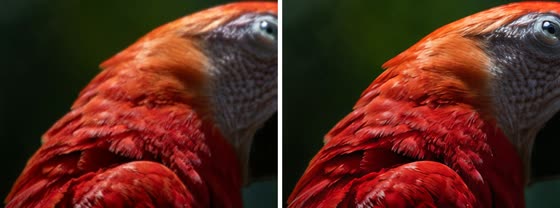
CoreAI.upscale — AdcSR ×4UpscaleDemo |
 |
 |
 |
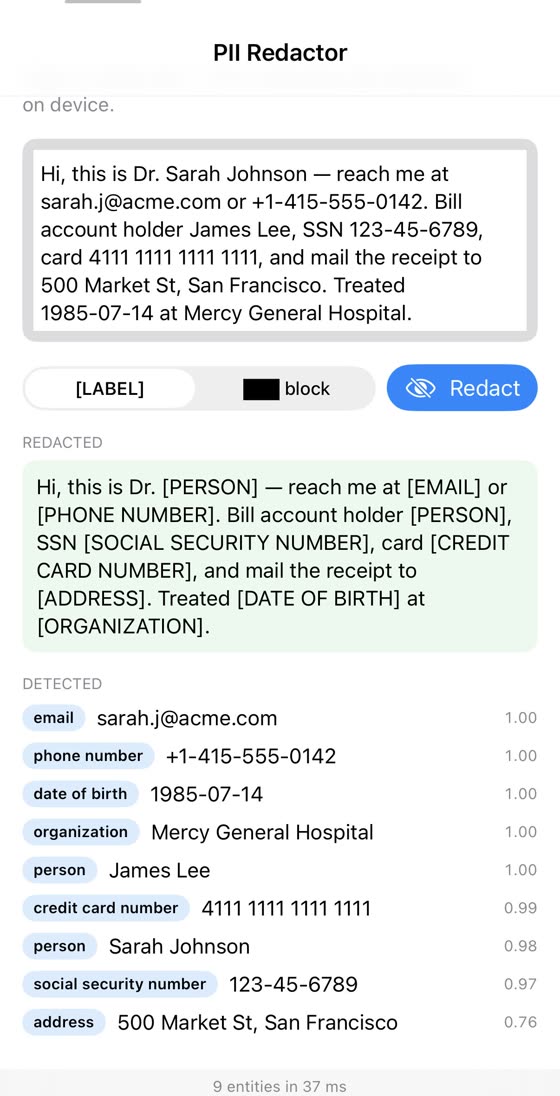
CoreAI.redact — PII, GLiNER2InfoExtract |
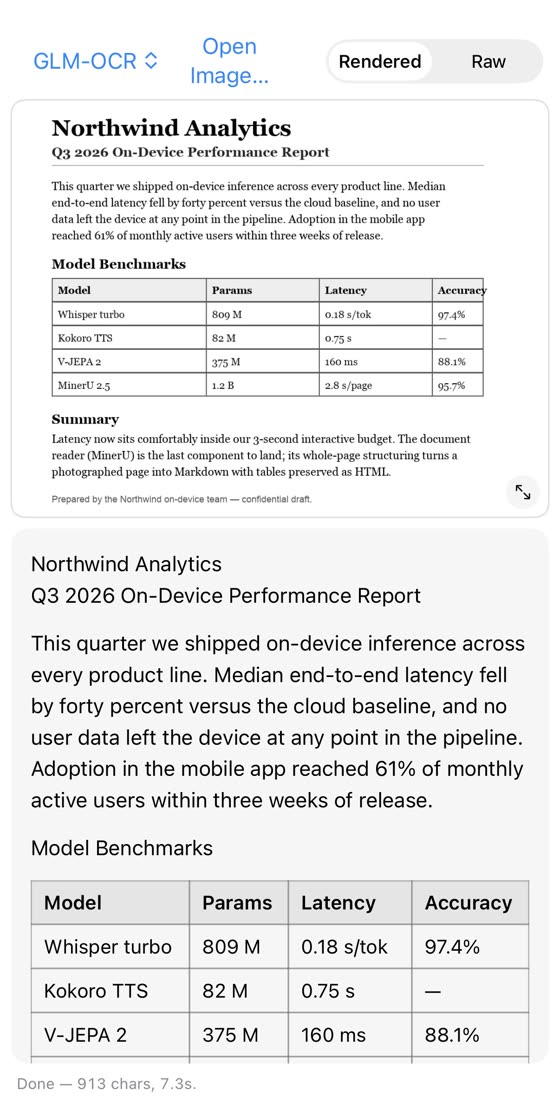
CoreAI.read — GLM-OCR 0.9B, ~4 s/pageReadDoc |
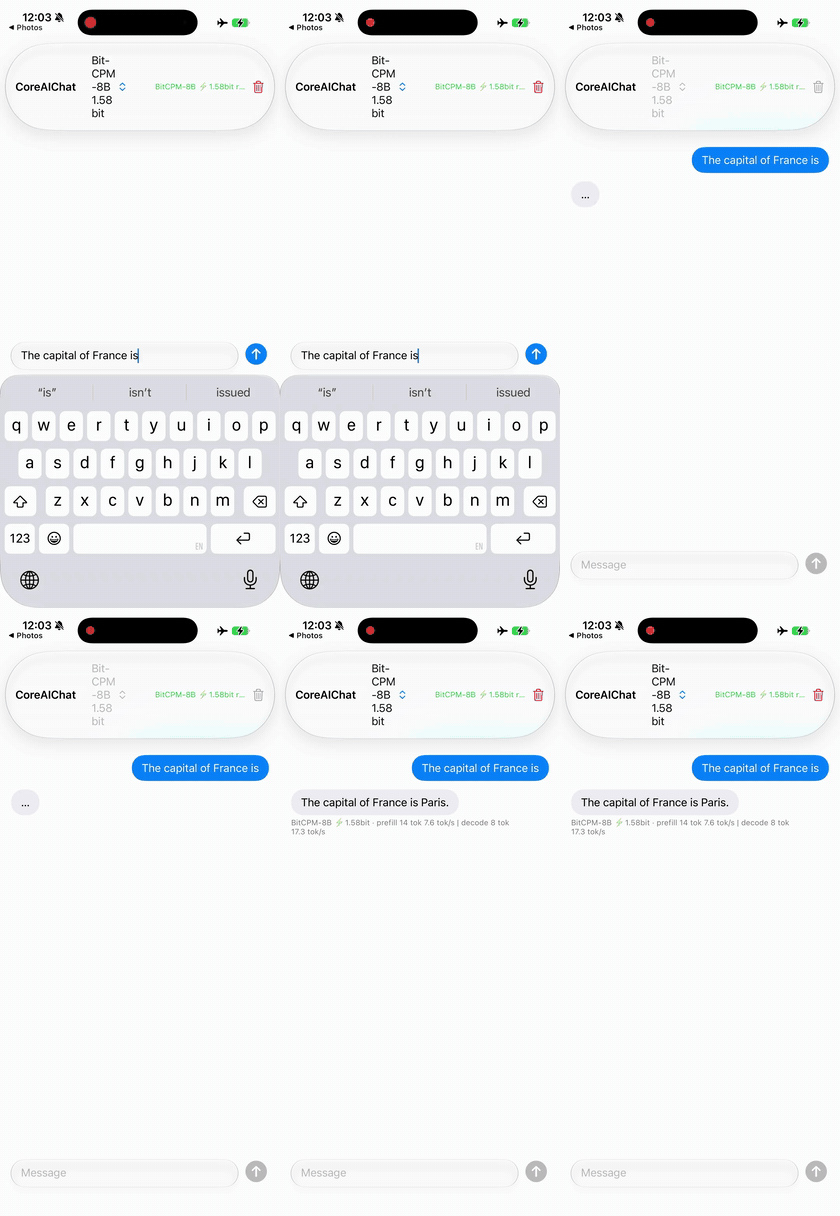
1.58-bit ternary — BitCPM-8B in ~2.1 GB zoo CoreAIChat |
 |
 |
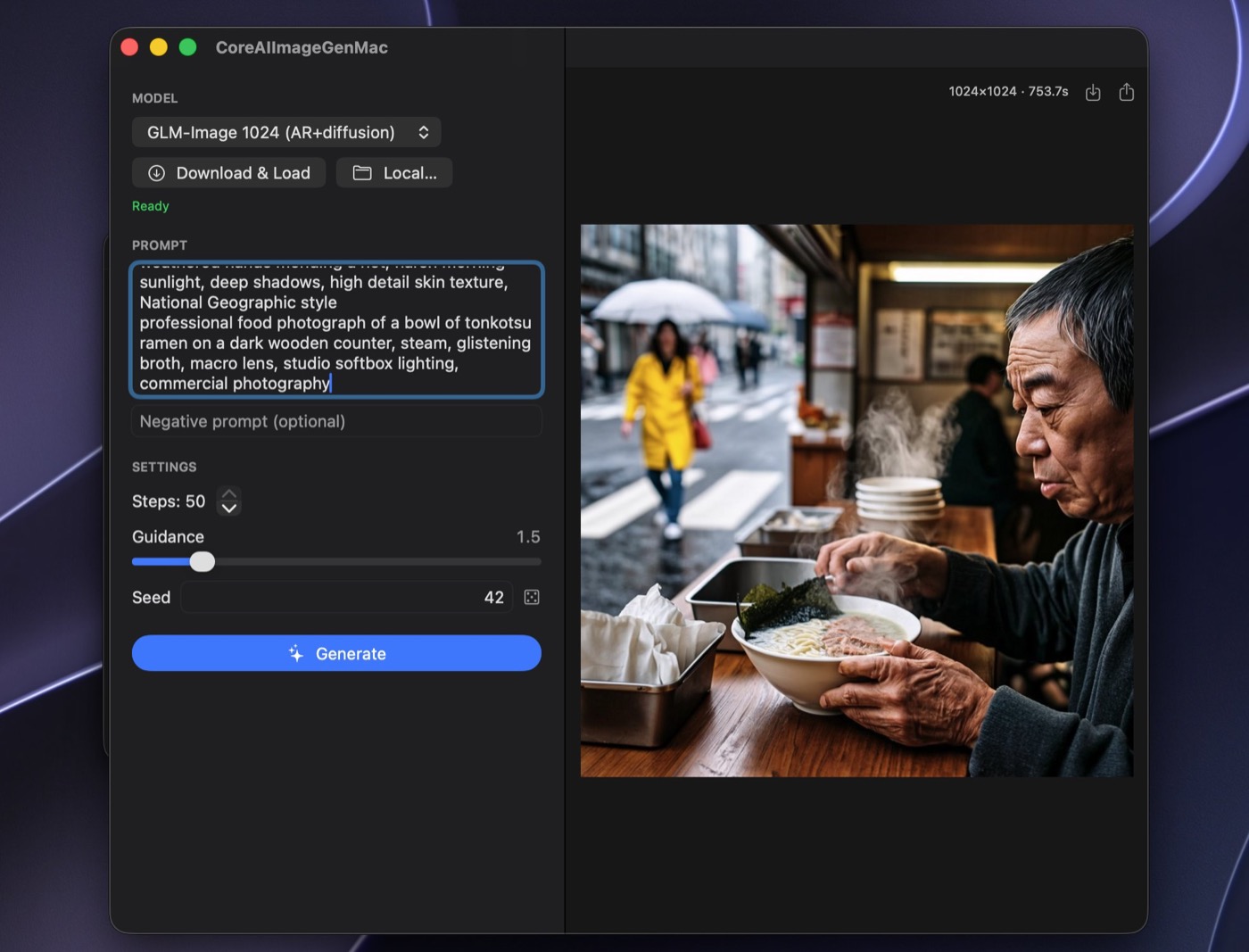
| Text→image — GLM-Image zoo CoreAIImageGen |
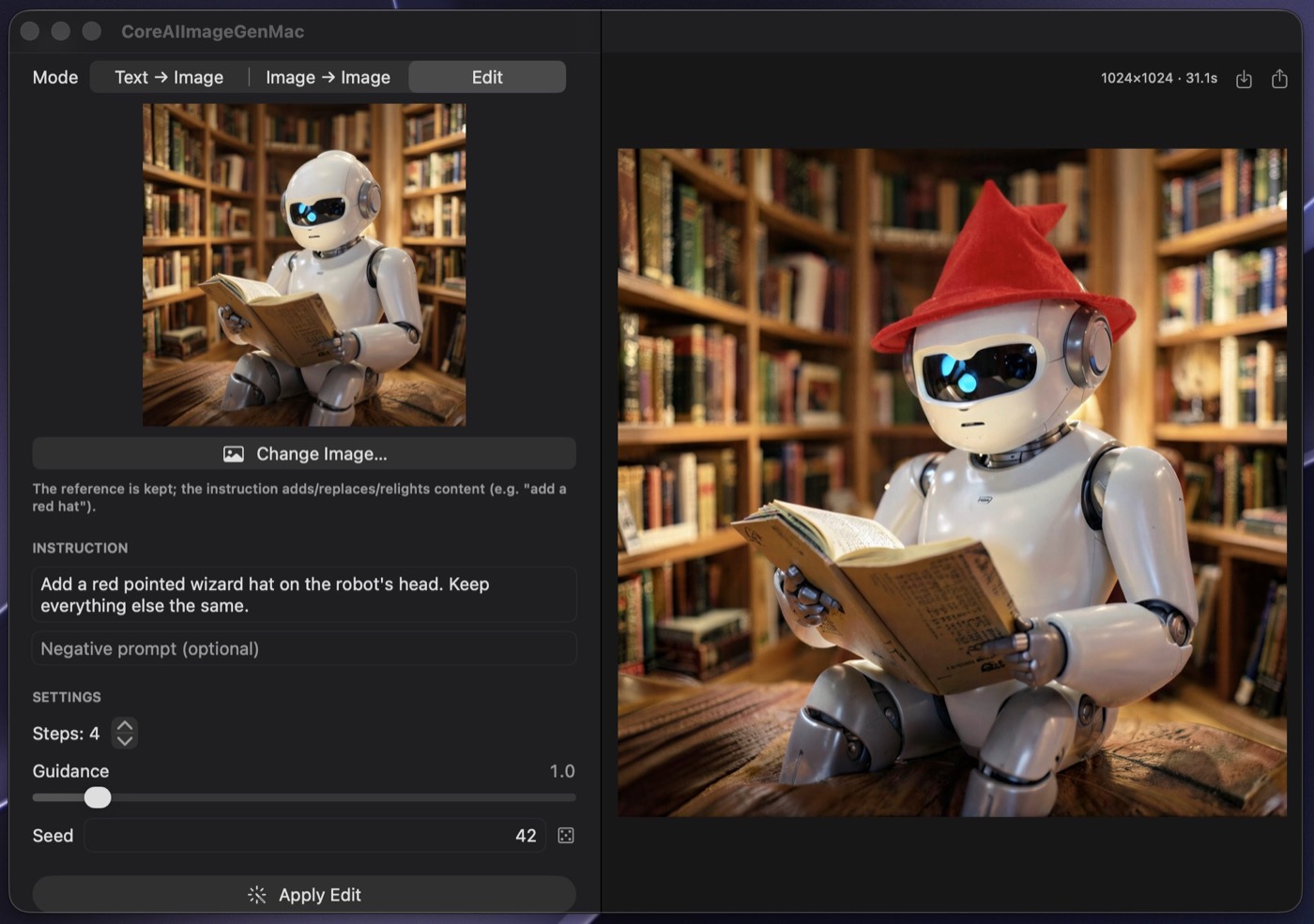
In-context edit — FLUX.2 klein zoo CoreAIImageGen |
 |
 |
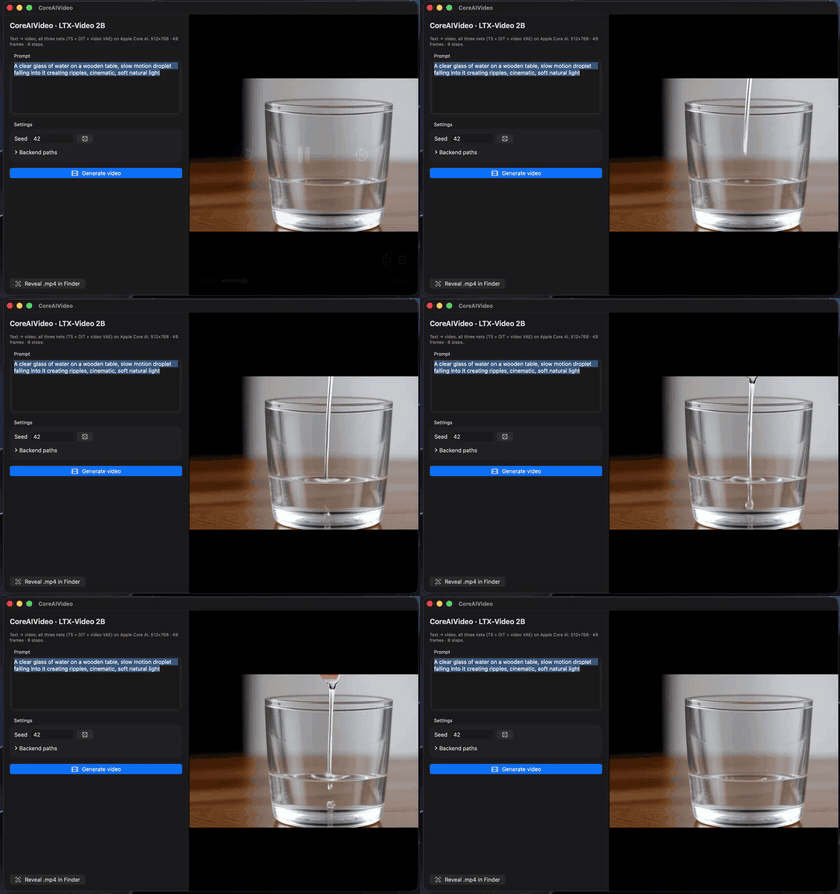
| Text→video — LTX-Video 2B zoo CoreAIVideo |
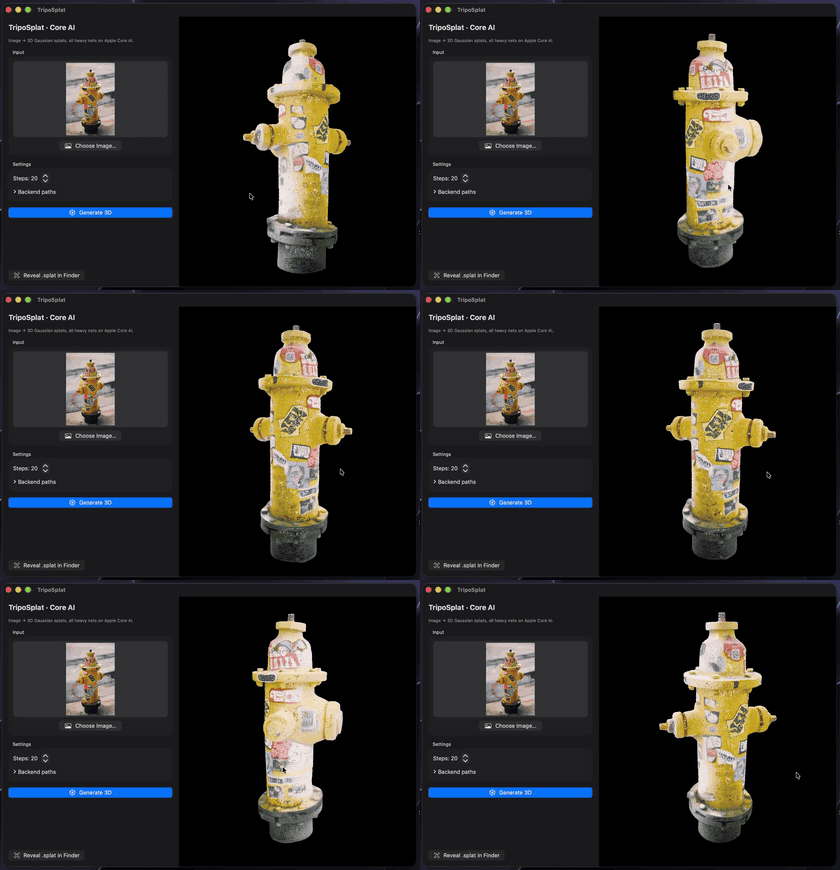
Photo→3D splat — TripoSplat zoo TripoSplatMac |
 |
 |
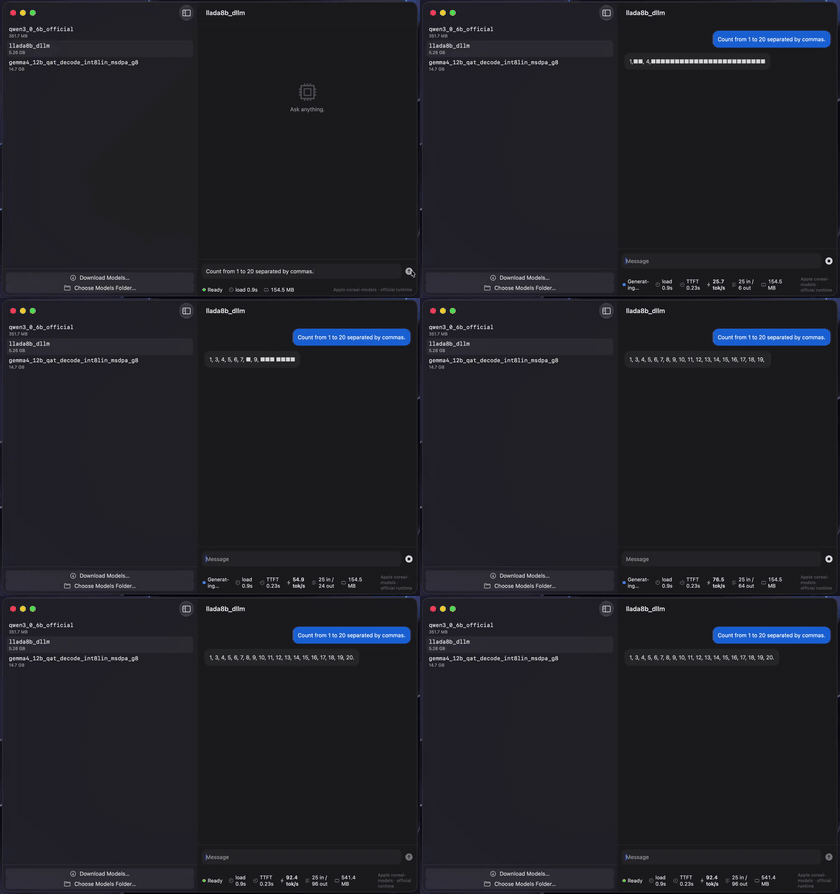
Diffusion LLM (parallel denoise) — LLaDA-8BDiffuseChat |
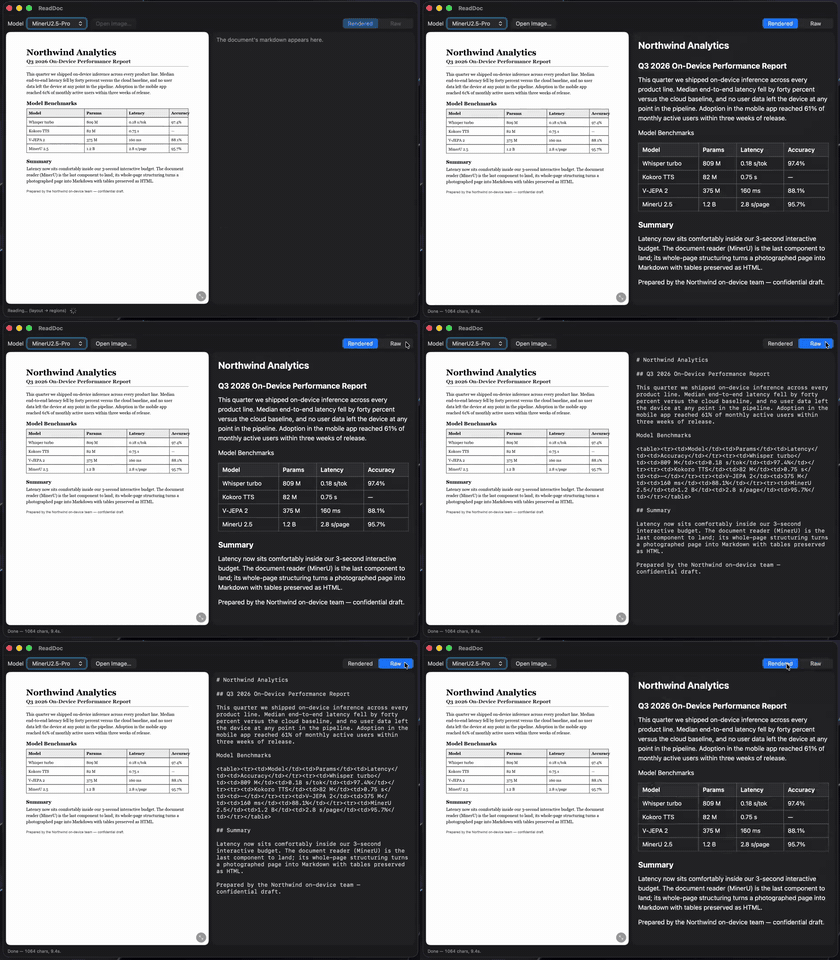
CoreAI.read — MinerU2.5, doc→MarkdownReadDoc |
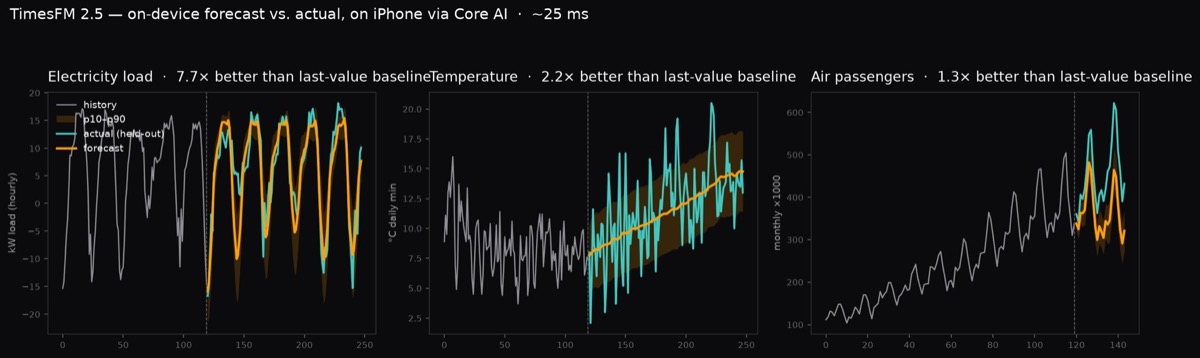
CoreAI.forecast — TimesFM 2.5, ~25 ms/forecast on iPhone · Forecast
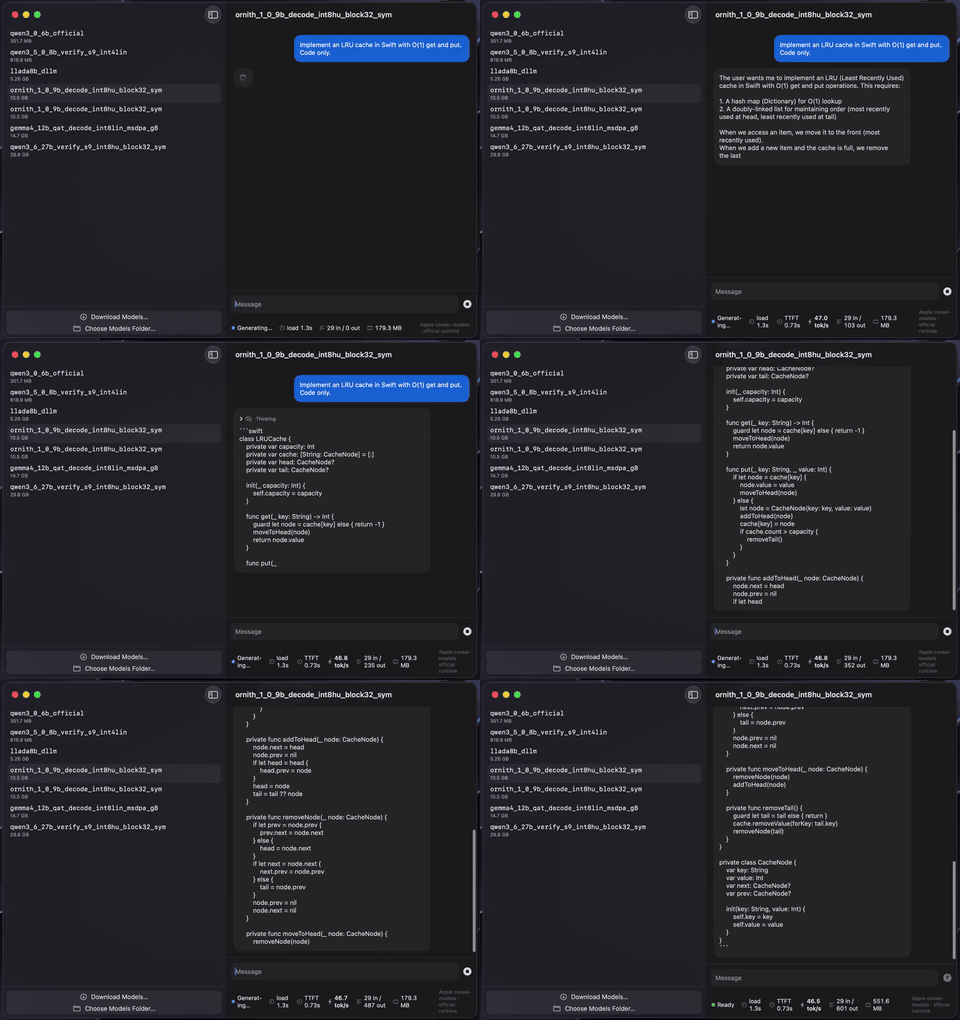
Agentic coding — Ornith-1.0-9B on M4 Max · zoo CoreAIChatMac
ModelStore uses swift-huggingface
for Hub requests and file downloads.
Files download over HTTP by default.
The Xet package trait is off by default;
enable it to download large files over Xet, with HTTP fallback:
.package(url: "https://github.com/john-rocky/coreai-kit", exact: "<version>", traits: ["Xet"])The trait forwards to swift-huggingface, so swift-xet is compiled only when an app
opts in.
The package manifest requires Swift 6.1 or later to declare the trait.
For private or gated repositories on https://huggingface.co, the client reads
credentials from the standard Hugging Face environment variables and token files,
including HF_TOKEN and the token saved by hf auth login.
The account must have access to the repository.
ModelStore(hubBaseURL:) selects a mirror; it does not receive those credentials.
Complete bundles stay in
Application Support/CoreAIKit/Models/<org>/<name>/<revision>/<variant>/,
independent of the endpoint.
ModelStore does not read or write the shared Hugging Face file cache,
so each file is stored once.
Each download stages all files before it installs the bundle with one rename.
Installed bundles are excluded from iCloud backup.
A transport failure can use a complete cached copy of the same variant under
another revision.
Concurrent callers share one download; only the first caller receives progress.
HTTP downloads, and Xet downloads when the trait is on, report byte progress during
the transfer.
KitLanguageModel plugs compatible Core AI chat bundles into the system LanguageModelSession —
the same FoundationModels API you use for Apple's built-in model — and adds what the stock
CoreAILanguageModel adapter lacks: tool calling (ChatML/Hermes models) and
guided generation (sequential engines).
import FoundationModels
import CoreAIKit

guard let modelID = ModelCatalog.builtin.entry(id: "qwen3-0.6b")?.modelID else {
    throw CoreAIKitError.modelNotAvailableOnPlatform(id: "qwen3-0.6b")
}
let model = try await KitLanguageModel(model: modelID)   // downloads once, then cached
let session = LanguageModelSession(model: model, tools: [WeatherTool()])
let answer = try await session.respond(to: "What's the weather in Tokyo?")
KitVisionModel does the same for vision-language models — attach an image to the prompt:
let vlm = try await KitVisionModel(catalog: "qwen3-vl-2b")   // decoder + vision tower
let session = LanguageModelSession(model: vlm)
let answer = try await session.respond(to: Prompt {
    "What is in this photo?"
    Attachment(cgImage)
})
Your Tool implementations, @Generable types, streaming snapshots, and transcripts work
unchanged. See Examples/FMToolDemo, Examples/GuidedDemo, and Examples/VLChat.
What each provider honestly advertises:
KitLanguageModel (text) |
KitVisionModel (VL) |
|
|---|---|---|
| Tool calling | ChatML/Hermes models — the qwen3 family (LFM's pythonic dialect is not parsed) | not in v1, by design |
| Reasoning | thinking models stream .reasoning |
Qwen3-VL thinks by default |
| Guided generation | sequential engines only (engineVariant: .sequential) |
not in v1, by design |
| Vision | — | one image per session; every turn re-prefills the full prompt (the vision encode is reused while the image is unchanged) |
Compared with Apple's stock CoreAILanguageModel adapter, this provider adds tool
calling, per-turn usage events (including Usage.Input.cachedTokenCount), and a KV
fast path that rewinds to the longest shared prefix with the previous turn
(reset(to:) + the engine's implicit prefix caching) instead of re-prefilling the
whole transcript — including across a divergence, e.g. a re-rendered transcript.
| Product | What it gives you |
|---|---|
CoreAIKit |
VoiceActivityDetector (where speech starts and stops), ModelStore (download/cache), ModelCatalog (live model list), ChatSession (streaming chat + live stats + guided generation), KitLanguageModel (FoundationModels provider with tool calling + guided generation) |
CoreAIKitVision |
GraphModel (run any .aimodel), ImageTextEncoder (CLIP), DepthEstimator, CameraFeed, LiveVision (camera → model, with the frame policy and thermal governor already written), KitTracker (detections → stable ids across frames), image preprocessing |
CoreAIKitEmbeddings |
TextEmbedder (EmbeddingGemma, 768-d normalized) for on-device search and RAG |
CoreAIKitUI |
SwiftUI components: ModelPickerBar, ChatTranscriptView, StatsBar |
CoreAIOps |
Twenty-five anchored task-level ops — text (CoreAI.summarize, .extract typed by @Generable, .translate, .proofread, .tidyTranscript (raw dictation → written text), .redact, .decide (typed yes/no, choice and score decisions with probabilities, nothing generated)), audio (.transcribe, .transcribeMeeting, .describeAudio, .speak, .compose, .separate), image (.caption, .detect, .read, .upscale, .estimateDepth), plus .recognizeAction, .search, .forecast — each resolving a catalog model behind a stable API (Cookbook). Live camera: CoreAI.watch() / .watchDepth() per frame, CoreAI.watch(for: .label("person")) to run an expensive model only on the frames that matter |
Beyond this package: coreai-model-zoo is where the models and their conversion recipes live, and awesome-core-ai tracks the wider Core AI ecosystem — Apple's own tooling, other people's converters, sample apps, and benchmarks.
Task ops
Examples/OpsGallery— every one-shot op as a card: pick an input, run the one-line call, see the result (iPhone + Mac)Examples/OpsDemo— task-level ops: one voice memo → transcript, summary, typed action items, translation, spoken reply; or one image → caption, detections, OCR (swift run)
Text & chat
Examples/ChatDemo— multiplatform chat app (~150 lines)Examples/DiffuseChat— diffusion LLM chat: watch LLaDA-8B denoise all tokens in parallel (Mac)Examples/FMToolDemo— local tool calling behindLanguageModelSession(swift run)Examples/GuidedDemo— guided generation: schema-valid JSON by construction (swift run)Examples/InfoExtract— schema-driven extraction / PII redaction with GLiNER2 (iPhone + Mac)
Typed decisions — the System One shape, on device
Examples/Decide— a text and a typed question in, the answer with its probability out, nothing generated; a chat model zero-shot (minicpm5-2b) or a model trained for decisions (decider-0.8b;openthai-systemone— Thai + English, up to 255 options, an abstain probability;apus-decision-v1-4b— browser actions and workflow steps, English + Chinese, Mac;qwen3.5-2b-decision— a calibrated 2B, English, plain-text prompt, iPhone-sized;system-one-scorer-4b— a scoring head, one row per option, English, Mac, CC BY-NC 4.0). Ten whole uses from the same sources on iPhone and Mac: copy an email and a checkout form fills at once, a contract read as a checklist, a folder sorted by what needs you, a car the model drives lane by lane, a CSV with the columns you ask for, a command guard for a coding agent (also a Claude Code hook), tool results dropped from an agent's context by relevance, tone / intent / emoji as you type (swift run decide-cliis the headless door;decide-cli serveis a/v1/systemoneendpoint for a client written for the hosted API)
Vision
Examples/VLChat— local VLM image chat (Qwen3-VL) via theKitVisionModelvision executor (iPhone + Mac)Examples/AskVLM— your Qwen3-VL as its own Visual Intelligence tab (offline "ask")Examples/VisualIntel— your own CLIP / RF-DETR behind the system Visual Intelligence search (iOS camera / iPad+Mac screenshot)Examples/PhotoSearch— semantic photo search with CLIP (iOS)Examples/DetectCamera— real-time object detection with RF-DETR, no NMS (iOS; nano 33–39 FPS end-to-end on iPhone 17 Pro via the zero-copy capture pipeline)Examples/LiveCamera— the four live tasks as four tabs:watch(),watchDepth(), a trigger gating a VLM, andscan(videoAt:)over a video file, with the measured stats and thermal governor on screen (iOS;swift run live-clicovers the offline half with no device)Examples/DepthCamera— live camera depth with Depth Anything 3 (iOS)Examples/UpscaleDemo— one-step diffusion super-resolution with AdcSRExamples/ActionCamera— video action recognition with V-JEPA 2 (world model)Examples/ReadDoc— whole-page document OCR → Markdown (GLM-OCR / MinerU2.5)Examples/DocSearch— visual document retrieval, no OCR (ColModernVBERT late interaction)
Audio & speech
Examples/Transcribe— speech→text (Whisper large-v3-turbo, Qwen3-ASR, Parakeet TDT)Examples/Tidy— the other half of dictation: raw transcript → written text (S1-mini by Superwhisper — fillers, false starts, spoken numbers and dates)Examples/Meeting— who-said-what: Sortformer diarization + per-turn ASR in one APIExamples/Speak— text-to-speech (Kokoro, VoxCPM)Examples/Music— text→music with Stable Audio Open Small (~12× realtime on iPhone)Examples/AudioChat— audio understanding — describe sounds, not just transcripts (Qwen2.5-Omni)
Also in the audio surface, without a dedicated example yet: KitDialogue (multi-speaker /
podcast-style TTS — perform("Speaker 1: …\nSpeaker 2: …"), VibeVoice-Realtime-0.5B) and
KitSeparator (song → vocals + instrumental stems, Mel-Band RoFormer).
RAG, agents & system integration
Examples/DocChat— on-device RAG over your notes: embeddings + retrieval tool + local LLM (swift run)Examples/SpotlightChat— local RAG with Apple'sSpotlightSearchTool(WWDC26) behind your own model (swift run)Examples/SpotlightApp— the "ask your notes" RAG chat as a real SwiftUI app (iPhone + Mac), behind your own modelExamples/SiriAsk— ask your local model from Siri (App Intents + onscreen awareness + risk-based confirmation; ≥4B)
Other modalities
Examples/Forecast— time-series forecasting with TimesFM 2.5 (~25 ms/forecast on iPhone)
See docs/GETTING_STARTED.md.
The models are converted, not vendored, so the question that matters before you depend on this is what was checked, by whom, and can you check it again. All 67 catalog entries:
- Pinned to an immutable Hugging Face revision, so a resolved model is the exact bytes
that were gated — never "whatever is on
maintoday." CI re-checks every pin (scripts/pin-catalog.py --check, run by the nightly gate above). - Gated against the original model before enrollment — the export is stepped against the
fp32/fp16 reference implementation on fixed inputs (token-exact for LLMs,
cos ≥ 0.999otherwise), then re-gated after compression, then run on real hardware. The gate that produced each row and its proof strength are on that model's card. - Shipped with the recipe that produced them.
models/<model>/recipe.tomlin the model zoo records the exact script and flags;zoo_convert.py run <name>rebuilds the bundle from the same checkpoint.
These gates are run by the maintainer — so don't take them on faith, re-run them. Checking a published bundle against the model it claims to come from is one command, no GPU and no device needed:
python3 conversion/zoo_verify.py mlboydaisuke/Gemma-4-12B-CoreAI   # one repo
python3 conversion/zoo_verify.py --all                             # the whole catalog, minutes
It compares tokenizer, chat template, context length and declared precision against the
source model each bundle names in its own metadata.json.
That checks a bundle is described correctly, not that it still computes correctly — the
numerical check is conversion/coreai_gate.py, which rebuilds the reference model in fp32 and
compares a greedy decode token for token. It runs outside the maintainer's tree (point it at
your own llm-runner and overlay interpreter) and writes a transcript: pinned revision, exact
input_ids, both sides' tokens, verdict. Re-running the engine side against a published
transcript needs only the bundle and llm-runner — no oracle, no fp32 download.
If you are shipping something you have to support, re-running the recipe yourself is cheap and leaves you owning the artifact.
- macOS 27 / iOS 27, Xcode 27
- Models run fully on device
Tagged releases, SemVer, a pinned model catalog (each entry carries the verified
Hugging Face revision), and CI + a nightly end-to-end gate on macOS 27. See
docs/STABILITY.md and CHANGELOG.md.
Daisuke Majima (MLBoy) — who also ports the coreai-model-zoo this kit serves, runs devicemark (on-device LLM leaderboard), and wrote the Japanese textbook The Art of Core AI. Models: huggingface.co/mlboydaisuke.
BSD-3-Clause. See LICENSE and NOTICE.txt (portions adapted from
apple/coreai-models and
john-rocky/coreai-model-zoo).