Track your drops, compete in leaderboards, and share achievements with your clan.
- Website: droptracker.io
- Discord: Join the DropTracker Discord
- Docs/Wiki (WIP): droptracker.io/wiki
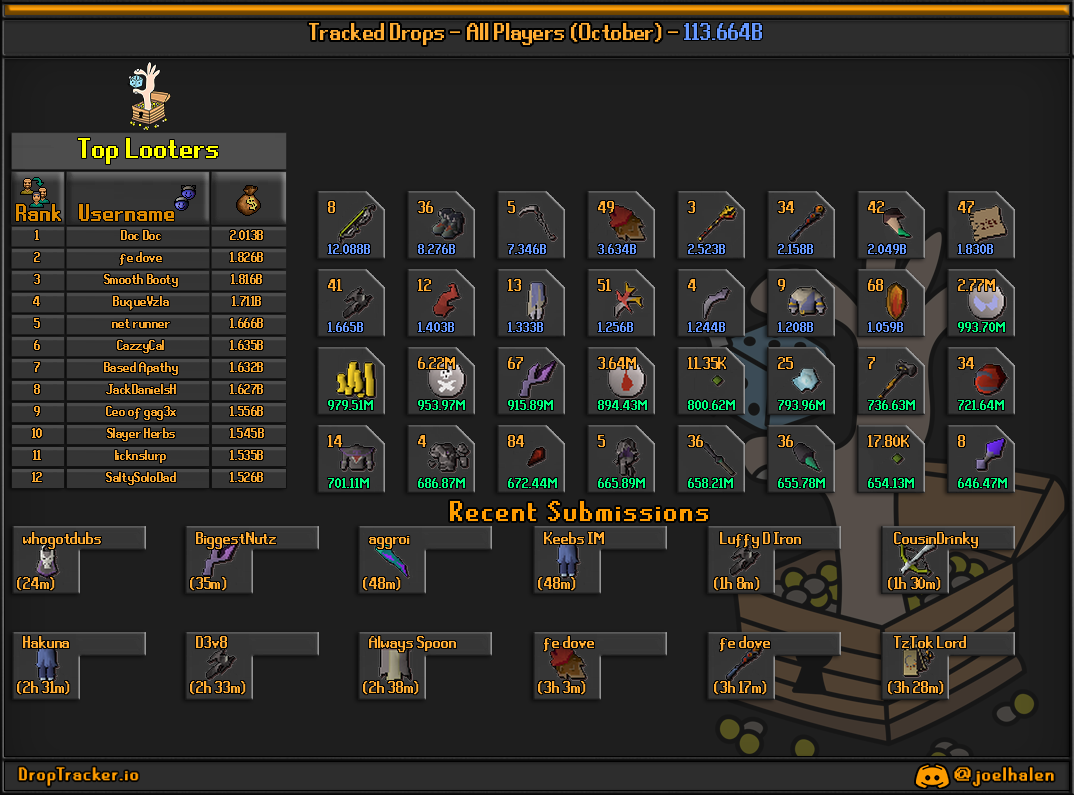
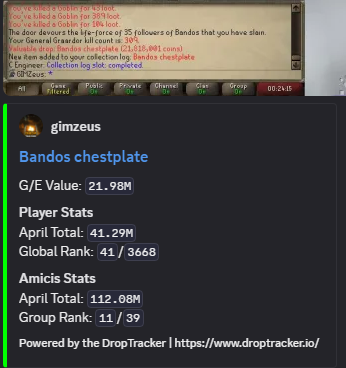
The DropTracker plugin listens for in-game events and sends “submissions” that can be routed to:
- Our own API endpoint (preferred, provides the highest level of reliability)
- Discord webhooks (default, uses discord webhooks as a sole method of communication (one-way))
Tracked events:
- Loot (non-PvP sources)
- Collection log slot unlocks
- Combat achievements
- Personal bests (PBs)
- Quest completions
- Pets
- Experience / level-ups
Search for DropTracker in the RuneLite Plugin Hub and install it.
Many enhanced features require API connectivity (e.g., group config rules, side panel features, video capture).
In RuneLite: Configuration (wrench icon) → search DropTracker → API Configuration:
- Enable Use API Connections
- (Optional) keep Receive in-game messages enabled for confirmation notices
In RuneLite: DropTracker config:
- Loot Tracking → enable drops, ensure that the screenshot threshold matches your group's, or your preference.
- PBs / Clogs / CAs / Pets / Quests / XP → toggle each category and screenshot options according to your liking.
The plugin can add a RuneLite side panel for DropTracker-related UI.
- Side Panel → enable Show Side Panel
- Note: the panel is designed to work primarily with Use API Connections enabled.
- Note: You must be a member of a subscribing group (tier 3 or higher) to upload videos to our servers, otherwise your submissions will always result in screenshots instead.
In Miscellaneous → Capture Mode, you can choose:
- Screenshot Only (default)
- Video (short clip)
Video capture is designed to be lightweight, but it has two important dependencies:
- GPU plugin must be enabled (video capture uses GPU-frame readback)
- Use API Connections must be enabled (video upload requires a server-issued presigned upload URL)
- Screenshot mode: attaches a single
image.jpegwith the submission. - Video mode:
(Massive shout-out to @dennisdevulder for all of the heavy lifting here -- we ride on the shoulders of giants!)
PLEASE NOTE: If you are not a member of a group that has subscribed at the necessary tier for video capture, enabling it will still capture videos, but they won't be uploaded!
- Captures a short clip from an in-memory rolling buffer (pre-event + post-event).
- Uploads the clip frames to cloud storage using a presigned upload URL from the API.
- Sends the submission with a
video_keythat the backend uses to associate the uploaded video. - Fallback behavior: if video capture or upload fails, the plugin will send a screenshot instead (so you still get proof).
- Event detection
- Drops: triggered by RuneLite loot events
- Achievements: detected via chat messages and widget events (PBs, CAs, Clogs, quests, etc.)
- Qualification
- Locally: your config toggles decide whether the plugin should send a given event type
- Via API (when enabled): the plugin fetches group configs and checks per-group rules (minimum value, screenshot-only groups, stacked item rules, etc.)
- Capture
- If the event type/config exceeds your configured requirements for a screen capture, one takes place (screenshot or video depending on Capture Mode)
- Submission
- A webhook payload is posted as multipart form-data (Discord-style
payload_json, regardless of Webhook or API configuration the data is 1:1) - If screenshot mode is used (or video fallback), an
image/jpegfile is attached - If video mode upload succeeds, a
video_keyfield is included so the backend can link the clip to the submission for notifications on the backend.
- A webhook payload is posted as multipart form-data (Discord-style
These names match what you’ll see in RuneLite’s config UI.
- Loot Tracking
- Enable Loot Tracking: sends loot events
- Screenshot Drops + Screenshot minimum: attaches screen capture for drops above the threshold
- Personal Bests
- Enable PBs: sends PB events
- Screenshot PBs: attaches screen capture when a PB happens
- Collection Logs
- Enable Clogs / Screenshot Clogs
- Note: requires OSRS collection log notification settings (see Troubleshooting)
- Combat Achievements
- Enable CAs / Screenshot CAs
- Pet Tracking
- Enable Pets / Screenshot Pets
- Experience / Level
- Track Experience: sends XP gains
- Enable Levels: sends level-up events
- Screenshot Levels + Minimum Level to Screenshot: screen capture rules for level-ups
- Quest Tracking
- Track Quests / Screenshot Quests
- Miscellaneous
- Hide PMs: hides private chat during proof capture
- Capture Mode: Screenshot Only vs Video
- API Configuration
- Use API Connections: enables the DropTracker API integration
- Receive in-game messages: shows confirmations/notices
- Debug Logging: writes extra local debug data to a file
That’s expected only when video fails (the plugin falls back to screenshot-only to preserve proof).
Common causes:
- Non-subscriber: Videos take up a lot of bandwidth and storage space. We only allow premium groups to leverage this feature, to cut back on our operating costs. Only one member of a group needs to subscribe in order to unlock video capture features for all of their members.
- API disabled: Video upload requires Use API Connections
- GPU plugin disabled: video frame capture requires the GPU plugin
- Quota exceeded (if your backend enforces a daily cap)
- Upload HTTP failure: presigned URL invalid/expired or storage-side rejected the upload
Tip: RuneLite logs will explicitly say why video didn’t upload once debug messages are enabled.
OSRS-side settings are required:
- Settings → Notifications → Collection log: ON
- Ensure game message/popup settings are enabled as required by your OSRS client configuration
- Confirm the category is enabled (Loot/PBs/CAs/etc.)
- If using API features, ensure Use API Connections is enabled
- Check your RuneLite logs folder: Help → Open Logs Folder
- Reach out to us in our Discord server
- Sensitive UI blur (video): the video recorder can blur sensitive screens (e.g., login/bank PIN flows) to reduce risk if a clip is uploaded.
- Hide PMs (proof capture): optional privacy toggle for screenshots/video capture (may not always hide messages from prior to the achievement...)
- Network: enabling API features allows outbound connections to DropTracker’s API (see the warning in RuneLite config).
- Docs/Wiki: droptracker.io/wiki
- Discord: Join the DropTracker Discord
See LICENSE