Clip web pages and YouTube transcripts into Linear issues — with clean Markdown extraction and optional AI summarization.



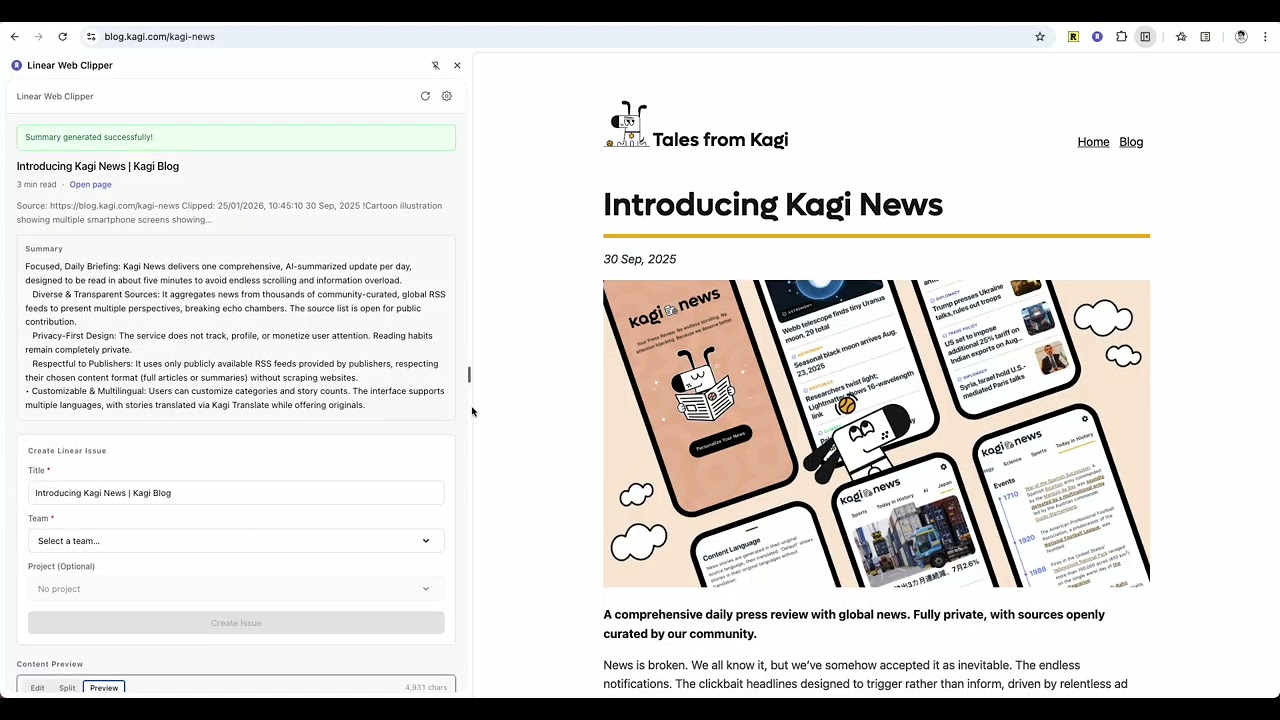
- Clean clipping — extracts the article, not the clutter (Mozilla Readability + custom heuristics), converted to Linear-ready Markdown
- YouTube transcripts — pulls video transcripts and reformats them into readable articles
- AI summarization — 8 providers (OpenAI, Anthropic, Gemini, DeepSeek, xAI, Groq, Mistral, OpenRouter) with automatic fallback: configure several in priority order and the next takes over if one fails
- Always-current models — model lists are fetched live from each provider's API, so new models appear without an extension update
- Rich Linear issues — Markdown descriptions, inline images (optionally re-hosted on Linear's CDN), and auto-embedding video players for YouTube/Loom/Descript sources
Install from the Chrome Web Store
Install from source
git clone https://github.com/jingsu96/linear-web-clipper.git
cd linear-web-clipper
pnpm install && pnpm build
Then open chrome://extensions/, enable Developer mode, click Load unpacked, and select the dist folder.
- Create a Linear API key at linear.app/settings/api and paste it into the extension settings
- (Optional) Add one or more AI providers in the AI tab for summarization — get a key from your provider's console (OpenAI · Anthropic · Gemini · DeepSeek · xAI · Groq · Mistral · OpenRouter)
- Open any page or YouTube video, click the extension icon, review the extracted content, pick a team/project, and Create Issue
| Permission | Why |
|---|---|
sidePanel |
The clipper UI |
activeTab |
Read the page you're clipping |
scripting |
Extract content on demand |
storage |
Keep settings on your device |
https://* |
Talk to Linear and your chosen AI provider |
No analytics, no data collection, no intermediate servers — the extension talks directly to Linear and the AI providers you configure, and all settings (including API keys) stay in Chrome's local storage. Privacy policy
React 19 + TypeScript, built with Vite 7 and CRXJS (Manifest V3). Content extraction uses Mozilla Readability and Turndown; AI calls go through the Vercel AI SDK.
pnpm dev            # Dev server with HMR
pnpm build          # Production build → dist/ + release ZIP
pnpm test           # Unit tests (Vitest)
pnpm test:e2e       # Extension e2e tests (Playwright; build first)
pnpm lint           # ESLint
pnpm format         # Prettier
Every push and pull request runs the full suite in CI. Releases are cut from the Release GitHub Action (version bump → changelog → tag → GitHub Release with the extension ZIP).
src/
  background/    Service worker: extraction, Linear API, AI calls
  sidepanel/     Clipper UI
  options/       Settings page
  lib/           Storage, messaging, HTML→Markdown, model discovery
tests/e2e/       Playwright tests against the built extension
- No transcript on a YouTube video — not all videos have one; check that "Show transcript" exists on the video page
- AI features failing — use Test Connection in settings to verify each provider's key and credits; long content can take 30–60 seconds
- Extension not loading from source — re-run
pnpm buildand reload it inchrome://extensions/
Issues and pull requests are welcome — CI must pass (pnpm lint && pnpm test && pnpm build).