What this fork adds over upstream
Builds for both M5Stack Core2 and the original M5StickC Plus. Layout, font sizes, button mapping, power-chip calls, and clock geometry all branch on
BOARD_CORE2/BOARD_STICKC_PLUSmacros wired up inplatformio.iniandsrc/board_config.h. The PlatformIOdefault_envsism5stickc-plusso a fresh clone matches upstream behaviour; build for Core2 withpio run -e m5stack-core2.The upstream firmware only integrates with the Claude Desktop app's embedded Cowork sessions. This fork ships a Python bridge that lets terminal-based
claudeCode CLI sessions push theirPreToolUsepermission prompts to the device — and the same hook works on a remote server you SSH into, by reverse-tunnellinglocalhost:5151back to your Mac (ssh -R 5151:localhost:5151 user@host). Press A on the device to approve the tool call, B to deny.
Core2 port details — what changed under the hood for the Core2 (320×240) target:
- Library swapped:
M5StickCPlus→M5Unified- Display: 135×240 → 240×320 portrait
- Buttons: physical A/B/Power → BtnA/BtnB/BtnC capacitive + BtnPWR
- Power chip calls (
M5.Axp.*) →M5.Power+M5.Display- Beep →
M5.Speaker.tone- RTC structs →
m5::rtc_datetime_t- Temperature now reads from MPU6886 IMU on-die sensor
- LittleFS auto-formats on first boot
- Pet ASCII art at scale 3, larger fonts in HUD/approval/clock
- PET header inlined beside the peek pet to save vertical space
- HOWTO split across two sub-pages so the size-2 bullets fit
- Defaults: owner "James", pet "Luna", species "cat"
Claude for macOS and Windows can connect Claude Cowork and Claude Code to maker devices over BLE, so developers and makers can build hardware that displays permission prompts, recent messages, and other interactions. We've been impressed by the creativity of the maker community around Claude - providing a lightweight, opt-in API is our way of making it easier to build fun little hardware devices that integrate with Claude.
Building your own device? You don't need any of the code here. See REFERENCE.md for the wire protocol: Nordic UART Service UUIDs, JSON schemas, and the folder push transport.
As an example, we built a desk pet on ESP32 that lives off permission approvals and interaction with Claude. It sleeps when nothing's happening, wakes when sessions start, gets visibly impatient when an approval prompt is waiting, and lets you approve or deny right from the device.

The firmware builds for both boards from the same source tree. Pick whichever
you have — pio run -e m5stack-core2 for the Core2, pio run -e m5stickc-plus
(default) for the Plus.
| M5Stack Core2 | M5StickC Plus |
|---|---|
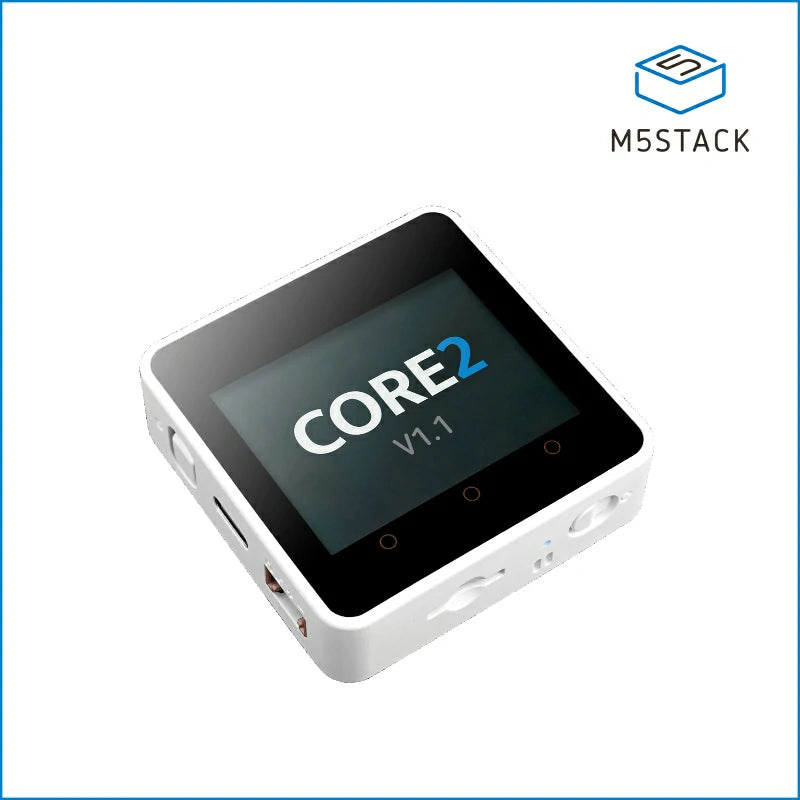
|

|
|
ESP32 · 320×240 capacitive touch · AXP192 PMU · MPU6886 IMU · BM8563 RTC · speaker · SD slot Buy on M5Stack → |
ESP32-PICO · 135×240 LCD · AXP192 PMU · MPU6886 IMU · BM8563 RTC · buzzer · IR Buy on M5Stack → |
Install PlatformIO Core, then:
pio run -t uploadIf you're starting from a previously-flashed device, wipe it first:
pio run -t erase && pio run -t uploadOnce running, you can also wipe everything from the device itself: hold A → settings → reset → factory reset → tap twice.
To pair your device with Claude, first enable developer mode (Help → Troubleshooting → Enable Developer Mode). Then, open the Hardware Buddy window in Developer → Open Hardware Buddy…, click Connect, and pick your device from the list. macOS will prompt for Bluetooth permission on first connect; grant it.


Once paired, the bridge auto-reconnects whenever both sides are awake.
If discovery isn't finding the stick:
- Make sure it's awake (any button press)
- Check the stick's settings menu → bluetooth is on
| Normal | Pet | Info | Approval | |
|---|---|---|---|---|
| A (front) | next screen | next screen | next screen | approve |
| B (right) | scroll transcript | next page | next page | deny |
| Hold A | menu | menu | menu | menu |
| Power (left, short) | toggle screen off | |||
| Power (left, ~6s) | hard power off | |||
| Shake | dizzy | — | ||
| Face-down | nap (energy refills) |
The screen auto-powers-off after 30s of no interaction (kept on while an approval prompt is up). Any button press wakes it.
Eighteen pets, each with seven animations (sleep, idle, busy, attention, celebrate, dizzy, heart). Menu → "next pet" cycles them with a counter. Choice persists to NVS.
If you want a custom GIF character instead of an ASCII buddy, drag a character pack folder onto the drop target in the Hardware Buddy window. The app streams it over BLE and the stick switches to GIF mode live. Settings → delete char reverts to ASCII mode.
A character pack is a folder with manifest.json and 96px-wide GIFs:
{
  "name": "bufo",
  "colors": {
    "body": "#6B8E23",
    "bg": "#000000",
    "text": "#FFFFFF",
    "textDim": "#808080",
    "ink": "#000000"
  },
  "states": {
    "sleep": "sleep.gif",
    "idle": ["idle_0.gif", "idle_1.gif", "idle_2.gif"],
    "busy": "busy.gif",
    "attention": "attention.gif",
    "celebrate": "celebrate.gif",
    "dizzy": "dizzy.gif",
    "heart": "heart.gif"
  }
}
State values can be a single filename or an array. Arrays rotate: each loop-end advances to the next GIF, useful for an idle activity carousel so the home screen doesn't loop one clip forever.
GIFs are 96px wide; height up to ~140px stays on a 135×240 portrait screen.
Crop tight to the character — transparent margins waste screen and shrink
the sprite. tools/prep_character.py handles the resize: feed it source
GIFs at any sizes and it produces a 96px-wide set where the character is the
same scale in every state.
The whole folder must fit under 1.8MB —
gifsicle --lossy=80 -O3 --colors 64 typically cuts 40–60%.
See characters/bufo/ for a working example.
If you're iterating on a character and would rather skip the BLE round-trip,
tools/flash_character.py characters/bufo stages it into data/ and runs
pio run -t uploadfs directly over USB.
| State | Trigger | Feel |
|---|---|---|
sleep |
bridge not connected | eyes closed, slow breathing |
idle |
connected, nothing urgent | blinking, looking around |
busy |
sessions actively running | sweating, working |
attention |
approval pending | alert, LED blinks |
celebrate |
level up (every 50K tokens) | confetti, bouncing |
dizzy |
you shook the stick | spiral eyes, wobbling |
heart |
approved in under 5s | floating hearts |
src/
  main.cpp       — loop, state machine, UI screens
  buddy.cpp      — ASCII species dispatch + render helpers
  buddies/       — one file per species, seven anim functions each
  ble_bridge.cpp — Nordic UART service, line-buffered TX/RX
  character.cpp  — GIF decode + render
  data.h         — wire protocol, JSON parse
  xfer.h         — folder push receiver
  stats.h        — NVS-backed stats, settings, owner, species choice
characters/      — example GIF character packs
tools/           — generators and converters
This fork has two integration paths into Claude:
-
Claude Desktop's BLE API (the upstream way). Requires Developer Mode (Help → Troubleshooting → Enable Developer Mode) and uses the desktop app's Hardware Buddy window for pairing. Only covers sessions started inside the Desktop app (Cowork, embedded Claude Code). Anthropic markets this as a maker-only, opt-in API.
-
The bridge in
bridge/(added by this fork). Replaces Claude Desktop on the BLE side and exposes a localhost HTTP endpoint, so:- Terminal
claudeCLI on your Mac gatesPreToolUsethrough the device by way of a hook in~/.claude/settings.json. - Remote
claudeover SSH works through assh -R 5151:...reverse tunnel. The same hook script runs on the server. - Stop hook pushes a "done {project} {tokens}" banner to the
device every time the assistant finishes a turn — works in
bypassPermissionsandautomodes too, wherePreToolUsegating is intentionally skipped.
No Developer Mode required for path 2 (the bridge owns the BLE connection itself). Disconnect Claude Desktop from the device first — only one BLE central can hold the link at a time.
- Terminal
The two paths are mutually exclusive at any given moment but can coexist on the same machine; flip between them by un-pairing the desktop app or stopping the bridge.