
English · Français

Vinted doesn't tell you when your saved search gets something new. This does.
Paste a Vinted search, choose where alerts go, and get a message with the photos and the price
you'll actually pay as soon as a new listing turns up. Free forever, open source, on your own computer,
no Vinted account and no monthly fee, where paid Vinted bots charge €5 to €300 a month.




Install · Let an AI help · Website · Docs · Report a problem
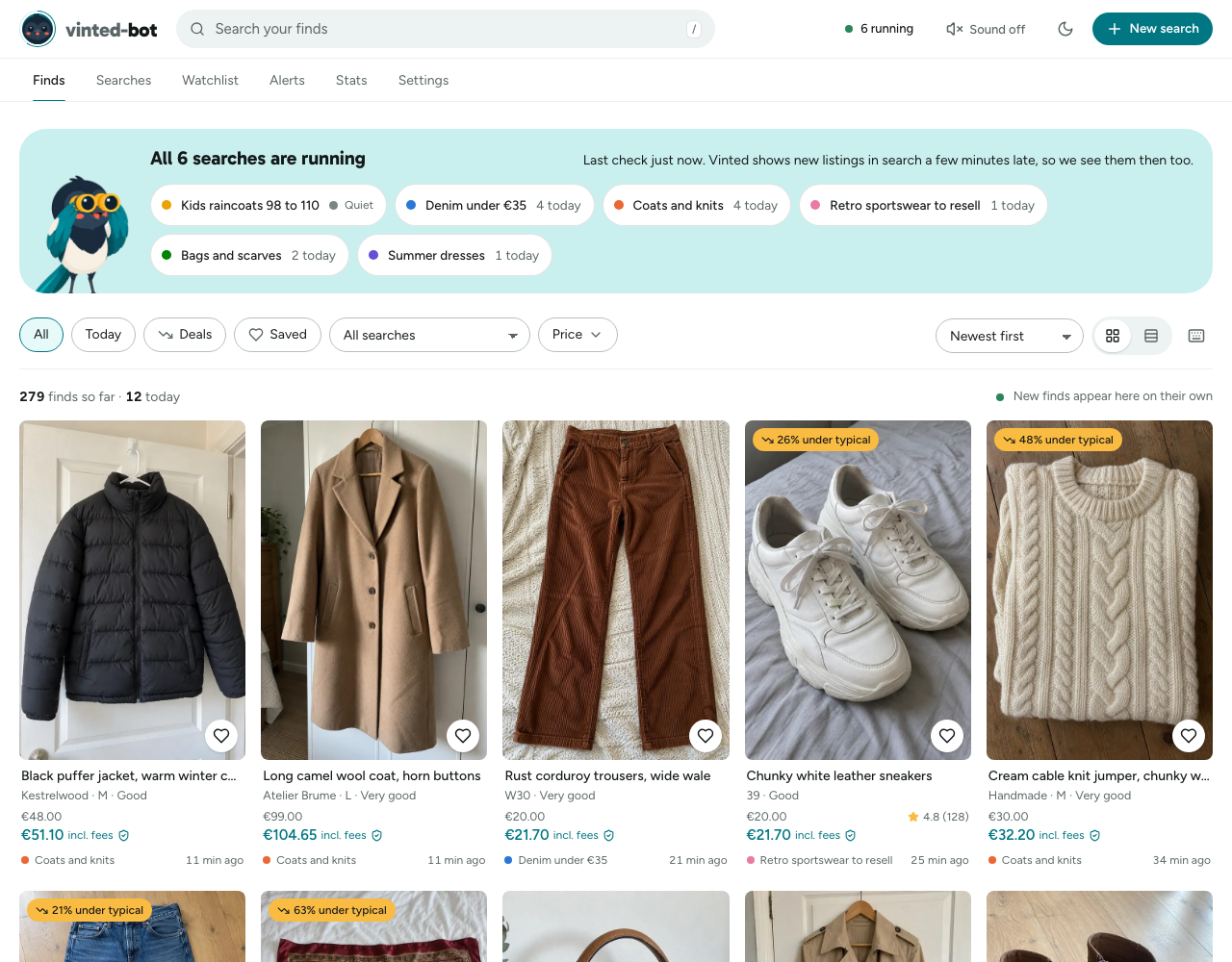
- Search on Vinted the way you always do and copy the link. Or build the search in the dashboard.
- Paste it into vinted-bot and pick where alerts go: Telegram or Discord, or email and more.
- Get a message for each new listing, with photos, the total price including buyer protection, size, condition and seller rating.
It checks every minute. The first check is silent on purpose, so you only hear about listings that appear after you added the search.
Important
Vinted moved its search to a new address in September 2026, and versions before 2.0 have found nothing since. If you installed earlier, update.
| You have | Use | Keeps working when you walk away? |
|---|---|---|
| A Windows PC | Windows | While it's on and awake |
| A Mac | macOS | While it's on and awake |
| A Raspberry Pi or a Linux machine | Linux and Raspberry Pi | Yes |
| Docker already installed | Docker | Yes, if the machine stays on |
| Python already installed | uvx vinted-bot run or pipx install vinted-bot |
While it's on and awake |
| Unraid, Synology, Umbrel or CasaOS | NAS | Yes |
| Nothing that stays on | Cloud, a few euros a month | Yes |
The installers need no admin rights and no Docker, and open the dashboard at http://localhost:8000 when they finish. Run the same command again to update.
Open PowerShell (Start menu, type PowerShell, press Enter), paste this and press Enter:
powershell -ExecutionPolicy ByPass -c "irm https://raw.githubusercontent.com/jasp-nerd/vinted-bot/main/install.ps1 | iex"Open Terminal (press Cmd+Space, type Terminal, press Enter), paste this and press Enter:
curl -LsSf https://raw.githubusercontent.com/jasp-nerd/vinted-bot/main/install.sh | shThe same command works on any Linux and on a Raspberry Pi with 64-bit Raspberry Pi OS:
curl -LsSf https://raw.githubusercontent.com/jasp-nerd/vinted-bot/main/install.sh | shPrefer to read a script before running it? Download install.sh or install.ps1 first; each explains its steps at the top.
mkdir vinted-bot && cd vinted-bot
curl -fsSLO https://raw.githubusercontent.com/jasp-nerd/vinted-bot/main/docker-compose.yml
docker compose up -d
Then open http://localhost:8000. Images run on x86 and ARM. In Windows PowerShell, download the file with Invoke-WebRequest <link> -OutFile docker-compose.yml instead of curl.
Unraid, Umbrel, CasaOS, Synology and Portainer each take a ready-made template or the compose file: see On a NAS.
A small rented server or a platform such as Render or Railway works, but none is free once it has to stay on. Vinted refuses some datacenter addresses, so read this first.
Not sure where to start? Copy this into ChatGPT, Claude or Gemini and it will guide you one step at a time:
Please help me install and set up vinted-bot, a free open-source app that watches my Vinted searches and sends me a message on Discord or Telegram when a new listing matches.

First read its setup guide: https://raw.githubusercontent.com/jasp-nerd/vinted-bot/main/llms.txt
If you can't open links, tell me and I'll paste it in.

How I'd like you to help:
- I'm not technical. Start by asking what computer I have and whether it stays switched on.
- Give me one small step at a time. Tell me exactly where to click or what to paste, and what I should see afterwards. Wait for me to say it worked before the next step.
- Only use the commands from the guide. Don't invent commands or settings.
- Never ask me to paste my Discord webhook link, Telegram token or any password into this chat. Tell me where to put them in the app instead.
- If something goes wrong, ask me for the exact error message, then help using the troubleshooting part of the guide.

Once it's installed, help me add my first Vinted search and check that a test alert arrives.
Or open it directly: Open in Claude · Open in ChatGPT
|
Finding the right listings
|
Getting told
|
|
The dashboard
|
Staying reliable
|
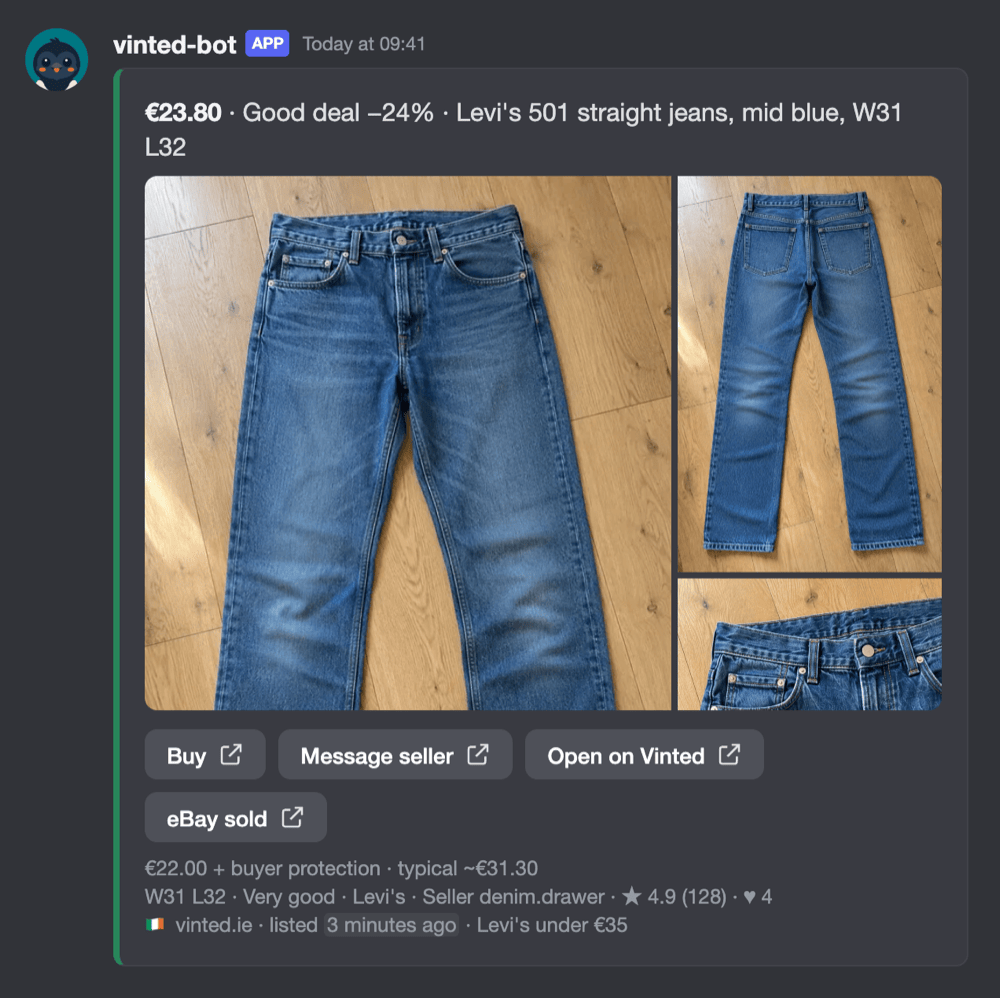 Discord |
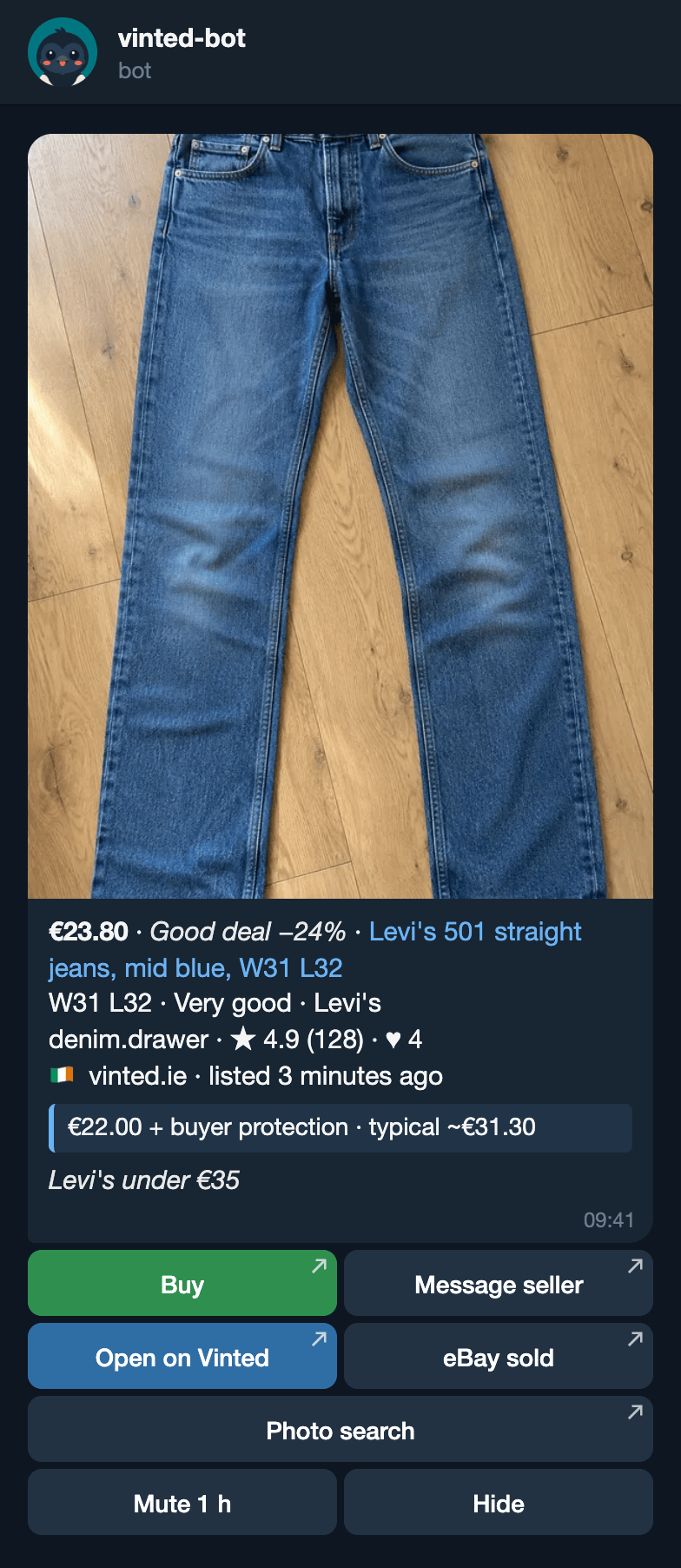 Telegram |
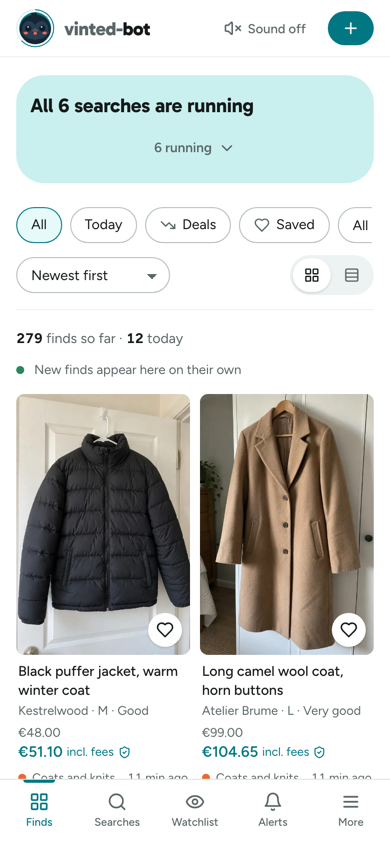 Dashboard on a phone |
More screenshots
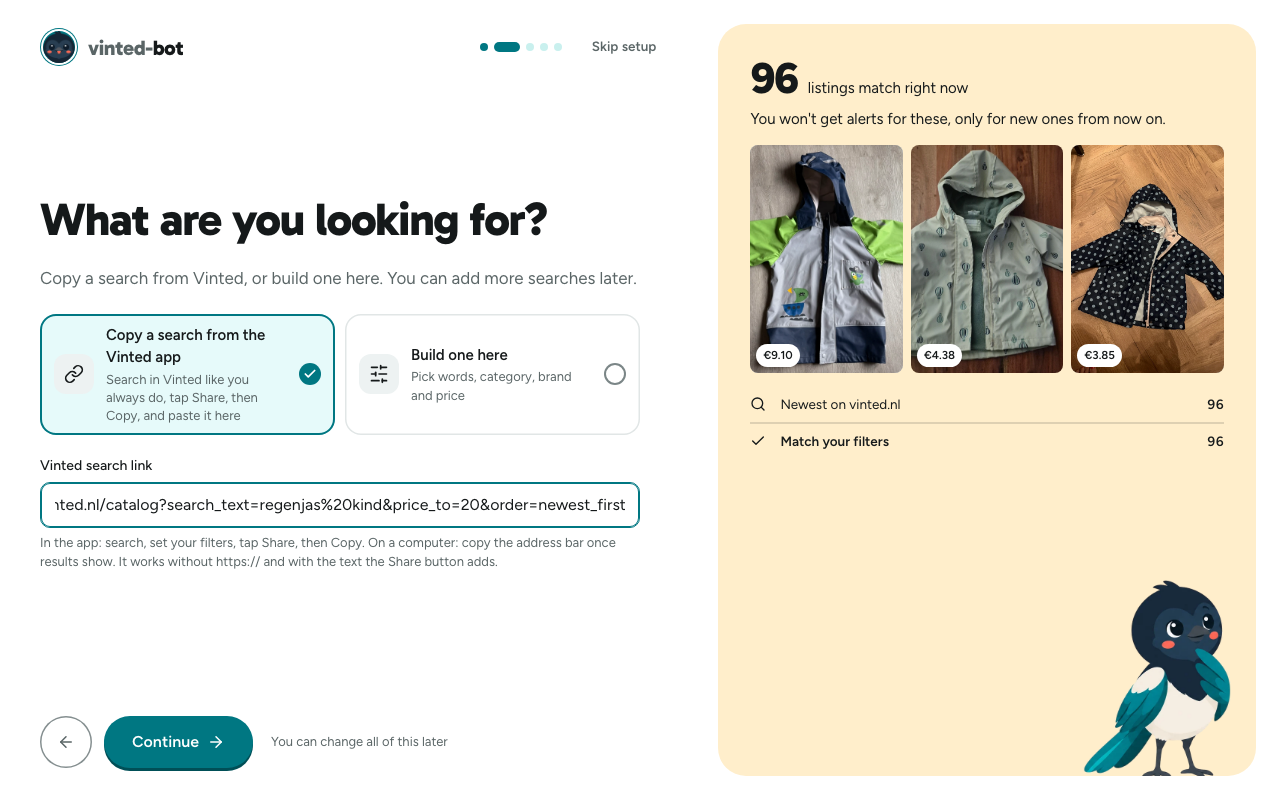
Setting up a first search, with a live count of what it would find
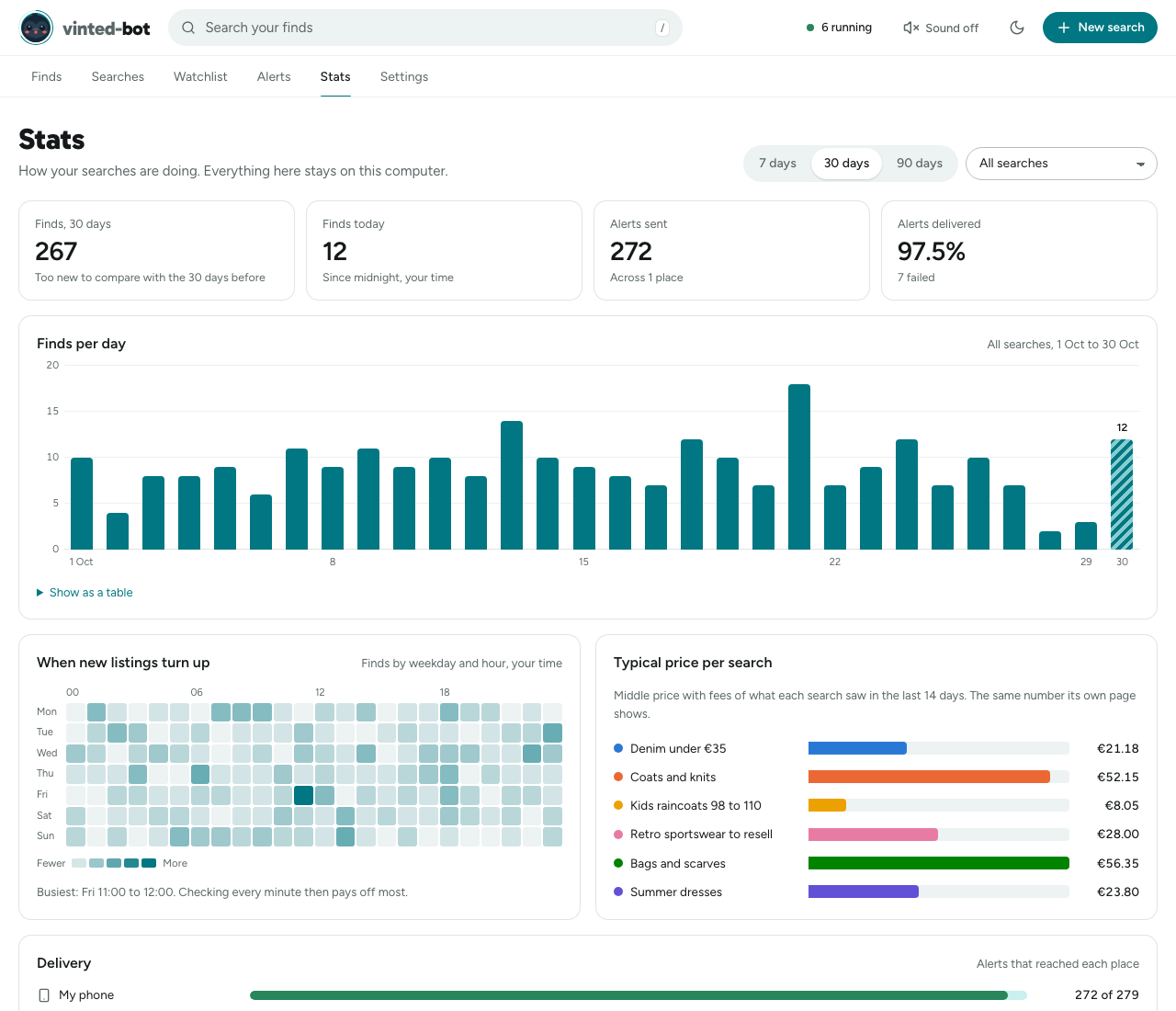
Stats
- Installer: click Update now when the dashboard says a new version is out, or run the install command again. Settings, Updates can also install new versions by itself at night.
- Docker:
docker compose pull && docker compose up -d - NAS: pull the new image with the NAS's own container update (Unraid: Docker, Check for Updates).
Your searches are kept, and database changes apply by themselves at startup. What changed is in the changelog.
With the installer, how to stop it depends on whether you said yes to starting at login:
| Started at login | Not started at login | |
|---|---|---|
| Windows (PowerShell) | Get-Process vinted-bot | Stop-Process (it starts again when you sign in) |
the same |
| macOS | launchctl bootout gui/$(id -u)/io.github.jasp-nerd.vinted-bot (it starts again when you log in) |
pkill -f 'vinted-bot run' |
| Linux | systemctl --user stop vinted-bot (it starts again when you log in) |
pkill -f 'vinted-bot run' |
Running the install command again starts it again. To remove it, run the uninstaller for your system. It stops vinted-bot, removes it and its start-at-login entry, and keeps your searches in case you come back: they stay in %LOCALAPPDATA%\vinted-bot on Windows, ~/Library/Application Support/vinted-bot on macOS and ~/.local/share/vinted-bot on Linux, until you delete that folder.
powershell -ExecutionPolicy ByPass -c '$env:VINTED_BOT_UNINSTALL=1; irm https://raw.githubusercontent.com/jasp-nerd/vinted-bot/main/install.ps1 | iex'curl -LsSf https://raw.githubusercontent.com/jasp-nerd/vinted-bot/main/install.sh | sh -s -- --uninstallWith Docker: docker compose down stops it; docker compose down -v also deletes its data. Before deleting anything, vinted-bot backup keeps a copy of your searches: see Backups.
Can my Vinted account get banned? It never logs in, so no account is involved. What Vinted can do is stop answering your internet address for a while if it's asked too often. The app slows down by itself when that happens, and the dashboard tells you.
Is it really free? Yes. MIT licence, no paid tier, no sign-up. Paid Vinted alert services cost from about €5 a month, and some charge up to €300.
Does my computer have to stay on? Yes. Alerts come from the machine it runs on, so they stop while it sleeps. A Raspberry Pi, a NAS or an old laptop left plugged in fixes that: see Running it somewhere.
Why isn't it instant? Vinted adds new listings to its search a few minutes after they're uploaded, so every tool that reads the search, paid or free, sees them then. Checking more often doesn't change that. It's fast enough for collectors and size hunters, not for racing bots that buy automatically.
Is this allowed? Vinted's terms prohibit automated access, so running it is your own call. It reads public listings as a logged-out visitor, slowly. More in docs/legal.md.
- Running it somewhere: your own computer, a Raspberry Pi, Docker, a NAS, a cloud server, backups and updates.
- Configuration: every setting, the command line, each kind of destination and the dashboard password. Nothing is required to start.
- Troubleshooting: nothing arrives, "stale", 403s, and the one-line test that shows whether Vinted answers your connection.
- How it works and the rules, for the curious.
- llms.txt: the setup guide an AI assistant reads.
Bug reports with the log attached help most: the issue form asks for what's needed. For code, see CONTRIBUTING.md. Security problems go through SECURITY.md.
It's free, without ads, and it stays that way. If it got you a good find, you can buy me a coffee or sponsor it on GitHub. A star helps other people find it.

Independent open-source tool. Not affiliated with Vinted. It reads public listings anonymously and never logs in, buys, or lists anything; buying for you is deliberately not a feature. MIT licensed.