

A fully themed Neovim configuration with a live theme engine, built-in settings panel, terminal color syncing, and 17 curated themes.





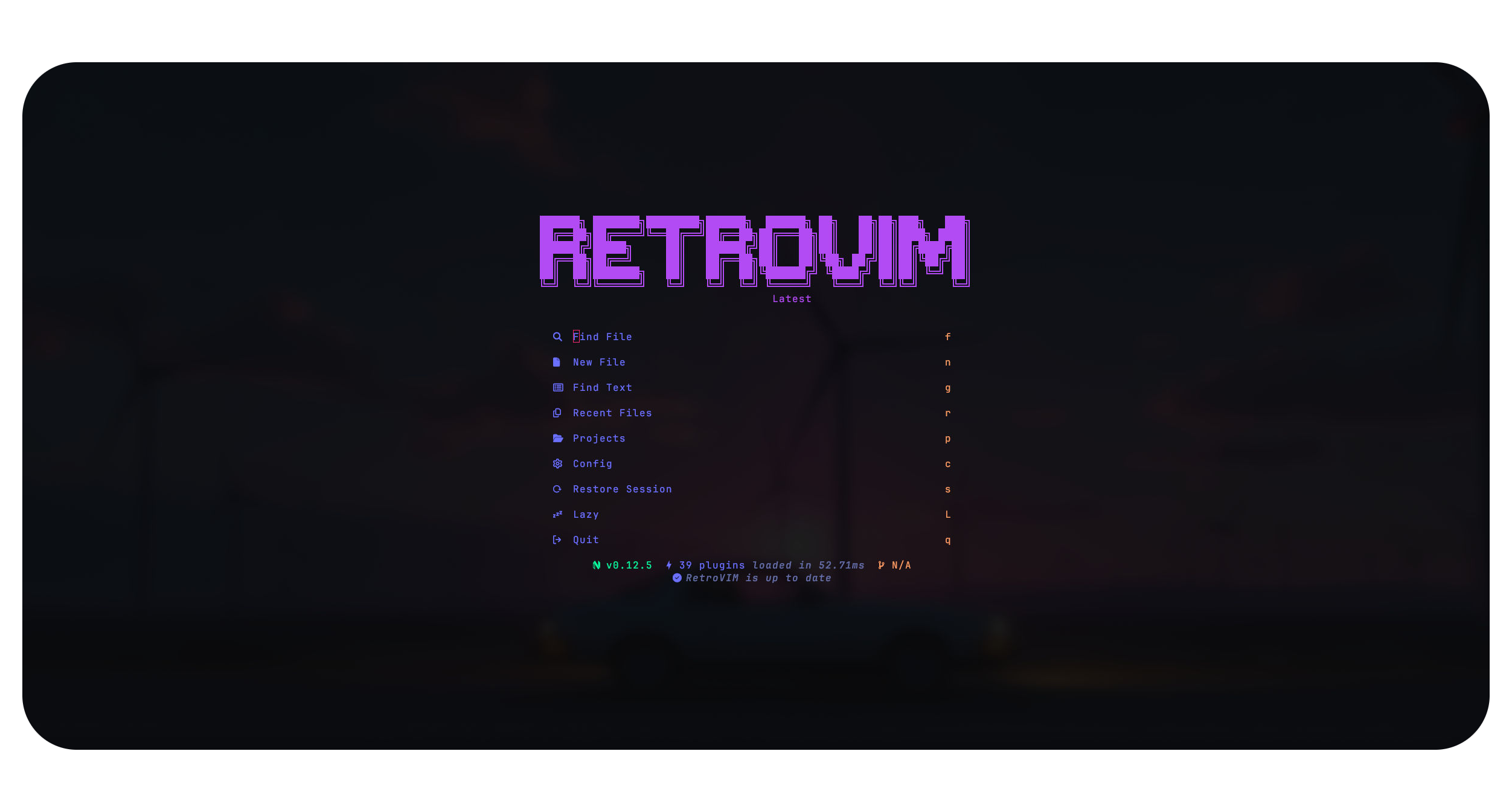
RetroVim is a synthwave-inspired Neovim configuration with a fully integrated theme engine — live theme switching, terminal color syncing, a built-in settings panel, and 17 curated themes out of the box.
One config to rule the editor: 23 language servers via Mason with autocompletion, formatting and linting. blink.cmp for fast completions. Treesitter for syntax highlighting. Snacks.nvim dashboard, picker, explorer, terminal, lazygit, scratch buffers, profiler, image hover and notifications. Session persistence, git integration with diff viewer and hunk staging, markdown preview, and a terminal-aware System theme that syncs to your Kitty palette in real time.
Built by a developer, for developers. Every theme is a Lua file you can edit, every setting is persisted to JSON, and every keymap is documented. Drop custom themes in ~/.config/retrovim/themes/ and they appear in the picker automatically.
A Neovim config that looks as good as it works — synthwave neon on the outside, serious editor on the inside.
| 🎨 Live Theme Engine | 17 built-in themes with instant switching. Live color swatch previews in the picker. Dark/Light mode toggle. Transparency and Lualine transparency options. Custom background override for any theme. Custom themes via ~/.config/retrovim/themes/. |
| 🎛️ Built-in Settings Panel | A full control panel accessible from the dashboard (<space>qs). Theme picker, transparency, dark mode, background override, bufferline style, tree style, kitty sync interval, reset to defaults — all in one place. |
| 🧩 LSP & Completion | 23 language servers via Mason (TypeScript, Go, Rust, C/C++, Python, Lua, Svelte, Tailwind CSS, and more). blink.cmp for fast Rust-powered autocompletion with LSP, snippets, path and buffer sources. Ghost text suggestions. Auto-brackets on accept. ts-error-translator for human-readable TypeScript errors. |
| 🌳 File Explorer | Neo-tree sidebar with git status, diagnostics, clipboard sync, file operations (add/delete/rename/copy/move). Snacks Explorer with tree view, live diagnostics, git untracked, and keyboard-driven file management. |
| 🔍 Fuzzy Finding & Search | Snacks Picker with fuzzy matching, frecency, smartcase, and 20+ sources: files, git files, buffers, recent, projects, grep, live grep, diagnostics, help, highlights, keymaps, man pages, marks, registers, undo history, and more. Grug-far for project-wide search and replace with live preview. |
| 📝 Editing | Flash.nvim for jump/search with labels. TreeSJ for splitting/joining code blocks. nvim-surround for bracket/quote wrapping. nvim-autopairs for auto-closing brackets. Comment.nvim for context-aware commenting. toggle-bool for flipping true/false. blink.cmp for completion. Treesitter for incremental selection and text objects. |
| 🔄 Git | Gitsigns for sign column indicators, hunk staging and resetting. Diffview for enhanced git diff and file history. Lazygit integration via Snacks. Snacks.gitbrowse to open files on GitHub. Snacks.git for blame, log, stash, and GitHub issues/PRs. |
| 🖥️ UI | Bufferline with customizable separators. Lualine with LSP progress. Noice for modern cmdline and popupmenu UI. nvim-scrollbar with git and diagnostic markers. Which-key for keymap discovery. Snacks dashboard with update checker. Snacks notifications with compact style. Snacks statuscolumn with marks, signs, folds and git. hlchunk.nvim for indent guides and code chunk highlighting. Snacks scroll with smooth animation. |
| 🛠️ Tooling | Conform.nvim for format-on-save (Biome, Prettier, Stylua, shfmt, gofumpt). nvim-lint for async linting (ESLint, golangci-lint, pylint). Trouble for diagnostics/symbols/references panel. Snacks profiler for performance profiling. Snacks terminal with auto-close. Snacks scratch buffers with autowrite. |
| 💾 Sessions & Persistence | Persisted.nvim for automatic session save/restore, git branch-aware. Snacks.bigfile handler that disables features for files over 1.5MB. |
| 🔄 Terminal Sync | System theme that reads your terminal's color palette from Kitty config. Configurable sync interval (5s, 15s, 30s, 60s). Automatic detection of terminal colors via vim.g.terminal_color_* with fallback colors. |
| 🔌 PlatformIO | Embedded/IoT development integration — Pioinit, Piorun, Piomon, Piodebug and more. Auto-detects platformio.ini. |
Switch your entire look in one shot. Pick a palette, apply it, done — or drop in your own Lua themes, nothing is locked down.


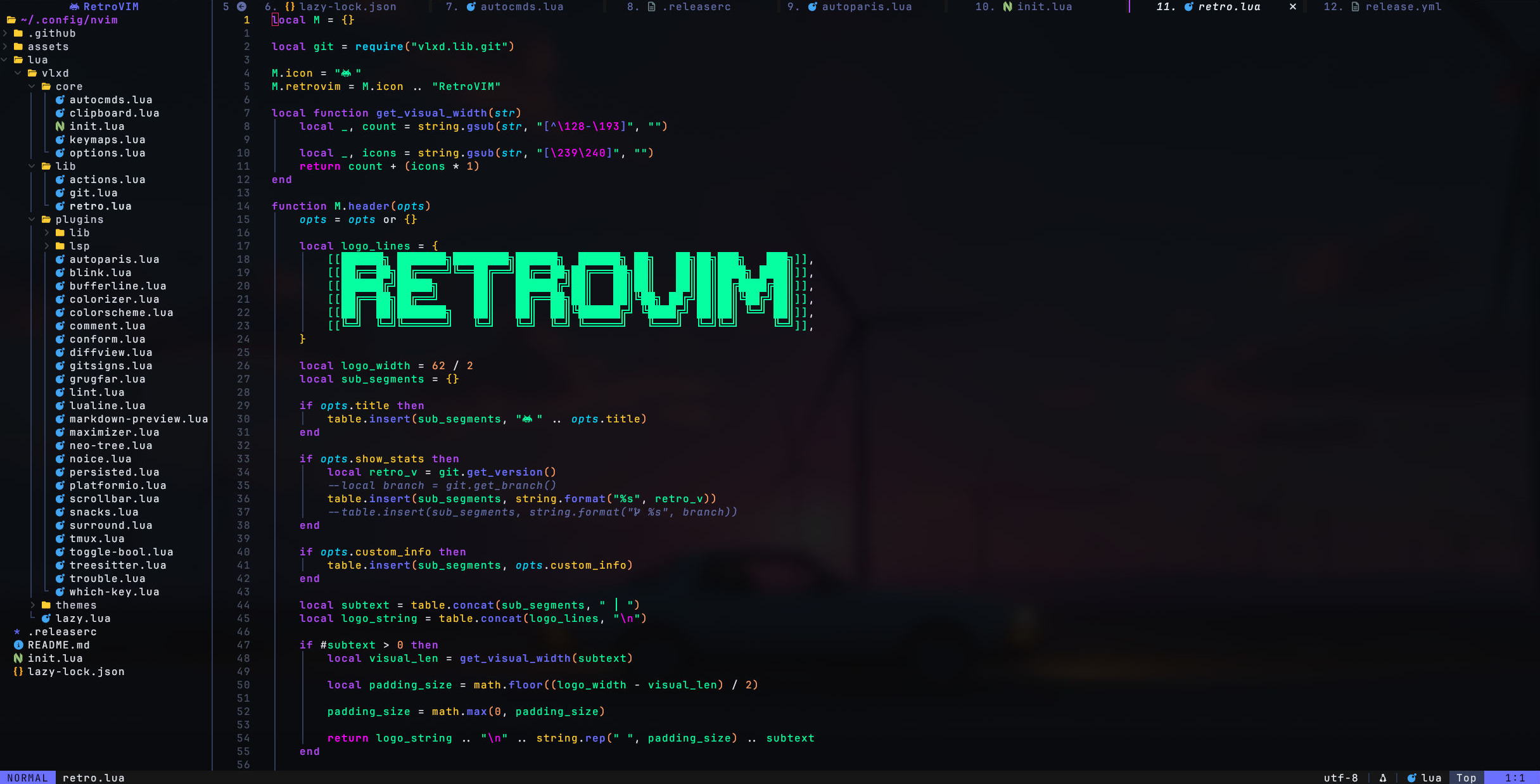
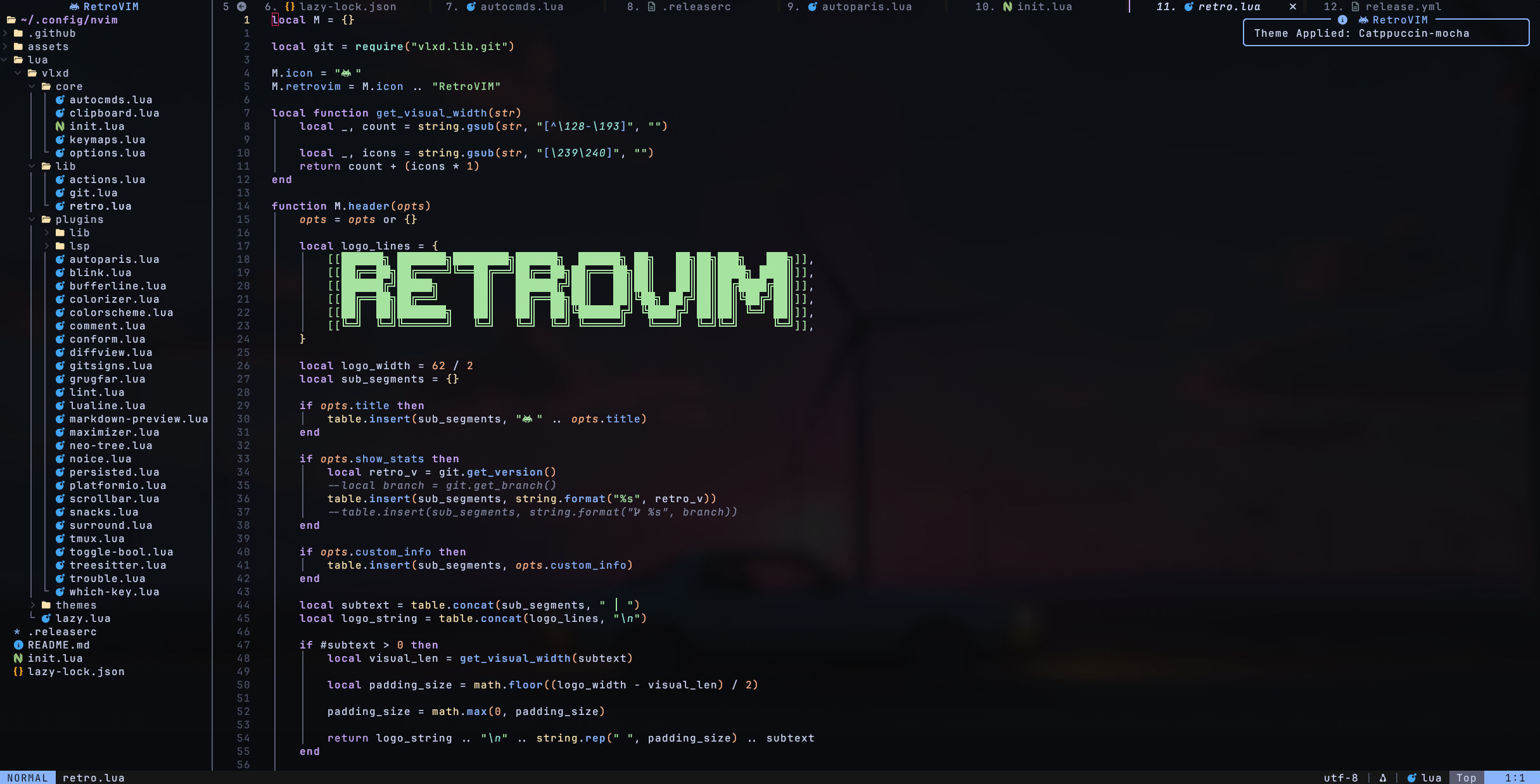
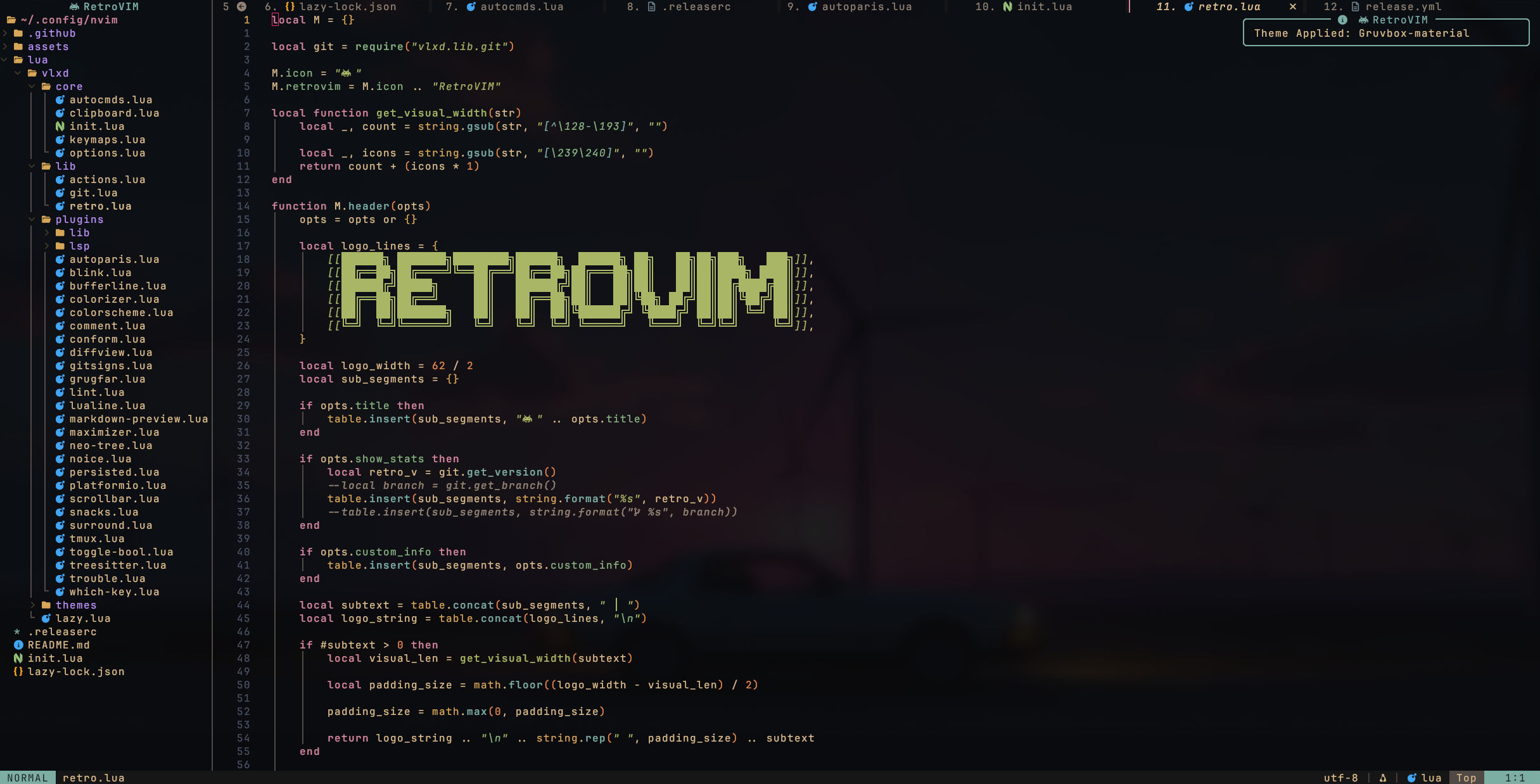
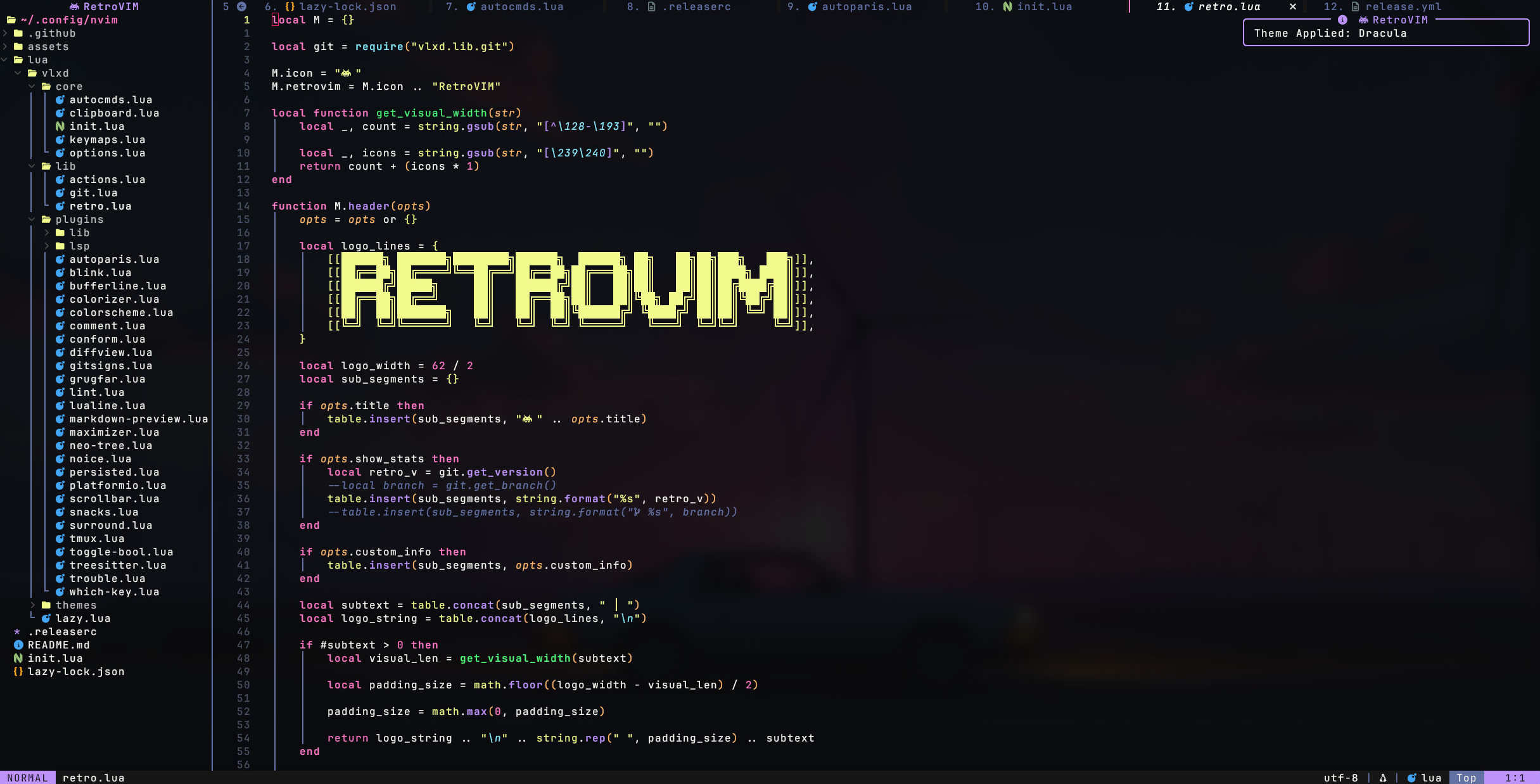
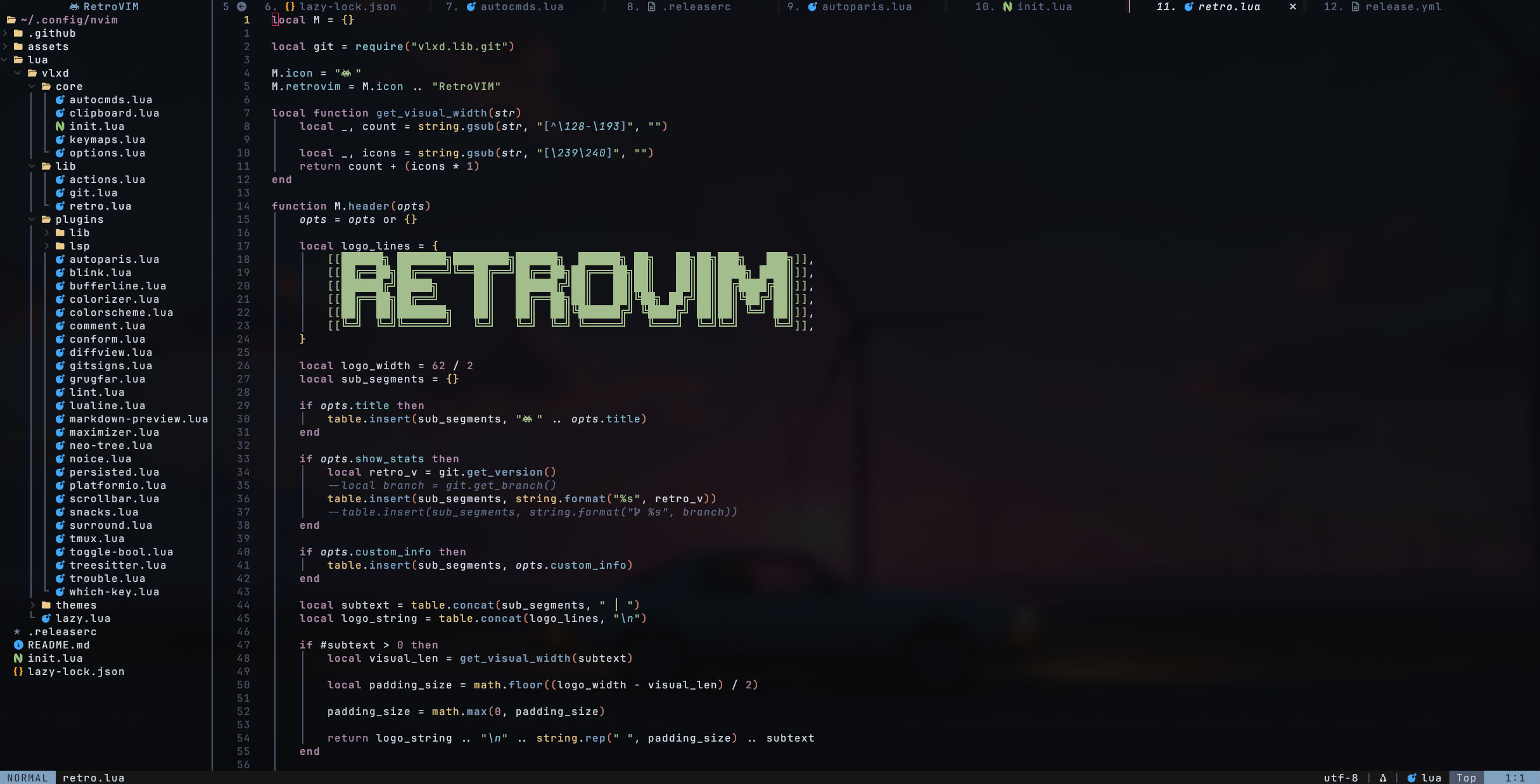
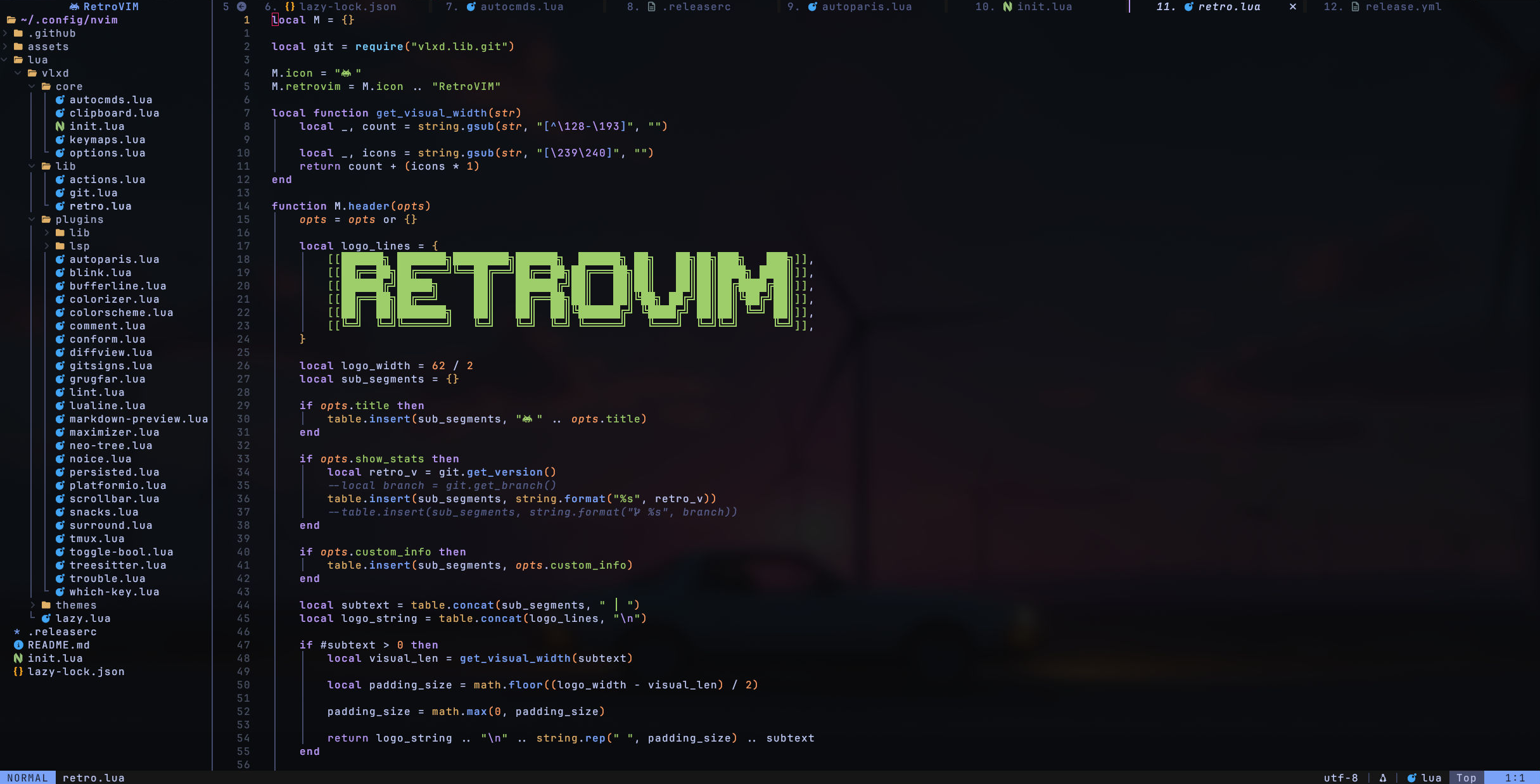
Themes live in lua/vlxd/themes/ as Lua tables — 17 and counting. Drop custom themes in ~/.config/retrovim/themes/ and they appear in the picker automatically.
| Package | Version | Why |
|---|---|---|
neovim |
>= 0.11 | Core editor (vim.lsp.config, vim.lsp.enable APIs) |
nodejs + npm |
>= 18 | markdown-preview.nvim build, Mason tools (biome, prettierd, eslint_d, jsonlint) |
git |
any | Version control, plugin management, gitsigns, diffview, lazygit, update checker |
gcc or clang |
any | Treesitter parser compilation (C compiler required) |
xclip or xsel |
any | System clipboard integration (vim.opt.clipboard = "unnamedplus") |
| Nerd Font | v3+ | Icons throughout (bufferline, neo-tree, lualine, snacks, completion) |
| Package | Version | Why |
|---|---|---|
go |
>= 1.21 | Mason tools: gopls, gofumpt, goimports, golangci-lint |
rustup + cargo |
any | Mason tool: codelldb (Rust/C/C++ debugger) |
clangd + clang-format |
any | C/C++ LSP and formatting |
| Package | Version | Why |
|---|---|---|
lazygit |
>= 0.40 | Snacks lazygit integration (<leader>lg) |
python3 + pip |
any | Mason tool: pylint (Python linter) |
sudo pacman -S neovim nodejs npm git gcc xclip lazygit gosudo apt install neovim nodejs npm git gcc xclip golang-go
# lazygit: https://github.com/jesseduffield/lazygit#installationbrew install neovim node git gcc xclip go lazygit# Backup existing config
mv ~/.config/nvim ~/.config/nvim.bak
# Clone RetroVim
git clone https://github.com/itsvlxd/retrovim ~/.config/nvim
# Start Neovim — plugins, LSP servers, formatters and linters auto-install
# Requires Neovim >= 0.11 (vim.lsp.config / vim.lsp.enable)
nvimOpen the settings panel from the dashboard or with:
:lua require("vlxd.lib.retro").control_panel()Settings are saved to ~/.local/state/nvim/retrovim/theme_config.json.
Drop .lua theme files in ~/.config/retrovim/themes/. They'll appear in the theme picker automatically.
Example theme file:
return {
    title = "My Theme",
    description = "A custom dark theme",
    syntax = {
        ["@function"] = { fg = "${blue}", bold = true },
        ["@keyword"] = { fg = "${purple}", bold = true },
        ["@string"] = { fg = "${green}" },
    },
    darkMode = {
        bg = "#1a1a2e",
        fg = "#e0e0e0",
        red = "#ff6b6b",
        orange = "#ffa502",
        yellow = "#ffd93d",
        green = "#6bcb77",
        cyan = "#4ecdc4",
        blue = "#4d96ff",
        dark_blue = "#16213e",
        purple = "#9b59b6",
        white = "#dcdcdc",
        black = "#0f0f0f",
        gray = "#2d2d2d",
        dark_gray = "#1a1a1a",
        highlight = "#ff6b9d",
        cursor_line = "#252540",
        comment = "#6a6a8a",
        none = "NONE",
    },
    lightMode = {
        bg = "#f5f5f5",
        fg = "#2d2d2d",
        -- ... light palette
    },
}The System theme syncs to your terminal's color palette. It reads from:
~/.config/retro/themes/kitty-colors.conf(if exists)vim.g.terminal_color_*variables- Hardcoded fallback colors
The sync interval is configurable (5s, 15s, 30s, 60s) from the settings panel.
Override the background color of any theme from the settings panel (key g). Preset colors from existing themes are available, or enter a custom hex value.
Leader key is
Space. All keymaps are in Normal mode unless noted.
| Key | Action |
|---|---|
jk |
Exit insert mode |
Space |
Leader key |
| Key | Mode | Action |
|---|---|---|
d |
Normal/Visual | Delete (no yank) |
D |
Normal/Visual | Delete line (no yank) |
c |
Normal | Change (no yank) |
x |
Normal/Visual | Delete char (no yank) |
p |
Visual | Paste over selection |
J |
Visual | Move selection down |
K |
Visual | Move selection up |
<leader>tb |
Normal | Toggle boolean (true/false) |
| Key | Action |
|---|---|
<S-h> / <S-l> |
Prev / Next buffer |
<leader>sv |
Split vertically |
<leader>sh |
Split horizontally |
<leader>se |
Equal split size |
<leader>sx |
Close split |
<leader>sm |
Maximize/minimize split |
<C-h/j/k/l> |
Navigate windows (+ Tmux panes) |
| Key | Action |
|---|---|
<leader><space> |
Smart find files (cwd-aware) |
<leader>ff |
Find files |
<leader>fg |
Find git files |
<leader>fb |
Buffers |
<leader>fr |
Recent files |
<leader>fp |
Projects |
<leader>fn |
Notification history |
<leader>fi |
Icons |
<leader>fj |
Jumps |
<leader>fk |
Keymaps |
<leader>fm |
Marks |
<leader>fM |
Man pages |
<leader>fu |
Undo history |
<leader>ft |
Todo comments |
<leader>fT |
Todo/Fix/Fixme |
| Key | Action |
|---|---|
s |
Flash jump |
S |
Flash treesitter |
r |
Remote flash (operator) |
R |
Treesitter search (operator) |
<C-s> |
Toggle flash search (command line) |
<leader>sg |
Grep (project-wide) |
<leader>sw |
Grep word under cursor (n, x) |
<leader>ss |
Grep |
<leader>sb |
Buffer lines |
<leader>sB |
Grep open buffers |
<leader>sd |
Diagnostics |
<leader>sD |
Buffer diagnostics |
<leader>sc |
Command history |
<leader>sC |
Commands |
<leader>sh |
Help pages |
<leader>sH |
Highlights |
<leader>sl |
Location list |
<leader>sq |
Quickfix list |
<leader>sR |
Resume last picker |
<leader>s" |
Registers |
<leader>s/ |
Search history |
<leader>sa |
Autocmds |
<leader>sp |
Grug-far (project-wide replace) |
| Key | Action |
|---|---|
<leader>gb |
Git blame line |
<leader>gl |
Git log |
<leader>gL |
Git log (line range) |
<leader>gf |
Git log (current file) |
<leader>gS |
Git stash |
<leader>gB |
Open file on GitHub |
<leader>gi |
GitHub issues (open) |
<leader>gI |
GitHub issues (all) |
<leader>gp |
GitHub PRs (open) |
<leader>gP |
GitHub PRs (all) |
<leader>lg |
Lazygit |
<leader>lf |
Lazygit (current file history) |
]h / [h |
Next / Prev git hunk |
<leader>hs |
Stage hunk |
<leader>hr |
Reset hunk |
<leader>dv |
Diffview open |
<leader>df |
Diffview file history |
<leader>dx |
Diffview close |
| Key | Action |
|---|---|
gd |
Definitions (picker) |
gr |
References (picker) |
gi |
Implementations (picker) |
gt |
Type definitions (picker) |
gD |
Declaration |
K |
Hover documentation |
<leader>rn |
Rename symbol |
<leader>ca |
Code action |
<leader>rs |
Restart LSP server |
<leader>d |
Line diagnostics (float) |
[d / ]d |
Prev / Next diagnostic |
<leader>dx |
Workspace diagnostics |
<leader>D |
Buffer diagnostics |
<leader>ch |
Switch source/header (C/C++) |
| Key | Action |
|---|---|
<leader>mp |
Format file (Conform) |
<leader>l |
Trigger linting |
| Key | Action |
|---|---|
<C-a> |
Increment selection |
<bs> |
Decrement selection |
]a / [a |
Next / Prev tag |
<leader>m |
Toggle split/join |
<leader>j |
Join block |
<leader>s |
Split block |
| Key | Action |
|---|---|
<leader>tx |
Diagnostics panel |
<leader>tX |
Buffer diagnostics panel |
<leader>ts |
Symbols panel |
<leader>tl |
LSP definitions/references |
<leader>tL |
Location list |
<leader>tQ |
Quickfix list |
| Key | Action |
|---|---|
<leader>nt |
Toggle terminal |
<leader>pt |
Terminal (current file directory) |
<leader>ee |
Neo-tree toggle |
<space>qs |
Settings panel |
<leader>cn |
Rename file |
<leader>nh |
Clear search highlights |
<leader>rb |
Reload buffer |
<leader>md |
Toggle markdown preview |
<leader>. |
Toggle scratch buffer |
<leader>S |
Select scratch buffer |
<leader>ih |
Image hover |
<leader>pp |
Profiler toggle |
<leader>ps |
Profiler scratch buffer |
:DisableHLchunk |
Disable indent/chunk highlighting |
:EnableHLchunk |
Enable indent/chunk highlighting |
| Key | Mode | Action |
|---|---|---|
<Tab> |
Insert | Accept / next item |
<S-Tab> |
Insert | Previous item |
<C-space> |
Insert | Toggle documentation |
<C-e> |
Insert | Hide completion |
<C-b> / <C-f> |
Insert | Scroll docs up / down |
🧭 Do I need to configure anything after installing?
No. RetroVim works out of the box — all plugins, language servers, formatters and linters install automatically on first launch via Mason. Just open Neovim and start editing.
🎨 How do I add my own theme?
Drop a `.lua` file in `~/.config/retrovim/themes/` following the example in Configuration. It will appear in the theme picker automatically with a "(Custom)" tag.
🔄 How does the System theme work?
The System theme reads your terminal's color palette from Kitty's config file (`~/.config/retro/themes/kitty-colors.conf`), falls back to `vim.g.terminal_color_*` variables, and uses hardcoded fallback colors if neither is available. It watches the file for changes and syncs automatically at a configurable interval.
💻 Can I use this with a terminal other than Kitty?
Yes. The System theme gracefully falls back to `vim.g.terminal_color_*` variables (set by most modern terminals) and hardcoded synthwave colors. The kitty file parser is only used when the file exists.
⬆️ How do I update RetroVim?
Open the dashboard and press `u` when an update is available, or run: ```bash cd ~/.config/nvim && git pull ``` Plugins will update automatically on next launch via Lazy.
RetroVim is open source (MIT) and community-driven. Contributions, bug reports and feature ideas are all welcome.
- 🐛 Found a bug? — open an issue
- 🔧 Want to contribute? — fork, create a branch, and open a pull request
- 🎨 Built a theme? — share it or drop it in
~/.config/retrovim/themes/


© 2026 itsvlxd & Contributors • MIT License | Contributing • Issues • Pulls
Licensed under the MIT License. You are free to use, modify, and redistribute this software under the same permissive terms, provided completely without warranty of any kind.