English / Japanese(日本語)


Welcome to my dotfiles. This GitHub repository helps easily set up a fast and intuitive desktop and terminal environment. This setup installs Zsh with starship prompt, tmux, Neovim, and Golang and Rust-based command-line tools that starts and operates quickly. I would be delighted if even a single element leads to a new discovery for you. Grateful that you found this project and took a look!
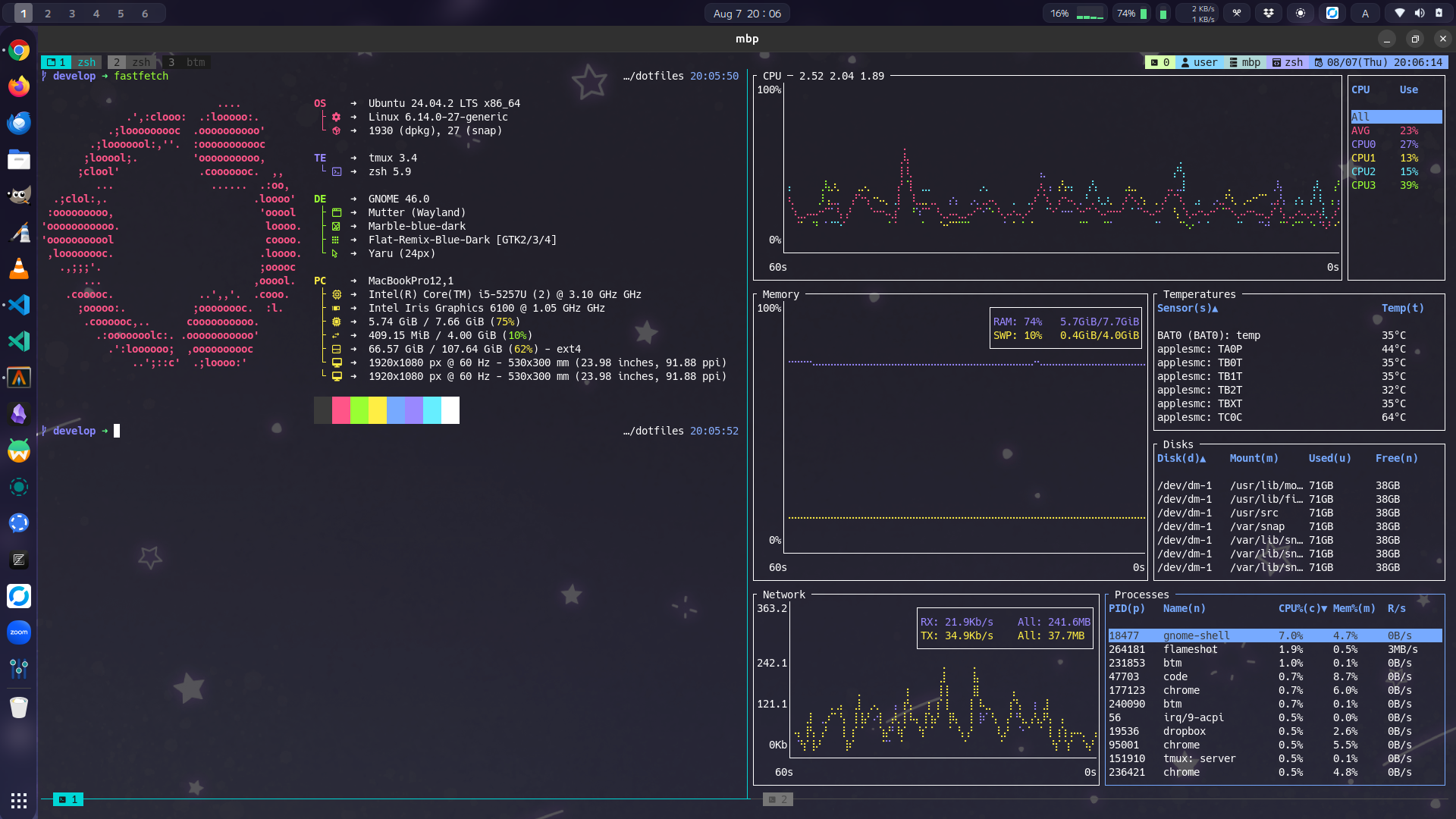
1. Download and Install dotfiles
Use the following curl, wget, or git command:
curl
curl -sL https://raw.githubusercontent.com/irichu/dotfiles/main/install.sh | bash
wget
wget -qO- https://raw.githubusercontent.com/irichu/dotfiles/main/install.sh | bash
git (>=2.35.0 recommended)
git clone --depth=1 https://github.com/irichu/dotfiles.git && cd dotfiles && ./install.sh
2. Automatic package installation
Important
On Ubuntu Desktop, automatic setup is possible --ubuntu-desktop.
On Ubuntu, fast installation is possible with --apt or --snap.
On Linux (Ubuntu/Fedora/Arch Linux) or macOS, automatic setup is available using --brew.
On Termux, setup can be done using --pkg.
Note
On Linux or macOS, sudo access is required for installation.
This is needed to install Homebrew itself with --brew and to install packages using --apt, --snap.
Install all components using your preferred package manager:
dots install [--apt|--brew|--snap|--pkg]
Examples:
- To install on Ubuntu Desktop (New):
dots install --ubuntu-desktop- To use brew on Linux or macOS:
dots install --brew- To use pkg on Termux:
dots install --pkgNote
If dots command not found,
please run the following command to add the path to ~/.local/bin
or use ~/.local/bin/dots command directly during the installation process
echo 'export PATH="$HOME/.local/bin:$PATH"' >> ~/.bashrc
source ~/.bashrc
3. Start
Relogin or execute the following command:
exec -l $(which zsh)Note
In a login shell, such as an SSH session, Tmux will start automatically.
If a Tmux server is already running, you can select a session to connect to.
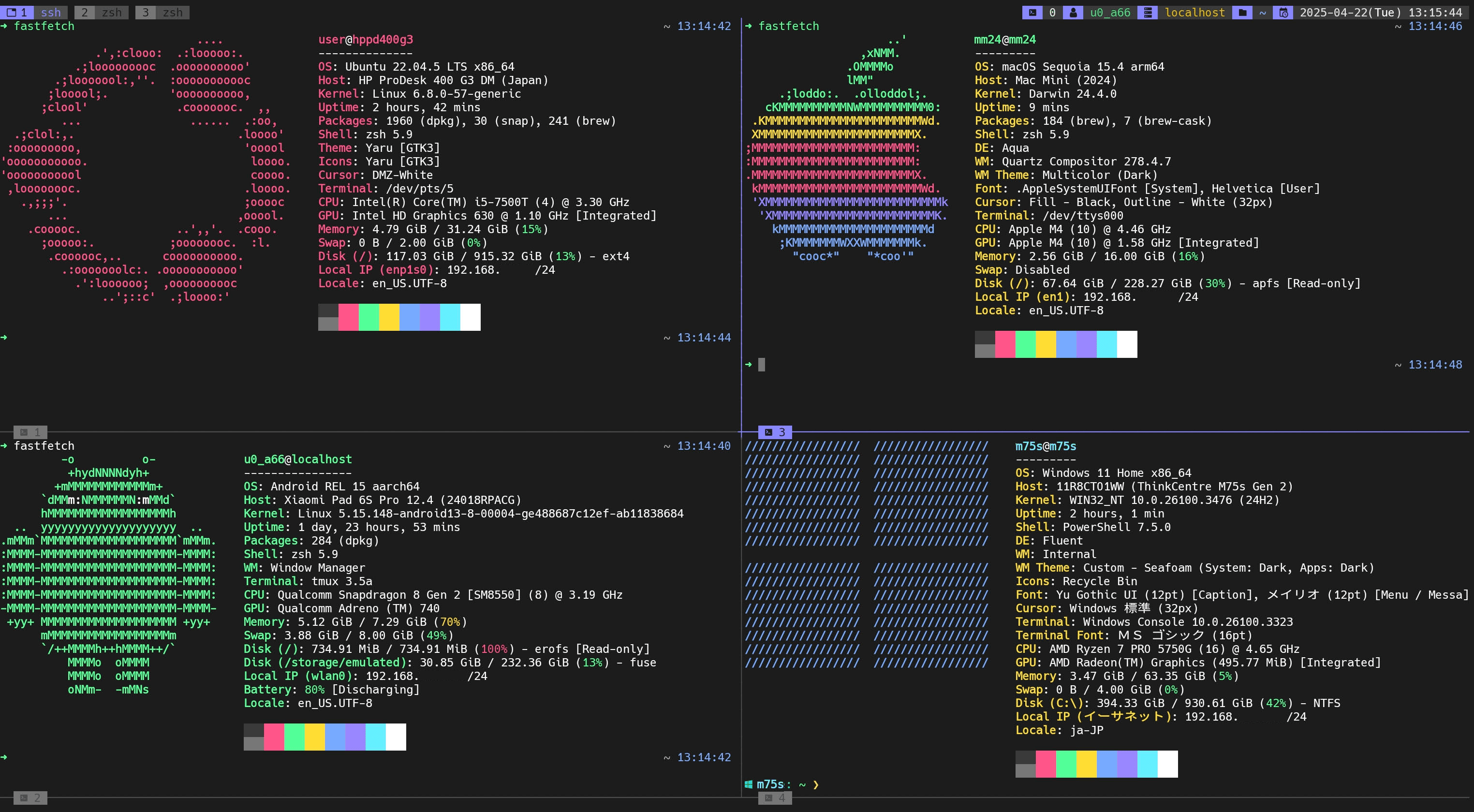
- Linux 🐧
- Ubuntu 22.04 and newer (recommended)
- Arch Linux
- Fedora
- Mac 🍎
- macOS
- Android 📱
- The latest version of Termux
Warning
The Google Play Store version of Termux may not work properly with some commands.
It is recommended to install it from F-Droid.
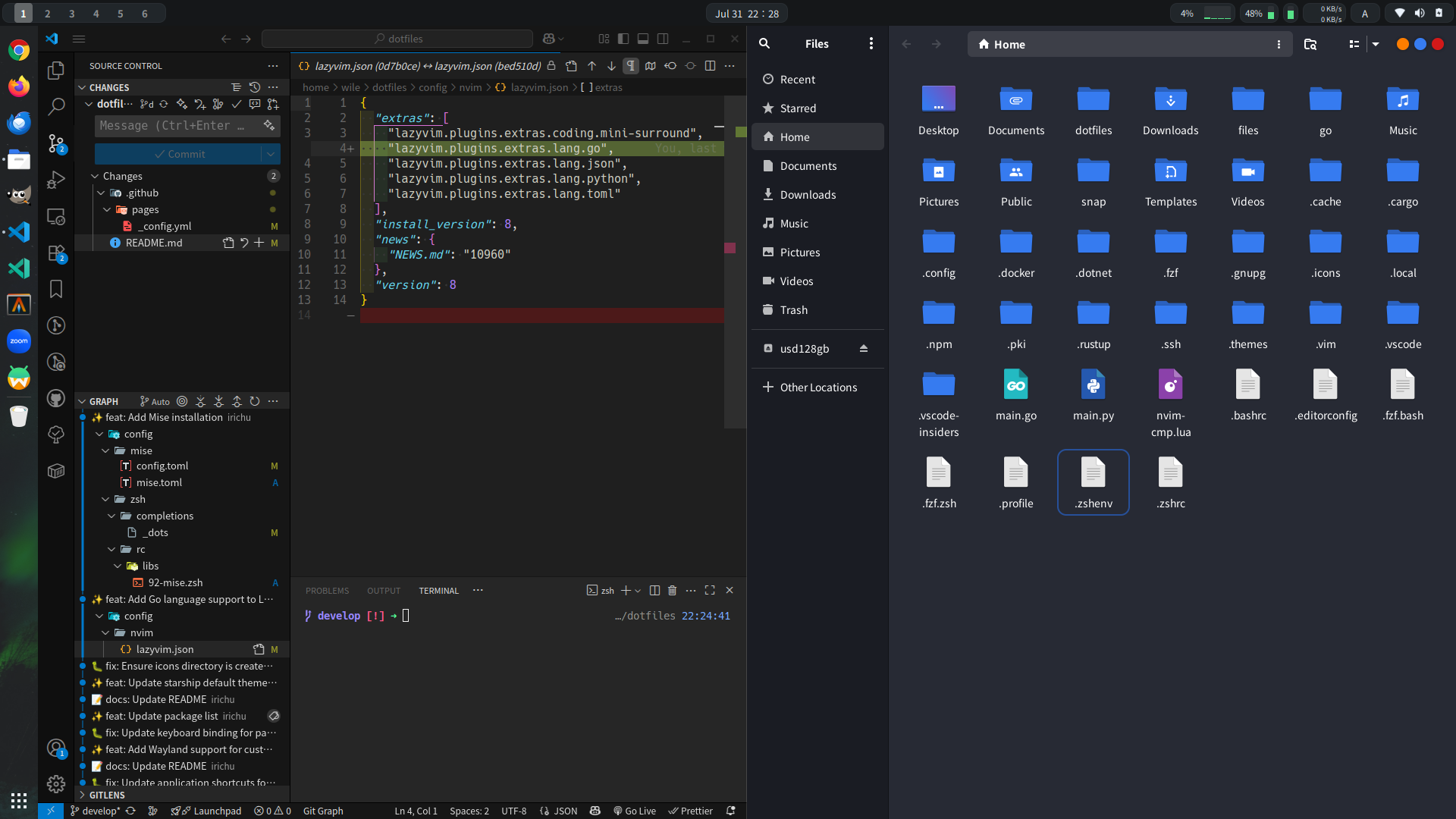
- Desktop
- Themes
- Icons: Flat-Remix-Blue-Dark
- Shell: Marble-blue-dark
- GTK: Flat-Remix-GTK-Blue-Dark-Solid
- Gnome Extensions
- Blur my Shell
- Just Perfection
- Space Bar
- Tactile
- etc.
- Themes
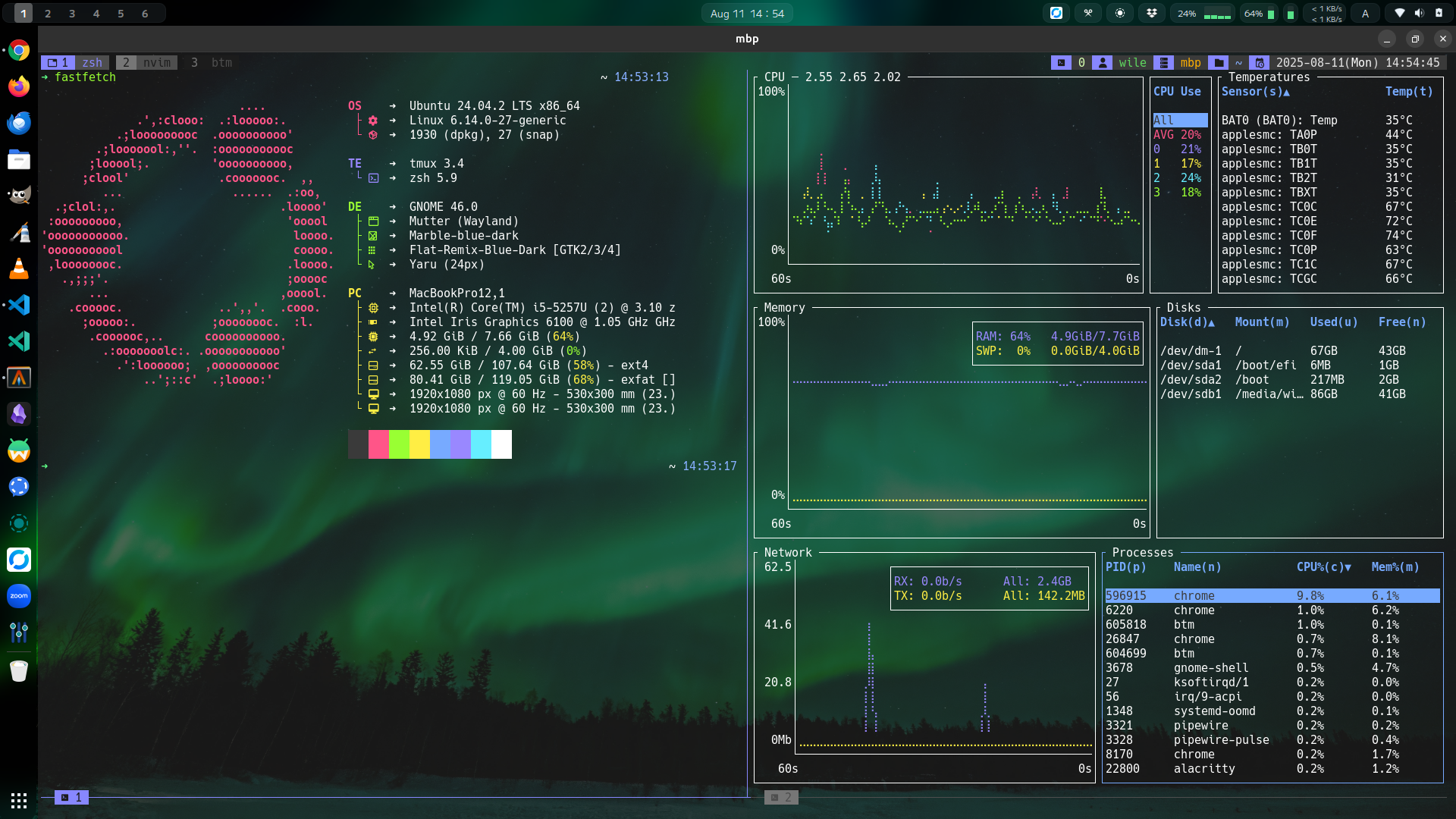
- Terminal
- Shell: Zsh with the starship prompt
- Editor: Neovim configured via LazyVim
- Terminal Multiplexers: tmux for session management, zellij for workspace management
- TUI File Managers: broot for efficient navigation, yazi for rapid file access
- Terminal Emulator: Alacritty for performance, Termux for Android environments
You can build and enter a container with the following commands.
cd ~/.local/share/dotfiles-maindocker compose command:
docker compose up -d --build
docker compose exec dotfiles zsh
docker command
docker build -t dotfiles-img .
docker run -it -d --name dotfiles-con dotfiles-img
docker exec -it dotfiles-con /bin/zsh
In container, install apt packages
dots install --aptor install Homebrew with following command.
dots install --brewGet/Set the current tmux theme
# get theme
dots tmux-theme
# set theme
dots set-tmux-theme

# example
dots set-tmux-theme 4               # Set by number
dots set-tmux-theme developer-mono  # Set by name
Available themes:
Developer (purple base)
- developer

- developer-textcolored

- developer-colorful

- developer-mono

Turquoise
- dark-turquoise

- dark-turquoise-textcolored

- dark-turquoise-colorful

- dark-turquoise-mono

Orange
- dark-orange

- dark-orange-textcolored

- dark-orange-colorful

- dark-orange-mono

Skyblue
- dark-skyblue

- dark-skyblue-textcolored

- dark-skyblue-colorful

- dark-skyblue-mono

Get/Set the starship theme
# get current starship theme
dots starship
# set starship theme
dots set-starship simple   # oneline
dots set-starship default  # multiline
Get/Set the terminal window opacity
# get current opacity
dots opacity
# set opacity
dots set-opacity
Show install target package list
dots list [--apt|--brew|--snap|--pkg]
Install individual package
dots install {package_name}
Backup a dotfiles directory
# Copy $XDG_CONFIG_HOME to $XDG_DATA_HOME/dotfiles-main/backup dir
dots backup
Clean up directories
# remove dotfiles cache
dots clean

# remove cache + dotfiles backup directories
dots clean backup

# remove cache + config directories
dots clean config

# remove cache + backup + config
dots clean all
Print dotfiles version
dots --version
Show help and available commands
dots --help
| Help image |
|---|
 |
>_ CLI/TUI Apps
| Package Name | Description |
|---|---|
| docker | docker-ce (additional repository) |
| fnm | latest FNM (Fast Node Manager) and Node.js |
| fzf | fzf (fuzzy finder) from github |
| lazydocker | LazyDocker |
| lazygit | LazyGit |
| lazyvim | LazyVim |
| neovim | Neovim and LazyVim |
| starship | starship.rs |
🖥️ GUI Apps
| Package Name | Description |
|---|---|
| chrome | Google Chrome on Ubuntu Desktop |
| code | Visual Studio Code on Ubuntu Desktop |
| copyq | CopyQ on X11 |
| localsend | LocalSend on Ubuntu Desktop |
| obsidian | Obsidian on Ubuntu Desktop |
| rustdesk | RustDesk on Linux Desktop |
| signal | Signal Desktop on Ubuntu Desktop |
| waydroid | Waydroid on Ubuntu Desktop |
| zed | Zed editor on Linux Desktop |
🪴 Others
| Package Name | Description |
|---|---|
| hackgen | HackGen font (Nerd Fonts) |
| mplus2 | M PLUS 2 font (Google Fonts) |
| mozc | Mozc - a Japanese input method editor(IME) |
🍺 Brew cask
| Package Name | Description |
|---|---|
| alacritty | A fast, GPU-accelerated terminal emulator. |
| clipy | Clipboard manager for macOS with history support. |
| docker | Platform for developing, shipping, and running containers. |
| flameshot | Powerful and easy-to-use screenshot tool. |
| ghostty | Minimal, GPU-based terminal emulator for macOS. |
| rectangle | Window management app using keyboard shortcuts. |
| visual-studio-code | Lightweight yet powerful source code editor. |
🍺 Brew packages
| Package Name | Description |
|---|---|
| bat | cat replacement |
| bottom | TUI system resource monitor |
| broot | Interactive directory navigation tool |
| cloc | Count lines of code in a project |
| duf | df replacement with better visualization |
| dust | du replacement with intuitive output |
| eza | ls replacement with modern features |
| fastfetch | Fast system information fetcher |
| fd | find replacement with simpler syntax |
| fnm | Fast Node Manager for managing Node.js versions |
| fzf | Fuzzy finder for the command line |
| gh | GitHub CLI tool for interacting with GitHub |
| git-delta | Syntax-highlighting pager for git and diff output |
| gping | Graphical ping tool with live visualization |
| gum | A tool for enhancing shell scripts with interactive UI |
| jq | Command-line JSON processor |
| just | Handy command runner similar to Make |
| lazygit | Simple TUI for Git repositories |
| ripgrep | grep replacement with blazing fast search |
| ruff | Fast Python linter and formatter |
| sd | Simplified and faster replacement for sed |
| starship | Minimal and customizable shell prompt |
| tldr | Simple help for command-line tools |
| tmux | Terminal multiplexer for managing multiple panes |
| tokei | Code statistics tool for counting lines and files |
| typst | Modern markup-based typesetting system |
| uv | Python version manager with seamless virtual environments |
| yazi | TUI file manager inspired by ranger |
| zellij | Rust-based terminal multiplexer with workspace support |
| zoxide | cd replacement with smart directory jumping |
| zsh | Powerful and customizable shell |
| zsh-autosuggestions | Fish-like command suggestions for zsh |
| zsh-completions | Additional completions for zsh commands |
| zsh-syntax-highlighting | Syntax highlighting for zsh command line |


| LazyVim tokyonight.nvim style=night |
|---|
 |
| Tmux split window |
|---|
 |
| Tmux synchronize-panes mode |
|---|
 |
| eza tree (eza -l -T) |
|---|
 |
| lazygit |
|---|
 |
| yazi |
|---|
 |
Quickly start a new tmux session.
t # tmux newReconnect to the most recent tmux session.
ta # tmux attachList all tmux sessions that are currently running.
tls # tmux lsKill the entire tmux server and all running sessions.
tks # tmux kill-serverShow tmux pane id
tid # tmux display -pt "${TMUX_PANE:?}" "#{pane_index}"Reload .tmux.conf
.t # source ~/.config/tmux/.tmux.confSearch and open files by fd and fzf.
v # fd --type f --hidden --exclude .git | fzf-tmux -p | xargs -o nvimBased on Emacs mode with bindkey -e, with some additional key bindings added.
| Key | Action |
|---|---|
| Ctrl+(↑/↓) | Undo / Redo |
| Ctrl+(←/→) | Backward-word / Forward-word |
Note
The tmux prefix key is configured to Ctrl + \ for easier access.
| Key | Description |
|---|---|
| I | Install tmux plugins with tpm |
| U | Update tmux plugins with tpm |
| Ctrl+s | Save tmux env |
| Ctrl+r | Restore tmux env |
| d | Detach the tmux session |
| e | Switch pane-synchronize mode |
Tip
In nested Tmux sessions, pressing the prefix key (Ctrl-\) multiple times
will send it to the innermost session.
The number of times you need to press it equals the depth of nesting.
For example, if you are running Tmux inside another Tmux session (nested once),
pressing Ctrl-\ twice will send the prefix key to the inner session.
If you are three levels deep, you need to press Ctrl-\ three times.
Additionally, pressing Ctrl-\ sends the key input to the shell within the session.
The tmux plugins installed by default are as follows:
| Key | Description | Prefix key + |
|---|---|---|
| Alt+(↑/↓) | Create/delete the window | c/& |
| Alt+(←/→) | Switch to the previous/next window | p/n |
| Alt+[1-9] | Switch to the 1-9 window | [1-9] |
| Alt+- | Split the window horizontally | - |
| Alt+\ | Split the window vertically | \ |
| Alt+[hjkl] | Switch to the left/down/up/right pane | ←/↓/↑/→ |
| Key | Description | Prefix key + |
|---|---|---|
| Alt+Shift+(↑/↓) | Create/delete a session | |
| Alt+Shift+(←/→) | Switch to the previous/next session | (/) |
Based on LazyVim keymaps, with some additional key bindings added.
| Mode | Key | Description |
|---|---|---|
| n,v | Ctrl+(↑/↓) | Move to (the end of the previous / the beginning of the next) paragraph |
| n,v,i | Ctrl+(←/→) | Backward word / Forward word |
| i | Ctrl+/ | Undo |
| i | Ctrl+r | Redo |
| i | jj | Esc |
Emacs-like shortcuts are configured in insert mode.
- Ctrl+[abdefnpuwy]
- Alt+[bdf]
Feedback and contributions are welcome! Feel free to open an issue or submit a pull request.
This project is licensed under the MIT License.