
QB-HelpMenu is a modern and highly customizable in-game help menu designed for QBCore FiveM servers. It provides players with easy access to essential information, commands, and guides through a clean and responsive NUI interface. With support for role-based content, keyboard shortcuts, bookmarks, and more, QB-HelpMenu enhances player onboarding and helps users quickly find the information they need.
Discord : https://discord.gg/9gswanHEX3
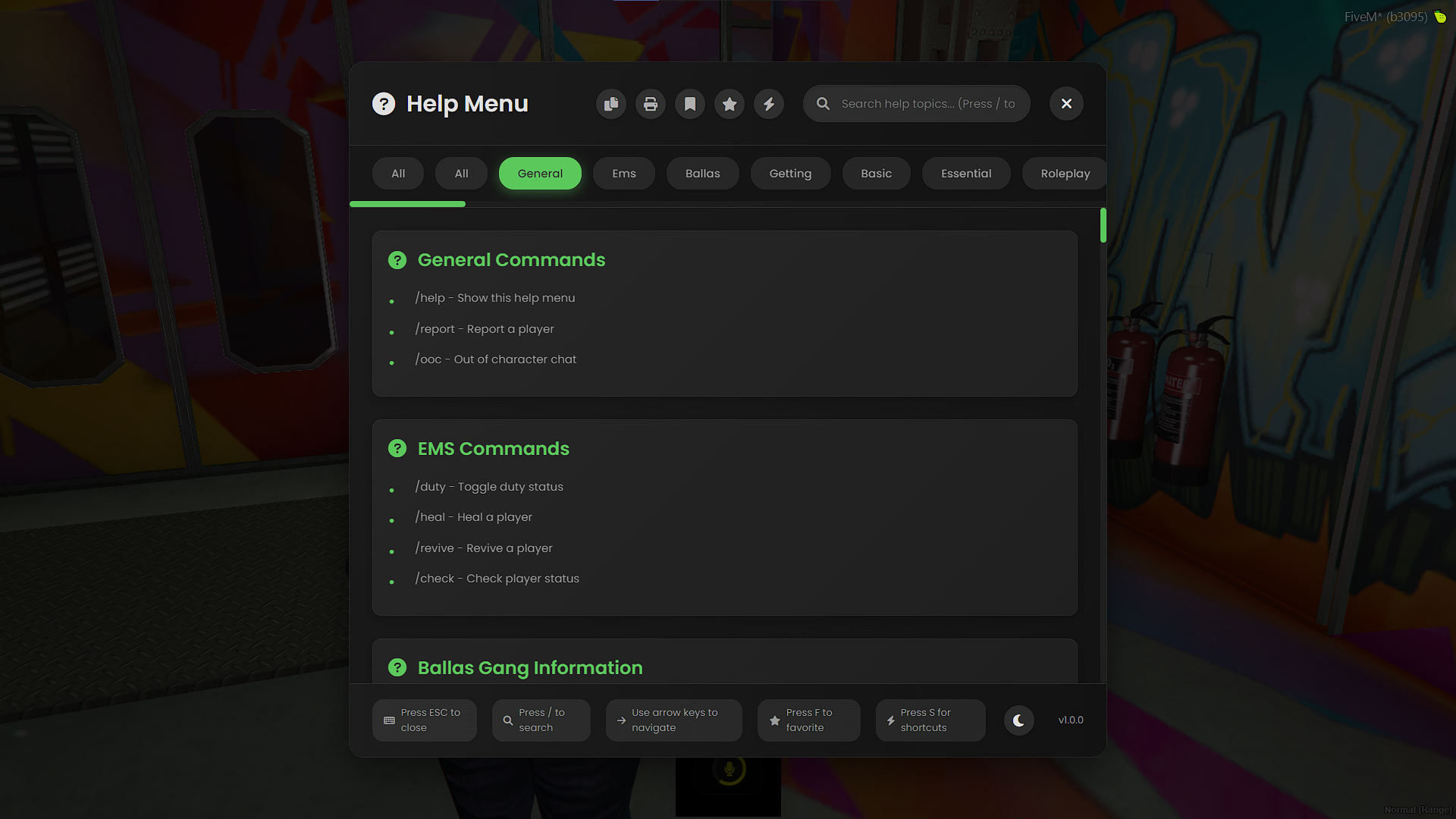
Dark
Light
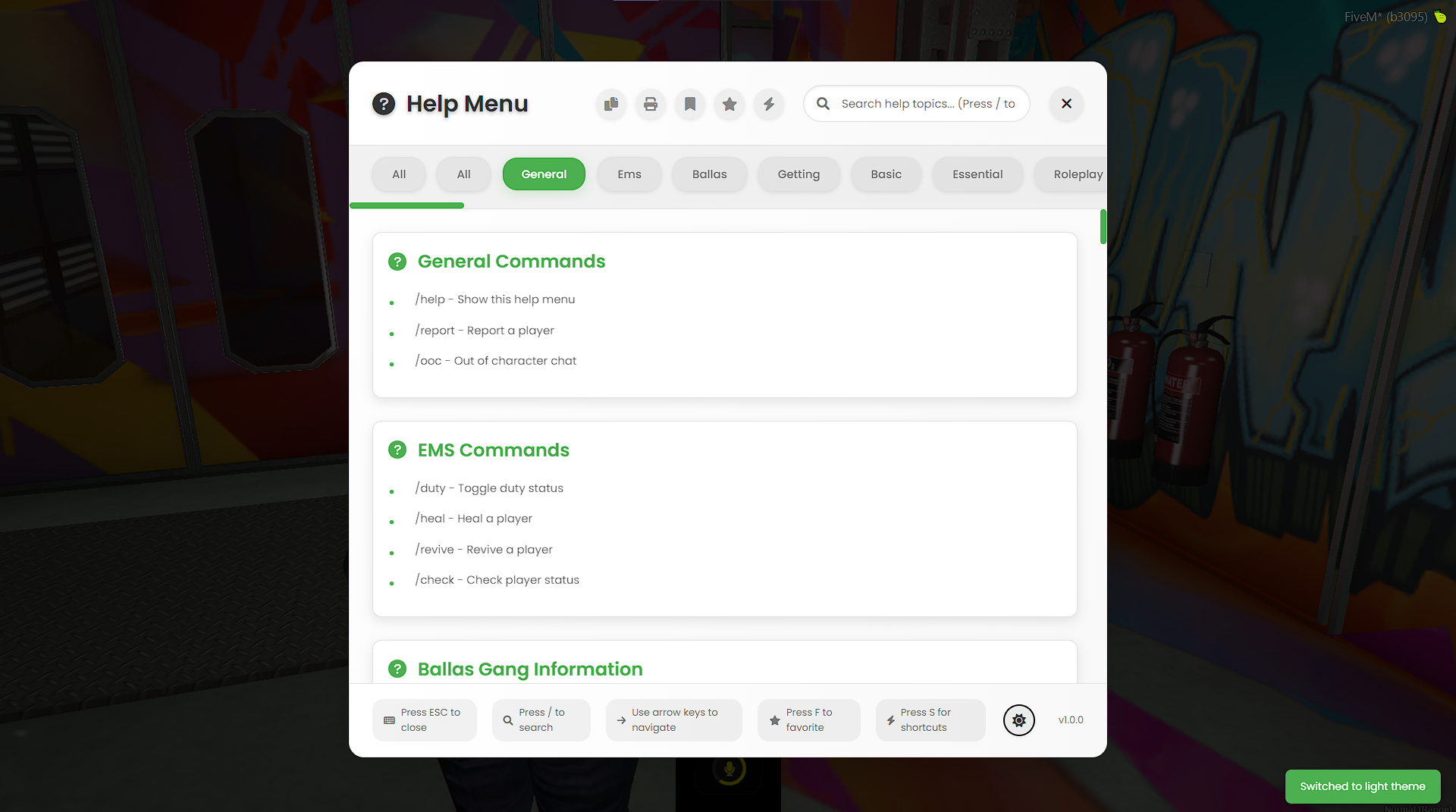
- Modern NUI Interface: A clean, visually appealing UI with support for dark and light themes.
- Configurable Help Content: Easily define and customize help sections, commands, and information via
config.lua. - Role-Based Content: Display specific help sections based on a player's job (including grade), gang, or if they are a new player.
- Command Shortcuts: Allows players to define custom aliases, combinations, and macros for quick command execution (Note: History is disabled by default in config).
- Search Functionality: Quickly find relevant information within the help menu using the built-in search bar.
- Quick Actions: Includes quick action buttons for copying content, printing (simulated), and bookmarking sections.
- Auto-Show Feature: Optionally display the help menu automatically for new players or those returning after a configurable number of days (requires database).
- Theme Toggle: Users can switch between dark and light themes directly in the NUI.
- Keyboard Shortcuts: Navigate and interact with the menu using configurable keybinds.
- Bookmark System: Players can bookmark their favorite or most used help sections for easy access.
- Database Integration: Stores player preferences like language and last join time (requires
oxmysql). - Multilingual Ready: Supports multiple languages through locale files.
- Download: Place the
qb-helpmenufolder into your server'sresources/[qb]directory. - Database: Ensure you have
oxmysqlinstalled and configured. The necessary table (helpmenu_preferences) will be created automatically on first start if it doesn't exist. - Locales: Translate the content in
locales/en.luaor create new locale files for additional languages. Add new locale files tofxmanifest.lua. - Configuration: Customize the resource by editing the
config.luafile to set up languages, commands, help content, themes, and more. - Start Resource: Add
ensure qb-helpmenuto yourserver.cfg. - Restart Server: Restart your FiveM server.
Below are some of the key configuration options you can adjust:
Config.DefaultLanguage: Sets the default language code.Config.AvailableLanguages: A table defining available languages, their codes, names, and optional flags.Config.LanguageSelection: Settings for the language selector (enabled, position, showFlags, rememberSelection, autoDetect).Config.Command: The command to open the help menu (default: 'help').Config.AutoShowHelp: Enable or disable automatic showing of the menu.Config.DaysThreshold: Days of inactivity before the menu shows again for returning players.Config.UseQBCoreNotifications: Use QBCore or native notifications.Config.DefaultTheme: Sets the default theme ('dark' or 'light').Config.AllowThemeToggle: Allow users to toggle themes.Config.EnableSearch: Enable or disable the search bar.Config.SearchMinLength: Minimum characters for search.Config.SearchDelay: Delay before search triggers.Config.EnableShortcuts: Enable or disable the shortcuts panel.Config.Shortcuts: Configure keybindings for menu actions (toggle, search, close).Config.EnableBookmarks: Enable or disable the bookmark feature.Config.MaxBookmarks: Maximum number of bookmarks.Config.EnableHistory: Enable or disable command history (currently set to false).Config.MaxHistoryItems: Maximum history items.Config.EnableQuickActions: Enable or disable quick action buttons.Config.QuickActions: Specify which quick actions are enabled (copy, print, bookmark).Config.UISettings: Fine-tune UI appearance (width, maxHeight, animationDuration, borderRadius, padding).Config.HelpText: Define all your help content sections here, categorized by type (general, job, gang, newPlayer) with titles, content, and optional job/gang/minGrade requirements.Config.Tips: A table of strings for random tips.
To add a new language:
- Duplicate an existing locale file (e.g.,
locales/en.lua). - Rename it to the new language code (e.g.,
locales/de.lua). - Translate all strings within the
Translationstable. - Add the new file to the
fileslist infxmanifest.lua. - Add the new language to the
Config.AvailableLanguagestable inconfig.lua. - Restart your server.
Feel free to contribute ideas, bug fixes, or improvements! Pull requests are welcome.