



Hide Me is a VS Code extension for hiding selected files and folders from the Explorer without deleting them from disk. It is published on the VS Code Marketplace as maxs-lab-of-things.hide-me; the Marketplace version is 1.5.1, matching this repository.
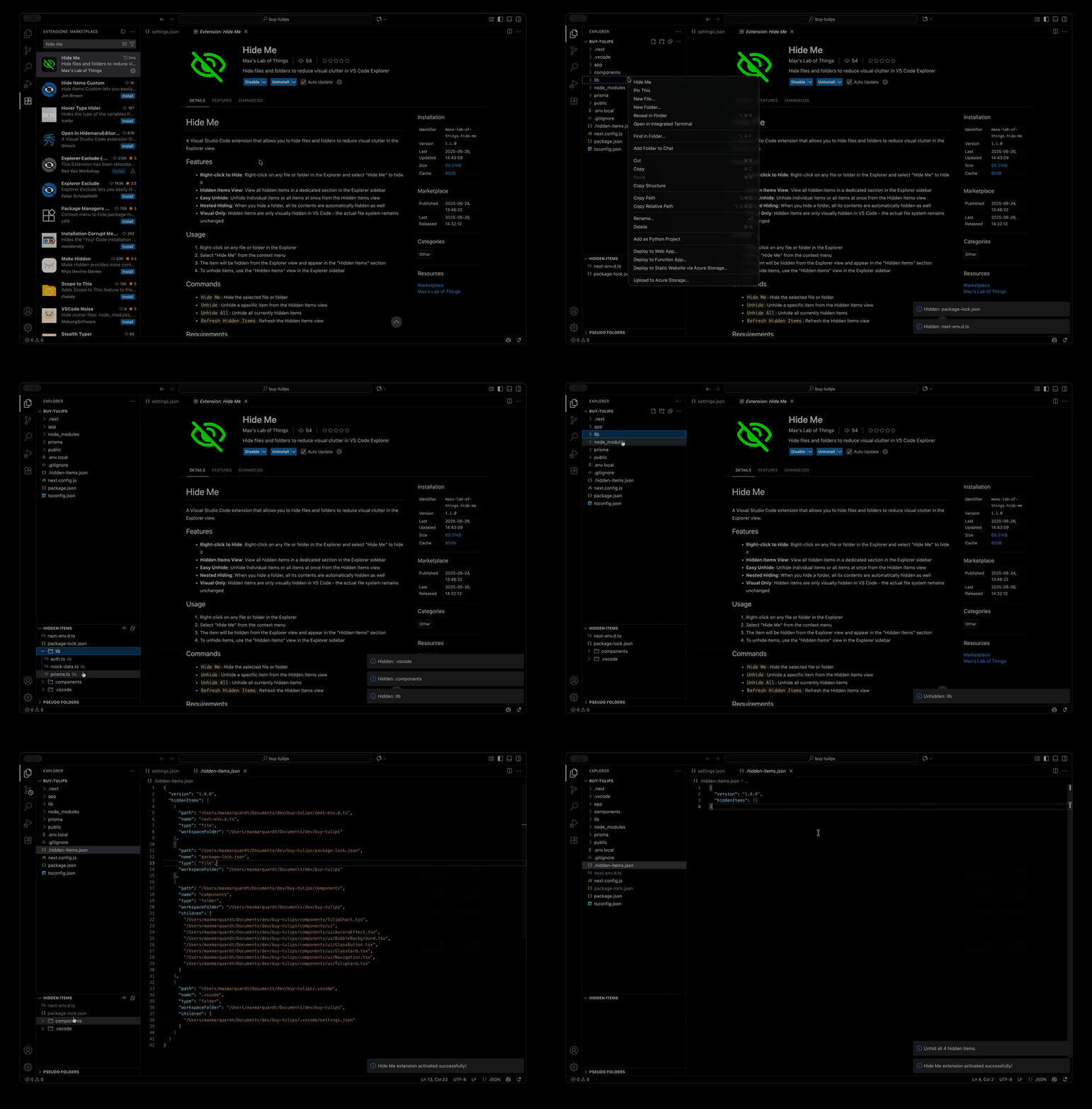
Objective: reduce Explorer clutter by recording hidden items per workspace and updating VS Code's files.exclude setting for those paths.
Inputs: VS Code 1.74.0 or newer and an open workspace folder. The extension stores hidden-item metadata in .hidden-items.json at each workspace root and updates workspace-level files.exclude entries.
Files:
src/extension.ts: activation, tree view setup and command handlerssrc/fileHider.ts: workspacefiles.excludeupdatessrc/hiddenItemsProvider.ts: Hidden Items tree data provider and unhide behaviorsrc/storage.ts:.hidden-items.jsonloading, saving and cache managementsrc/types.ts: hidden item data typessrc/fileDecorationProvider.ts: unused file decoration provider code retained in the repositorypackage.json: extension manifest, Marketplace metadata, commands, menus, view contribution and scriptsvalidate-extension.js: local validation helperCHANGELOG.md: release notestsconfig.json: TypeScript compiler settings
Try it: install with ext install maxs-lab-of-things.hide-me, right-click a file or folder in the Explorer and choose Hide Me.
Right-click a file or folder in the Explorer and choose Hide Me. The extension records the item, refreshes the Explorer and adds an exclusion for the path.
The Hidden Items view appears in the Explorer. It lists hidden paths, including nested items under hidden folders. Top-level hidden items can be unhidden individually; nested items are shown for context and must be unhidden by unhiding their hidden parent folder.
Use Unhide All from the Hidden Items view title to clear all hidden items and remove the extension's exclusions from each workspace folder.
| Contribution | Identifier | What it does |
|---|---|---|
| Command | hideMe.hideItem |
hides the selected Explorer item |
| Command | hideMe.unhideItem |
unhides a top-level item from the Hidden Items view |
| Command | hideMe.openFile |
opens a hidden file from the Hidden Items view |
| Command | hideMe.revealInOS |
reveals a hidden item with VS Code's revealFileInOS command |
| Command | hideMe.copyPath |
copies the hidden item's absolute path |
| Command | hideMe.copyRelativePath |
copies the path relative to the workspace folder when possible |
| Command | hideMe.unhideAll |
removes every hidden item |
| Explorer view | hiddenItems |
lists hidden items in the Explorer sidebar |
The Explorer context menu shows Hide Me when a workspace is open. The Hidden Items view contributes item-context actions for open, reveal, copy path, copy relative path and unhide, plus Unhide All in the view title.
Hidden items are visual only. The extension does not delete or move files; it writes metadata to .hidden-items.json and updates VS Code's files.exclude setting for the workspace. Hiding a folder also hides its contents through the resulting Explorer exclusion.
The repository includes the scripts npm run compile, npm run watch, npm run lint, npm run test and npm run vscode:prepublish. The extension entry point is configured as ./out/extension.js.
MIT. See LICENSE.