This repository was archived by the owner on May 28, 2024. It is now read-only.
Getting Started
you should use a better webhook_id than 'webhooktester'
alias: WebhookTester
description: ""
trigger:
  - platform: webhook
    webhook_id: webhooktester
condition: []
action:
  - service: "{{ trigger.json.service }}"
    data: {}
    target:
      entity_id: "{{ trigger.json.entity_id }}"
mode: singlereplace 'homeassistant_url' and 'entity_id_of_a_light' with correct values from your setup
curl -X POST http://<<homeassistant_url>>:8123/api/webhook/webhooktester -H 'Content-Type: application/json' -d '{"service":"light.toggle","entity_id":"<<entity_id_of_a_light>>"}'version: '3.4'
services:
SmartHomeCallBacker:
container_name: SmartHomeCallBacker
image: markgreenway/smarthomecallbacker:latest
restart: always
ports:
- 8083:80
environment:
CustomString : "EnvironmentVariablesSetCorrectly"
MaxFailures : 15,
CleanupAggressiveness : "None"
ServiceFrequency: 5
DataBaseType: FileSystem
volumes:
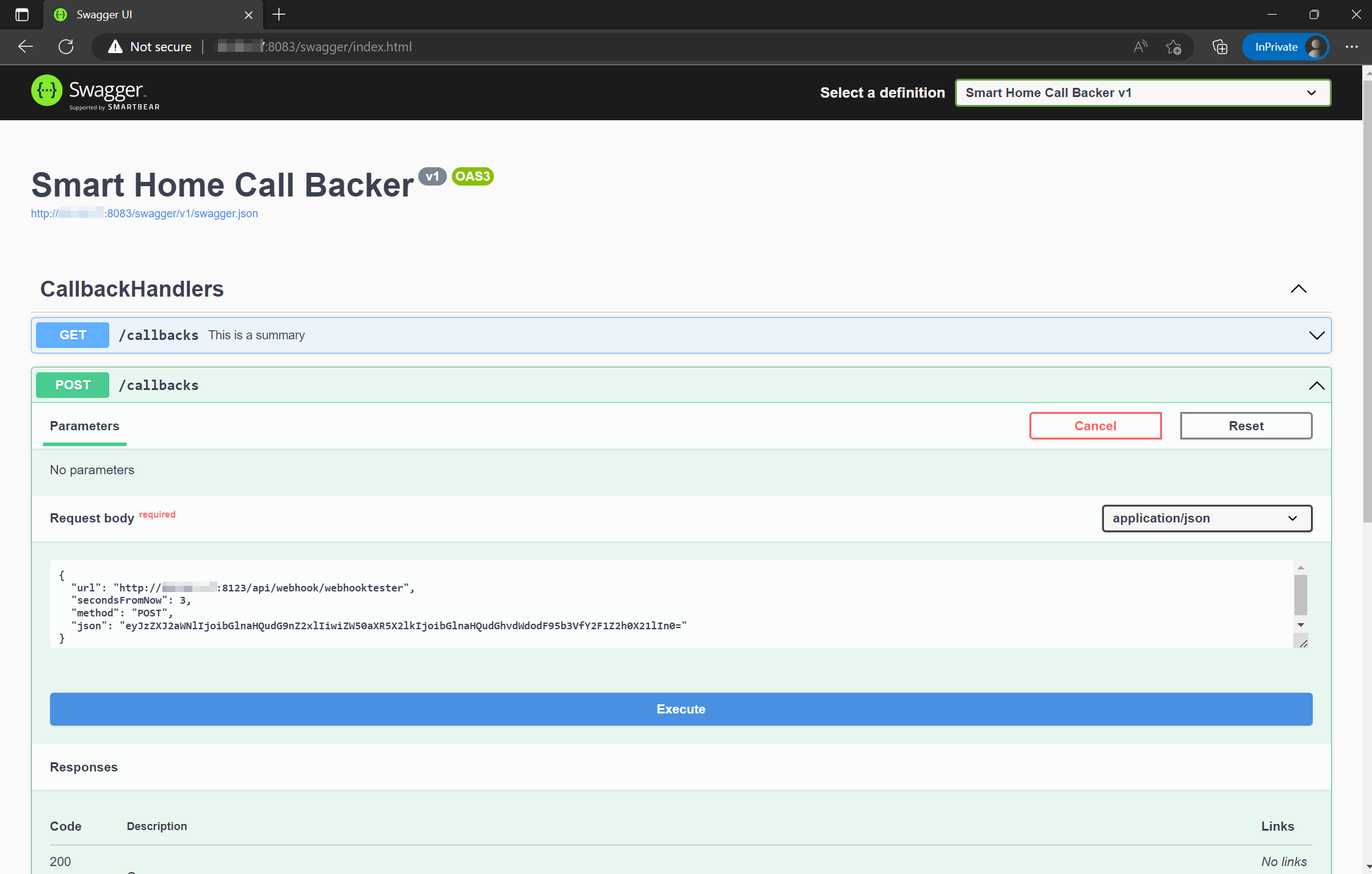
- /AppData/SmartHomeCallBacker:/DataUsing settings from above it is http://<<docker_server_ip>>:8083/swagger/index.html
Post to the callbacks url.
In order to pass form or Json Data you need need to base64 encode it You can use a tool such as DevToys if you dont have one.
You can get more info : https://www.home-assistant.io/integrations/sensor.rest/
- platform: rest
  resource: http://<<docker_server_ip>>:8083/callbacks/homeassistant
  name: Callbacks
  value_template: "{{ value_json.count }}"
  json_attributes:
    - incompleteCallbacks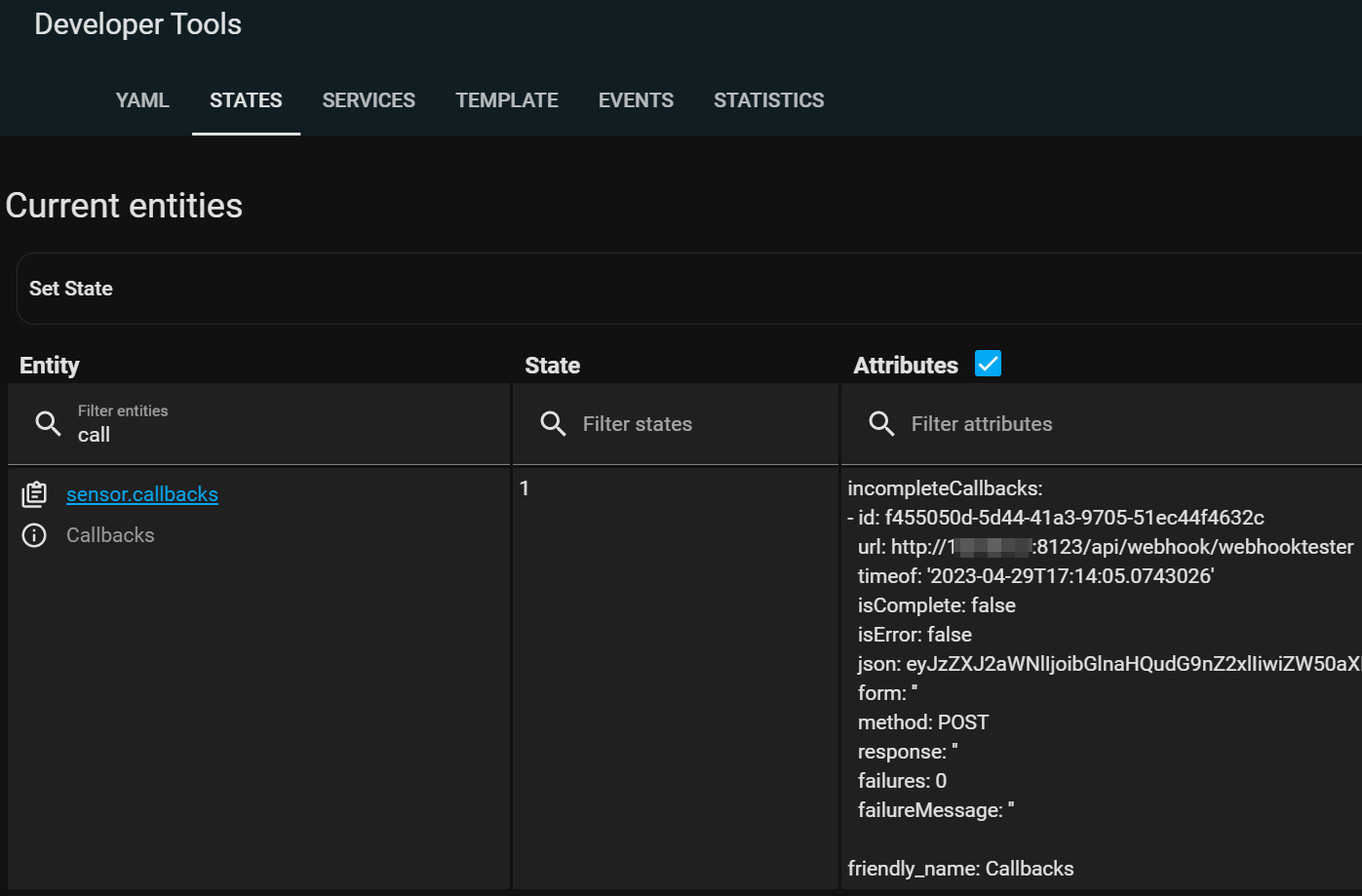
_Rest command info https://www.home-assistant.io/integrations/rest_command/
rest_command:
smart_home_call_backer:
    url: http://<<docker_server_ip>>:8083/callbacks
    method: POST
    content_type:  'application/json'
payload: '{"url":"http://<<homeassistant_url>>:8123/api/webhook/webhooktester","secondsFromNow":{{secondsFromNow}},"method":"POST","json":"{{json | base64_encode }}","cleanupOthers":"false"}'service: rest_command.smart_home_call_backer
data:
secondsFromNow: 5
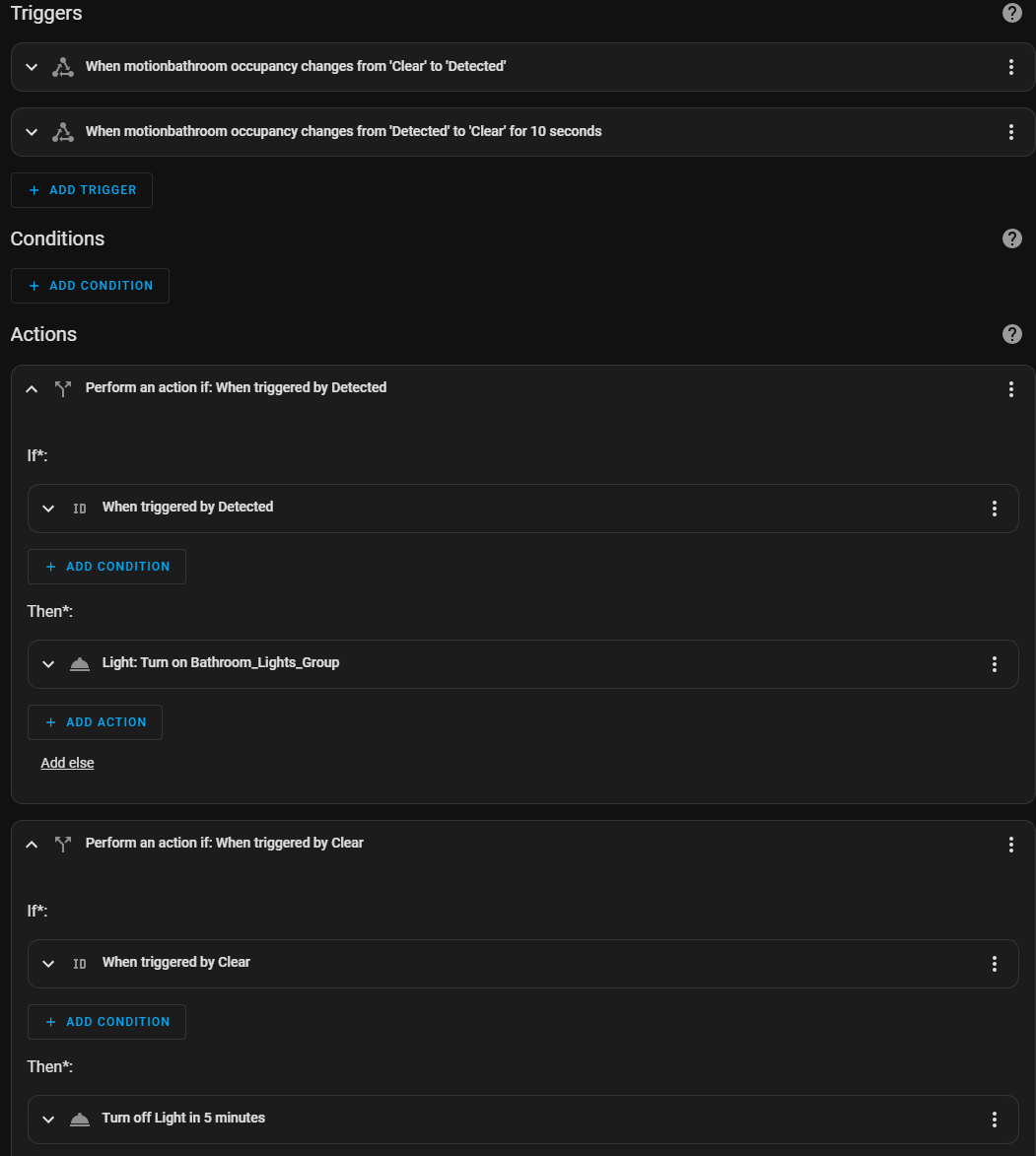
json: '{"service":"light.toggle","entity_id":"<<entity_id_of_a_light>>"}'alias: Bathroom
description: ""
trigger:
- platform: state
entity_id:
- binary_sensor.motionbathroom_occupancy
to: "on"
id: Detected
from: "off"
- platform: state
entity_id:
- binary_sensor.motionbathroom_occupancy
from: "on"
to: "off"
for:
hours: 0
minutes: 0
seconds: 10
id: Clear
condition: []
action:
- if:
- condition: trigger
id: Detected
then:
- service: light.turn_on
data: {}
target:
entity_id: light.bathroom_lights_group
- if:
- condition: trigger
id: Clear
then:
- service: rest_command.smart_home_call_backer
data:
secondsFromNow: 300
json: >-
{"service":"light.turn_off","entity_id":"light.bathroom_lights_group"}
alias: Turn off Light in 5 minutes
mode: single