The AI assistant that actually does the work — right in your browser.

Open WasmHatch — free, no install, no account.
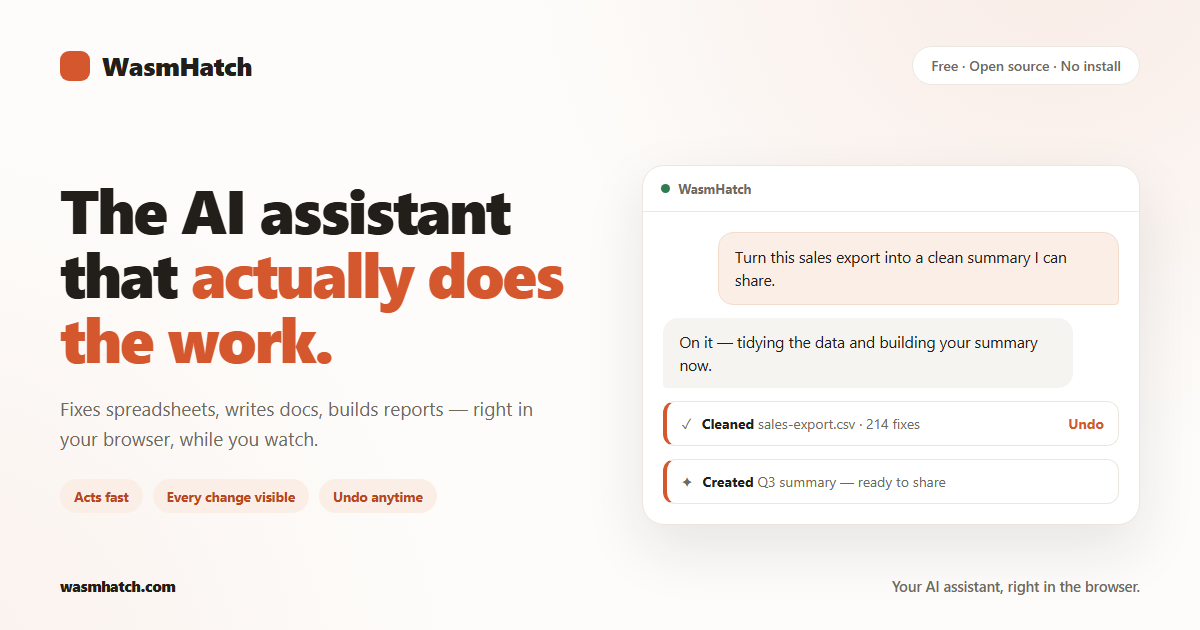
Ask in plain words. WasmHatch fixes messy spreadsheets, writes documents, creates Google Docs / Sheets / Slides, and builds polished reports — while you watch it happen. It acts fast by default: every change appears in the conversation with exactly what changed, and undo is one click. Prefer to approve things first? Switch on Careful mode.
- Clean, transform, and analyze CSV / Excel files you drop in.
- Write and edit files in a private workspace that lives in your browser.
- Create Google Docs, Sheets, and Slides, and keep editing the ones it made (connect Google in a couple of clicks).
- Build one-file HTML reports and dashboards that render beside the chat and download instantly.
- Run with your own AI key (Claude or OpenAI), or with Chrome's built-in on-device model — free, no key at all.
- Keep your work safe without an account: pin browser storage so it isn't cleared, and download everything as a ZIP backup in one click.
Honesty beats surprises. WasmHatch currently does not:
- browse or search your existing Google Drive (it only touches files it created or that you hand it — broader access unlocks after Google's verification of our app completes);
- manage your Calendar (same verification gate);
- browse the open web;
- run long jobs in the background — it works while the tab is open;
- work with admin-managed Google Workspace accounts that block new apps.
The hosted app is the product: wasmhatch.com.
Run it yourself (it's just a static page):
npm install
npm run dev
Requirements: Node.js 20+. npm test runs the unit suite, npm run build
produces the deployable dist/.
Want your own hosted copy — fork, enable Pages, done? See the fork guide, including bring-your-own Google client ID.
For the technically curious — this is where WasmHatch is unusual:
- No server. The entire product is a static page. Your files live in browser storage on your device; nothing is uploaded to us, because there is no "us" to upload to.
- Your keys stay yours. Your API key is sent only to the provider you chose. By default it lives just for the open tab, and ticking "Remember on this device" saves it in your browser — and nowhere else. Google tokens are held in the memory of the open tab and never stored.
- Sandboxed execution. Generated data-transform code runs in QuickJS compiled to Wasm inside a Web Worker, with no network, DOM, or credential access.
- Visible, revertible effects. Every write is recorded with its exact diff; workspace changes revert in one click; an optional Careful mode asks before each write.
Deeper reading: product plan · roadmap · agent loop design · landscape · privacy policy.
WasmHatch is Apache-2.0 and built in the open. Start with
CONTRIBUTING.md, or open a ready-to-code
Codespace.
npm test and npm run build must pass; keep user-facing language free of
internal jargon.
Apache-2.0. WasmHatch is an independent open-source project, not affiliated with Anthropic, OpenAI, or Google.