
Eruda Console for Mobile Browsers.
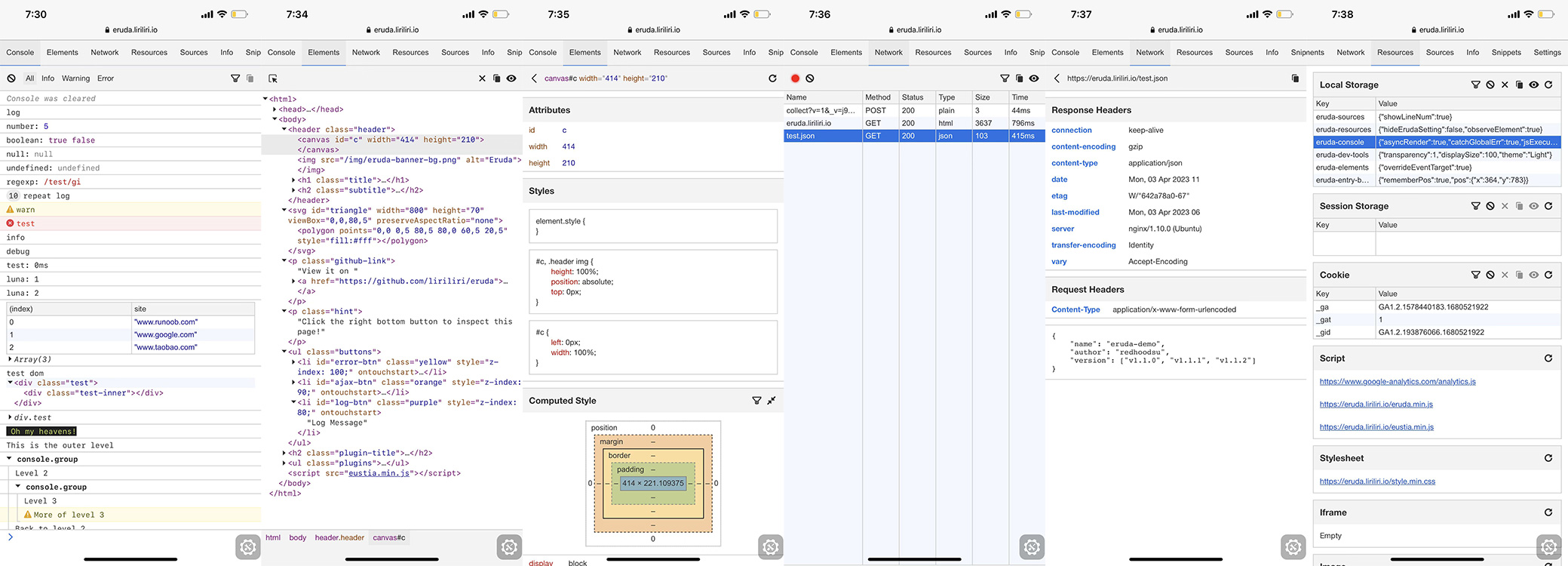
Browse it on your phone: https://eruda.liriliri.io/
Usage Instructions for Via Browser
- Open Via Browser.
- Navigate to
Settings>Scripts. - Enable
Enable scripts. - Click
+>New Script. - Paste the code provided below and save.
Usage Instructions for Soul Browser
- Open Soul Browser.
- Navigate to
Settings>Web content. - Enable
Use UserScript>UserScript list. - Click
+>Direct input. - Paste the code provided below and save.
Tip
Upon visiting any website, a semi-transparent gear icon will appear in the bottom corner; tap it to access the Console, Elements, Network, and Resource tabs.
// ==UserScript==
// @name         Eruda
// @namespace    https://eruda.liriliri.io/
// @version      1.0
// @description  Console for mobile browsers
// @author       Haitham Aouati
// @run-at       document-end
// @match        *://*/*
// @grant        none
// ==/UserScript==

(function() {
    'use strict';

    /**
     * Injects the Eruda library and initializes the console.
     */
    function initEruda() {
        const script = document.createElement('script');
        script.src = 'https://cdn.jsdelivr.net/npm/eruda';
        script.onload = function () {
            eruda.init();
        };
        document.head.appendChild(script);
    }

    // Execution check to avoid multiple instances
    if (window.top === window.self) {
        initEruda();
    }
})();
Import script from URL:
https://raw.githubusercontent.com/haithamaouati/Eruda/refs/heads/main/Eruda.js