

Pin sticky notes to the exact spot on any page of your WordPress site, mention a teammate, and mark the note resolved when the fix is done.
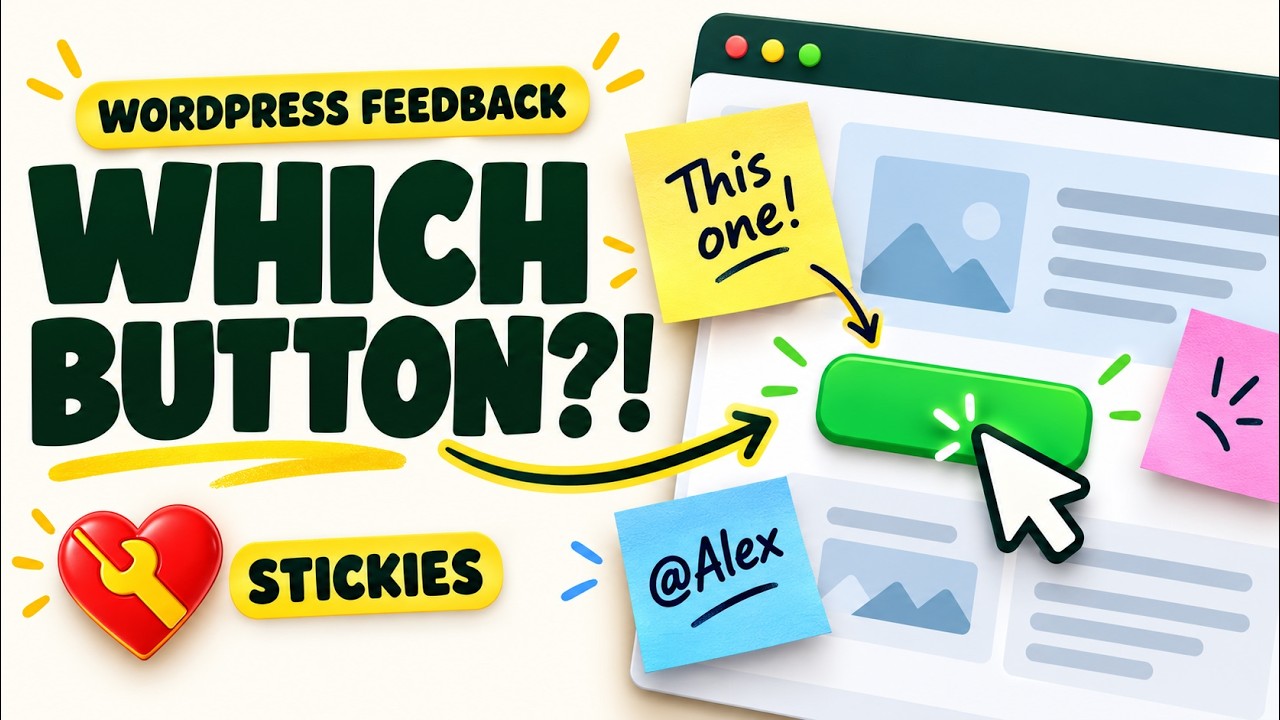
"The button on the contact page is the wrong color." "Client wants this paragraph shorter." "The plugin conflict shows up right here." Stickies lets your team say it right where it happens. Notes are only for logged-in people with Stickies access; visitors never see them.
▶ Watch Stickies in action

Free. Install it from Plugins > Add New in WordPress, and later updates arrive on the Plugins screen.
Stickies on WordPress.org · Visit the Stickies page
- A small toolbar on the left edge of every page (and a Stickies item in the admin bar) adds a note, hides or shows notes, and opens the list of notes on the page.
- Notes are paper-yellow by default, with blue, green, pink and gray as options. Pick a color from the button at the top right. Drag by the top edge or by the pin, resize from the corner, and pick a color: these save the moment you let go. Save text with the check button or Ctrl+S / Cmd+S. A Hack Repair heart pin shows a saved note.
- Type
@to mention a teammate. They get an email linking straight to the note. - Choose Team, Mentioned only, or Just me visibility. Mentioned only includes the author, mentioned people and note managers. Just me is author-only on the page; managers can also see it in the dashboard list if that setting is enabled. The ? beside the menu explains these rules.
- Mark a note resolved with the round check button. It leaves the page, with an Undo message, and stays in the notes panel (tick Show resolved) and the Stickies list, where it can be reopened.
- The first time Stickies is installed, a welcome note appears on your home page. It is marked Just me, so only you see it, and you can resolve or delete it like any other note.
- Stickies in the dashboard menu lists every note on the site with filters, search, and bulk resolve, reopen and delete.
- Stickies > Settings sets which roles can see, add or manage notes, whether people who manage everyone's notes can see Just me notes in the Stickies list, whether notes show on the site and on dashboard screens, where the controls appear, the screen width below which notes are listed in the panel instead of drawn on the page, mention emails, autosave and uninstall cleanup.
Notes live in one table in your site's database. They are fetched after the page loads through the WordPress REST API, so page caches never contain them. Nothing loads for visitors. Mention emails leave the site, update checks contact GitHub, and mention suggestions may load avatars from Gravatar or your configured avatar provider. The plugin is not a public comment system and has no anonymous notes.
- In WordPress, open Plugins > Add New and search for The Hack Repair Guy's Stickies, or get it from the WordPress.org plugin page.
- Click Install Now.
- Activate it, open any page of your site while logged in, and click the note button on the left edge.
Updates arrive through the normal WordPress Plugins screen from WordPress.org.
Mentioning your own logged-in account does not send you an email. This is intentional, including on Team notes with mention emails enabled. Use a different administrator or editor to test.
The label means there is no saved send result. It also covers older mentions from before 2.0.1 and skipped notifications: emails disabled, invalid recipient/email, recipient unable to see the note, or the 10-minute cooldown.
No. Only newly added mentions trigger notification attempts. Re-saving the same mention, resolving, or reopening a note does not resend it.
Enable mention emails, create a new Team note, select another administrator or editor from the @ dropdown, and save. Refresh the notes list for the send result and check Mailpit if used locally. If the new email arrives but no result is recorded, investigate the database upgrade and status write.
Role-editing tools or migrations can remove WordPress’s stored Stickies capabilities while the saved Editor settings remain checked. Starting with 2.0.4, Stickies reconciles its role capabilities with the saved permission matrix on each request, writing only when they differ. Individual user restrictions are preserved. Stickies settings are the source of truth: if a role editor grants or removes Stickies access for a role directly, the next page load changes it back to match Stickies > Settings. Change Stickies access in Stickies > Settings, not in a role editor. If you type a name in the @ list and the person is missing because their role cannot see notes yet, administrators see a short note saying so (with the account email and role) and a link to Stickies > Settings. Other users see no such note.
Administrators who can list users see email addresses next to names and can search by email. Other Stickies users see account IDs. Only eligible users appear, and selecting a mention stores the account ID, so matching names remain separate people.
Jim Walker, The Hack Repair Guy, author and maintainer.
Support forum on WordPress.org · GitHub Discussions · Report a bug · Security reporting · Buy Jim a coffee
Inspired by the 2014 WP Sticky Notes plugin by Soso Kruashvili (GPLv2). Stickies is a new plugin written from scratch; no code, images or text from it are used.
Update checks use Plugin Update Checker by Jānis Elsts (MIT license), included unmodified.
Made by The Hack Repair Guy.
- Make the Mark resolved button on each note always visible, with a clearer tooltip.
- Remove the pin icon beside Stickies in the admin bar.
- Prepare database identifiers explicitly and keep administrator mention hints bounded.
-
Recheck note visibility before returning a save response. If another edit makes the note private, its contents are withheld from anyone who lost access.
-
Clarify all three visibility choices and note-manager access in the help tooltip.
- The Plugins list link now reads View all instead of Notes.
- The Other THRG Plugins tab in View Details now lists every other THRG plugin and ends with the donation note.
- The Stickies list now pages and counts only the notes you can open. Before, "Mentioned only" notes you were not part of could leave short pages and inflate the total.
- The most notes allowed on one page now follows the
thrg_stk_page_limitfilter everywhere. Before, the page itself stopped loading at 200 even when the limit was raised.
- Fixed saved notes showing every line break as an extra blank line. The welcome note is also taller so its full message fits.
- Removed leftover code from the retired collapsed-pin design for resolved notes (an unused element, tooltip, click handler and styles, plus an unused page class). Nothing visible changes.
- Deleting Stickies with Delete all plugin data ticked now also removes the update checker's saved state and its rate-limit note.
- A welcome note now greets you on the home page the first time Stickies is installed. It is marked Just me, so only the administrator who activated Stickies sees it, and you can resolve or delete it like any other note.
- The welcome message on the dashboard links straight to that note while it is still open.
- Reinstalling with your notes kept, or activating from WP-CLI, does not add a welcome note.
- Administrators now get a short note in the @ mention list when someone matches the name but cannot be mentioned because their role cannot see notes yet, with a link to Stickies > Settings. Other users see no change and no account details.
- Fixed a rare case where pressing Enter after a search found no one could pick the person from the previous search.
- Removed unused code and two unused text strings ("Saving…" and "Only the author can change this note."). Translators can drop them.
- Moving, resizing or recoloring a saved note now saves as soon as you let go. Before, the change was lost if you left the page without clicking the check button.
- A move or color change made just before you leave the page is still saved.
- Text still waits for the check button (or Ctrl+S / Cmd+S) unless autosave is on, so half-typed notes are never saved by accident.
- The autosave setting now covers text only.
- Mention emails show the author and page name in bold again, and the footer uses one translatable string.
- A save that loses a race to another edit now returns the latest note with a Reload button; a real database error says so plainly.
- Bulk resolve and reopen use the revision they already loaded.
- Bulk and row actions in the Stickies list keep your search, filter, sort and page.
- The Stickies toolbar no longer loads inside the View details window.
- Documentation corrections.
- Repair missing role capabilities from the saved Stickies permissions, restoring editor controls and mention eligibility.
- Distinguish matching names in mention suggestions; administrators can identify and search eligible accounts by email.
- Keep email addresses out of suggestions for users who cannot list accounts.
- Declare WordPress 7.1.3 compatibility consistently in the readme and native View details.
- Add the walkthrough thumbnail to the View details banner and a clickable local video preview.
- Explain self-mentions, No recorded send, and notification troubleshooting in the FAQ.
- Add the Stickies walkthrough video link.
- Include the Support tab in View details.
- Remove the repeated delivery disclaimer from the notes list.
- Record mention email acceptance and failures per recipient in the notes list.
- Show attempt timestamps and distinguish mailer acceptance from inbox delivery.
- Preserve edits typed while saving.
- Add atomic revision checks to prevent concurrent overwrites.
- Translate mention emails and clarify avatar privacy.
- Resolved notes leave the page; open them from the notes panel or the Stickies list.
- The push-pin is now a Hack Repair heart and can be dragged to move the note.
- A soft sheen confirms a color change.
- Friendlier messages for empty and unsaved notes.
- Added a Stickies item to the left dashboard menu, with the note list and Settings under it.
- Notes show on the site and on dashboard screens by default.
- Added a help tooltip next to the note visibility menu.
- Moved the color button to the top right of each note and made it larger.
- The resolve button now explains itself, lines up with the color button and shows an Undo message.
- Fixed spacing of the empty notes panel message.
- First release.