
Generic node graph editor. Generate a Patch from your own data model. Update
your data model when the Patch changes.
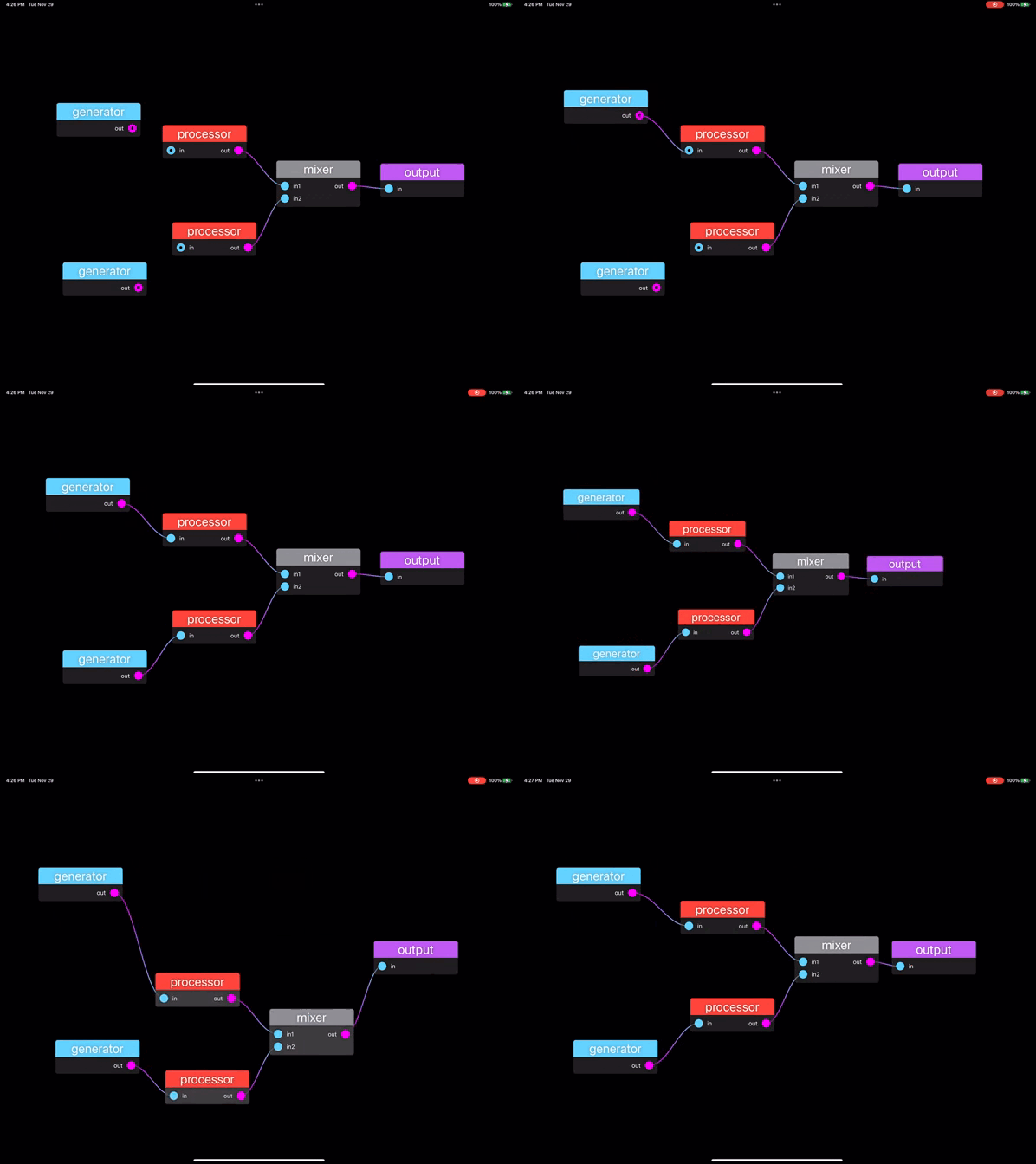
func simplePatch() -> Patch {
    let generator = Node(name: "generator", outputs: ["out"])
    let processor = Node(name: "processor", inputs: ["in"], outputs: ["out"])
    let mixer = Node(name: "mixer", inputs: ["in1", "in2"], outputs: ["out"])
    let output = Node(name: "output", inputs: ["in"])

    let nodes = [generator, processor, generator, processor, mixer, output]

    let wires = Set([Wire(from: OutputID(0, 0), to: InputID(1, 0)),
                     Wire(from: OutputID(1, 0), to: InputID(4, 0)),
                     Wire(from: OutputID(2, 0), to: InputID(3, 0)),
                     Wire(from: OutputID(3, 0), to: InputID(4, 1)),
                     Wire(from: OutputID(4, 0), to: InputID(5, 0))])

    var patch = Patch(nodes: nodes, wires: wires)
    patch.recursiveLayout(nodeIndex: 5, at: CGPoint(x: 800, y: 50))
    return patch
}

struct ContentView: View {
    @State var patch = simplePatch()
    @State var selection = Set<NodeIndex>()
    @State var wireSelection = Set<Wire>()

    var body: some View {
        NodeEditor(patch: $patch, selection: $selection, wireSelection: $wireSelection)
            .focusable()  // Required on macOS for delete to work
            .onDeleteCommand {
                patch.deleteSelected(nodes: &selection,
                                     wires: &wireSelection,
                                     wireRemoved: { print("Removed wire: \($0)") },
                                     nodesDeleted: { print("Deleted nodes: \($0)") })
            }
            .onNodeMoved { index, location in
                print("Node at index \(index) moved to \(location)")
            }
            .onWireAdded { wire in
                print("Added wire: \(wire)")
            }
            .onWireRemoved { wire in
                print("Removed wire: \(wire)")
            }
    }
}- Node Selection: Click to select a single node, or drag to select multiple nodes with a selection rectangle
- Wire Selection: Click on a wire to select it
- Multi-Selection: On macOS, Command+click to toggle individual nodes or wires in/out of the selection
- Deletion: Press the Delete key to remove selected nodes and wires
- Deleting a node automatically removes all connected wires
- Visual feedback shows selected items with highlighting
- Important: On macOS, add
.focusable()to NodeEditor for delete to work (see example below)
- Drag Nodes: Click and drag nodes to reposition them
- Create Wires: Drag from an output port to an input port to create a connection
- Reconnect Wires: Drag from an input port to disconnect and reconnect to a different output
- Pan & Zoom: Use standard gestures to navigate the graph workspace
A Makefile is provided for building the FlowDemo application. Build output is placed in the local build directory.
make build    # Build the demo app (Debug configuration, universal binary)
make run      # Build and run the FlowDemo app
make clean    # Clean build artifacts
make help # Show available targetsThis fork tracks AudioKit/Flow and adds the following.
Correctness
- Node and port indices from hit tests, wires and caller data are bounds-checked before use, so a wire or selection left pointing at a deleted node no longer traps.
- Zoom is clamped to a single explicit range, so coordinate conversion cannot divide by zero and leak infinities or NaNs into rects and hit tests.
connect()no longer driveswireRemovedfrom inside afilterpredicate when replacing the wires feeding an input.deleteSelectedreports the wires and nodes it removed, so a host tracking the graph through handlers no longer desynchronises the moment anything is deleted.stackedLayoutspaces nodes by their index within a column rather than by the column counter, so columns past the first no longer run together.
Performance
recursiveLayoutbuilds a node-to-wire adjacency map once instead of scanning the whole wire set at every level, which dominates layout on graphs of a hundred nodes and up.- Pan and zoom are observed as a single equatable transform, so a gesture moving both notifies once per frame rather than twice.
- Wire hit testing rejects the wires nowhere near the cursor by their control points' bounding box before sampling any of them.
Features
- Wire selection, multi-node selection via a selection rectangle or Command+click, and deletion of the current selection.
- Connections complete when the mouse is released near a port, with the tolerance
exposed on
LayoutConstants. The nearest port wins, so an exact hit always lands on the port under the cursor. - Clicking near a wire selects it, at a tolerance also exposed on
LayoutConstants, and the nearest wire wins.
Other
TextCacheis confined to the main actor and evicts past a bound, rather than growing for the lifetime of the view.- Tests covering wire connection, deletion, gesture handling, port and wire hit testing, zoom limits and layout.
- A
Makefilefor building and running the demo app.
The API Reference can be found on the AudioKit Website. Package contains a demo project and a playground to help you get started quickly.