
An AUV control stack named after the port that opens onto the Sundarbans.
ROS 2 Humble · ArduSub · YOLO11 · one action surface, axis-isolated control,
vision in the same loop.


Mongla is a ROS 2 Humble control, mission, and simulation stack for ArduSub
vehicles — one clean action surface (/duburi/move), one MAVLink
owner, and per-axis motion modules behind a single dispatch table. The code is
developed against an ArduSub SITL + Gazebo loop and field-tested on
Duburi, a vectored_6dof 8-thruster AUV.
Quickstart · Concept videos · Mongla Wiki · Mission cookbook · CLI cookbook · Architecture

What actually happens when you type ros2 run duburi_planner duburi vision_align_yaw --camera laptop --target_class person --duration 8:
sequenceDiagram
    autonumber
    participant CLI as duburi CLI
    participant AC as Action client
    participant MGR as auv_manager_node
    participant MV as motion_vision
    participant DUB as Duburi facade
    participant PIX as Pixhawk (MAVLink)
    participant VEH as ArduSub / vehicle
    participant CAM as camera_node
    participant DET as detector_node

    CAM->>DET: sensor_msgs/Image @ 30 Hz
    DET-->>MGR: vision_msgs/Detection2DArray
    CLI->>AC: build Move goal (vision_align_yaw, ...)
    AC->>MGR: /duburi/move goal
    MGR->>MV: vision_track_axes(axes={yaw}, ...)
    loop closed loop @ 20 Hz
        MV->>MGR: query VisionState (last detection)
        MV->>DUB: yaw_pct = kp * horizontal_error
        DUB->>PIX: MANUAL_CONTROL (r = yaw_pct)
        PIX->>VEH: MAVLink frame
        VEH-->>PIX: HEARTBEAT / ATTITUDE
        MV-->>AC: feedback (err, age, settled)
    end
    MV-->>MGR: VisionTrackResult(success, reason)
    MGR-->>AC: action result
    AC-->>CLI: exit 0 / non-zero
Same flow runs for every verb in §9 — only the motion module and the axes change. That single contract is why missions stay readable.
A pool-deck workflow is three terminals + one CLI prompt. Drop these into
tmux panes once and you never think about it again:

Pre-flight: ports, UDP, BNO085, CUDA. ~3 s. |

Connects MAVLink, owns Pixhawk, runs /duburi/move.
|

Camera + YOLO11 + annotated debug stream. GPU-fast. |

Where you actually drive the AUV. One verb per line. |
Exact commands for every pane live in §5 Network setup and the Quick start right below.
- Quick start — 0: health check · 1: sim · 2: vision · 3: vision+control · 4: missions · 4b: detected() paradigm · 5: live-tune · 6: BNO085 · 7: DVL · 8: ByteTrack · 9: MAVLink debug · 10: per-subsystem
- Concepts in 5 videos
- What this repo is
- Hardware (Duburi 4.2)
- Architecture
- Code structure
- Network setup
- Prerequisites
- Build
- Run — three modes — SIM · Desk · Pool
- Command cookbook
- Configuration
- Tuning
- Telemetry & logs
- Troubleshooting
- Development workflow
- Roadmap
- Further reading
- Acknowledgments
- License
All commands assume
source /opt/ros/humble/setup.bash && source install/setup.bash. Setting up a fresh Jetson / dev box? Seedocs/JETSON_SETUP.md.
Use these when a bundled launch fails and you need to isolate which part broke. Each subsystem is independent; start from the bottom of the stack upward.
# ── 1. Flight controller (MAVLink/ArduSub) ───────────────────────────────
ros2 run duburi_manager start                      # auto-detects pool/sim/desk
ros2 run duburi_manager start --ros-args -p mode:=sim          # force sim
ros2 run duburi_manager start --ros-args -p yaw_source:=bno085 # BNO heading
# Verify: should print [STATE] armed=false depth=0.0
ros2 topic echo /duburi/state --once

# ── 2. BNO085 external IMU (optional, standalone diagnostic) ─────────────
ros2 run duburi_sensors sensors_node --ros-args -p yaw_source:=bno085
# With calibration:
ros2 run duburi_sensors sensors_node --ros-args -p yaw_source:=bno085 -p calibrate:=true

# ── 3. DVL — Nortek Nucleus 1000 (pool only) ─────────────────────────────
ping 192.168.2.201                                 # reachability check first
ros2 run duburi_manager bringup_check              # [PASS] Nucleus 1000 = ready
ros2 run duburi_manager start --ros-args -p yaw_source:=dvl    # auto-connects
ros2 run duburi_planner duburi dvl_connect         # manual connect if needed
# DVL distance moves:
ros2 run duburi_planner duburi move_forward_dist --distance_m 1.0 --gain 60
ros2 run duburi_planner duburi move_back_dist    --distance_m 1.0 --gain 60
ros2 run duburi_planner duburi move_lateral_dist --distance_m 0.5 --gain 40

# ── 4. Camera (one node, no detector) ────────────────────────────────────
ros2 run duburi_vision camera_node --ros-args -p name:=forward -p source:=webcam
ros2 topic hz /duburi/vision/forward/image_raw     # verify frames ~30 Hz

# ── 5. Detector (requires camera_node running) ───────────────────────────
ros2 run duburi_vision detector_node --ros-args -p camera:=forward
ros2 topic hz /duburi/vision/forward/detections    # verify ~15-25 Hz

# ── 6. Tracker / ByteTrack (requires detector_node running) ──────────────
ros2 run duburi_vision tracker_node --ros-args -p camera:=forward
ros2 topic hz /duburi/vision/forward/tracks

# ── 6b. Depth estimation / vis_range (requires detector_node running) ─────
# Bbox-area fallback (no ONNX model needed):
ros2 run duburi_vision depth_estimation_node --ros-args -p camera:=forward
# With Depth Anything V2-Small ONNX:
ros2 run duburi_vision depth_estimation_node --ros-args -p camera:=forward \
    -p model_path:=/path/to/depth_anything_v2_small.onnx
ros2 topic echo /duburi/vision/forward/vis_range
# Or use the launch flag (starts depth alongside tracker in one command):
ros2 launch duburi_vision cameras_.launch.py with_tracking:=true depth:=true

# ── 7. Vision viewer — Mission-control HUD (no Qt/rqt needed) ────────────
# Attach to an already-running pipeline:
ros2 run duburi_vision vision_display --ros-args -p camera:=forward

# Start the full pipeline (camera + detector + viewer) in one command:
ros2 run duburi_vision vision_display --ros-args \
    -p launch_pipeline:=true -p camera:=forward \
    -p model:=gate_flare_medium_100ep -p classes:=gate
# HUD panels: PERCEPTION / CLASSES (lights up on detection) /
#             ALIGNMENT / STATE + DEPTH GAUGE + HEADING TAPE (when FC running)
#
# Display note: renders at 2× native camera resolution (_RENDER_SCALE=2.0) so
# all fonts and instruments are crisp on 1080p/4K monitors at any window size.
# Initial window opens at 1920×1080; freely resizable via mouse drag.

# ── 8. Full vision pipeline via launch (camera + detector + viewer) ───────
ros2 launch duburi_vision cameras_.launch.py                           # webcam, viewer on
ros2 launch duburi_vision cameras_.launch.py viewer:=false             # headless
ros2 launch duburi_vision cameras_.launch.py with_tracking:=true       # + ByteTrack
ros2 launch duburi_vision cameras_.launch.py camera:=forward model:=gate_flare_medium_100ep classes:=gate

# Just the viewer (pipeline already running in another terminal):
ros2 launch duburi_vision debug_view.launch.py camera:=forward

# ── 9. Full AUV stack (FC + vision bundled) ───────────────────────────────
ros2 launch duburi_manager bringup.launch.py                           # FC only
ros2 launch duburi_manager bringup.launch.py vision:=true              # + vision + viewer
ros2 launch duburi_manager bringup.launch.py vision:=true viewer:=false # headless
ros2 launch duburi_manager bringup.launch.py vision:=true \
    yaw_source:=bno085_dvl model:=gate_flare_medium_100ep classes:=gate conf:=0.45
When something in the bundled launch fails:
- No
/duburi/state→ FC (manager) not running or UDP 14550 unreachable - No
image_raw→ camera_node failed (wrong device, permissions:sudo usermod -aG video $USER) - No
detections→ detector_node failed (model file missing, CUDA error — check[DET ]logs) - No vision command response → run
ros2 run duburi_vision vision_checkfirst
Six checks in one shot: network reachability (BlueOS + Jetson IPs), MAVLink UDP stream, Pixhawk USB CDC, DVL TCP (ping 192.168.2.201 + connect port 9000), BNO085 USB CDC, and auto-detected mode hint. Run this first every session.
ros2 run duburi_manager bringup_checkExit code 0 = nothing failed (WARNs are OK — expected in sim/desk mode).
Each failing line prints what is missing and the exact fix. Full probe logic:
src/duburi_manager/duburi_manager/bringup_check.py
In separate terminals (full SIM bring-up is documented in §8.1):
# T1: ArduSub SITL
sim_vehicle.py -L RATBeach -v ArduSub -f vectored_6dof --model=JSON \
    --out=udp:0.0.0.0:14550 --out=udp:127.0.0.1:14551 --console
# T2: manager (auto-detects sim mode via UDP 14550)
ros2 run duburi_manager start
# T3: drive it
ros2 run duburi_planner duburi arm
ros2 run duburi_planner duburi set_depth --target -0.5
ros2 run duburi_planner duburi move_forward --duration 3 --gain 60
ros2 run duburi_planner duburi disarm
Success: thrusters spin (open Gazebo for visuals — see SIM section), depth in T2 logs converges on -0.5 m, every CLI exits 0.
Sim / bench test with yolov11n pretrained (ROBOSUB tested ★):
# Single-command: camera + detector + viewer, detect person with yolov11n
ros2 run duburi_vision vision_display --ros-args \
    -p launch_pipeline:=true -p camera:=laptop \
    -p model:=yolov11n -p classes:=person

# Then run move_and_see mission to see the AUV respond to a person in frame:
ros2 run duburi_planner mission move_and_see
Individual nodes:
# T1: camera + detector (yolov11n pretrained, COCO 80-class)
ros2 launch duburi_vision cameras_.launch.py model:=yolov11n classes:=person

# T2: lightweight OpenCV viewer (replaces rqt_image_view — no Qt needed)
ros2 run duburi_vision vision_display --ros-args -p camera:=laptop

# T3: inspect raw detections
ros2 topic echo /duburi/vision/laptop/detections
Pool day: swap
model:=yolov11n classes:=personformodel:=gate_flare_medium_100ep classes:=gate(orclasses:=gate,flare).
Success: a window opens showing the webcam feed with:
- Rounded class-colored bounding boxes + confidence bars + corner brackets
- Bright cyan crosshair reticle + glow dashed offset hairlines + correction arrow
- On-frame offset readout:
X:+0.12 Y:-0.05 87%near each bbox - Track IDs once tracker_node is running (Kalman-smoothed + EMA size; stable up to 5 s occlusion)
- CLASSES panel top-left below PERCEPTION: shows
[PERSON], lights up teal on detection - ERR_X / ERR_Y needle gauges (Row 2) + sparkline graphs + CONF bar
- STATE panel: DEPTH, YAW, MODE, ARMED, BAT from
/duburi/state - Compass rose (30 px radius) + yaw-source label
- Full-width altimeter depth gauge (Zone D)
- HEADING TAPE (Row 5) — active only when FC is publishing
/duburi/state - Live class switch:
ros2 param set /duburi_detector classes gate— CLASSES panel updates immediately; tracker resets to avoid stale IDs
The detector logs in_hz=~30 with_target=>0%.
Note:
vision_displayrenders at 2× native resolution (_RENDER_SCALE = 2.0) and opens a 1920×1080 window by default — all text is crisp on 1080p/4K monitors regardless of OS window scaling. Subscribes toimage_rawdirectly (notimage_debug) for full-rate smooth video.
The integration test: webcam drives the simulated BlueROV2 in Gazebo.
# T1: ArduSub SITL (see [SIM section](#sim-docker--gazebo--ardusub-sitl))
sim_vehicle.py -L RATBeach -v ArduSub -f vectored_6dof --model=JSON \
    --out=udp:0.0.0.0:14550 --out=udp:127.0.0.1:14551 --console
# T2: manager
ros2 run duburi_manager start
# T3: vision
ros2 launch duburi_vision cameras_.launch.py
# T4: drive
ros2 run duburi_planner duburi arm
ros2 run duburi_planner duburi set_depth --target -0.5
ros2 run duburi_planner duburi vision_align_yaw \
    --camera laptop --target_class person --duration 8
ros2 run duburi_planner duburi disarm
Success: when you move sideways in front of the webcam, the BlueROV2 yaws
to keep you centred. Manager logs [vision] err=±0.0XX ch4=±YY%.
ros2 run duburi_planner mission --list                    # shows every missions/*.py
ros2 run duburi_planner mission move_and_see              # short open-loop + vision demo
ros2 run duburi_planner mission find_person_demo          # full vision-driven walkthrough
ros2 run duburi_planner mission gate_prequal              # gate-only prequal (DVL forward)
ros2 run duburi_planner mission gate_flare_prequal        # scripted gate+flare+return (safe fallback)
ros2 run duburi_planner mission gate_flare_autonomous     # detected()-paradigm reactive mission (preferred)
ros2 run duburi_planner mission robosub_prequal           # RoboNation prequal (strafe pass)
Adding a new mission: drop missions/<your_name>.py exposing
def run(duburi, log). No rebuild needed — the mission runner loads
files directly from the source tree on every invocation. Edit, save,
re-run: changes are live immediately.
No registry edit. Full reference:
.claude/context/mission-cookbook.md.
The paradigm that makes missions genuinely autonomous: the AUV executes open-loop maneuvers until a target comes into view, then hands off to vision-closed control. Each detection-loop IS a proto-state that maps directly to a future YASMIN FSM state.
# Pattern: creep forward until gate visible, then align and pass
duburi.camera = 'forward'
duburi.models(gate='gate_flare_medium_100ep')
duburi.arm()
duburi.set_depth(-0.8)

MAX_STEPS = 60   # safety budget
for _ in range(MAX_STEPS):
    if duburi.detected(duburi.models.gate.gate, stale_after=0.5):
        break
    duburi.move_forward(0.5, gain=30)   # SHORT steps — 0.5s max
else:
    log.warn('gate not found — aborting')
    duburi.disarm(); return

duburi.vision.home(target=duburi.models.gate.gate,
                   yaw=True, lat=True, gate_guard=True,
                   pass_at=0.38, dist=0.40, metric='area', duration=20)
duburi.move_forward_dist(3.0, gain=60)
Four rules you must not break:
| Rule | Why |
|---|---|
| Steps ≤ 0.5 s | Detection fires only after verb returns; 2s step = 0.6m overshoot |
Always have a MAX_STEPS budget |
Detector offline → unbounded loop |
| Restore class filter after flare verb | vision.home(target=flare_ref) sets classes='flare' → detected('gate') always False |
Set duburi.camera first |
Default is 'laptop'; subscribes wrong topic |
Orbit with gate-break — the class filter trap:
# ✗ WRONG: vision.home above set classes='flare' → detected('gate') never True
# ✓ FIX: restore both classes before the orbit loop
duburi.set_classes('gate,flare')           # ← REQUIRED before orbit
for _ in range(18):                        # 18 × 20° = 360°
    if duburi.detected('gate', stale_after=0.3):
        break
    duburi.yaw_right(20); duburi.pause(1.0)
Test the paradigm:
# 1. Verify detection topic streaming
ros2 topic hz /duburi/vision/forward/detections   # should be 15-25 Hz

# 2. Confirm class names (case-sensitive)
ros2 topic echo /duburi/vision/forward/detections --once   # look for class_id

# 3. Confirm class filter
ros2 param get /duburi_detector classes   # should be 'gate,flare' for competition

# 4. Run the reference autonomous mission
ros2 run duburi_planner mission gate_flare_autonomous
Full reference: .claude/context/detected-paradigm.md — rules, all error patterns, testing procedures, canonical templates.
Mission using this paradigm: missions/gate_flare_autonomous.py.
Change vision gains while a mission is running:
ros2 param set /duburi_manager vision.kp_yaw 80.0
ros2 param set /duburi_manager vision.deadband 0.06
ros2 param set /duburi_manager vision.target_bbox_h_frac 0.55
Switch the detector class filter without restarting the detector node:
ros2 param set /duburi_detector classes gate         # gate detection only
ros2 param set /duburi_detector classes flare        # flare detection only
ros2 param set /duburi_detector classes "gate,flare" # both
Multi-model registry — load several named models at startup, hot-swap between them during the mission:
# Launch with a registry (all 3 models loaded at startup):
ros2 launch duburi_manager bringup.launch.py vision:=true \
    models:="gate=gate_nano_100ep,flare=flare_medium_100ep,combined=gate_flare_medium_100ep" \
    active_model:=gate classes:=gate conf:=0.45

# Switch model mid-mission (no restart, ~16 ms lag):
ros2 param set /duburi_detector active_model flare
ros2 param set /duburi_detector classes flare
From inside a mission DSL (preferred — duburi.models registry):
# Register aliases once at mission start
duburi.models(gate='gate_flare_medium_100ep')

# Pass ClassRef objects to vision verbs — model+class switch is automatic
duburi.vision.find(target=duburi.models.gate.gate,  move='forward', ...)
duburi.vision.home(target=duburi.models.gate.flare, yaw=True, ...)
Defaults live in src/duburi_manager/config/vision_tunables.yaml and src/duburi_vision/config/detector.yaml.
Plug the ESP32-C3 + BNO085 into any USB port. The driver auto-probes
/dev/serial/by-id/usb-Espressif* and /dev/ttyACM[0-9] and locks onto
the first port that streams valid {"yaw":..,"ts":..} JSON.
Wire smoke-test (no MAVLink, no autopilot):
ros2 run duburi_sensors sensors_node --ros-args \
    -p yaw_source:=bno085               # bno085_port defaults to "auto"
Pin a specific port if you want determinism:
ros2 run duburi_sensors sensors_node --ros-args \
    -p yaw_source:=bno085 -p bno085_port:=/dev/ttyACM0
Calibrated, Earth-referenced (samples Pixhawk mag offset once, then pure-gyro yaw — same path the manager uses):
ros2 run duburi_sensors sensors_node --ros-args \
    -p yaw_source:=bno085 -p calibrate:=true
Firmware + wiring contract: src/duburi_sensors/firmware/esp32c3_bno085.md.
To make the manager use BNO085 instead of ArduSub AHRS, launch with
-p yaw_source:=bno085 (and -p bno085_port:=auto is already the default).
DVL auto-connects at startup (dvl_auto_connect:=true default). The
manager logs [DVL] connected when the TCP handshake succeeds.
# Verify DVL is reachable first
ros2 run duburi_manager bringup_check  # look for [PASS] Nucleus 1000

# DVL closed-loop distance moves (heading lock stays active throughout)
ros2 run duburi_planner duburi lock_heading --target 0 --timeout 120
ros2 run duburi_planner duburi move_forward_dist --distance_m 2.0 --gain 60
ros2 run duburi_planner duburi move_back_dist    --distance_m 2.0 --gain 60  # return
ros2 run duburi_planner duburi move_lateral_dist --distance_m 1.0 --gain 40
ros2 run duburi_planner duburi unlock_heading
Manual connect (if auto-connect failed):
ros2 run duburi_planner duburi dvl_connect

Use yaw_source:=bno085_dvl at pool for BNO085 heading + DVL position
(most stable combination). DVL driver: nucleus_dvl.py.
tracker_node subscribes /detections, runs ByteTrack + per-track
Kalman smoother + EMA size smoothing, and publishes /tracks with stable
object IDs and smoothed bounding boxes. Opt in by launching with with_tracking:=true:
# T1: launch vision pipeline with tracking enabled
ros2 launch duburi_vision cameras_.launch.py with_tracking:=true

# T2: inspect smoothed track stream
ros2 topic echo /duburi/vision/laptop/tracks

# T3: vision verb that uses tracks instead of raw detections
ros2 run duburi_planner duburi vision_align_yaw \
    --camera laptop --target_class person --duration 15 --tracking true
Without --tracking true, vision verbs use raw /detections (lower
latency, no ID stability). With --tracking true they use /tracks
(smoothed bbox, stable ID across frames — better for slow-moving targets
and low-confidence detections).
Tracker parameters (tuned for underwater robustness, config/tracker.yaml):
| Parameter | Value | Effect |
|---|---|---|
track_buffer |
150 | Keeps a lost track alive for 5 s at 30 fps — survives turbulence / brief occlusion without ID reassignment |
min_hits |
3 | Requires 3 consecutive frames before publishing a new track — suppresses turbidity sparkles spawning spurious IDs |
track_activation_threshold |
0.40 | Minimum detection confidence to activate a new track |
iou_threshold |
0.20 | IoU threshold for the low-confidence second association pass |
enable_kalman |
true | Per-track Kalman smoother on (cx, cy); EMA alpha=0.7 also applied to bbox size |
Live-tune without restart:
ros2 param set /duburi_tracker track_buffer 200
ros2 param set /duburi_tracker classes gate   # flushes all stale IDs instantly

When something misbehaves and you want to know exactly which Duburi verb
emitted which MAVLink frame, restart the manager with debug:=true:
ros2 run duburi_manager start --ros-args -p debug:=trueThat single param raises the manager logger to DEBUG and tags every outbound MAVLink frame with both the Pixhawk method that emitted it AND the verb that caused it. The body skips channels at neutral / released so a typical line stays short:
[MAV set_target_depth cmd=set_depth]   depth=-0.50m
[MAV send_rc_override cmd=lock_heading] yaw=1430
[MAV send_rc_override cmd=stop]         all=neutral
[MAV release_rc_override cmd=pause]     all=released
Then rg "cmd=lock_heading" session.log returns every frame the verb
produced, across every implementation file. Off by default; production
runs stay quiet. Full format and examples in
.claude/context/mavlink-reference.md.
When a bundled bringup.launch.py fails it's hard to tell which subsystem
is the problem. Start each layer independently so errors are isolated:
# ── Flight controller / MAVLink layer ────────────────────────────────────
# Start just the manager (no vision, no sensors)
ros2 run duburi_manager start
# Verify state is flowing
ros2 topic echo /duburi/state --once
# Manual arm test
ros2 run duburi_planner duburi arm
ros2 run duburi_planner duburi disarm

# ── BNO085 IMU (external yaw) ─────────────────────────────────────────────
# Run the sensor node standalone — never touches thrusters
ros2 run duburi_sensors sensors_node --ros-args -p yaw_source:=bno085
# Calibrate if needed
ros2 run duburi_sensors sensors_node --ros-args -p yaw_source:=bno085 -p calibrate:=true
# Start manager with BNO085 heading
ros2 run duburi_manager start --ros-args -p yaw_source:=bno085

# ── DVL (Nortek Nucleus 1000) ─────────────────────────────────────────────
# Check network reachability
ping 192.168.2.201
# Verify DVL in bringup check
ros2 run duburi_manager bringup_check   # look for [PASS] Nucleus 1000
# Start manager with DVL (auto-connects by default)
ros2 run duburi_manager start --ros-args -p yaw_source:=dvl
# Manual connect if auto-connect failed
ros2 run duburi_planner duburi dvl_connect
# Test DVL distance move
ros2 run duburi_planner duburi move_forward_dist --distance_m 1.0 --gain 60
ros2 run duburi_planner duburi move_back_dist    --distance_m 1.0 --gain 60

# ── Camera node (one camera, no detector) ────────────────────────────────
ros2 run duburi_vision camera_node --ros-args -p camera:=laptop
# Verify frames
ros2 topic hz /duburi/vision/laptop/image_raw

# ── Detector node (YOLO inference, requires camera_node running) ─────────
ros2 run duburi_vision detector_node --ros-args -p camera:=laptop
# Verify detections
ros2 topic hz /duburi/vision/laptop/detections
ros2 topic echo /duburi/vision/laptop/detections --once

# ── Tracker node (ByteTrack, requires detector_node running) ─────────────
ros2 run duburi_vision tracker_node --ros-args -p camera:=laptop
ros2 topic hz /duburi/vision/laptop/tracks

# ── Vision viewer (requires camera_node + detector_node running) ─────────
ros2 run duburi_vision vision_display --ros-args -p camera:=laptop
# Or use the full pipeline health check
ros2 run duburi_vision vision_check --camera laptop --require-class gate

# ── Full vision pipeline via launch (all of the above in one) ────────────
ros2 launch duburi_vision cameras_.launch.py                       # camera + detector
ros2 launch duburi_vision cameras_.launch.py with_tracking:=true   # + tracker

# ── Combined bringup (FC + vision, production) ───────────────────────────
ros2 launch duburi_manager bringup.launch.py vision:=true
When something fails: start from the bottom of the chain. Check each
ros2 topic hz before starting the next layer. The typical failure order is:
- No
/duburi/state→ manager not running or MAVLink UDP not reaching it - No
image_raw→ camera_node not started or camera device missing - No
detections→ detector_node failed (model file missing, CUDA error) - No
tracks→ tracker_node not started - Vision command times out → check
[VIS ]logs on manager; runvision_checkfirst
Watch these once if any of the underlying ideas feel hand-wavy. They cover the engineering concepts Mongla is built on, not Duburi specifics. Click any thumbnail to play on YouTube.
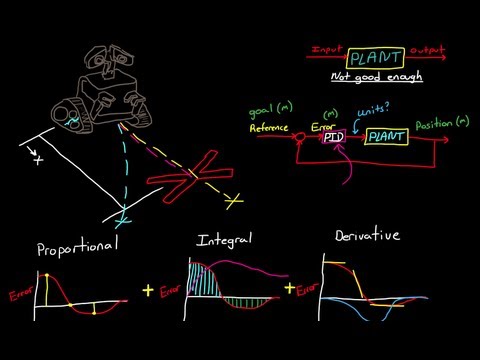
PID Control Every motion verb (depth, yaw, vision-yaw) is a P or PI loop. Saves you a pool day. |

YOLO Object Detection The vision pipeline runs Ultralytics YOLO11 (yolo11n). Helps you read detector_node logs.
|

MAVLink protocol Every Mongla command is one MAVLink message — see how the bytes line up. |
ROS 2 Actions /duburi/move is an Action: cancellable, gives feedback, returns a result.
|

BlueROV2 platform The Gazebo SITL target — same vectored_6dof frame as the real Duburi.
|

Mission Cookbook Working principles, every verb, ten ready-to-steal mission samples. |
For the deeper architecture story (axis isolation, vision math, heading
lock thread model), browse .claude/context/ —
especially axis-isolation.md, vision-architecture.md, and the
mission cookbook.
duburi_ws is a ROS2 Humble colcon workspace that exposes one clean action
surface — /duburi/move — over the top of ArduSub. One Python node owns
the MAVLink connection, receives goals, and dispatches them to per-axis
motion controllers. A companion CLI (duburi), a scripted mission runner
(mission), and a Python DuburiClient all live in duburi_planner.
The historical workspace name
duburi_wsand the action namespace/duburi/*are preserved because they correspond to the test vehicle, Duburi. The codebase itself is named Mongla — that's the branding used in this README and in commit messages.
Four packages live inside:
| Package | Role |
|---|---|
duburi_interfaces |
Move.action + DuburiState.msg — the only ROS surface every client talks to |
duburi_control |
Pixhawk MAVLink wrapper (opt-in [MAV <fn> cmd=verb] DEBUG trace via debug:=true) + axis-split motion controllers (motion_forward, motion_lateral, motion_yaw, motion_depth, heading_lock) + shared helpers (motion_writers, motion_easing) + Heartbeat + VisionVerbs mixin + the COMMANDS registry + tracing (per-command tag) |
duburi_manager |
ROS2 node, action server, telemetry logger, connection profiles |
duburi_planner |
DuburiClient Python API + duburi CLI + mission runner + missions/* scripts (YASMIN slot reserved under state_machines/) |
duburi_sensors |
YawSource abstraction — MAVLink AHRS, BNO085 (ESP32-C3 USB CDC), Nucleus1000 DVL, BNO+DVL composite (bno085_dvl), WitMotion stub |
Design principles we actually follow:
- Axis-split control. Forward (Ch5), lateral (Ch6), yaw, depth, and the
curved
arcverb each live in their own module (motion_forward,motion_lateral,motion_yaw,motion_depth). Each translation module has a bang-bang default (drive_*_constant) and a smoothed variant (drive_*_eased). Yaw hasyaw_snap(default) andyaw_glide(opt-in). TheDuburifacade is a lock plus a dispatch table. - Lock-aware neutrals.
motion_writers.Writersbuilds axis-specific writers that automatically usesend_rc_translation(leaving Ch4 free) wheneverheading_lockis active, so a background yaw setpoint stream is never stomped by a translation command's neutral packet. - One source of truth for commands. Every command is one row in
duburi_control/commands.pyand one method onDuburi. The action server, theduburiCLI, themissionrunner, and the PythonDuburiClientall read fromCOMMANDS, so adding a verb takes two edits — not five. - Preserve the proven default. Smoothing is opt-in via two ROS parameters
(
smooth_yaw,smooth_translate). The defaults replay the same bang-bang behaviour that has the most wet-test hours behind it. - ArduSub does the hard bit. Attitude and depth control both run on the
flight controller at 400 Hz — we never fight them. We stream setpoints
(
SET_ATTITUDE_TARGETfor yaw +heading_lock,SET_POSITION_TARGET_GLOBAL_INTfor depth,RC_CHANNELS_OVERRIDEfor translation/arc) and let the EKF3-fused AHRS2 yaw and Bar30 depth do their jobs. - Stop vs pause are different.
stop()actively holds RC neutral (1500 µs on every channel).pause(N)releases the override entirely (65535) for N seconds so the autopilot's own ALT_HOLD takes over, then re-engages neutral. Every translation verb also accepts asettle=kwarg for an extra post-command neutral-hold so the next command starts from zero residual velocity. - Sharp vs curved turns.
yaw_left/yaw_rightare sharp pivots (SET_ATTITUDE_TARGET).arckeeps Ch5 thrust + Ch4 yaw stick in the same RC packet for car-style curved trajectories. First principles:.claude/context/axis-isolation.md.

- Heading-lock is yaw's depth-hold cousin.
lock_headingspins up a background Ch4-rate-override stream at 20 Hz driven by the configuredYawSource; translations andpauserun on top of it;yaw_*andarcsuspend → execute → retarget; onlyunlock_heading(or shutdown) tears it down. It is source-agnostic — the sameYawSourcethat feeds the manager (MAVLink AHRS, BNO085, or a Gazebo mock) also feeds the lock. State diagram + failure modes:.claude/context/heading-lock.md.

- Depth is owned by ArduSub's onboard ALT_HOLD.
set_depthengages ALT_HOLD and driveshold_depthto the target; once reached, ArduSub's 400 Hz onboard depth controller keeps the sub there indefinitely without any Python-side streamer. There is nolock_depth/unlock_depth-- the autopilot already does the right thing whenever the mode is ALT_HOLD/POSHOLD/GUIDED. - A
Heartbeatkeeps the wire warm. A 5 Hz background stream of all-neutralRC_CHANNELS_OVERRIDEruns whenever no other writer is active so ArduSub never sees > 3 s of override silence and trippingFS_PILOT_INPUT(default action: disarm). The Duburi facade pauses the heartbeat on every command entry and for the lifetime of an active heading-lock so writers never race. - Every cross-command boundary is a hard reset. Locks serialise,
stop()forces RC neutral + clears the ACK cache, each axis module owns its exit semantics, andsettle=pluspauseclose residual-inertia gaps between goals.
| Axis | Setpoint message | Loop that closes it | Our role |
|---|---|---|---|
| Yaw | RC_CHANNELS_OVERRIDE Ch4 rate |
Python yaw_source loop | stream + watch yaw_source |
| Depth | SET_POSITION_TARGET_GLOBAL_INT |
ArduSub ALT_HOLD position PID | one-shot drive to setpoint |
| Forward | RC_CHANNELS_OVERRIDE Ch5 |
open loop (timed thrust) | shape the thrust envelope |
| Lateral | RC_CHANNELS_OVERRIDE Ch6 |
open loop (timed thrust) | shape the thrust envelope |
| Arc | RC_CHANNELS_OVERRIDE Ch5+Ch4 |
open loop | curved car-style trajectory |
| Heading-lock | RC_CHANNELS_OVERRIDE Ch4 (bg) |
Python yaw_source loop @20 Hz | stream until unlocked |
| Heartbeat | RC_CHANNELS_OVERRIDE neutral |
n/a (failsafe guard only) | stream @ 5 Hz when wire idle |
Mongla is developed against the test AUV Duburi 4.2. Any other ArduSub
vectored_6dof vehicle (e.g. BlueROV2 Heavy, BlueROV2 with extra
thrusters, custom Heavy clones) is a drop-in target — only the connection
profile changes.
| Component | Hardware |
|---|---|
| Hull | Duburi 4.2 — octagonal Marine 5083 aluminum, in-house |
| Frame type (ArduSub) | vectored_6dof (8× Blue Robotics T200) — same as BlueROV2 Heavy |
| Flight controller | Pixhawk 2.4.8 running ArduSub 4.x |
| Companion | Raspberry Pi running BlueOS (MAVLink router, web UI, video) |
| Primary SBC | Nvidia Jetson Orin Nano (all ROS2 nodes live here) |
| Depth sensor | Bar30 (ArduSub AHRS2 altitude) |
| External IMU | ESP32-C3 + BNO085 over USB CDC (gyro+accel, opt-in via param) |
| DVL | Nortek Nucleus1000 @ 192.168.2.201 — shipped (TCP driver, auto-connect, distance commands) |
| Cameras | Blue Robotics Low-Light HD USB (forward + downward) |
| Tether | FathomX power-over-Ethernet |
| Power | Dual LiPo (one propulsion, one compute+sensors — isolated rails) |
| Payload | Slingshot torpedo, aluminum grabber (current-sensed), solenoid dropper |
| Network switch | Onboard 5-port, binds all three SBCs + DVL |

Active development goals:
- Yaw and translation profiles smooth enough that vision-based PID can run on top without fighting the motion envelope.
- Bring up the Nucleus1000 DVL driver and feed velocity into ArduSub's EKF3.
- Plug in vision +
robot_localizationEKF when vision hardware lands. - Populate
duburi_planner/state_machines/with YASMIN once mission logic outgrows linear scripts.
TL;DR — BlueROV2 Heavy is the Gazebo SITL target. The real test AUV is Duburi 4.2. Both share the
vectored_6dof8-thruster ArduSub frame, which is why BlueROV2 is a faithful proxy for control development. Hull shape, mass, and payload geometry differ.
| Aspect | Sim (Gazebo) | Real (Duburi 4.2) |
|---|---|---|
| Hull | BlueROV2 Heavy chassis | Octagonal Marine 5083 aluminum, in-house |
| Frame type | vectored_6dof (8× T200) |
vectored_6dof (8× T200) |
| Compass | Synthetic, drift-free | Pixhawk mag — noisy near aluminum + thrusters |
| Heading source | ArduSub AHRS | ArduSub AHRS · BNO085 · Nucleus AHRS · BNO+DVL (yaw_source param) |
| Depth sensor | Sim plugin | Bar30 |
| DVL | None | Nortek Nucleus1000 — shipped (auto-connect, move_*_dist commands) |
| Payload | None | Torpedo, grabber, dropper |
The full Duburi 4.2 spec block lives in .claude/context/vehicle-spec.md — that's the canonical reference for hardware on the test platform.
flowchart LR
    subgraph ground["Ground Station / Jetson"]
        CLI["duburi CLI"]
        Mission["mission runner"]
        PyClient["DuburiClient<br/>Python script"]
    end

    subgraph jetson["Jetson Orin Nano · ROS2 Humble"]
        Action["/duburi/move<br/>ActionServer"]
        Mgr["auv_manager_node"]
        Facade["Duburi facade<br/>COMMANDS dispatch + heading_lock owner"]
        subgraph axes["Motion modules"]
            Yaw["motion_yaw<br/>yaw_snap / yaw_glide"]
            Fwd["motion_forward<br/>drive_forward_* + arc Ch5+Ch4"]
            Lat["motion_lateral<br/>drive_lateral_*"]
            Dep["motion_depth<br/>hold_depth setpoint"]
            HL["heading_lock<br/>SET_ATTITUDE_TARGET 20 Hz"]
        end
        API["Pixhawk wrapper"]
    end

    subgraph vehicle["AUV hardware"]
        BlueOS["Raspberry Pi<br/>BlueOS"]
        Pix["Pixhawk 2.4.8<br/>ArduSub 4.x EKF3"]
        Thr["8x T200 thrusters"]
    end

    CLI --> Action
    Mission --> Action
    PyClient --> Action
    Action --> Mgr --> Facade
    Facade --> Yaw
    Facade --> Fwd
    Facade --> Lat
    Facade --> Dep
    Facade --> HL
    Yaw --> API
    Fwd --> API
    Lat --> API
    Dep --> API
    HL --> API
    API -- "UDP 14550" --> BlueOS
    BlueOS -- USB --> Pix
    Pix --> Thr
We never close a Python control loop in the live path. ArduSub's onboard 400 Hz attitude + position PIDs do the actual stabilising; we stream setpoints, then watch telemetry to decide when each goal is done.
flowchart LR
    subgraph us["This codebase (10 - 20 Hz)"]
        SP["Setpoint shaping<br/>smootherstep / trapezoid_ramp / RC envelope"]
    end

    subgraph ardusub["ArduSub on Pixhawk (400 Hz)"]
        ATT["Attitude PID<br/>SET_ATTITUDE_TARGET"]
        POS["Position PID<br/>SET_POSITION_TARGET_GLOBAL_INT"]
        EKF["EKF3 fusion<br/>AHRS2 + Bar30 + (DVL TODO)"]
    end

    subgraph plant["Vehicle"]
        ESC["ESCs"]
        T["8x T200"]
        Sea["Water"]
    end

    SP -- "yaw / heading_lock" --> ATT
    SP -- "depth" --> POS
    SP -- "Ch5 / Ch6 / Ch4 RC override" --> ESC
    ATT --> ESC
    POS --> ESC
    ESC --> T --> Sea
    Sea --> EKF
    EKF --> ATT
    EKF --> POS
    EKF -- "telemetry" --> SP

The two onboard loops above are textbook PID; our setpoint-shaping is
deliberately the only thing we touch. See
pid-theory.md for the longer treatment.
flowchart LR
    R(("setpoint r")) --> S{"sum"}
    Y(("measurement y")) -- "-" --> S
    S -- "error e" --> P["P  Kp * e"]
    S --> I["I  Ki * integral(e)"]
    S --> D["D  Kd * de/dt"]
    P --> A{"+"}
    I --> A
    D --> A
    A -- "u" --> Plant["plant<br/>ArduSub PID + thrusters + water"]
    Plant --> Y

Key data flow:
- The CLI (or
missionrunner, or any other Python client) sends aMovegoal to/duburi/move. auv_manager_nodeis the only entity callingrecv_matchon the MAVLink connection. All reads go through a single reader; all writes go throughPixhawk.- The action executor looks up the verb in the
COMMANDSregistry and dispatches to a same-named method onDuburiviagetattr. - The motion module loops at 10-20 Hz, reads cached telemetry, writes RC
override or attitude target, and logs a
[DEPTH]/[YAW ]/[FOR ]line every 0.5 s (rate-limited via rclpythrottle_duration_sec). - ArduSub's EKF3-fused stabiliser does the 400 Hz inner loop. Telemetry
stream rates are pinned at startup with
MAV_CMD_SET_MESSAGE_INTERVAL(AHRS2 = 50 Hz, RC_CHANNELS = 5 Hz, BATTERY_STATUS = 1 Hz). - The action result returns a
Move.Resultwith either success or a MAVLink-grounded failure reason (DENIED,NO_ACK, timeout, ...). auv_manager_noderepublishes a typedDuburiStatemessage on/duburi/statewhenever the snapshot changes (or every ~1 s as a heartbeat).
duburi_ws/
├── build_duburi.sh                    # colcon build helper
├── README.md
├── CLAUDE.md                          # agent/context index
├── LICENSE
├── .claude/context/                   # research notes (ArduSub, PID, yaw, ...)
└── src/
    ├── duburi_interfaces/
    │   ├── action/Move.action
    │   └── msg/DuburiState.msg        # typed snapshot for /duburi/state
    ├── duburi_control/
    │   └── duburi_control/
    │       ├── pixhawk.py             # pymavlink wrapper + COMMAND_ACK + [MAV <fn> cmd=verb] DEBUG trace
    │       ├── tracing.py             # per-command MAVLink-trace tag (off by default; debug:=true flips on)
    │       ├── commands.py            # COMMANDS registry (single source of truth)
    │       ├── motion_easing.py       # smoothstep / smootherstep / trapezoid_ramp
    │       ├── motion_rates.py        # single source of truth for all loop rates (YAW_RATE_HZ, THRUST_HZ, DEPTH_RAMP_S …)
    │       ├── motion_writers.py      # Writers (lock-aware Ch4 release) + thrust_loop + REVERSE_KICK_PCT
    │       ├── motion_yaw.py          # yaw_snap / yaw_glide (Ch4 rate override)
    │       ├── motion_forward.py      # drive_forward_* + arc (Ch5 / Ch5+Ch4 RC override)
    │       ├── motion_lateral.py      # drive_lateral_* (Ch6 RC override)
    │       ├── motion_depth.py        # hold_depth (ramped setpoint → SET_POSITION_TARGET, then ALT_HOLD owns it)
    │       ├── motion_vision.py       # vision_track_axes (Ch4/5/6 + depth, P-only) + vision_acquire
    │       ├── heading_lock.py        # background Ch4 yaw-rate streamer (yaw_source-driven)
    │       ├── heartbeat.py           # 5 Hz neutral RC override (FS_PILOT_INPUT guard)
    │       ├── vision_verbs.py        # VisionVerbs mixin -- vision_align_* / vision_acquire
    │       ├── duburi.py              # Duburi facade (lock + dispatch + heading_lock + heartbeat owner)
    │       └── errors.py              # MovementError / Timeout / ModeChangeError
    ├── duburi_sensors/
    │   ├── duburi_sensors/
    │   │   ├── factory.py             # name -> YawSource dispatch
    │   │   ├── sensors_node.py        # standalone diagnostic node
    │   │   └── sources/
    │   │       ├── base.py                # YawSource ABC
    │   │       ├── mavlink_ahrs.py        # ArduSub AHRS2 wrapper (default)
    │   │       ├── bno085.py              # ESP32-C3 + BNO085 over USB CDC
    │   │       ├── nucleus_dvl.py         # Nortek Nucleus 1000 — AHRS heading + DVL bottom-track
    │   │       ├── nucleus_parser.py      # Nucleus TCP packet decoder (AHRS + bottom-track frames)
    │   │       ├── composite_bno_dvl.py   # BNO085 heading + DVL position composite (bno085_dvl)
    │   │       └── witmotion_stub.py      # fail-loud placeholder for HWT905 / WT901C
    │   ├── firmware/
    │   │   └── esp32c3_bno085.md      # MCU-side wire contract + ref code
    │   └── config/sensors.yaml        # yaw_source / bno085_port / baud
    ├── duburi_manager/
    │   ├── duburi_manager/
    │   │   ├── auv_manager_node.py    # ROS2 node, ActionServer, telemetry, VisionState pool
    │   │   ├── vision_state.py        # per-camera Detection2DArray subscriber + bbox_error()
    │   │   └── connection_config.py   # PROFILES + NETWORK topology
    │   └── config/
    │       ├── modes.yaml             # default ros parameters
    │       └── vision_tunables.yaml   # default vision.* ROS params (live-tunable via ros2 param set)
    └── duburi_planner/
        └── duburi_planner/
            ├── client.py              # DuburiClient blocking ActionClient wrapper
            ├── cli.py                 # `duburi` command-line wrapper (auto-built from COMMANDS)
            ├── duburi_dsl.py          # DuburiMission DSL (duburi.* + duburi.vision.*)
            ├── mission.py             # `mission` runner — dispatches into missions/<name>.run
            ├── missions/
            │   ├── square_pattern.py    # open-loop square choreography
            │   ├── arc_demo.py          # sharp vs curved turn comparison
            │   ├── heading_lock_demo.py # lock_heading + translation demo
            │   ├── find_person_demo.py  # full vision-driven 3D alignment demo
            │   ├── move_and_see.py      # alternates open-loop + vision verbs
            │   ├── pursue_demo.py               # vision_align_3d lock_mode=pursue demo
            │   ├── gate_prequal.py              # gate-only prequal (DVL forward)
            │   ├── robosub_prequal.py           # RoboNation prequal (strafe pass + flare orbit)
            │   ├── gate_flare_prequal.py        # scripted gate+flare+return (safe pool fallback)
            │   └── gate_flare_autonomous.py     # detected()-paradigm reactive mission (preferred)
            └── state_machines/          # reserved for YASMIN-based plans
Every new command ends up in just two places:
- One row in
duburi_control/commands.py(COMMANDSdict — name, help text, acceptedMove.Goalfields, and defaults). - A same-named method on
Duburiinduburi_control/duburi.pyreturning aMove.Result.
The action server (auv_manager_node.execute_callback), the duburi CLI
(duburi_planner/cli.py::_build_parser), the mission runner
(duburi_planner/mission.py), and the Python client
(DuburiClient.__getattr__) all read from COMMANDS at runtime — no wiring
needed in any of them.
Only add a field to Move.action if you genuinely need a new parameter
shape; the existing duration / degrees / meters / gain / timeout
fields cover most verbs.
flowchart LR
    Pix["Pixhawk 2.4.8<br/>ArduSub"] -- USB --> Pi["Raspberry Pi 4B<br/>BlueOS<br/>192.168.2.1<br/>GW 192.168.2.2"]
    Pi -- switch --> Sw["Ethernet Switch"]
    Jet["Jetson Orin Nano<br/>192.168.2.69 static<br/>ros2 stack"] -- switch --> Sw
    DVL["DVL Nucleus1000<br/>192.168.2.201"] -- switch --> Sw
    Sw -- "UDP 14550<br/>BlueOS inspector endpoint<br/>UDP Client to Jetson 14550" --> Jet
    GS["Ground Station laptop<br/>RDP / SSH / BlueOS UI"] -.-> Sw
sequenceDiagram
    participant N as auv_manager_node
    participant P as Pixhawk wrapper
    participant A as ArduSub (Pixhawk)
    participant E as ESCs / thrusters

    N->>P: arm / set_mode / set_message_rate
    P->>A: COMMAND_LONG (MAV_CMD_*)
    A-->>P: COMMAND_ACK (ACCEPTED / DENIED)
    A-->>N: AHRS2 (50 Hz) / RC_CHANNELS (5 Hz) / BATTERY_STATUS (1 Hz)

    Note over N,A: yaw / heading_lock
    N->>P: set_attitude_setpoint(yaw_deg)
    P->>A: SET_ATTITUDE_TARGET (10 / 20 Hz)
    A->>E: stabiliser solves Ch4 yaw

    Note over N,A: depth
    N->>P: set_position_target(depth_m)
    P->>A: SET_POSITION_TARGET_GLOBAL_INT (5 Hz)
    A->>E: ALT_HOLD position PID solves vertical

    Note over N,E: forward / lateral / arc
    N->>P: send_rc_override(ch5, ch6, ch4)
    P->>A: RC_CHANNELS_OVERRIDE (20 Hz)
    A->>E: open-loop thrust envelope

On the BlueOS web UI (http://192.168.2.1) go to Vehicle → Pixhawk →
Endpoints and create:
| Field | Value |
|---|---|
| Name | inspector |
| Type | UDP Client |
| IP | 192.168.2.69 |
| Port | 14550 |
ROS2 side listens on udpin:0.0.0.0:14550. The same line works in sim,
laptop, and pool modes because BlueOS pushes MAVLink to us; we never dial
out. The canonical values live in
src/duburi_manager/duburi_manager/connection_config.py
inside the NETWORK dict.
The fast path is a single command:
ros2 run duburi_manager bringup_checkIt probes the canonical Pi (192.168.2.1) and Jetson (192.168.2.69)
IPs, looks for an active MAVLink stream on UDP 14550, enumerates any
Pixhawk USB CDC devices, and tests BNO085 auto-detection -- printing
PASS / WARN / FAIL per check and a launch hint at the end. Exit code is
0 when nothing failed, 1 otherwise (so it composes in scripts).
Manual probes if you want to double-check:
ping -c 3 192.168.2.1             # BlueOS reachable
ping -c 3 192.168.2.69            # Jetson reachable (from laptop on switch)
ss -lun | grep 14550              # UDP 14550 bound & listening (after `ros2 run duburi_manager start` is up)
timeout 5 tcpdump -i any udp port 14550 -c 10  # see MAVLink bytes flowing (needs root)
The auv_manager startup banner prints the expected BlueOS peer whenever
mode:=pool or mode:=laptop — if the printed IP doesn't match your
BlueOS endpoint config, fix BlueOS first.
mode:=auto (the default) makes the manager pick its own connection
profile at startup:
| Probe | Picked profile |
|---|---|
UDP 14550 already in use (BlueOS pushing MAVLink) |
pool |
Pixhawk USB CDC present (/dev/serial/by-id/*ardupilot* or /dev/ttyACM0) |
desk |
| Neither | sim |
Pin a specific profile by passing -p mode:=pool (or desk/sim/laptop).
The startup banner always prints the resolved mode so you can see what
auto-detect picked.
- OS: Ubuntu 22.04 (native, WSL2, or distrobox). The reference dev environment runs inside a distrobox with CUDA 12.8 on an Arch host and ROS2 Humble inside the box.
- ROS2: Humble Hawksbill (
sudo apt install ros-humble-desktop). - Python: 3.10 (ships with 22.04).
- Python deps:
pymavlink, installed automatically bycolcon buildvia theinstall_requiresinsetup.py. - For sim: ArduPilot SITL +
sim_vehicle.py, Gazebo Harmonic or Ignition (see.claude/context/sim-setup.md). - For hardware: access to the AUV switch (either tethered laptop or onboard Jetson), BlueOS running on the Raspberry Pi.
From the workspace root:
./build_duburi.sh
source install/setup.bash
The helper script:
- Builds
duburi_interfacesfirst (generatesMoveaction types). - Builds
duburi_control+duburi_manager. - Copies Debian-installed Python packages to the ament-expected layout (works around a Debian-vs-ament install quirk in colcon).
- Symlinks executables so
ros2 runcan find them.
If you have already built once and only touched Python code, a plain
colcon build --symlink-install --packages-select duburi_control duburi_manager
is faster.
Terminal 1 — ArduSub SITL:
sim_vehicle.py -L RATBeach -v ArduSub -f vectored_6dof --model=JSON \
    --out=udp:0.0.0.0:14550 --out=udp:127.0.0.1:14551 --console
Terminal 2 — Gazebo (optional, for visuals):
cd ~/Ros_workspaces/colcon_ws
gz sim -v 3 -r src/bluerov2_gz/worlds/bluerov2_underwater.world
Terminal 3 — manager node:
source install/setup.bash
ros2 run duburi_manager start --ros-args -p mode:=sim
Terminal 4 — commands via CLI (see §9).
Plug the Pixhawk directly into the laptop or Jetson over USB. Grant serial access on first use:
sudo usermod -aG dialout "$USER"   # log out / back in after the first time
ls -l /dev/ttyACM0                 # should show crw-rw---- root dialout
Start the node:
ros2 run duburi_manager start --ros-args -p mode:=deskUseful for bench-testing ESC signals, calibration, and dry MAVLink plumbing work without water.
-
Power on the AUV; confirm the switch link lights come up.
-
On a laptop on the same switch, open
http://192.168.2.1and confirm the BlueOSinspectorendpoint matches §5.2. -
SSH into the Jetson and bring up everything in one command:
ssh fh1m@192.168.2.69
cd ~/Ros_workspaces/duburi_ws
source install/setup.bash

# Control only (no vision):
ros2 launch duburi_manager bringup.launch.py

# Full pool day — BNO085 heading, DVL distance, gate+flare model:
ros2 launch duburi_manager bringup.launch.py \
    vision:=true \
    yaw_source:=bno085_dvl \
    model:=gate_flare_medium_100ep \
    classes:=gate \
    conf:=0.45

# Headless (no viewer — Jetson in pool without monitor):
ros2 launch duburi_manager bringup.launch.py vision:=true viewer:=false \
    yaw_source:=bno085_dvl model:=gate_flare_medium_100ep
bringup.launch.pyarguments:Arg Default Accepted values modepoolpool·sim·desk·laptop·autoyaw_sourcedvldvl·bno085_dvl·bno085·mavlink_ahrsvisionfalsetrue·falsecameraforwardforward·downward·laptopmodelgate_flare_medium_100epgate_flare_medium_100ep·gate_nano_100ep·gate_medium_100ep·flare_medium_100ep·yolov11n(ROBOSUB-tested pretrained, sim/bench)models''CSV name=stempairs for multi-model registry:"gate=gate_nano_100ep,flare=flare_medium_100ep,combined=gate_flare_medium_100ep"active_model''Registry key to start with (requires modelsto be set):gate·flare·combinedclassesgateCSV class names: gate·flare·gate,flare· (empty = all)conf0.300.0–1.0 (use 0.45for pool with our models)dvl_auto_connecttruetrue·falseviewertruetrue·false(disable for headless Jetson run) -
Expected startup banner:
DUBURI AUV MANAGER │ mode: pool yaw: bno085_dvl MAVLink: sys=1 comp=0 (v2.0) Profiles: yaw=snap translate=constant Expect BlueOS "inspector" → UDP Client 192.168.2.69:14550 -
Within ~2 s you should see a
[STATE]line. If not, the endpoint is misconfigured or the switch isn't bridged — see §13. -
DVL auto-connects at startup (
dvl_auto_connect:=truedefault). Watch for[DVL] connectedin the startup logs. Run bringup_check first to confirm TCP reachability ([PASS] Nucleus 1000).Sensor pipeline design:
.claude/context/sensors-pipeline.md.
All commands go through /duburi/move and block until done. Exit code 0 = success.
| Verb | What it does | Quick example |
|---|---|---|
arm / disarm |
Power thrusters on / off | duburi arm |
set_mode |
Switch ArduSub mode | duburi set_mode --target_name ALT_HOLD |
stop |
Active hold (RC neutral) | duburi stop |
pause |
Release RC for N seconds | duburi pause --duration 2 |
set_depth |
Dive to absolute depth (m, negative) | duburi set_depth --target -1.5 |
move_forward / move_back |
Open-loop thrust, duration + gain | duburi move_forward --duration 5 --gain 80 |
move_left / move_right |
Lateral strafe | duburi move_right --duration 3 |
yaw_left / yaw_right |
Sharp pivot by degrees | duburi yaw_left --target 90 |
arc |
Forward + yaw simultaneously | duburi arc --duration 4 --gain 50 --yaw_rate_pct 30 |
lock_heading |
Background yaw hold (returns immediately) | duburi lock_heading --target 0 |
unlock_heading |
Stop background yaw hold | duburi unlock_heading |
dvl_connect |
Manually connect Nucleus DVL (auto by default) | duburi dvl_connect |
move_forward_dist |
DVL closed-loop forward N metres (heading lock stays active) | duburi move_forward_dist --distance_m 2.0 --gain 60 |
move_back_dist |
DVL closed-loop backward N metres (heading lock stays active) | duburi move_back_dist --distance_m 2.0 --gain 60 |
move_lateral_dist |
DVL closed-loop lateral N metres (+ = right, − = left) | duburi move_lateral_dist --distance_m 1.0 --gain 36 |
vision_acquire |
Sweep until target detected | duburi vision_acquire --target_class person --target_name yaw_right |
look_around |
POSHOLD + incremental yaw orbit; exit on first detection | duburi look_around --camera forward --target_class gate --yaw_rate_pct 20 --settle 1.5 |
vision_align_yaw |
Centre target horizontally (yaw) | duburi vision_align_yaw --target_class person --duration 15 |
vision_align_lat |
Centre target horizontally (strafe) | duburi vision_align_lat --target_class person --duration 15 |
vision_align_depth |
Centre target vertically | duburi vision_align_depth --target_class person --duration 15 |
vision_hold_distance |
Hold standoff distance | duburi vision_hold_distance --target_class person --target_bbox_h_frac 0.55 |
vision_align_3d |
Multi-axis simultaneous hold | duburi vision_align_3d --target_class gate --axes yaw,forward,depth |
head |
Read live heading at execution time | duburi head |
Every flag: ros2 run duburi_planner duburi <cmd> --help
Vision tracking flag: all
vision_*verbs accept--tracking trueto read from/tracks(ByteTrack + Kalman smoothed bbox, stable IDs) instead of/detections(raw YOLO output). Requires the vision pipeline to be launched withwith_tracking:=true. Default isfalse(raw detections, lower latency). See quickstart §8.
The log shows heading continuously, but by the time you type the next command the AUV has drifted. Use head (or --target head on any numeric field) to snapshot the exact heading at the moment the command actually executes:
# Read heading
duburi head
# → head -> OK  final=273.400  msg="heading=273.4°"

# Lock at the heading the AUV is at RIGHT NOW — not when you started typing
duburi lock_heading --target head

# Works on any float field: yaw to wherever you're currently pointing
duburi yaw_right --target head
The --target head form sends a head query first, substitutes the live float, then dispatches the real command — two sequential action calls, resolved atomically from the operator's perspective.
Full parameter docs, MAVLink traces, and implementation chains:
.claude/context/command-reference.md
def run(duburi, log):
    duburi.camera = 'forward'
    duburi.models(gate='gate_flare_medium_100ep')   # register model alias
    duburi.arm()
    duburi.set_depth(-1.0)
    duburi.move_forward(3.0, gain=40)

    # find: drive forward while searching for gate
    duburi.vision.find(target=duburi.models.gate.gate, move='forward', gain=35, timeout=45)

    # home: multi-axis convergence (yaw + lateral + forward + gate guard)
    duburi.vision.home(target=duburi.models.gate.gate,
                       yaw=True, lat=True, forward=True,
                       dist=0.42, metric='area',
                       gate_guard=True, pass_at=0.38,
                       duration=20, on_lost='hold')
    duburi.move_forward_dist(3.5, gain=60)
duburi.disarm()duburi.*— open-loop motion (arm, set_depth, move_*, move_*dist, yaw*, arc, lock_heading, dvl_connect, ...)duburi.models(alias='stem')— register model alias; access asduburi.models.alias.class_nameduburi.vision.find(move='forward'|'yaw_right'|'yaw_left'|'still'|'arc', ...)— search while movingduburi.vision.turn/slide/hover/approach/home/track— single/multi-axis vision controlduburi.vision.scan(step=20, dwell=1.5)— POSHOLD orbit search; exits on first detection (falls back to ALT_HOLD + heading lock)duburi.detected(target_class, stale_after=1.0)— non-blocking cache check; use in loops/branches (while not duburi.detected('gate'): ...)duburi.countdown(seconds)— tether-removal countdown with banner before mission start
ros2 run duburi_planner mission --list
ros2 run duburi_planner mission find_person_demo   # vision-driven 3D alignment
ros2 run duburi_planner mission gate_prequal            # gate-only prequal (DVL forward)
ros2 run duburi_planner mission gate_flare_prequal      # full autonomous gate+flare+return
ros2 run duburi_planner mission robosub_prequal         # RoboNation prequal (strafe pass)
Full DSL API + working principles + samples:
.claude/context/client-and-dsl-api.md ·
.claude/context/mission-cookbook.md
Key params on auv_manager_node:
| Param | Default | Effect |
|---|---|---|
mode |
pool |
pool · sim · desk · laptop · auto — auto probes UDP 14550 + Pixhawk USB |
smooth_yaw |
false |
true → smootherstep yaw setpoint sweep (reduces overshoot) |
smooth_translate |
false |
true → trapezoid thrust ramp (softer start/stop) |
yaw_source |
dvl |
dvl · bno085_dvl · bno085 · mavlink_ahrs — see below |
dvl_auto_connect |
true |
Auto-connect Nucleus DVL at startup; no manual dvl_connect needed |
dvl_retry_s |
5.0 |
Seconds between auto-connect retries |
vision.kp_yaw / vision.kp_lat |
60.0 | Centring P-gain — tune live with ros2 param set |
vision.deadband |
0.18 | Settle tolerance — tighten to 0.08–0.10 for pool |
vision.lock_mode |
settle |
settle / follow / pursue — vision loop exit behaviour |
vision.depth_anchor_frac |
0.5 | 0.2 for tall targets (person, pole) to prevent depth stall |
vision.distance_metric |
height |
height / width / area / diagonal — how target size is measured |
Yaw source selection:

yaw_source |
Heading | Distance commands | Recommended for |
|---|---|---|---|
dvl |
Nucleus AHRS | DVL bottom-track | DVL as sole IMU |
bno085_dvl |
BNO085 (USB) | DVL bottom-track | Pool — stable gyro + DVL distance |
bno085 |
BNO085 (USB) | open-loop fallback | Pool without DVL |
mavlink_ahrs |
ArduSub AHRS | open-loop fallback | Bench / sim |

Heading lock + DVL moves:
lock_headingstays ACTIVE duringmove_forward_dist/move_lateral_dist. The lock owns Ch4 (yaw), DVL owns Ch5/Ch6 (forward/lateral). Do not unlock before a DVL move.
Full param reference + yaw source + vision pipeline: docs/configuration.md
Quick reference — tune vision gains live between goals:
ros2 param set /duburi_manager vision.kp_yaw 80.0
ros2 param set /duburi_manager vision.deadband 0.08
ros2 param set /duburi_manager vision.target_bbox_h_frac 0.55
Key constants (change in source, rebuild):
| What | File | Constant |
|---|---|---|
| Yaw stream rate | motion_rates.py |
YAW_RATE_HZ = 10.0 |
| Thrust loop rate | motion_rates.py |
THRUST_HZ = 20.0 |
| Depth setpoint ramp | motion_rates.py |
DEPTH_RAMP_S = 2.5 — seconds to ramp from current to target depth |
| Depth brake zone | motion_rates.py |
DEPTH_BRAKE_ZONE_M = 0.30 — within this distance, stop tracking and let ArduSub brake the approach |
| Depth exit tolerance | motion_depth.py |
TOL_M = 0.10 — 10 cm; tighter values cause timeout when ArduSub's depth PID settles with a residual |
| Brake strength | motion_writers.py |
REVERSE_KICK_PCT = 25 |
| ArduSub depth gain | QGC → Pixhawk | PSC_POSZ_P (default 1.0) |
PID theory behind the constants:
.claude/context/pid-theory.md
Full tuning guide: docs/tuning.md
| Tag | What it means |
|---|---|
[STATE] |
arm / mode / yaw / depth / battery snapshot |
[RC ] |
Active PWM values on Thr/Yaw/Fwd/Lat channels |
[DEPTH] |
Depth tracking: target, current, error |
[YAW ] |
Yaw tracking: target, current, error |
[VIS ] |
Vision loop: bbox error, size, lock mode |
[DVL ] |
DVL connect / disconnect / position delta / timeout |
[ARDUB] |
ArduSub STATUSTEXT (EKF events, pre-arm checks) |
[MAV ] |
Per-frame MAVLink trace (debug:=true only) |
Full cheatsheet + one-liners: docs/telemetry.md
Most common issues:
| Symptom | Fix |
|---|---|
No [STATE] after startup |
BlueOS inspector endpoint IP wrong. Check ss -lun | grep 14550. |
arm -> FAIL: DENIED |
Pre-arm check failed — read [ARDUB] lines for reason. |
| Depth times out at ~-0.5 m | ArduSub not in ALT_HOLD or Bar30 unhealthy. Check [STATE] mode. |
| Yaw overshoots | -p smooth_yaw:=true, or lower ATC_ANG_YAW_P in QGC. |
| Depth stalls on tall person | ros2 param set /duburi_manager vision.depth_anchor_frac 0.2 |
/dev/ttyACM0: Permission denied |
sudo usermod -aG dialout "$USER" then re-login. |
DVL: [WARN] 192.168.2.201 unreachable |
DVL is off, not on the switch, or in sim mode — WARN is OK for bench/sim. |
DVL: ping OK but TCP 9000 not accepting |
DVL powered but firmware not ready — wait 30 s and re-run bringup_check. |
move_forward_dist / move_lateral_dist times out |
DVL not connected. Run ros2 run duburi_planner duburi dvl_connect or check dvl_auto_connect in manager logs. |
DVL position drifts sideways during move_forward_dist |
Heading lock not active — always lock_heading before a DVL distance move. |
Full issue list: docs/troubleshooting.md
Adding a new command — two edits only:
- Add a row to
COMMANDSinduburi_control/commands.py(name, help, fields, defaults). - Add a same-named method on
Duburiinduburi_control/duburi.pythat returns aMove.Result.
The action server, CLI, mission runner, and Python client all auto-discover COMMANDS — nothing else needs touching. Full dev guide: CLAUDE.md §11.
Phase 1 (done):
- Axis-split of the movement facade
COMMAND_ACK+ rich action resultssmoothstep/trapezoid_rampprofiles- Per-variant exit semantics
duburiCLI- Workspace-root README
Phase 3 — duburi_sensors (done):
YawSourceABC,MavlinkAhrsSourcedefault, factory dispatch,sensors_nodediagnostic. Done.BNO085Sourceover USB CDC + ESP32-C3 firmware contract + one-shot Pixhawk-mag offset calibration. Done.- Nortek Nucleus1000 DVL — TCP driver (
nucleus_dvl.py), packet decoder (nucleus_parser.py), velocity integrator, auto-connect,move_forward_dist/move_back_dist/move_lateral_distclosed-loop commands. Done — works at pool. CompositeBnoDvlSource(bno085_dvl) — BNO085 heading + DVL position in oneyaw_source; heading lock stable during DVL distance moves. Done.mavrosread-only telemetry consumer on a separate endpoint — pending.
Phase 4 — duburi_vision (v1–v4 done):
- Camera factory (laptop webcam + Gazebo
ros_topic; jetson/blueos/mavlink stubs raiseNotImplementedErrorwith a friendly message). Done. - YOLO11 detector with GPU-first
select_device, class allowlist, warmup, vision_msgs converters (publishes the human label, not numeric class id). Done. - Rich on-image visualization (boxes, labels, primary highlight, crosshair, alignment offset, status badge, stale banner). Done.
- v4 — vision verbs on
/duburi/move: sevenvision_*commands (vision_acquire,vision_align_yaw/lat/depth,vision_hold_distance,vision_align_3d,look_around) running the closed loop insideauv_manager_nodeso vision and control share the same MAVLink owner.VisionStateper-camera subscriber pool withwait_vision_state_readypreflight.look_arounddoes POSHOLD + incremental yaw orbit and exits on first detection. CLI utilitiesvision_check(topic probe) andvision_thrust_check(detection -> RC). Detection guard:duburi.detected('class')for non-blocking cache checks in missions. Missionfind_person_demoexercises the whole chain. Done. - v2 — ByteTrack object tracking + v3 — per-track Kalman smoother:
tracker_nodesubscribes/detections, runs ByteTrack + 4-state CV Kalman, publishes/trackswith stable IDs + smoothed bbox. Opt-in:cameras_.launch.py with_tracking:=trueor--tracking trueper vision verb. Done. - v4f — Monocular depth /
vis_rangepipeline:depth_estimation_nodepublishes aFloat32MultiArrayof proximity scores (0.0 = far, 1.0 = close) via/duburi/vision/<cam>/vis_range. Uses Depth Anything V2-Small ONNX (364×364) with EMA temporal smoothing (α=0.40); falls back to a bbox-area proxy when no model is present. HUD integration: depth-coloured bbox borders (blue→green→red),~0.72 CLOSElabel suffix, VIS_R row in STATE panel, PROX fill bar in Zone D, and a TURBO-colourmap depth-map inset (toggle with D key). Launched withcameras_.launch.py depth:=true. Done — 2026-05.

Safety & reliability hardening (done — 2026 competition prep):
- B1 — NTP-safe motion timeouts:
motion_yaw+motion_depthdeadline loops now usetime.monotonic()throughout; no longer vulnerable to NTP step-backs causing hung or prematurely-exited yaw/depth moves. - B2 — RC neutral on exception in
arc():motion_forward.arc()inner loop is now wrapped intry/finally: pixhawk.send_neutral()— thrusters stop even if telemetry raises mid-motion. - B3 — VisionState preflight guard:
_vision_state_for()only caches aVisionStateafterwait_vision_state_readypasses, preventing silent camera-not-ready failures. - B4 — DVL auto-reconnect:
NucleusDVLSourcenow spawns a supervisor thread that retries on TCP drop with exponential back-off (5 → 10 → 20 → 40 → 60 s cap). A single network glitch no longer kills DVL for the rest of the mission. - B5 — DVL result check in
gate_flare_prequal:dvl_connect()result is validated; a WARNING is printed if DVL is offline before the first distance move. - B6 — BNO085 calibration fallback: Calibration timeout now degrades to raw
(boot-relative) mode instead of raising
RuntimeErrorand killing the sensors node. - B7 — ByteTrack
_class_mappruning:_class_mapis pruned after each update to only live + buffered track IDs, preventing recycled IDs from inheriting stale class names. - B8 — Heading lock source-death timeout: Reduced
SOURCE_DEAD_Sfrom 2.0 s to 0.5 s — limits uncontrolled yaw rotation on sensor death from ~90° to ~22° before Ch4 releases. - B9 — Heartbeat connection-loss escalation:
Heartbeat._run()now logs atERROR(wasWARN) onsend_neutralfailure so MAVLink outages are visible in the error stream. - B10 — Mission scoreboard:
DuburiMissionaccumulates a per-verb result table (success,elapsed,message).log_scoreboard()prints a formatted table and writes a timestamped JSON file; the mission runner calls it automatically on every exit. - B11 — Surface timeout:
set_depth(0.0, timeout=60.0)ingate_flare_prequal(was 30 s) for negatively buoyant vehicle.
Phase 5 (queued):
robot_localizationEKF fusing DVL velocity + AHRS2 + Bar30 for full odometry.- Mission autonomy layer (behaviour trees or YASMIN state machines).
- WitMotion backup IMU driver (replace
witmotion_stub.py).
Skipped intentionally for now:
- Phase 2
mavrosbi-directional bridge (pymavlink is already doing what we need). - ros2_control controller layer.
Quick docs (operational sub-pages):
- docs/configuration.md — all ROS params, yaw source, vision pipeline
- docs/tuning.md — vision gains, smoothing flags, ArduSub PID params
- docs/telemetry.md — log tags, MAVLink debug trace, one-liners
- docs/troubleshooting.md — full issue list with fixes
- docs/JETSON_SETUP.md — one-time Jetson/dev-box setup
Research notes and agent context live in .claude/context/. The four
pillars (read these first) are bolded:
API & verbs (start here):
- command-reference.md — every verb on
/duburi/move: CLI, Python facade, DSL, MAVLink output, lock modes, distance metrics, depth anchor - client-and-dsl-api.md —
DuburiClient,DuburiMissionDSL,vision.follow(), andDuburifacade - mission-cookbook.md — mission DSL cookbook (verbs + working principles + ten samples)
- testing-guide.md — every test (unit, bringup, mission smoke, in-water checklist)
ArduSub & MAVLink theory:
- ardusub-canon.md — first-principles ArduSub: modes, depth cascade, yaw rate loop, failsafes
- ardusub-reference.md — ArduSub params quick-list + quirks
- mavlink-reference.md — full MAVLink message catalogue, per-call audit,
[MAV <fn> cmd=verb]DEBUG trace - heading-lock.md — heading-lock state diagram + Ch4 rate-override implementation
- axis-isolation.md — first principles: sharp vs curved turns + settle/pause
Vehicle, hardware, sim:
- vehicle-spec.md — canonical Duburi 4.2 spec
- hardware-setup.md — physical vehicle
- sim-setup.md — SITL + Gazebo details
- sensors-pipeline.md —
duburi_sensorsdesign rules + calibration model - dvl-reference.md — Nortek Nucleus1000 protocol, packet catalog, POSHOLD setup, DVL+vision roadmap
Method & known issues:
- proven-patterns.md — known-good control patterns
- ros2-conventions.md — project code style
- pid-theory.md — PID tuning notes (after PID without a PhD)
- yaw-stability-and-fusion.md — yaw stabilisation + vision/Kalman roadmap
- mission-design.md — mission planning patterns
- vision-architecture.md — vision pipeline architecture
- vision-roadmap.md — vision feature roadmap
- known-issues.md — tracked code bugs from the audit
Top-level CLAUDE.md is the agent memory index.
Mongla is developed against the Duburi 4.2 test AUV. Pool, sim, and in-water testing time on that platform is what turns the patterns in this repo from theory into proven defaults; thanks to the hardware team that keeps it floating.
Built on the shoulders of:
- ArduPilot / ArduSub
- Blue Robotics BlueOS
- pymavlink
- ROS2 Humble
- auv_controllers (reference design)
- orca4 (reference ROS2 + ArduSub stack)
- YASMIN (state-machine slot for
duburi_planner/state_machines/)
Reading list referenced in the design notes:
- PID without a PhD — Tim Wescott (Embedded Systems Programming, 2000)
- Quaternion kinematics for the error-state Kalman filter — Joan Solà
- ArduSub developer wiki (ardusub.com) and the MAVLink common message set
MIT — see LICENSE.