English | 简体中文


tk scaffolds real projects and the AI context files that help coding agents work inside them: CLAUDE.md, AGENTS.md, Cursor rules, Windsurf rules, GitHub Copilot instructions, and Claude Code permissions.
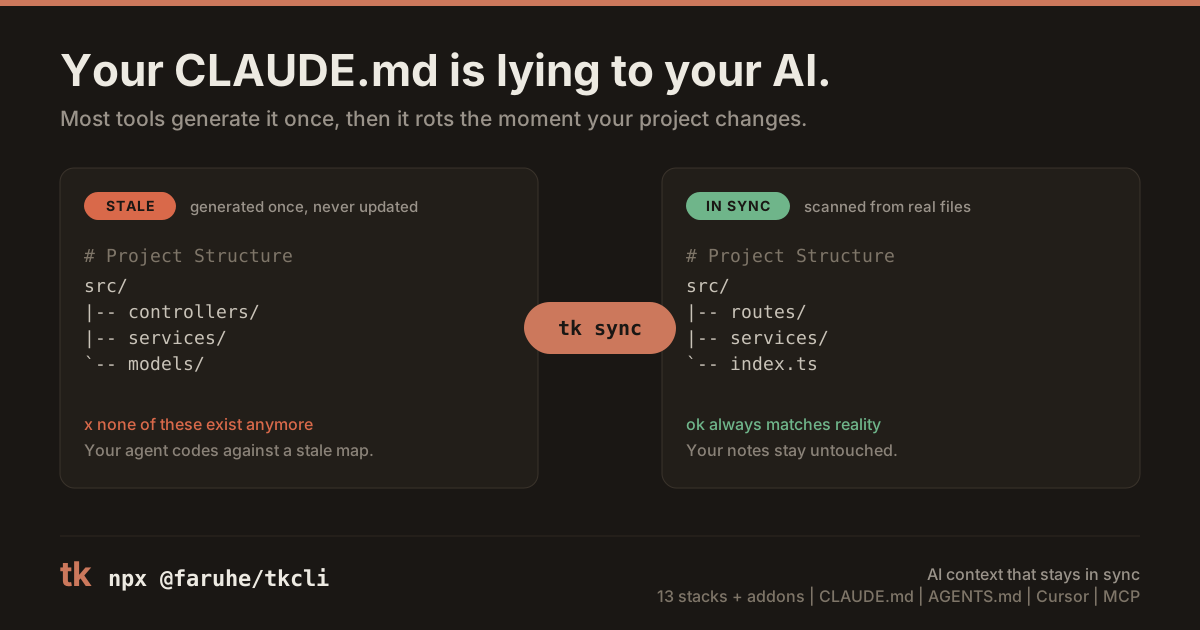
The important part is what happens after day one: tk sync refreshes the managed region of CLAUDE.md from your real project structure and commands, while preserving your own notes.
npx @faruhe/tkcli quick my-app --stack nextjs
npx @faruhe/tkcli quick my-api --stack express --addons docker,ci
npx @faruhe/tkcli quick my-tool --stack mcp-server --ai-tool claude,cursor
Install globally if you use it often:
npm install -g @faruhe/tkcli
tk quick my-app --stack node-tsmy-app/
|-- src/ or app/ # Stack-specific source layout
|-- tests/ # Starter tests where the stack uses them
|-- CLAUDE.md # Managed project context + user notes
|-- AGENTS.md # Agent operating instructions
|-- .claude/settings.json # Claude Code permissions
|-- .cursorrules # Cursor rules
|-- .windsurfrules # Windsurf rules
|-- .github/copilot-instructions.md
|-- .gitignore
|-- .editorconfig
`-- package.json / pyproject.toml / Cargo.toml / go.mod / pubspec.yaml
Use --ai-tool to keep only the rule files you actually need:
tk quick my-app --stack express --ai-tool claude
tk quick my-app --stack express --ai-tool cursor
tk quick my-app --stack express --ai-tool claude,copilottk supports 13 primary stacks, plus component/add-on modules such as express-prisma, docker, ci, and security.
| Stack | Dev command | Best for |
|---|---|---|
node-ts |
npm run dev |
TypeScript services |
react-spa |
npm run dev |
React + Vite apps |
vue |
npm run dev |
Vue 3 apps |
nuxt |
npm run dev |
Nuxt apps |
express |
npm run dev |
Express APIs |
nextjs |
npm run dev |
Next.js full-stack apps |
fastapi |
uvicorn src.main:app --reload |
Python APIs |
rust |
cargo run |
Rust CLIs and services |
go |
go run ./cmd/server |
Go services |
flutter |
flutter run |
Flutter apps |
cli-ts |
npm run dev -- hello |
TypeScript CLIs |
mcp-server |
npm run dev |
Model Context Protocol servers |
python |
python src/main.py |
Python scripts and libraries |
tk quick [name]                 Scaffold a new project
tk init                         Add AI context files to an existing project
tk add <module>                 Add a component or infra module
tk update                       Re-render maintained template files
tk sync                         Refresh CLAUDE.md from real structure
tk refresh                      Run update + sync together
tk diff                         Preview what tk update would change
tk doctor                       Diagnose a tk-managed project
tk list                         List stacks and modules
tk info                         Show version and system info
CLAUDE.md is split into two regions:
<!-- tk:managed:start -->
<!-- Regenerated by tk sync. Do not edit between these markers. -->
**Stack:** Next.js | **Dev:** `npm run dev` | **Test:** `npm test`

## Commands
## Project Structure
<!-- tk:managed:end -->

## Project Notes
<!-- tk:user:start -->
- Your domain rules, decisions, gotchas, and local context live here.
<!-- tk:user:end -->
Run tk sync whenever the project changes, or opt into automatic syncing for Claude Code:
tk quick my-app --stack express --auto-syncThat writes a per-developer .claude/settings.local.json SessionStart hook. The file is meant to stay local, so teammates can opt in independently.
Most scaffolders generate files once. tk treats AI context as something that should be maintained, because agents work better when their project map is current.
Compared with generic scaffolding tools, tk focuses on:
- AI context files for Claude Code, Codex-compatible
AGENTS.md, Cursor, Windsurf, and GitHub Copilot. - Per-stack Claude Code permissions, so generated settings match the project toolchain.
- A sync loop that refreshes commands and structure from real files.
- Existing-project support through
tk init,tk update,tk sync, andtk doctor.
npm run dev -- quick my-test-app
npm run build
npm test
Node.js 20 or newer is required.
MIT