This branch is dedicated to create a Gazebo simulation environment, with a multiple UGV's and UAV's, which can be used by anyone working in the project. The aim is to have a rough simulation of the real scenario where algorithms can be tested. The package created merges other packages in the same simulation. These three packages are the multi_jackal, ardupilot and ardupilot_gazebo which support multiple JACKAL robots from clearpath and a fully ardupilot simulated UAV. For the multi_jackal, a forked package was created in order to facilitate installation and urdf file changes.
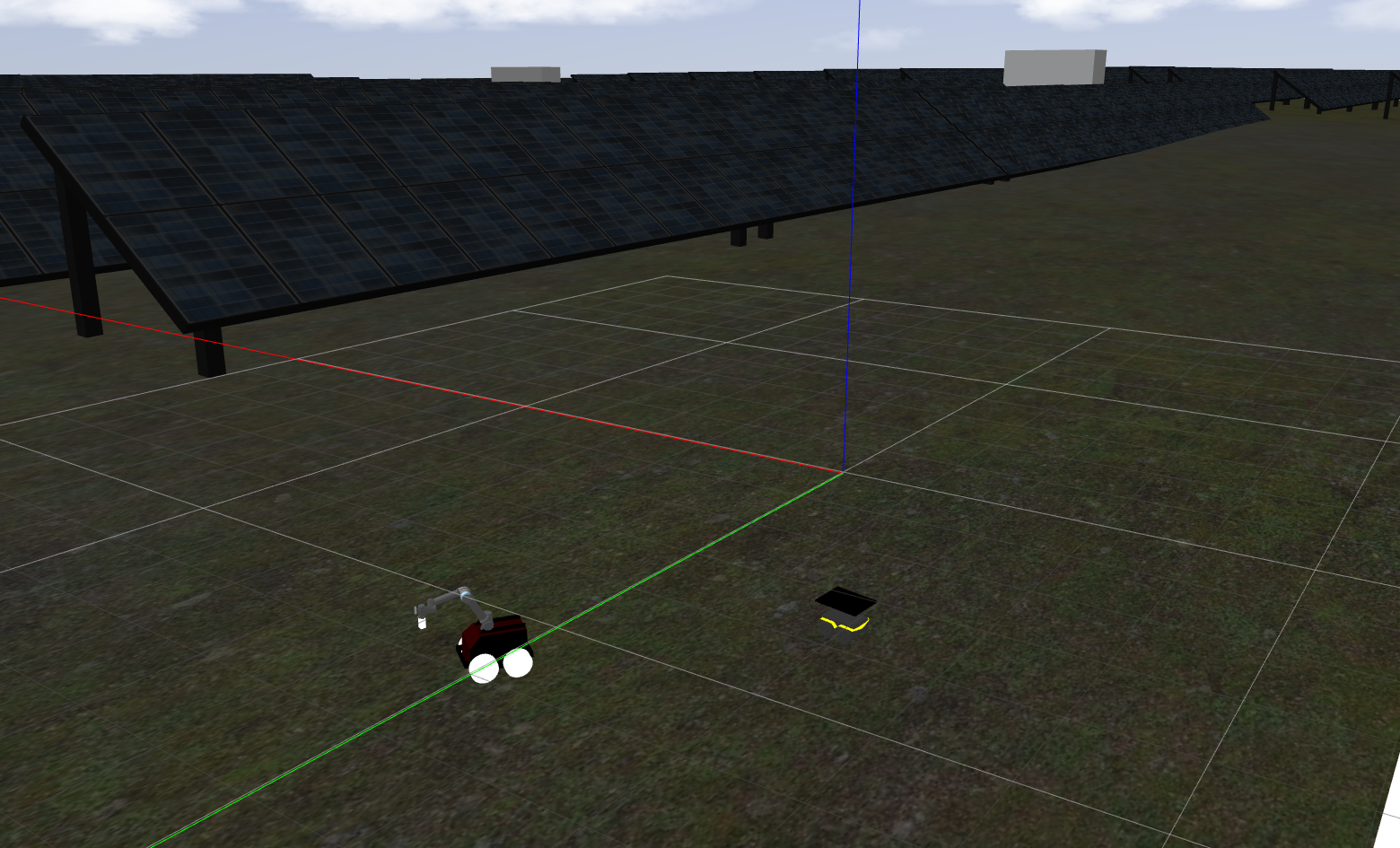
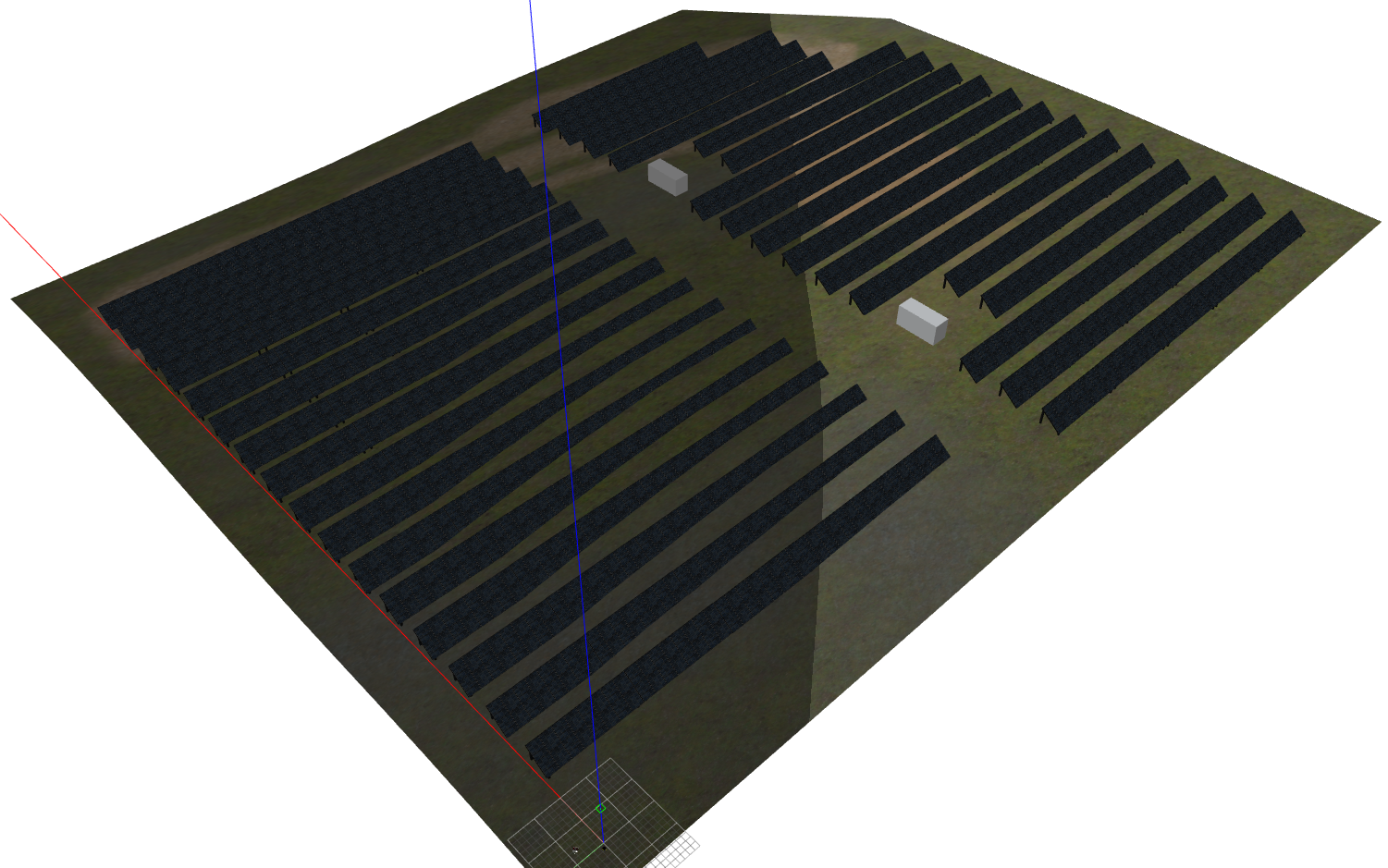
This Gazebo solution was integrated in ROS Kinetic with Ubuntu 16. Compatibility with other versions are not ensured but might work, by installing the corresponding versions of each package. A complete guide (including both the necessary packages) is described for ROS Kinetic:
Create a ROS workspace by running:
mkdir -p ~/catkin_ws/src
cd ~/catkin_ws/src
catkin_init_workspace  # initialize your catkin workspace
cd ~/catkin_ws/
catkin build
Open the terminal and run the following commands to install the dependencies required:
sudo apt-get install ros-kinetic-timed-roslaunch
sudo apt-get install ros-kinetic-controller-manager ros-kinetic-interactive-marker-twist-server ros-kinetic-gazebo-ros-control ros-kinetic-hector-gazebo-plugins
sudo apt-get install ros-kinetic-joint-state-controller ros-kinetic-diff-drive-controller ros-kinetic-pointgrey-camera-driver ros-kinetic-robot-localization ros-kinetic-move-base
sudo apt-get install ros-kinetic-jackal-desktop ros-kinetic-mavros
This package can be installed by running:
cd ~/catkin_ws/src
git clone https://github.com/durable-ist/multi_jackal.git
cd ~/catkin_ws/
catkin build
After successful installation, procede to the next package:
Not used anymore, was implemented into the main package.
After successful installation, procede to the next package:
Ardupilot https://github.com/ArduPilot/ardupilot/blob/master/BUILD.md (https://ardupilot.org/dev/docs/building-setup-linux.html#building-setup-linux)
Follow git clone instructions install depencencies:
Tools/environment_install/install-prereqs-ubuntu.sh -y
Build with the following commands
./waf configure --board sitl --debug
./waf copter
Finally, make sure you add the following location to the ardupilot/Tools/autotest/locations.txt file Evora=38.533617, -7.916481,232,0
Gazebo plugin (https://github.com/SwiftGust/ardupilot_gazebo) Follow instructions in the link
After successful installation, procede to the last package:
Lastly, install the DURABLE package by running:
cd ~/catkin_ws/src
git clone https://github.com/JRosaa/DURABLE.git
git checkout ardupilot_sim
catkin build
Add the path to new gazebo models by adding the following line in bashrc (don't forget to adjust to your path and reload terminals)
export GAZEBO_MODEL_PATH=~/catkin_ws/src/durable_gazebo_simulation/models:${GAZEBO_MODEL_PATH}
Finally, do not forget to source the environment
cd ~/catkin_ws/
source devel/setup.bash
After the installation is finished, the package is ready to use. The Durable simulation consists only on joining launch files from the other packages in order to create a single gazebo environment. It is recomended to follow the same procedure when different environments are desired (with more or less robots of each type). An important note is that, the gazebo environment used is from clearpath gazebo package which has solar panels and then Jackals and UAV's are spawned into this environment. The default launch file has 1 UAV and 3 Jackals, but this can be configured by changing/creating a new launch file. For the UAV case, it is required to change the gazebo world file as well as run other instances od ardupilot, this is not employed here since it largely increases the gazebo computation cost.
To run the simulation, 3 terminals are required. On the first run the gazebo instance:
roslaunch durable_gazebo_simulation durable_sim.launch
On the second one run the UAV simulator, run this command from the ArduCopter folder in the ardupilot package (using Evora Power plant location, not required)
sim_vehicle.py -v ArduCopter -f gazebo-iris -m --mav10 --map --console -I0 -L Evora
Lastly run mavros to have the UAV topics displayed
roslaunch durable_gazebo_simulation spawn_mavros_instance.launch
Lastly, every robot creates its own namespaces with topics and its movement is controlled by each individual topic. For UGV use move base corresponding to the correct robot and for the UAV perform commands through mavros and ardupilot.
To control the UAV you can send commands throught the second terminal: example:
mode guided
arm throttle
takeoff 15
It has been implemented a node to create waypoints for each of the jackals. This node is launched by running:
roslaunch durable_gazebo_simulation jackal_waypoint.launch
The file which contains the waypoints of the robots is jackal_waypoints.txt. This file must comply with the structure described in the first line
"Robot name and following lines have coordinates x,y,z roll,pitch,yaw and time which is the time the robot holds the position before moving to the next waypoint"
where there is a line with the robot name (same as the name for the jackal being spawned) and the others are coordinates in x,y,z roll,pitch,yaw. Lastly, there is a field for the time which the robot is to keep its position. During the waypoints it is possible to track the status of the robots via command line.
In order to add the Velodyne there are some required dependencies as well as some changes to the jackal urdf file.
Dependencies:
sudo apt-get install ros-kinetic-velodyne ros-kinetic-velodyne-*
UPDATE: The following section is already done. It was kept for better understanding of what was performed. Just need to uncomment
Now, it is necessary to add the velodyne to the urdf robot model. This is done in the previous installed package, multi jackal:
cd ~/catkin_ws/src
cd multi_jackal
cd multi_jackal_description
cd urdf
open the file jackal.urdf.xacro with your prefered editor and copy the following lines just before the in the last line:
  <xacro:include filename="$(find velodyne_description)/urdf/VLP-16.urdf.xacro"/>
  <VLP-16 parent="base_link" name="velodyne" topic="$(arg namespace)/velodyne_points" hz="10" samples="360" gpu="false" lasers="16" max_range="50">
    <origin xyz="0 0 0.2" rpy="0 0 0" />
  </VLP-16>
Velodyne configuration is done by editing the previous lines. If you have GPU set the GPS to "true". In the case the Velodyne is not necessary, comment it out from the jackal.urdf.xacro
This package requires PAL robotics Gazebo package. Install this package with the following commands:
cd ~/catkin_ws/src
git clone https://github.com/pal-robotics/realsense_gazebo_plugin.git
cd realsense_gazebo_plugin/
git checkout kinetic-devel
cd ~/catkin_ws/
catkin build
UPDATE: The following section is already done. It was kept for better understanding of what was performed. Just need to uncomment
After installation follow the instructions here. The files copied should be added to the multi_jackal_description/urdf folder that should already be installed. Similarly to the Velodyne, you will need to edit the jackal.urdf.xacro file and add the following lines:
  <xacro:include filename="$(find multi_jackal_description)/urdf/_d435.urdf.xacro" />
  <sensor_d435 parent="base_link" name="rs_d435" topics_ns="$(arg namespace)/rs_d435" >
    <origin xyz="0.4 0 0.2" rpy="0 0 0" />
  </sensor_d435>
These lines will add the camera to the front of each jackal and namespace each topic. Any configurations should be done in these lines. In the case the Realsense is not necessary, comment it out from the jackal.urdf.xacro
This branch has included the atrvjr + ur5e robot in the environment. To use this branch another package is required:
cd ~/catkin_ws/src
git clone https://github.com/JRosaa/atrv_ur5e.git
catkin build
For this branch a new launch file was added durable_sim_atrv.launch. This launch file will spawn the atrv in the simulation environment described before.
Once the launch file has been started:
- click ENTER
- write "use manipulator" Once the moveit commander manipulator has launched, it is possible to use commands to move the arm to pre-defined positions. Such as:
- go front
- go up
- go home
These positions can be configured in: atrv_ur5e/universal_robot-ur_e_fix/ur5_e_moveit_config_joao/config ín the files
- atrv_ur5e.srdf
- ur5e.srdf
Alternatively
commands can be given using the following rostopics (check for namespaces):
send joint positions to this topic
- armIKpipeline/target_pose
Once the target position is set send the string 'e_start' to the following topics
- pregrasp_pipeline_event_in
- pregrasp_pipeline_move_arm_planned_motion/event_in
In order to change the location of the robots in its GPS topics there are two seperate files (one for Jackals, the other for the UAV):
Jackal: In the multi_jackal/multi_jackal_description/urf/jackal.gazebo change the parameters and
UAV: In the ardupilot/Tools/autotest package change the file "locations.txt". Here you can add or switch existing locations which are called when launching the ardupilot SITL.