Skip to content
Navigation Menu
Sign in
Products
Platform
GitHub
Repository hosting, code review, and collaboration
Copilot
AI coding agent for tasks, projects and automated work
Build & Ship
Actions
CI/CD and automation
Code Quality
Quality analysis, fixes, and enforcement
Codespaces
Cloud development environments
Secure
Code Security
Vulnerability detection and remediation
Secret Protection
Secret scanning and leak prevention
All Features
Developers
Learn
Documentation
Training
Certifications
Build
Build with Copilot
Customize Copilot
Integrations
Explore
Trending repos
GitHub Sponsors
Developer articles
Changelog
Changelog
Your source for the latest features, improvements, and fixes across GitHub products, all in one place.
Businesses
By Stage
Enterprises
Team
Startups
Nonprofits
By Industry
Healthcare
Financial services
Manufacturing
Government
See all industries
Evaluate GitHub
Why GitHub
Customer Stories
Business insights
Trust Center
Add-ons
GitHub Advanced Security
Enterprise-grade code security
Copilot for business
Enterprise-grade AI features
Premium Support
Enterprise-grade 24/7 support
Resources
Learn & Connect
Documentation
Resource center
Blog
Events & webinars
Community Forum
Customer Stories
Integrations
Support
Customer support
Training
GitHub Status
Company
About
Partners
Changelog
GitHub Universe
GitHub Universe
The event for developers, by developers — talks, workshops, and what’s next for GitHub.
Pricing
Search
/
Sign in
Sign up
Appearance settings
You signed in with another tab or window.
Reload
to refresh your session.
You signed out in another tab or window.
Reload
to refresh your session.
You switched accounts on another tab or window.
Reload
to refresh your session.
Dismiss alert
{{ message }}
ds19991999
ds19991999.github.io
Repository navigation
Code
Issues
3
(3)
Pull requests
Actions
Projects
Wiki
Security and quality
Insights
More
items
Home
Jump to bottom
ds edited this page
Aug 24, 2018
·
18 revisions
Welcome to the ds19991999.github.io wiki!
归功于GitHub的分布式版本控制系统,虽然是同一个博客,但是之前的代码还在,点击下面对应链接,直接
clone
就可以得到对应版本的博客源码。
一、主题风格:
Simple风格
simple
之前用的极简主题,基本功能十分完善,评论,站内搜索,分类,云标签等等都有实现。
Rommance风格
romance
浪漫风格,有看板娘特效,整体看起来很养眼。
Snow风格
snow
snow-lucency
板块透明度优化
snow-gitalk
将来必力评论系统替换为Gitalk
二、使用Stylus插件自定义安装CSS样式
1.Sword Art风格
源码:
sword-art
里面的url可以替换为自己的背景图片,这种样式的安装方式的好处是方便,个性化强,可以根据自己的喜好修改,避免修改网站源码,相关教程可以参考:
教你屏蔽CSDN广告
,简单的介绍了这个插件的使用方法,当然你也可以直接把上面的代码复制到你的custom.css文件末尾中,也能达到同样的效果。
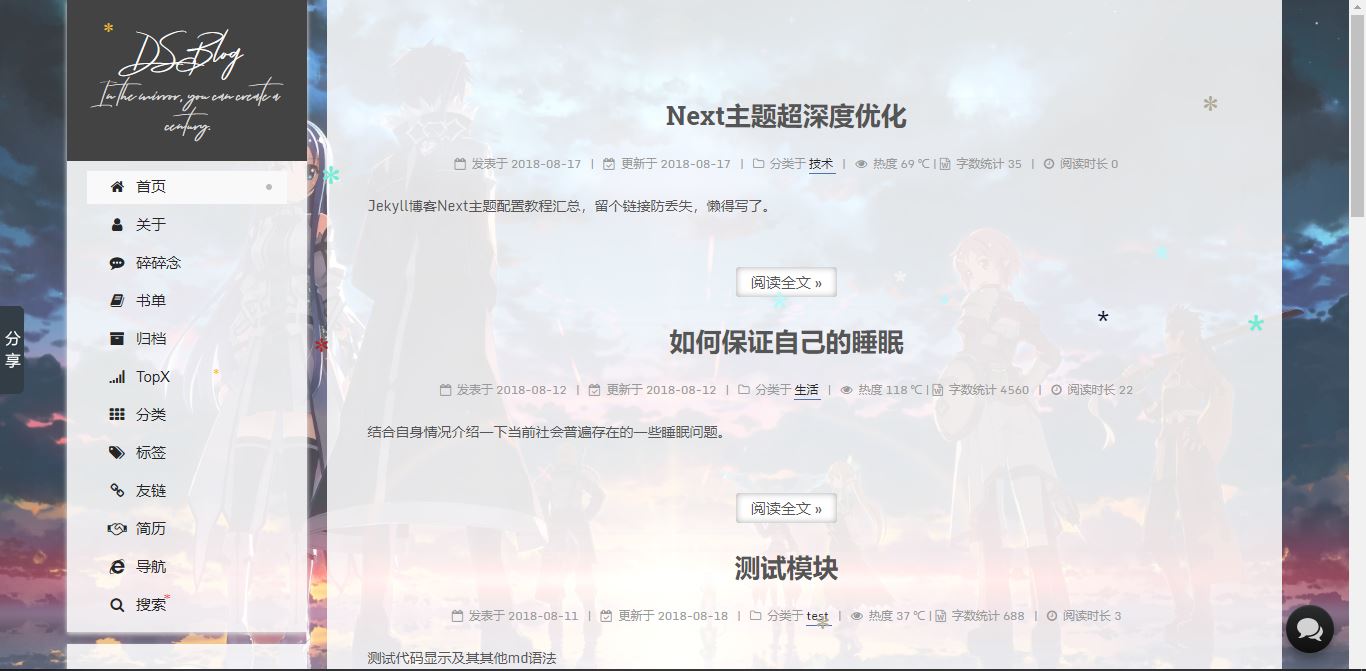
相关的背景图片可以看这里的素材:
background
,自定义样式还有一个好处就是在不修改网站源码的情况下方便网页样式切换,更进一步的,你可以修改字体颜色和透明度达到这种效果:
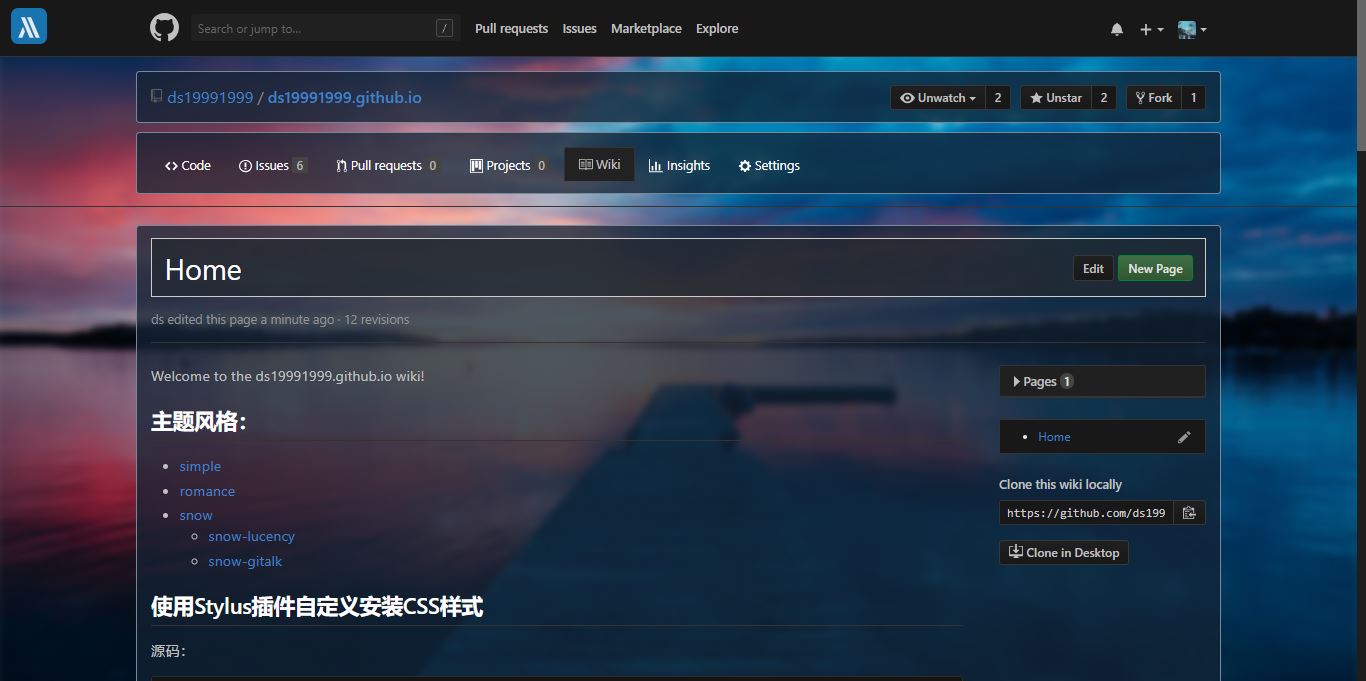
2.Dark风格
源码:
Dark
效果图:
3.原始风格
源码:
cb266b
效果图
Wiki pages
Pages
1
Loading
Home
一、主题风格:
Simple风格
Rommance风格
Snow风格
二、使用Stylus插件自定义安装CSS样式
1.Sword Art风格
2.Dark风格
3.原始风格
Home
Clone this wiki locally
You can’t perform that action at this time.