

A Windows 11 style Task Manager inside the DeepSeek Harness Web GUI. It adds a
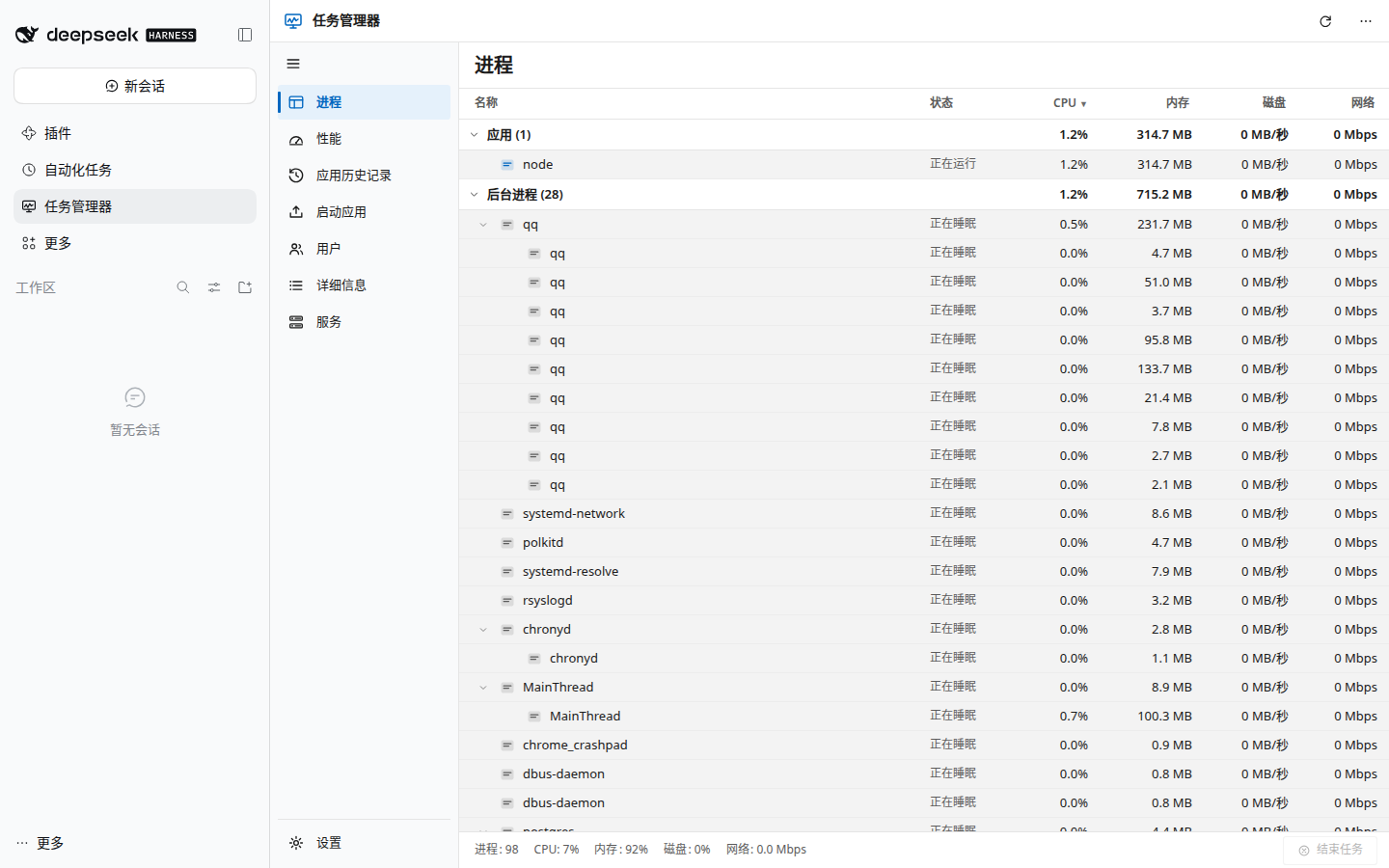
任务管理器 / Task Manager entry to the left sidebar and opens a full panel with
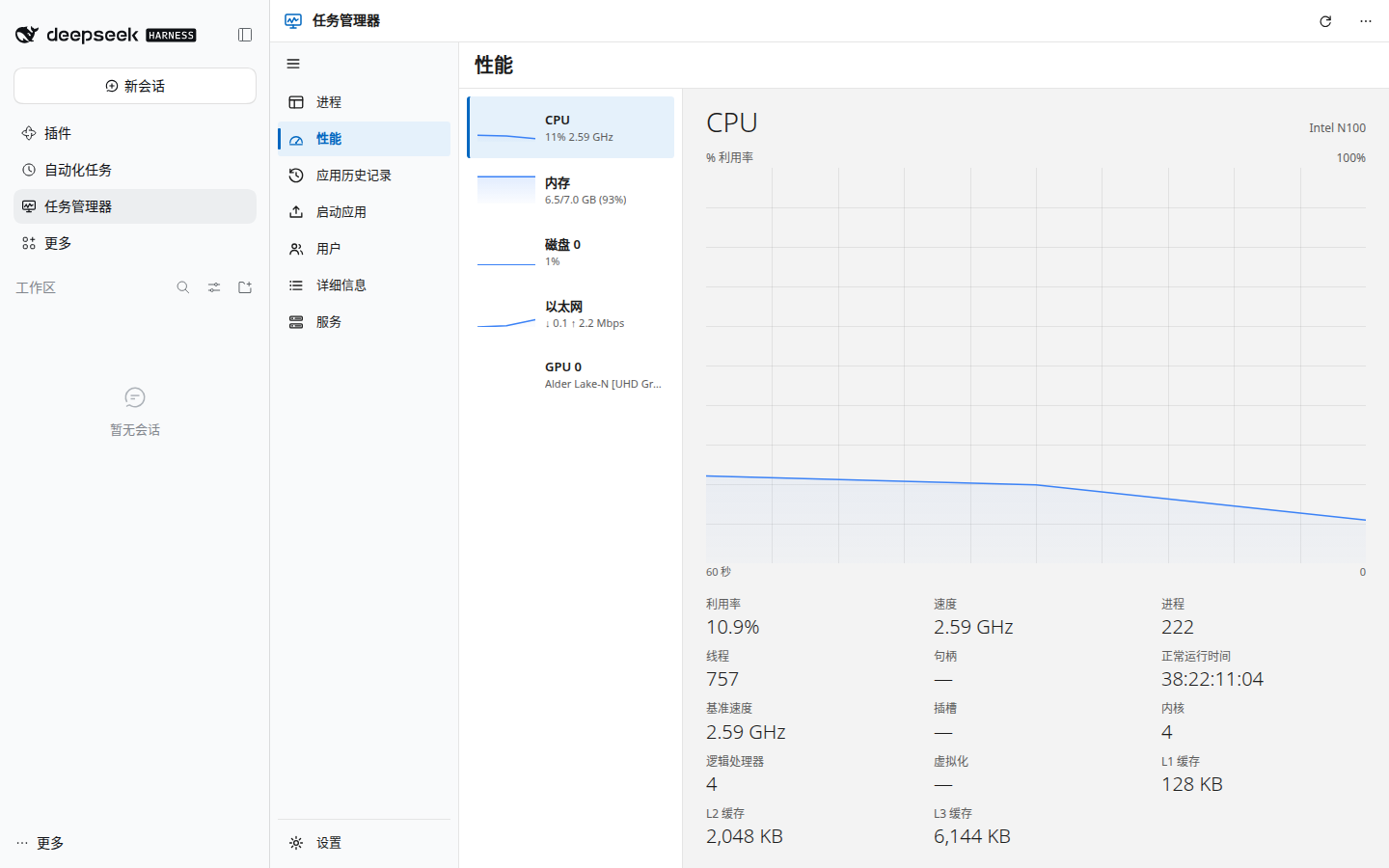
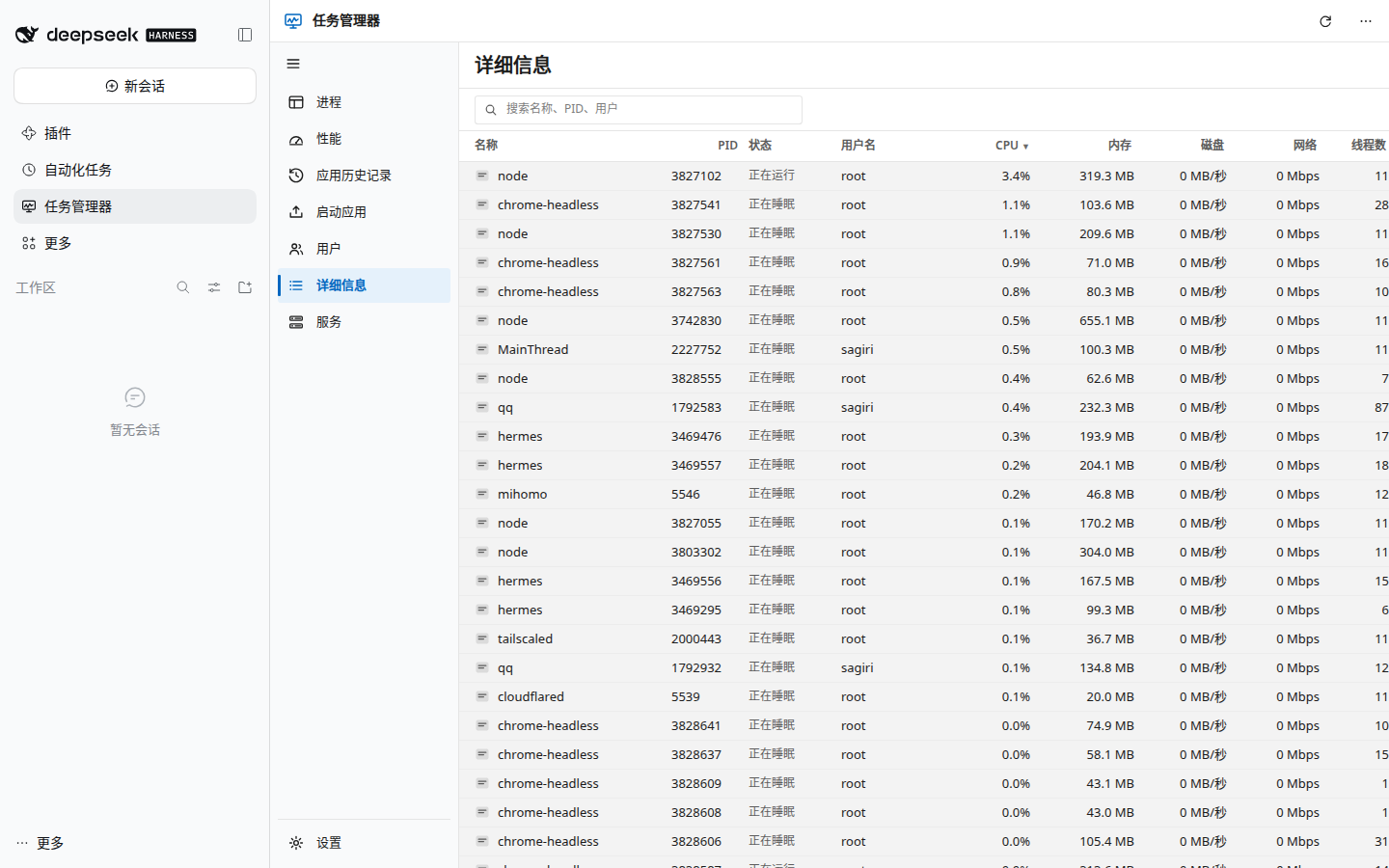
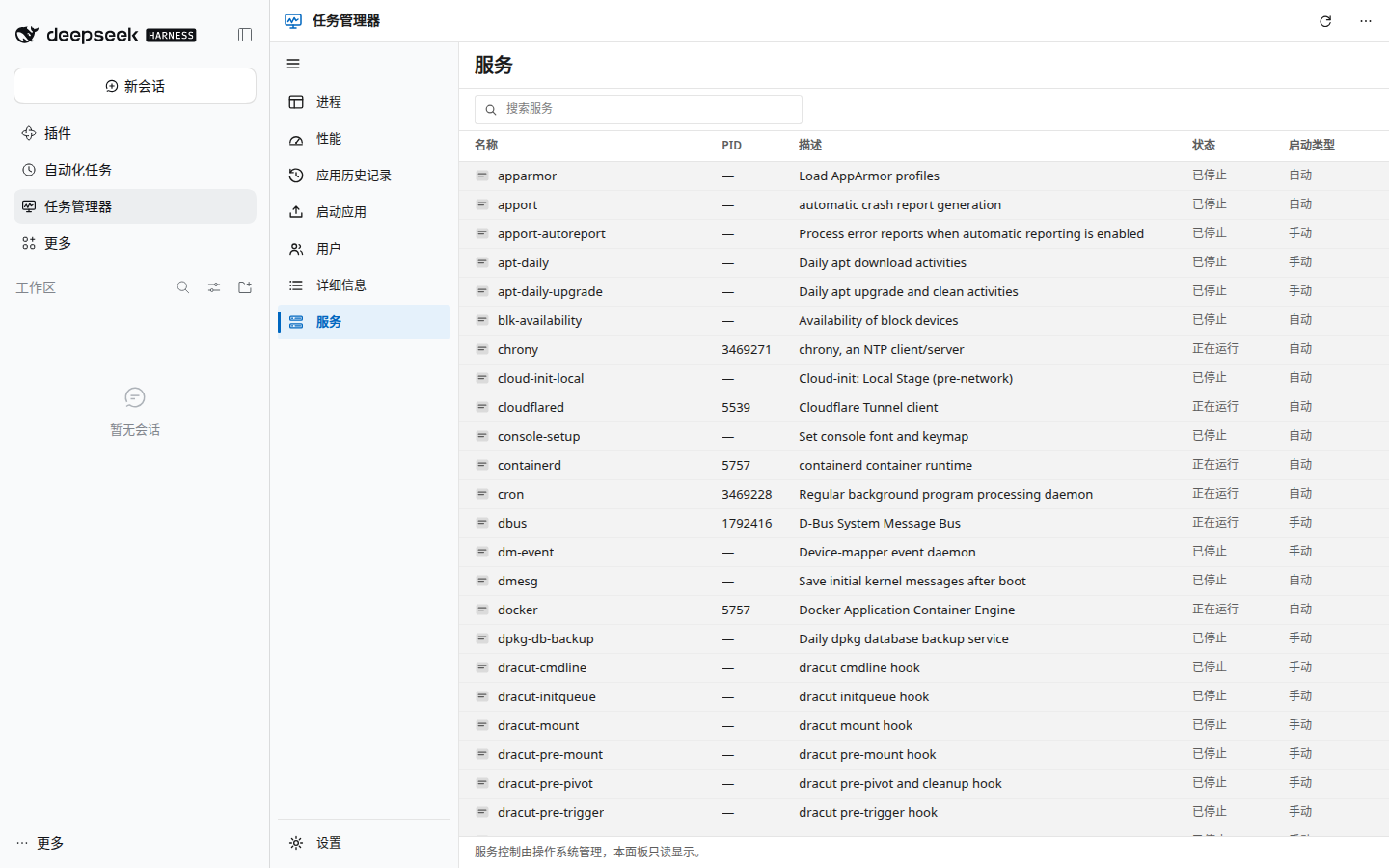
live CPU, memory, disk and network graphs, a grouped process table, app history,
startup entries, users, a sortable details table, and services — built on the
mature, MIT-licensed systeminformation
library plus a Linux /proc fast path.


| Processes | Performance |
|---|---|
 |
 |
| Details | Services |
 |
 |
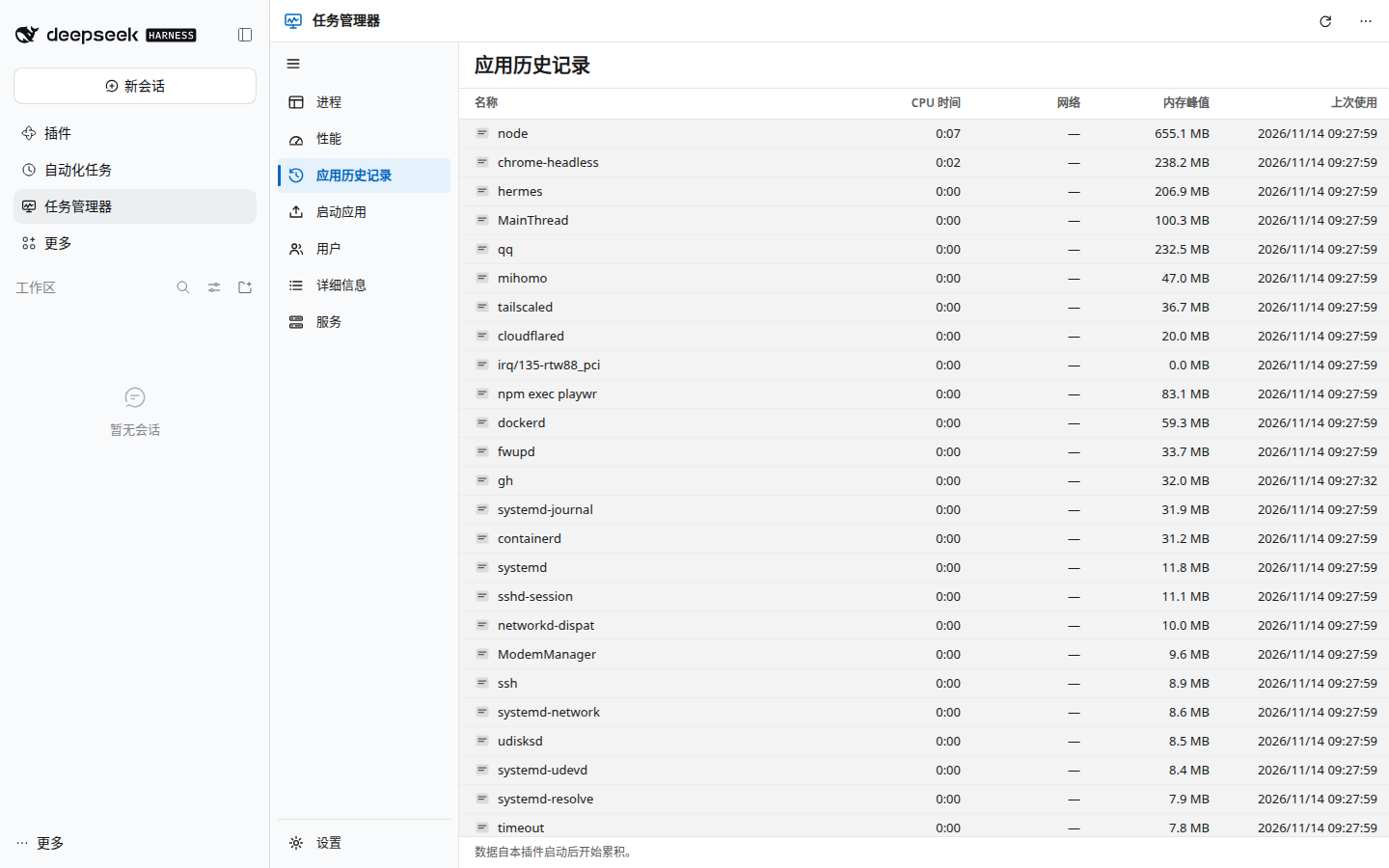
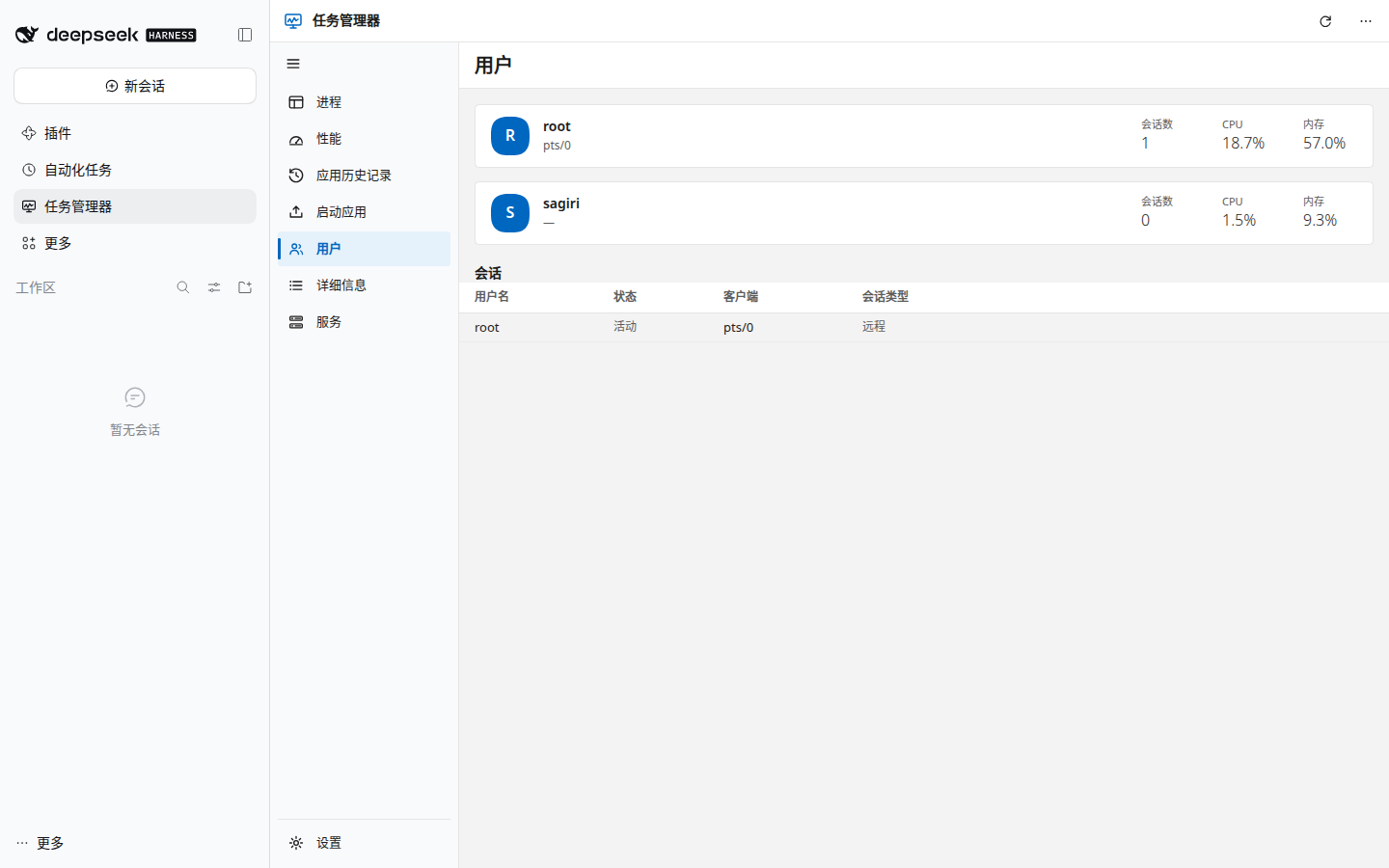
| App history | Users |
 |
 |
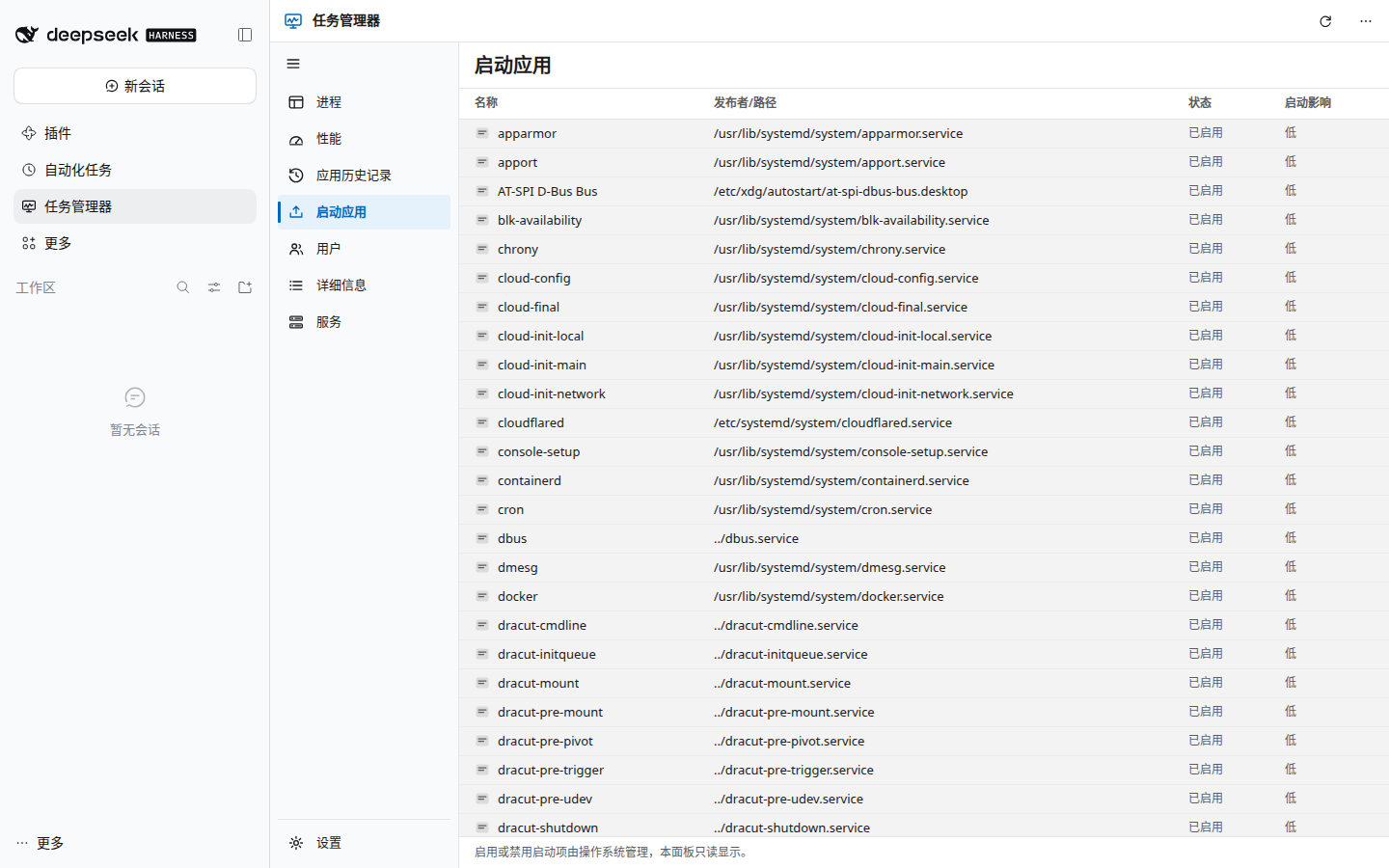
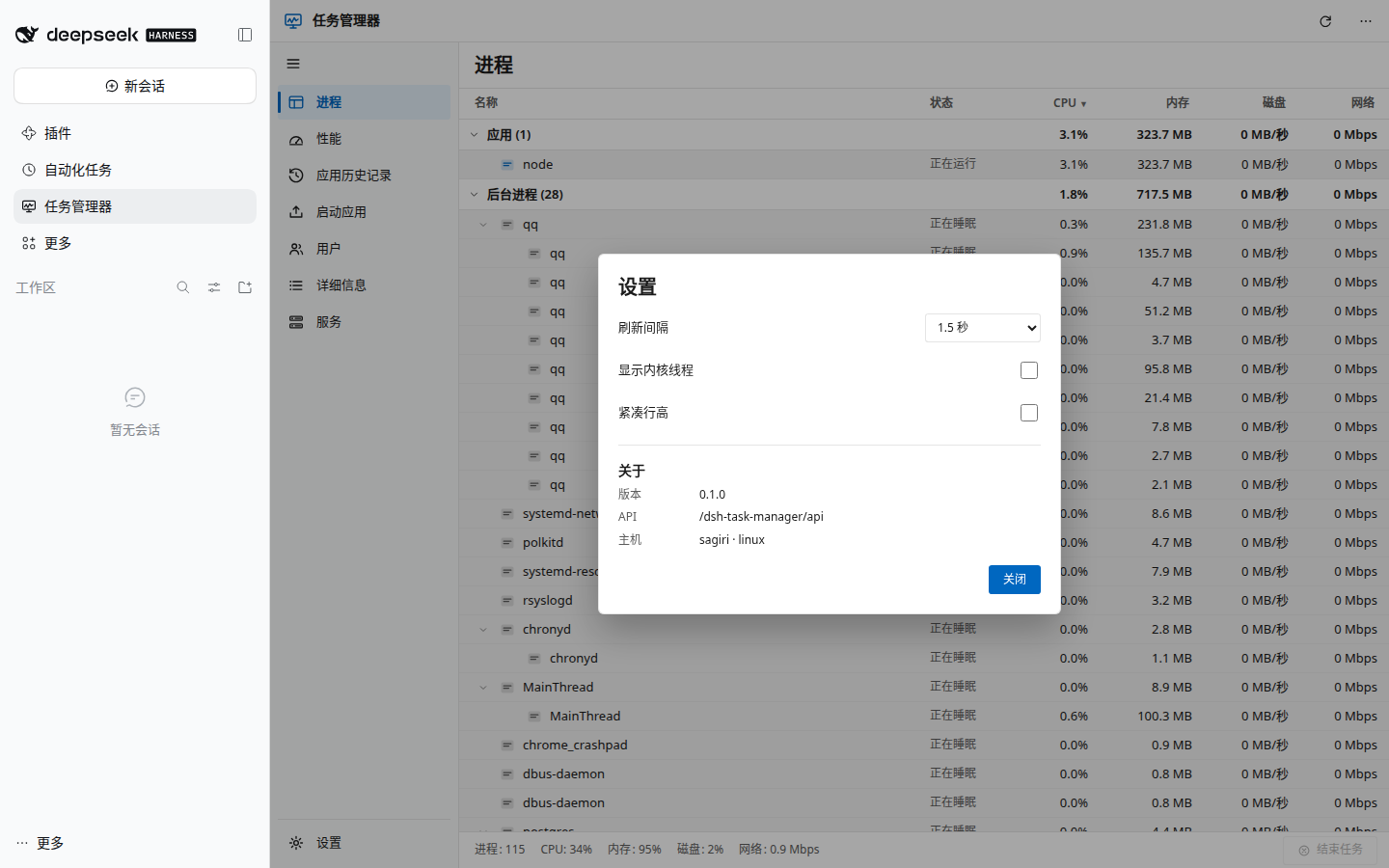
| Startup apps | Settings |
 |
 |
Dark theme: 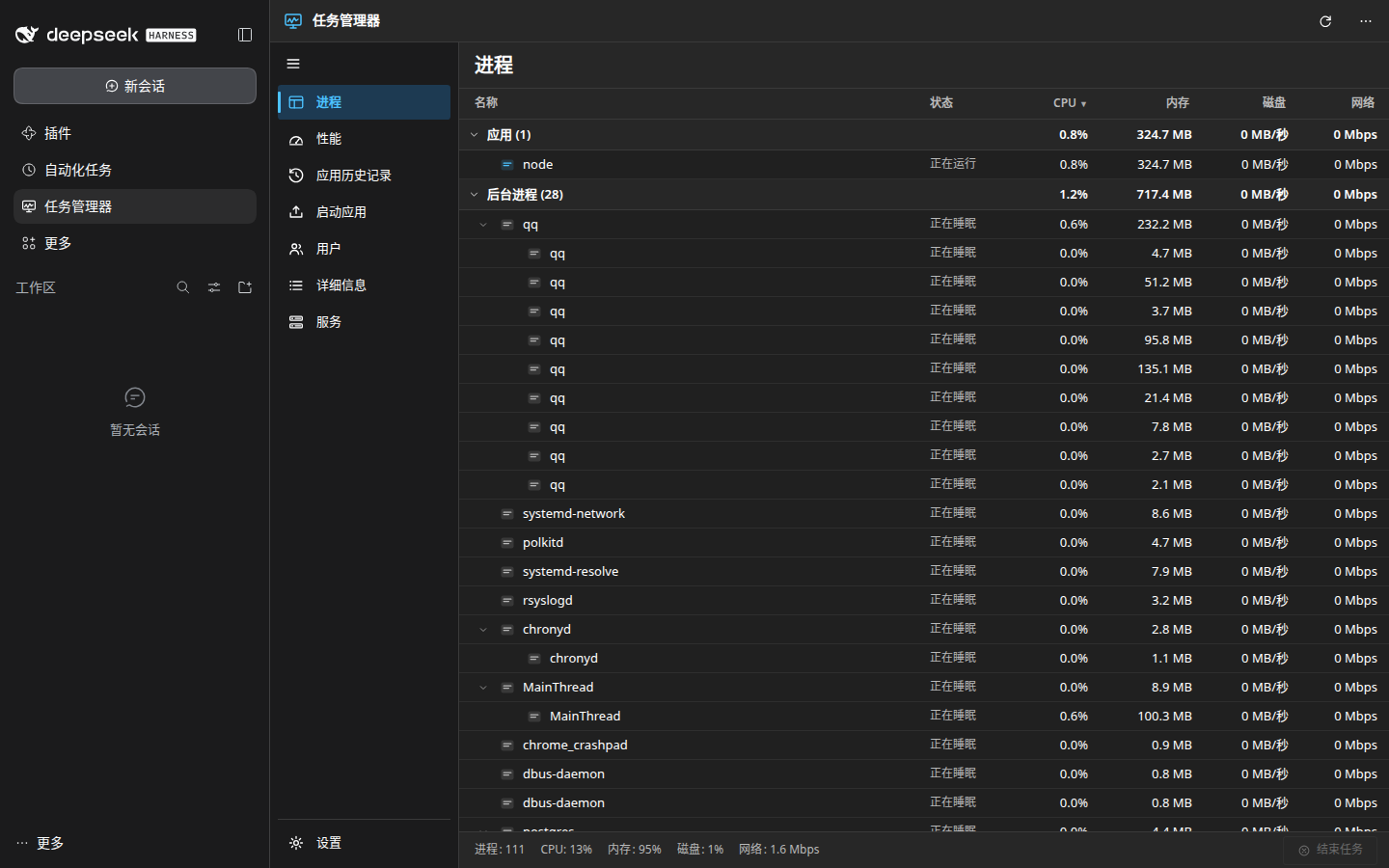
- 进程 / Processes — grouped
应用/后台进程/系统进程, live CPU, memory, disk and network columns, group totals, expandable child processes, sortable headers, right-click actions, and a Win11 status bar. - 性能 / Performance — CPU, memory, disk and network with 60-second canvas graphs, per-core view, and the Win11 statistics grid.
- 应用历史记录 / App history — CPU seconds and peak memory accumulated since the plugin started (real data, no placeholders).
- 启动应用 / Startup apps — XDG autostart entries and enabled systemd units (read-only, by design).
- 用户 / Users — signed-in users with their CPU and memory share.
- 详细信息 / Details — searchable, sortable table with PID, user, threads, priority and command line.
- 服务 / Services — searchable systemd service list with state and start mode.
- 设置 / Settings — refresh interval, kernel-thread visibility, compact rows.
Everything follows the host light/dark theme and the host locale (Chinese and English dictionaries are bundled).
The plugin is a DSH bundle. Install it into the Web profile with the CLI:
dsh plugin --profile web add @ds-hu/dsh-task-manageror with the Plugin Manager in the Web GUI (设置 → 插件 → 添加), then reload the
page. The 任务管理器 entry appears in the left sidebar.
Requirements: DSH 0.2.x (Web profile), Node.js ≥ 20.19. No native build step,
no system dependency beyond the OS itself.
The bundle row accepts optional config; every value is validated and clamped,
so an invalid value falls back to the default instead of failing activation.
- id: task-manager
  name: '@ds-hu/dsh-task-manager'
  config:
    refreshIntervalMs: 1500        # browser poll hint, 500–10000
    maxProcesses: 400              # rows returned, 50–2000
    sampleCacheMs: 800             # Host sample cache, 200–5000
allowKillSystemProcesses: false # keep uid-0 processes protectedThe Host half registers one web-server prefix (/dsh-task-manager/api/*) and
samples the operating system on demand — no background timer, nothing runs
while the panel is closed. The browser half polls only while the panel is mounted
and the tab is visible. The Linux fast path reads /proc in one pass (~10–30 ms
for ~250 processes); other platforms use systeminformation.processes().
See docs/ARCHITECTURE.md for the design, the library comparison, measured timings, and the security model. The API contract is in docs/API.md; the UI specification is in docs/UI-SPEC.md.
- Same-origin JSON API; mutations require a matching
Origin. - End task refuses PID 1, the DSH Host process and its parent, refuses uid-0
processes unless
allowKillSystemProcessesis enabled, refuses recycled PIDs (stalestartTime), and requiresforce: trueforSIGKILL. - Services and startup entries are read-only; the plugin never touches them.
- No credentials, sessions or conversation content are read.
npm install
npm run build        # build lib/client.js with esbuild
npm test             # host unit tests + mount parity + client smoke
node test/package.mjs
End-to-end tests use an isolated DSH instance (never the production profile):
./scripts/e2e-instance.sh restart 3090
TM_URL="$(./scripts/e2e-instance.sh url)" npx playwright test
./scripts/e2e-instance.sh stopMIT. systeminformation is MIT and used unmodified; attribution is in
NOTICE. The plugin icon and every glyph are original SVG. Windows 11
Task Manager is a Microsoft product; this is an independent, unofficial
interface and is not affiliated with Microsoft.