████████╗ █████╗ ███████╗██╗  ██╗███╗   ███╗ █████╗
╚══██╔══╝██╔══██╗██╔════╝██║ ██╔╝████╗ ████║██╔══██╗
   ██║   ███████║███████╗█████╔╝ ██╔████╔██║███████║
   ██║   ██╔══██║╚════██║██╔═██╗ ██║╚██╔╝██║██╔══██║
   ██║   ██║  ██║███████║██║  ██╗██║ ╚═╝ ██║██║  ██║
   ╚═╝   ╚═╝  ╚═╝╚══════╝╚═╝  ╚═╝╚═╝     ╚═╝╚═╝  ╚═╝
- Auth — Email/password registration and login, or one click Google OAuth 2.0
- JWT sessions — Signed access tokens with refresh token rotation
- Todos — Create, read, update, delete tasks with optional descriptions and due dates
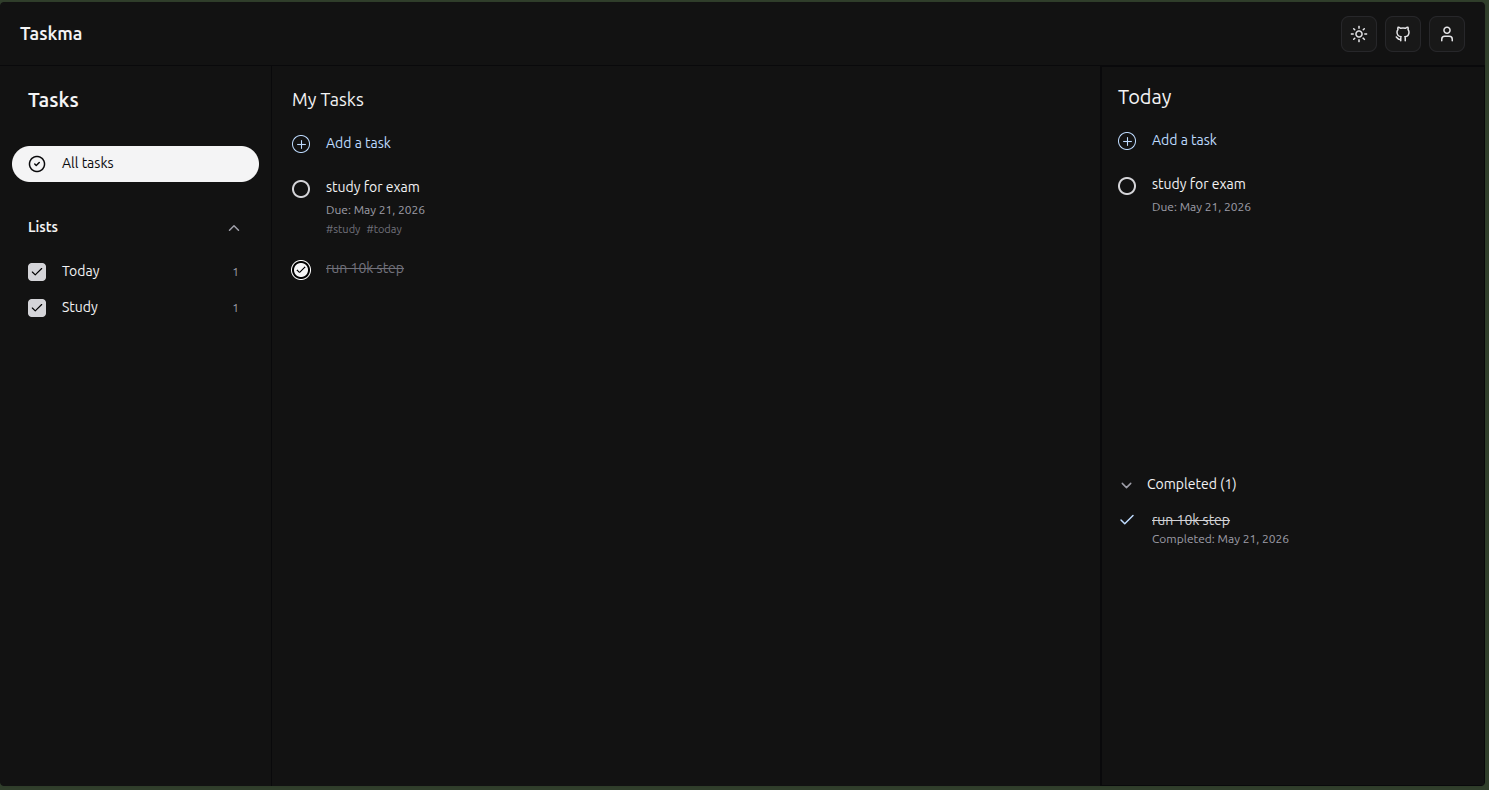
- Tags — Attach tags to todos and filter by them from the sidebar
- Responsive — Works across desktop, tablet, and mobile
| Layer | Technology |
|---|---|
| Frontend | React, TypeScript, Vite, Tailwind CSS |
| Backend | Node.js, Express, TypeScript |
| ORM | Prisma |
| Database | PostgreSQL |
| Auth | JWT, Passport.js, Google OAuth 2.0 |
| Deployment | Vercel (frontend), Render (backend) |
User ──< Todo >──< Tag
- A User has many Todos
- A Todo belongs to one User and can have many Tags
- A Tag can belong to many Todos (many-to-many)
model User {
  id           Int       @id @default(autoincrement())
  email        String    @unique
  name         String
  password     String?
  googleId     String?   @unique
  createdAt    DateTime  @default(now())
  refreshToken String?
  todos        Todo[]
}

model Todo {
  id          Int       @id @default(autoincrement())
  title       String
  description String?
  completed   Boolean   @default(false)
  dueDate     DateTime?
  createdAt   DateTime  @default(now())
  updatedAt   DateTime  @updatedAt
  userId      Int
  user        User      @relation(fields: [userId], references: [id])
  tags        Tag[]
}

model Tag {
  id    Int    @id @default(autoincrement())
  name  String @unique
  todos Todo[]
}
password and refreshToken are optional to support users who sign up via Google without setting a password.
.
├── backend/
│   ├── prisma/
│   │   ├── migrations/
│   │   └── schema.prisma
│   └── src/
│       ├── controller/
│       │   ├── auth.controller.ts       # Google OAuth callback handler
│       │   ├── todo.controller.ts       # Todo CRUD logic
│       │   └── user.controller.ts       # Register, login, refresh, logout
│       ├── db/
│       │   ├── todo.db.ts               # Prisma queries for todos
│       │   └── user.db.ts               # Prisma queries for users
│       ├── middleware/
│       │   └── auth.middleware.ts       # JWT verification
│       ├── oauth/
│       │   └── google.strategy.ts       # Passport Google OAuth 2.0 strategy
│       ├── routes/
│       │   ├── auth.routes.ts           # Google OAuth routes
│       │   ├── todo.routes.ts
│       │   └── user.routes.ts
│       ├── services/
│       │   └── auth.service.ts          # Auth business logic
│       ├── types/
│       │   └── express.d.ts             # Extended Express types
│       ├── utils/
│       │   └── token.utils.ts           # JWT sign / verify helpers
│       └── index.ts                     # App entry point
│
└── frontend/
    ├── public/
    └── src/
        ├── components/
        │   ├── Pages/
        │   │   ├── Home.tsx             # Main dashboard
        │   │   └── SignupPage.tsx        # Auth page (email + Google)
        │   ├── AllTasks.tsx             # All todos view
        │   ├── CompletedTasks.tsx       # Completed todos view
        │   ├── DeleteTaskDialog.tsx     # Delete confirmation dialog
        │   ├── Navbar.tsx               # Top navigation
        │   ├── TagSidebar.tsx           # Tag-based filtering sidebar
        │   └── TodayPanel.tsx           # Today's todos panel
        ├── utils/
        │   ├── api.ts                   # API calls
        │   └── theme.ts                 # Theme utilities
        ├── App.tsx
        ├── main.tsx
        └── index.css
- Node.js v18+
- PostgreSQL database
- A Google OAuth 2.0 client ID and secret (Google Cloud Console)
git clone https://github.com/devsterxyz/Taskma.git
cd Taskmacd backend
npm installCreate a .env file (see .env.example):
DATABASE_URL=
JWT_SECRET_KEY=
CORS_ORIGIN=http://localhost:5173
COOKIE_DOMAIN=

GOOGLE_CLIENT_ID=
GOOGLE_CLIENT_SECRET=


GOOGLE_CALLBACK_URL=
FRONTEND_URL=
Run migrations and start the server:
npx prisma migrate dev
npm run devcd frontend
npm install
npm run dev| Method | Endpoint | Description | Auth Required |
|---|---|---|---|
| POST | /user/register |
Register a new user | No |
| POST | /user/login |
Login with credentials | No |
| POST | /user/refresh |
Refresh access token | No |
| POST | /user/logout |
Logout and clear refresh token | Yes |
| GET | /auth/google |
Initiate Google OAuth 2.0 login | No |
| GET | /auth/google/callback |
Google OAuth callback | No |
| GET | /todos |
Get all todos for user | Yes |
| POST | /todos |
Create a new todo | Yes |
| PATCH | /todos/:id |
Update a todo | Yes |
| DELETE | /todos/:id |
Delete a todo | Yes |
| GET | /tags |
Get all tags | Yes |
Email / Password
- User registers or logs in with credentials
- Server returns a signed JWT access token and a refresh token stored in the database
- Access token is sent as
Authorization: Bearer <token>on every request - On expiry, the client exchanges the refresh token for a new access token
- Logout clears the refresh token from the database
Google OAuth 2.0
Cross-origin cookie handling between Vercel and Render requires a custom token handoff instead of a simple redirect:
- User clicks "Login with Google" and is redirected to Google's consent screen
- Google redirects to the Render backend callback; Passport verifies the user and issues JWT tokens
- Render stores the tokens in memory under a short-lived temporary key and redirects the browser to the Vercel frontend with that key as a query parameter
- The Vercel frontend picks up the temp key and makes a direct
fetchcall to Render, passing it - Render responds to that direct API call by setting
HttpOnlycookies, the browser accepts them because it is a direct request, not a cross-origin redirect - All subsequent requests use those cookies for authentication
This approach works around the browser restriction that blocks cookies set on cross-origin redirects.