
17x faster inference • NVIDIA + Apple Silicon • Production-ready • OpenAI-compatible API




Quick Start • Features • Performance • Roadmap • Community
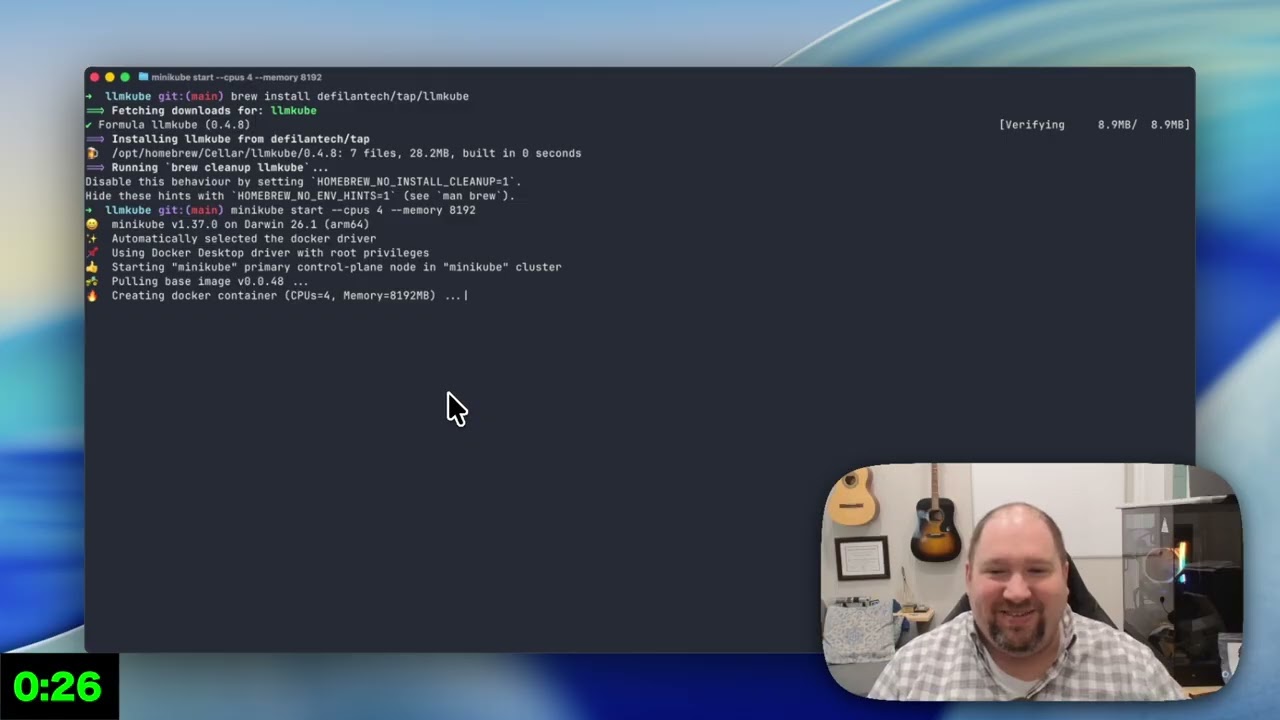
Watch: Deploy your first LLM on Kubernetes in 5 minutes
Running LLMs in production shouldn't require a PhD in distributed systems. LLMKube makes it as easy as deploying any other Kubernetes workload:
- 🚀 Deploy in minutes - One command to production-ready GPU inference
- ⚡ 17x faster - Automatic GPU acceleration with NVIDIA support
- 🍎 Apple Silicon native - Metal GPU acceleration via the Metal Agent — no containers needed for inference
- 🔌 OpenAI-compatible - Drop-in replacement for OpenAI API
- 📊 Full observability - Prometheus + Grafana GPU monitoring included
- 💰 Cost-optimized - Auto-scaling and spot instance support
- 🔒 Air-gap ready - Perfect for regulated industries and edge deployments
Perfect for: AI-powered apps, internal tools, edge computing, air-gapped environments, heterogeneous GPU clusters (NVIDIA + Apple Silicon)
Try LLMKube on your laptop with Minikube - choose your preferred method:
Simpler and faster! Just 3 commands:
# 1. Install the CLI (choose one)
brew install defilantech/tap/llmkube  # macOS (recommended)
# OR: curl -sSL https://raw.githubusercontent.com/defilantech/LLMKube/main/install.sh | bash  # Linux/macOS

# 2. Start Minikube
minikube start --cpus 4 --memory 8192

# 3. Install LLMKube operator with Helm (recommended)
helm repo add llmkube https://defilantech.github.io/LLMKube
helm install llmkube llmkube/llmkube \
  --namespace llmkube-system --create-namespace

# 4. Deploy a model from the catalog (one command!)
llmkube deploy phi-3-mini --cpu 500m --memory 1Gi

# Wait for it to be ready (~30 seconds)
kubectl wait --for=condition=available --timeout=300s inferenceservice/phi-3-mini

# Test it!
kubectl port-forward svc/phi-3-mini 8080:8080 &
curl http://localhost:8080/v1/chat/completions \
  -H "Content-Type: application/json" \
  -d '{"messages":[{"role":"user","content":"What is Kubernetes?"}],"max_tokens":100}'
New! 📚 Browse the Model Catalog:
# See all available pre-configured models
llmkube catalog list

# Get details about a specific model
llmkube catalog info llama-3.1-8b

# Deploy with one command (no need to find GGUF URLs!)
llmkube deploy llama-3.1-8b --gpu
Option 2: Using kubectl (No CLI or Helm)
If you prefer not to install the CLI or Helm, use kubectl with kustomize:
# Start Minikube
minikube start --cpus 4 --memory 8192

# Install LLMKube operator (note: requires cloning the repo for correct image tags)
git clone https://github.com/defilantech/LLMKube.git
cd LLMKube
kubectl apply -k config/default

# Or install just the CRDs and use local controller (see minikube-quickstart.md)

# Deploy a model (copy-paste this whole block)
kubectl apply -f - <<EOF
apiVersion: inference.llmkube.dev/v1alpha1
kind: Model
metadata:
  name: tinyllama
spec:
  source: https://huggingface.co/TheBloke/TinyLlama-1.1B-Chat-v1.0-GGUF/resolve/main/tinyllama-1.1b-chat-v1.0.Q4_K_M.gguf
  format: gguf
---
apiVersion: inference.llmkube.dev/v1alpha1
kind: InferenceService
metadata:
  name: tinyllama
spec:
  modelRef: tinyllama
  replicas: 1
  resources:
    cpu: "500m"
    memory: "1Gi"
EOF

# Wait for deployment (~30 seconds for model download)
kubectl wait --for=condition=available --timeout=300s inferenceservice/tinyllama

# Test it!
kubectl run test --rm -i --image=docker.io/curlimages/curl -- \
  curl -X POST http://tinyllama.default.svc.cluster.local:8080/v1/chat/completions \
  -H "Content-Type: application/json" \
  -d '{"messages":[{"role":"user","content":"What is Kubernetes?"}],"max_tokens":100}'
See full local setup guide: Minikube Quickstart →
Run LLMs on macOS with native Metal GPU performance — no containers needed for inference. The Metal Agent runs llama-server natively while Kubernetes handles orchestration.
Your Mac dedicates 100% of its unified memory to inference — no Podman VM, no minikube, no K8s overhead:
# Install llama.cpp (Metal-accelerated inference)
brew install llama.cpp

# Download the Metal Agent binary from GitHub Releases
# https://github.com/defilantech/LLMKube/releases

# Copy kubeconfig from your cluster (e.g. a Linux server, cloud, etc.)
export KUBECONFIG=~/.kube/config

# Start the Metal Agent with your Mac's reachable IP
llmkube-metal-agent --host-ip <your-mac-ip>

# Deploy a model with Metal acceleration
llmkube deploy llama-3.1-8b --accelerator metal
Works over LAN, Tailscale, WireGuard, or any routable network.
Run everything on one Mac (K8s + inference). Simpler to start, but minikube consumes RAM that could go to inference:
# Install prerequisites
brew install llama.cpp minikube

# Start minikube and install LLMKube
minikube start
helm repo add llmkube https://defilantech.github.io/LLMKube
helm install llmkube llmkube/llmkube --namespace llmkube-system --create-namespace

# Install and start the Metal Agent
cd deployment/macos
make install

# Deploy a model with Metal acceleration
llmkube deploy llama-3.1-8b --accelerator metal
The same InferenceService CRD works on both CUDA and Metal — just change accelerator: cuda to accelerator: metal.
Get 17x faster inference with GPU acceleration:
# 1. Install the CLI
brew tap defilantech/tap && brew install llmkube

# 2. Deploy GKE cluster with GPUs (one command)
cd terraform/gke
terraform init && terraform apply -var="project_id=YOUR_PROJECT"

# 3. Install LLMKube with Helm
helm repo add llmkube https://defilantech.github.io/LLMKube
helm install llmkube llmkube/llmkube \
  --namespace llmkube-system \
  --create-namespace

# 4. Deploy a GPU model (single command!)
llmkube deploy llama-3b \
  --source https://huggingface.co/bartowski/Llama-3.2-3B-Instruct-GGUF/resolve/main/Llama-3.2-3B-Instruct-Q8_0.gguf \
  --gpu \
  --gpu-count 1

# 5. Test inference (watch the speed!)
kubectl port-forward svc/llama-3b-service 8080:8080 &
curl http://localhost:8080/v1/chat/completions \
  -H "Content-Type: application/json" \
-d '{"messages":[{"role":"user","content":"Explain quantum computing"}]}'Real benchmarks on GKE with NVIDIA L4 GPU:
| Metric | CPU (Baseline) | GPU (NVIDIA L4) | Speedup |
|---|---|---|---|
| Token Generation | 4.6 tok/s | 64 tok/s | 17x faster |
| Prompt Processing | 29 tok/s | 1,026 tok/s | 66x faster |
| Total Response Time | 10.3s | 0.6s | 17x faster |
| Model | Llama 3.2 3B Q8 | Llama 3.2 3B Q8 | Same quality |
Cost: ~$0.35/hour with T4 spot instances (auto-scales to $0 when idle)
Multi-model benchmark on ShadowStack (2x RTX 5060 Ti, 10 iterations, 256 max tokens):
| Model | Size | Gen tok/s | P50 Latency | P99 Latency |
|---|---|---|---|---|
| Llama 3.2 3B | 3B | 53.3 | 1930ms | 2260ms |
| Mistral 7B v0.3 | 7B | 52.9 | 1912ms | 2071ms |
| Llama 3.1 8B | 8B | 52.5 | 1878ms | 2178ms |
Consistent ~53 tok/s across 3-8B models demonstrates efficient GPU utilization with LLMKube's automatic layer sharding.
Core Features:
- Kubernetes-native CRDs -
ModelandInferenceServiceresources - Automatic model download - From HuggingFace, HTTP, or S3
- Persistent model cache - Download once, deploy instantly (guide)
- OpenAI-compatible API -
/v1/chat/completionsendpoint - Multi-replica scaling - Horizontal pod autoscaling support
- Full CLI -
llmkube deploy/list/status/delete/catalog/cache/queuecommands - Model Catalog - 10 pre-configured popular models (Llama 3.1, Mistral, Qwen, DeepSeek, etc.)
- GPU Queue Management - Priority classes, queue position tracking, contention visibility
GPU Acceleration:
- ✅ NVIDIA GPU support (T4, L4, A100, RTX)
- ✅ Apple Silicon Metal - Native macOS inference via Metal Agent (M1/M2/M3/M4)
- ✅ Multi-GPU support - Run 13B-70B+ models across 2-8 GPUs (guide)
- ✅ Automatic layer offloading and tensor splitting
- ✅ Multi-cloud Terraform (GKE, AKS, EKS)
- ✅ Cost optimization (spot instances, auto-scale to 0)
Observability:
- ✅ Prometheus + Grafana included
- ✅ GPU metrics (utilization, temp, power, memory)
- ✅ Pre-built dashboards
- ✅ SLO alerts (GPU health, service availability)
- Auto-scaling - Based on queue depth and latency
- Edge deployment - K3s, ARM64, air-gapped mode
- Expanded catalog - 50+ pre-configured models with benchmarks
See ROADMAP.md for the full development plan.
# Add the Helm repository
helm repo add llmkube https://defilantech.github.io/LLMKube
helm repo update

# Install the chart
helm install llmkube llmkube/llmkube \
  --namespace llmkube-system \
  --create-namespace
See Helm Chart documentation →
# Clone the repo to get the correct image configuration
git clone https://github.com/defilantech/LLMKube.git
cd LLMKube
kubectl apply -k config/default

# Or use make deploy (requires kustomize installed)
make deploygit clone https://github.com/defilantech/LLMKube.git
cd LLMKube
make install # Install CRDs
make run # Run controller locallyThe llmkube CLI makes deployment simple:
# macOS (Homebrew)
brew install defilantech/tap/llmkube

# Linux/macOS (install script)
curl -sSL https://raw.githubusercontent.com/defilantech/LLMKube/main/install.sh | bash
Manual Installation
Download the latest release for your platform from the releases page.
macOS:
# Download and extract (replace VERSION and ARCH as needed)
tar xzf llmkube_*_darwin_*.tar.gz
sudo mv llmkube /usr/local/bin/
Linux:
# Download and extract (replace VERSION and ARCH as needed)
tar xzf llmkube_*_linux_*.tar.gz
sudo mv llmkube /usr/local/bin/
Windows:
Download the .zip file, extract, and add to PATH.
# TinyLlama (CPU, fast testing)
llmkube deploy tinyllama \
  --source https://huggingface.co/TheBloke/TinyLlama-1.1B-Chat-v1.0-GGUF/resolve/main/tinyllama-1.1b-chat-v1.0.Q4_K_M.gguf

# Llama 3.2 3B (GPU, production)
llmkube deploy llama-3b \
  --source https://huggingface.co/bartowski/Llama-3.2-3B-Instruct-GGUF/resolve/main/Llama-3.2-3B-Instruct-Q8_0.gguf \
  --gpu --gpu-count 1

# Phi-3 Mini (CPU/GPU)
llmkube deploy phi-3 \
--source https://huggingface.co/microsoft/Phi-3-mini-4k-instruct-gguf/resolve/main/Phi-3-mini-4k-instruct-q4.gguf# List all services
llmkube list services
# Check status
llmkube status llama-3b-service
# View GPU queue (services waiting for GPU resources)
llmkube queue -A
# Delete deployment
llmkube delete llama-3bAll deployments expose an OpenAI-compatible API:
from openai import OpenAI

# Point to your LLMKube service
client = OpenAI(
    base_url="http://llama-3b-service.default.svc.cluster.local:8080/v1",
    api_key="not-needed"  # LLMKube doesn't require API keys
)

# Use exactly like OpenAI API
response = client.chat.completions.create(
    model="llama-3b",
    messages=[
        {"role": "user", "content": "Explain Kubernetes in one sentence"}
    ]
)

print(response.choices[0].message.content)
Works with: LangChain, LlamaIndex, OpenAI SDKs (Python, Node, Go)
For environments with SSL inspection or private Certificate Authorities (CAs), you can configure the controller to use a custom CA bundle for model downloads.
-
Create a ConfigMap containing your CA certificate:
kubectl create configmap my-custom-ca \
  --from-file=ca.crt=path/to/cert.pem \
  -n llmkube-system
-
Configure the Controller (choose one method):
Helm:
helm upgrade --install llmkube llmkube/llmkube \
  --set controller.args="{--ca-cert-configmap=my-custom-ca}"
Kustomize / Manifests: Edit the Deployment args to include
--ca-cert-configmap=my-custom-ca.
The controller will automatically mount this certificate into all model download pods.
LLMKube includes production-ready Terraform configs:
cd terraform/gke

# Deploy cluster with T4 GPUs (recommended for cost)
terraform init
terraform apply -var="project_id=YOUR_GCP_PROJECT"

# Or use L4 GPUs (better performance)
terraform apply \
  -var="project_id=YOUR_GCP_PROJECT" \
  -var="gpu_type=nvidia-l4" \
  -var="machine_type=g2-standard-4"

# Verify GPU nodes
kubectl get nodes -l cloud.google.com/gke-accelerator
Features:
- ✅ Auto-scales from 0-2 GPU nodes (save money when idle)
- ✅ Spot instances enabled (~70% cheaper)
- ✅ NVIDIA GPU Operator installed automatically
- ✅ Cost alerts configured
Estimated costs:
- T4 spot:
$0.35/hour ($50-150/month with auto-scaling) - L4 spot:
$0.70/hour ($100-250/month with auto-scaling)
💡 Important: Run terraform destroy when not in use to avoid charges!
LLMKube includes full observability out of the box:
# Access Grafana
kubectl port-forward -n monitoring svc/kube-prometheus-stack-grafana 3000:80

# Import GPU dashboard
# Open http://localhost:3000 (admin/prom-operator)
# Import config/grafana/llmkube-gpu-dashboard.json
Metrics included:
- GPU utilization, temperature, power, memory
- Inference latency and throughput
- Model load times
- Error rates
Alerts configured:
- High GPU temperature (>85°C)
- High GPU utilization (>90%)
- Service down
- Controller unhealthy
K8s runs on a Linux server (or cloud); the Mac dedicates all resources to inference:
┌─────────────────────────────────────┐      ┌──────────────────────────────┐
│ Linux Server / Cloud                │      │ Mac (Apple Silicon)          │
│                                     │      │                              │
│  ┌───────────────────────────────┐  │      │  ┌────────────────────────┐  │
│  │ Kubernetes (Control Plane)    │  │      │  │ Metal Agent            │  │
│  │  ┌─────────┐ ┌─────────────┐ │  │ LAN/ │  │  --host-ip <mac-ip>   │  │
│  │  │ Model   │ │ Inference   │ │  │ VPN/ │  │  Watches K8s API      │  │
│  │  │ Ctrl    │ │ Service Ctrl│ │◄─┼──────┼─►│  Spawns llama-server  │  │
│  │  └─────────┘ └─────────────┘ │  │ TLS  │  └────────────────────────┘  │
│  │  LLMKube Operator            │  │      │                              │
│  └───────────────────────────────┘  │      │  ┌────────────────────────┐  │
│                                     │      │  │ llama-server (Metal)   │  │
│  ┌───────────────────────────────┐  │      │  │  Full GPU access ✅   │  │
│  │ CUDA Nodes (optional)        │  │      │  │  All unified memory    │  │
│  │  llama.cpp containers        │  │      │  └────────────────────────┘  │
│  └───────────────────────────────┘  │      │                              │
└─────────────────────────────────────┘      └──────────────────────────────┘
Everything on one Mac — simpler but minikube consumes resources:
┌──────────────┐
│ User / CLI   │
│ llmkube deploy
└──────┬───────┘
       │
       ▼
┌─────────────────────────────────┐
│ Control Plane                   │
│ ┌─────────┐  ┌───────────────┐ │
│ │ Model   │  │ Inference     │ │
│ │ Controller  │ Service      │ │
│ └─────────┘  └───────────────┘ │
└─────────┬───────────┬──────────┘
          │           │
    accelerator:   accelerator:
       cuda          metal
          │           │
          ▼           ▼
┌──────────────┐ ┌──────────────────┐
│ Linux Node   │ │ macOS Host       │
│ (Container)  │ │ (Metal Agent)    │
│ ┌──────────┐ │ │ ┌──────────────┐ │
│ │ llama.cpp│ │ │ │ llama-server │ │
│ │ (CUDA)   │ │ │ │ (Metal GPU)  │ │
│ └──────────┘ │ │ └──────────────┘ │
└──────────────┘ └──────────────────┘
Key components:
- Model Controller - Downloads and validates models
- InferenceService Controller - Creates deployments and services
- llama.cpp Runtime - Efficient CPU/GPU inference (CUDA or Metal)
- Metal Agent - Native macOS process that watches CRDs and spawns
llama-serverwith Metal GPU access (docs) --host-ipflag - Registers the Mac's reachable IP in K8s endpoints, enabling remote cluster architectures- DCGM Exporter - GPU metrics for Prometheus
Model won't download
# Check model status
kubectl describe model <model-name>

# Check init container logs
kubectl logs <pod-name> -c model-downloader
Common issues:
- HuggingFace URL requires authentication (use direct links)
- Insufficient disk space (increase storage)
- Network timeout (retry will happen automatically)
Pod crashes with OOM
# Check resource limits
kubectl describe pod <pod-name>

# Increase memory in deployment
llmkube deploy <model> --memory 8Gi  # Increase as needed
Rule of thumb: Model memory = file size × 1.2
GPU not detected
# Verify GPU operator is running
kubectl get pods -n gpu-operator-resources

# Check device plugin
kubectl get pods -n kube-system -l name=nvidia-device-plugin-ds

# Test GPU with a pod
kubectl apply -f - <<EOF
apiVersion: v1
kind: Pod
metadata:
  name: gpu-test
spec:
  containers:
  - name: cuda
    image: nvidia/cuda:12.2.0-base-ubuntu22.04
    command: ["nvidia-smi"]
    resources:
      limits:
        nvidia.com/gpu: 1
  tolerations:
  - key: nvidia.com/gpu
    operator: Exists
  restartPolicy: Never
EOF

kubectl logs gpu-test # Should show GPU infoQ: Can I run this on my laptop? A: Yes! See the Minikube Quickstart Guide. Works great with CPU inference for smaller models.
Q: What model formats are supported? A: Currently GGUF (quantized models from HuggingFace). SafeTensors support coming soon.
Q: Does this work with private models?
A: Yes - configure image pull secrets or use PersistentVolumes with file:// URLs.
Q: How do I reduce costs?
A: Use spot instances (default), auto-scale to 0 (default), and run terraform destroy when not in use.
Q: Does this work on Apple Silicon Macs?
A: Yes! The Metal Agent runs llama-server natively on macOS with full Metal GPU performance. You don't need Kubernetes running on the Mac — just point the Metal Agent at a remote cluster with --host-ip and a kubeconfig. Your Mac dedicates 100% of its unified memory to inference while K8s orchestrates from a Linux server or cloud.
Q: Is this production-ready? A: Yes! Single-GPU and multi-GPU deployments are fully supported with monitoring. Advanced auto-scaling coming soon.
Q: Can I use this in air-gapped environments? A: Yes! Pre-download models to PersistentVolumes and use local image registries. Full air-gap support planned for Q1 2026.
We're just getting started! Here's how to get involved:
- 🐛 Bug reports & features: GitHub Issues
- 💬 Questions & help: GitHub Discussions
- 📖 Roadmap: ROADMAP.md
- 🤝 Contributing: We welcome PRs! See ROADMAP.md for priorities
Help wanted:
- Additional model formats (SafeTensors)
- AMD/Intel GPU support
- Metal Agent testing on M1/M2/M3 chips
- Documentation improvements
- Example applications
Built with excellent open-source projects:
- Kubebuilder - Kubernetes operator framework
- llama.cpp - Efficient LLM inference engine
- Prometheus - Metrics and monitoring
- Helm - Package management
Apache 2.0 - See LICENSE for details.
Ready to deploy? Try the 5-minute quickstart →
Have questions? Open an issue
⭐ Star us on GitHub if you find this useful!