

DEPLOYED FRONT END: https://cathyob.github.io/bucket-browser/
BACKEND REPO: https://github.com/cathyob/bucket-api
HEROKU: https://feedbucketcathyob.herokuapp.com/
Created by @cathyob, @dsweetser, and @newayliu1 for General Assembly Boston Web Development Immersive cohort 016!
Thank you for visiting our front end repo! This app was built as part of the course's team project.
We were assigned to a team and given a prompt. Ours was to create a bucket list for people to be able to save, see, edit, and delete items from their list utlizing a location based 3rd party API.
After getting to know each other we decided to theme our project around a mutual interest - FOOD! Throughout this course we noticed that our class would constantly talk to each other about cool restaurants people should try, for lunch together or otherwise.
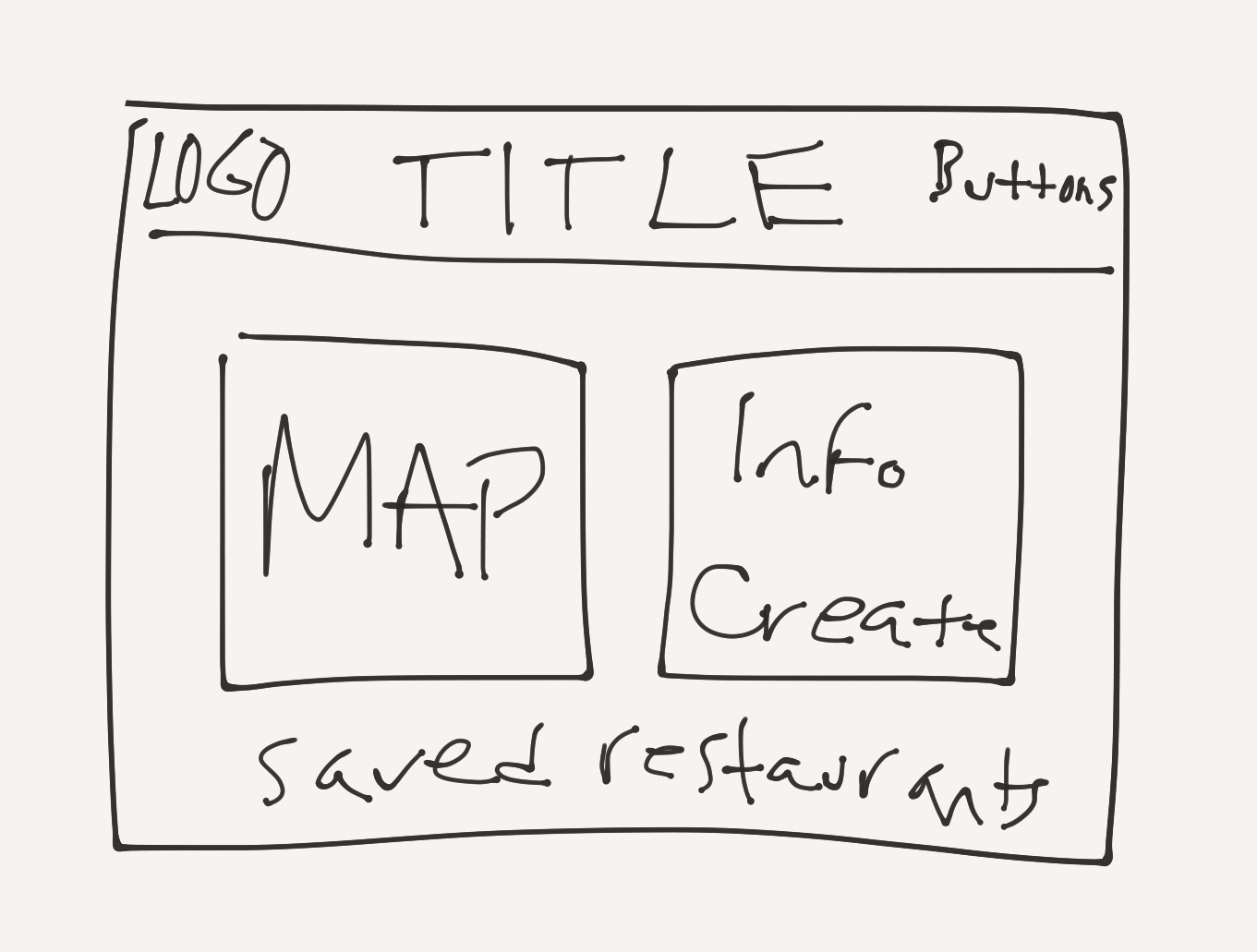
We designed this app with the prompt and our interpretation in mind. A user needs to sign up/in, then they can use the form to fill in information to save restaurants to their bucket list. They can confirm a restaurant exists by searching for it and clicking on its pin. If they do this they can click 'Get from Map' to pre-fill the restaurant's name and address in the form.
For our third project we needed to create a full stack applciation using MongoDB, Mongoose, and Express. We connected our repos together and also incorporated Google Maps and Places APIs. We were able to achieve functionality of the Google Map display, Places search/autofill, Pin dropping, and Multi-pin dropping.
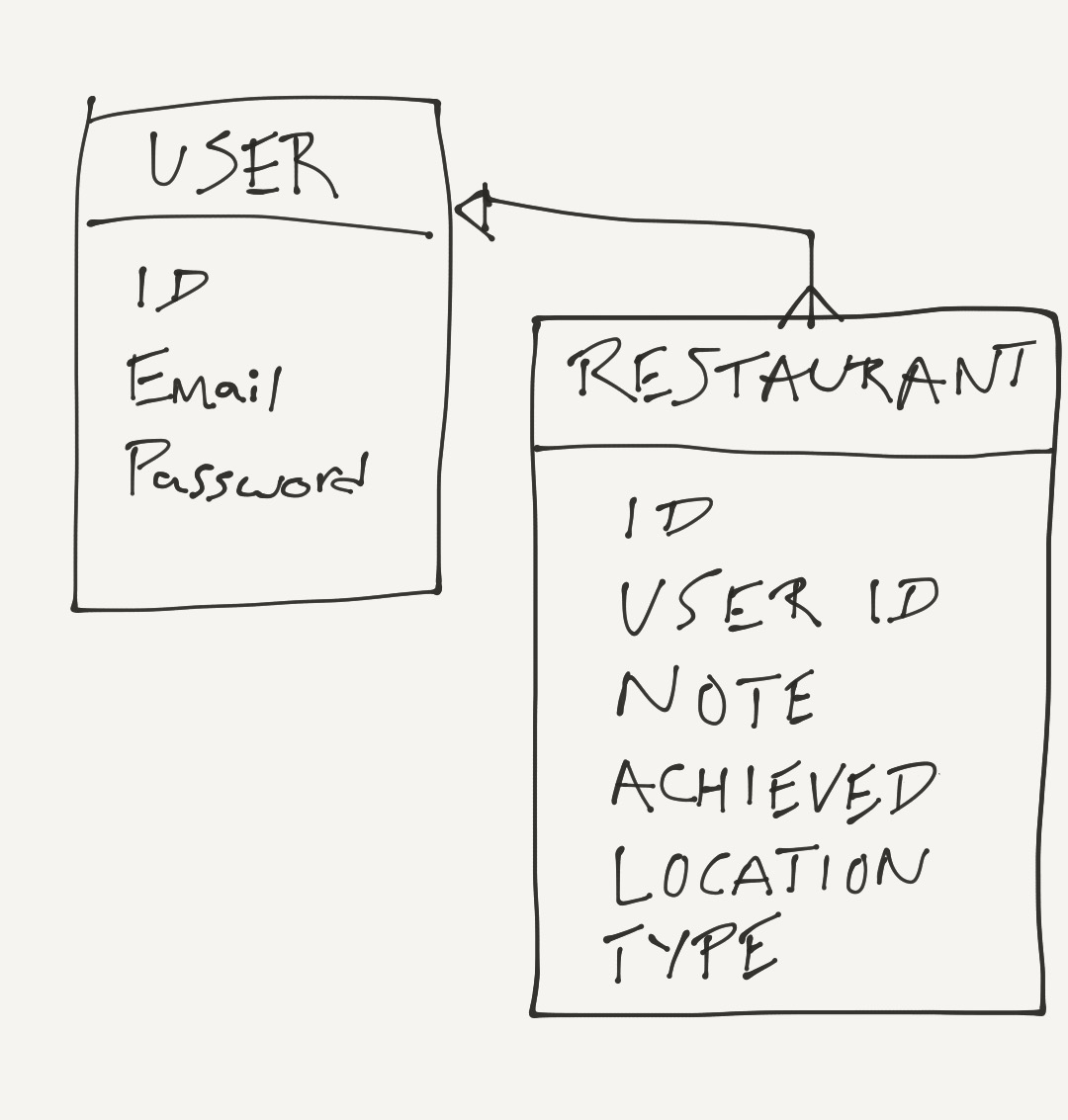
As a team we decided to design and build our backend repo first. We drew out our MongoDB document design first. Then we built it while pair programming. The app needed to allow a user to CRUD (create, read, update, destroy actions) on the restaurants they owned.
Once we had the backend set up we started pair programming with the frontend repo. We first ensured the user sign up/in/out and change password functions worked. Then we moved on to allow the user to make CRUD actions on their restaurants. After that was accomplished we started researching how to incorporate the Google Map and Places API. This was a major part of our project and we knew there were going to be multiple functionalities we wanted to incorporate.
A hurdle we ran into was how Grunt would not allow our maps function to be accessed. We split up to cover more ground and were able to deteremine that we needed to modify the Grunt webpack.js file to specifically build a map file routed to our desired file. Finally, we added global scope to the function. Then we had success with the map loading!
After that, we kept working individually to add as much funcationality as possible. We were able to add the search bar to the map, pin dropping, and multi-pin dropping. We also added some much needed style and UI to the app to improve the user experience.
Overall, we had a great learning experience. In 4.5 days we were able to build and deploy a fully functioning application!
In order to use what we have to play around with it on your own, please download both this repo and the backend repo. In the console we NPM install in both repos. In the front end repo we used grunt serve and in the backend repo we used nodemon for our local servers during the development process.
You will need to get your own Google API key and set up the key authentication to allow for your own development and deployed URLs to use them.
Also, you will need a backend server. We used Heroku. You can create your own and replace the address with yours.
- A user wants to sign up/in
- Upon sign in a user wants to:
- be allowed to change password and sign out
- see their current list of desired restaurants right away (even if empty)
- A user wants to be able to search for a restaurant on a map and be able to click the pin to see more info
- A user wants to be able to add a restaurant they would like to visit to their saved list
- A user wants to be able to:
- mark a saved restaurant as visited
- delete a restaurant from their saved list
Don't forget to try it out here: https://cathyob.github.io/bucket-browser/
Thank you very much for checking out our app! Please let us know if you have any questions!